
Korg LP-380 Manual
PDF manual · 71 Pages
English



Quick check
Incorrect answer, please try again.
Chat with your Korg LP-380 manual using AI
Get instant AI answers from your Korg LP-380 manual
Ask anything about the Korg LP-380. Answers come from this manual, with the pages they are based on.
Ask a Question
Do you recommend LP-380?
Yes NoFrequently Asked Questions
To use Layer mode, press two sound buttons simultaneously. The leftmost or uppermost selected sound button becomes layer one, while the other becomes layer two. You can adjust volume balance and octave shifts for each layer in the function mode. This allows you to combine sounds like a grand piano with an organ for a richer texture without changing settings constantly.
Is this answer helpful?
The metronome allows you to adjust tempo from 40 to 240 BPM and change time signatures like 2/4, 3/4, 4/4, and 6/4. You can set the accent sound to off, on1, or on2 bell sound. Volume can also be controlled between levels 1 and 13. Hold down the METRONOME button to enter settings mode to change these values.
Is this answer helpful?
Yes, there are two headphone jacks provided on the front and back of the unit. When a headphone jack is plugged in, the internal speakers will automatically turn off. Use stereo headphones with a stereo 1/8 mini plug for optimal audio quality while practicing without disturbing others nearby.
Is this answer helpful?
The digital piano supports a maximum polyphony of 120 notes. This ensures that many notes can be played simultaneously without cutting off existing sounds. However, using layered sounds with more oscillators might reduce the available polyphony count depending on the specific sounds selected.
Is this answer helpful?
You can choose from three settings: Light, Normal, or Heavy. To change this, hold down the TOUCH button and use the UP or DOWN buttons to switch between settings. Light setting allows loud notes with less force, while Heavy requires significant playing strength. Normal mimics a standard piano response.
Is this answer helpful?
Advantages and Disadvantages
Advantages

- Features 30 high-quality expressive sounds including stereo concert grand piano and electric pianos.
- Supports Layer and Partner modes for complex sound layering and duet practice capabilities.
- Includes three pedals with half-pedaling support for realistic damper and soft effects.
- Offers nine temperaments for authentic performance across classical and folk music styles.
- Compatible with MIDI protocols allowing data transfer to computers or other instruments.
Disadvantages

- Requires stand assembly which can be time-consuming and requires care to prevent tipping.
- Auto power off function activates by default after thirty minutes of inactivity.
- No built-in recording features to capture performances directly to storage media.
- Fixed key weight action may limit dynamic range compared to weighted acoustic models.
- Speaker power is standard and may not fill large rooms without external amplification.
Product Specification
Type
Digital Piano
Stand
Wooden Stand
Keys
88
Polyphony
120 voices
Tones
30
Styles
No
Pedals
3
Speakers
2 x 22W (2 Speakers)
Display
No
Functions
Metronome, Transposition, Fine Tuning, Temperament
Audio Connectors
Stereo Line Out (3.5mm Jack), Headphones (3.5mm Jack)
Other Connectors
MIDI In/Out, Sustain Pedal
Features
Integrated Effects
Dimensions
53.35 x 30.39 x 13.82 inches (W x H x D)
Weight
81.57 lbs
Product Description
Discovering the Art of Digital Piano
An Immersive Musical Journey
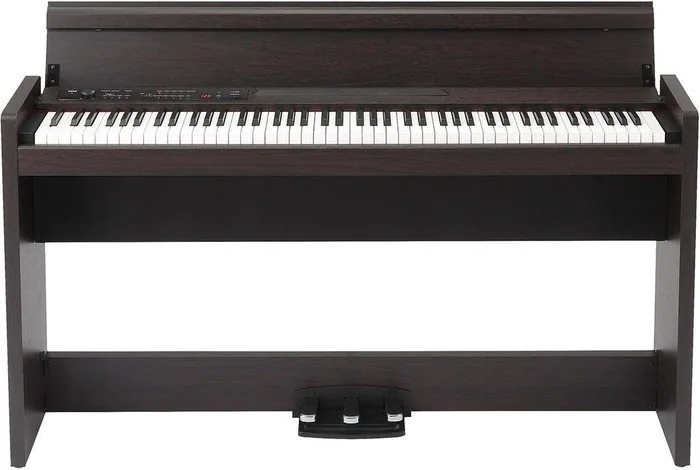
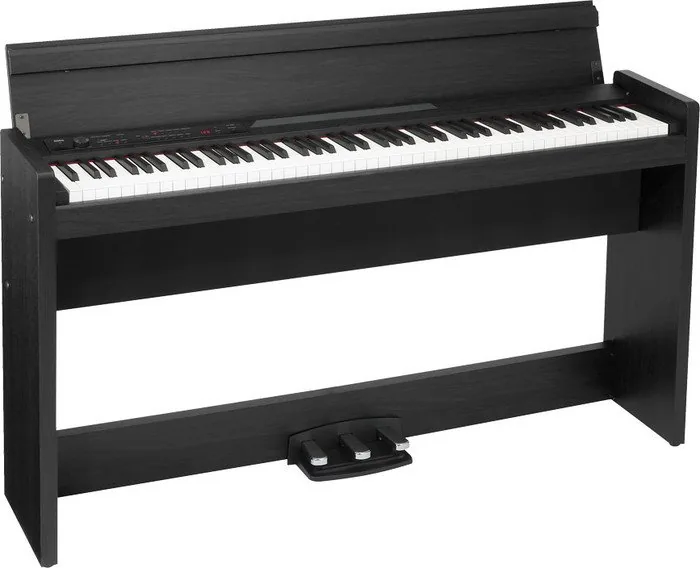
The Korg LP-380 represents a significant step forward for digital piano enthusiasts who seek authentic performance capabilities. This instrument delivers thirty built-in expressive high-quality sounds, ranging from stereo concert grand piano to electric pianos and organs. Users can explore Layer mode to play two sounds simultaneously, creating rich textures for solo performances. Partner mode divides the keyboard, allowing two players to practice together in the same tone. The included stand ensures stability while the three pedals offer damper, sostenuto, and soft effects with half-pedaling support.
Essential Features for Musicians
Effect control is robust with Brilliance, Reverb, and Chorus options to enhance the tone. The built-in metronome aids practice by adjusting tempo and accent sounds. Touch settings allow customization from light to heavy key response, adapting to different playing styles. Temperament selection includes nine options for authentic classical or folk music performances. Transpose and Pitch Control functions offer flexibility for accompanying vocalists or other instruments.
Connectivity and Usage
The device supports MIDI protocols for connecting to computers or sequencers. Two headphone jacks enable silent practice sessions without disturbing others. The LINE OUT jack allows connection to external amplifiers. Users must connect the designated AC adapter to the DC 19V jack to power the unit safely. Auto power off activates after thirty minutes of inactivity to conserve energy.
Performance and Maintenance
Reading the documentation provided during setup is recommended before assembly to ensure proper setup. Stand assembly requires care to prevent tipping. Always check for loose screws periodically for safety. Enjoy the resonance of the stretched tuning on piano sounds for a natural feel. This digital instrument invites creativity through its versatile sound generation and comprehensive control options designed for home studios and performance stages alike. Understanding the layout of the control panel is essential for navigating menus quickly. The display shows various settings including function modes. Adjusting the volume knob affects speaker output and line jacks. Remember to keep liquid away from the equipment to prevent damage. Metal objects inside the unit should be avoided as they cause shorts. If using the piano near radios, maintain distance to prevent interference. The stand covers the speaker box for a premium look. When playing, ensure the power is correct for the region to avoid warranty issues. Disposal must follow local regulations for electronic waste. This comprehensive approach to design ensures longevity and enjoyment for the musician. Whether you are a beginner or professional, the LP-380 adapts to your needs. Explore the demo songs provided to listen to various instruments. Select the sound button to trigger playback modes. Practice makes perfect with the help of the metronome settings. Adjust the accent to a bell sound for sharper cues on the beat. Ensure you read the installation guide thoroughly. Verify voltage requirements match your local power grid. If the unit does not turn on, check the connection points. Noise issues can often be resolved by moving the device. The stereo PCM system generates authentic tones for realistic performance. Polyphony handles up to 120 notes simultaneously. When layering sounds, be mindful of oscillator limits. The keyboard action provides weighted response similar to acoustic pianos. Two people can play specific ranges simultaneously in partner mode. This functionality makes learning duets easier. Assembly instructions guide the placement of side panels. Anti-tipping brackets secure the structure. Regular maintenance keeps the unit functioning well. Clean the exterior with a dry cloth. Do not use liquid cleaners. If issues arise, check connections first. The warranty covers defects but not unauthorized modifications. Protect your investment by storing it properly when not in use. Enjoy the music creation process with reliability and quality.
Search for 67,732 Manuals online


Type-in Brand or Model