

Kodak Scanza Manual
PDF manual · 32 Pages
English



Quick check
Incorrect answer, please try again.
Chat with your Kodak Scanza manual using AI
Get instant AI answers from your Kodak Scanza manual
Ask anything about the Kodak Scanza. Answers come from this manual, with the pages they are based on.
Ask a Question
Do you recommend Scanza?
Yes No
Else Hansen
7 months ago
Does the device work reliably, or are there frequent issues after purchase?

Manual.ly
7 months ago
Based on customer feedback, the device performs reliably and works properly right away. If you run into any problems, contact our support team and we will help you troubleshoot or arrange a replacement if needed. For best results, follow the setup instructions in the manual, use the recommended accessories, and ensure the device is installed and powered correctly.
Video Manual
Kodak Scanza Digital Film Slide Scanner
Frequently Asked Questions
The Scanza accepts 35mm (135), 126, 110, Super 8 and 8mm film, as well as 2x2 mounted slides. Use the correct adapter and insert for each film type as listed in the device’s adapter guide.
Is this answer helpful?
No. The scanner can capture images directly to an SD/SDHC card (not included) and perform basic edits on the 3.5" LCD. When connected to a computer via USB, it mounts the SD card as external storage but cannot scan while acting as a USB device.
Is this answer helpful?
You can choose the native 14MP scan or a 22MP option that uses onboard software interpolation to enlarge images. The 22MP option increases pixel count via algorithmic processing but is not true additional optical detail.
Is this answer helpful?
Clean film gently with a soft cloth or air blower to remove dust, load negatives/glossy-side up (Super 8 with sprocket holes up), avoid fingerprints, and use the correct adapter and insert to ensure proper alignment and focus.
Is this answer helpful?
The unit includes an SD card slot for storage, USB 2.0 for computer connection (file access), a 3.5mm video output and an HDMI port for TV display. HDMI or AV output will blank the unit’s LCD while in use.
Is this answer helpful?
No PC software is required for basic scanning and saving. On-device adjustments include brightness and RGB color controls, rotate/flip/delete, and slideshow playback. For advanced editing, transfer files to a computer.
Is this answer helpful?
A limited one-year warranty covers manufacturing defects for the original purchaser with exclusions for misuse, cosmetic damage and third-party accessories. US and international support contacts are supplied by the licensed distributor.
Is this answer helpful?
Advantages and Disadvantages
Advantages

- Supports 35mm, 126, 110, Super 8 and 8mm film formats and 2x2 mounts.
- No computer required for scanning; saves directly to SD/SDHC card.
- 3.5" tiltable LCD with basic on-device image editing and preview.
- Selectable 14MP native and 22MP interpolated resolution options.
- Includes adapters, HDMI/AV and USB cables plus a cleaning brush.
Disadvantages

- No internal storage—requires separate SD/SDHC card to operate.
- Interpolated 22MP is software-upscaled, not true optical resolution.
- Image quality sensitive to dust, scratches and careful film handling.
- Limited one-year warranty with several exclusions and regional limits.
- Cannot scan while connected to a computer; acts as external storage only.
Product Specification
Type
Film Scanner (CMOS)
Resolution
14.0 Megapixel
Paper/Film Format
Film (35mm, Super 8, 110mm, 126mm), Slide
Paper/Film Feed
Slide Frame, Film Frame
Ports
1x USB 2.0, Card Reader (SD/SDHC), 1x HDMI-Out, 1x TV-Out (3.5mm Jack)
Wireless
N/A
Display
Color, 3.5", Touchscreen
Power Consumption
36W (typical), 5W (sleep)
Dimensions
4.72x5.00x4.72in
Weight
1.01lb
Special Features
LED Lighting
Manufacturer Warranty
1 Year
Product Description
Kodak Scanza — Quick Guide and Overview
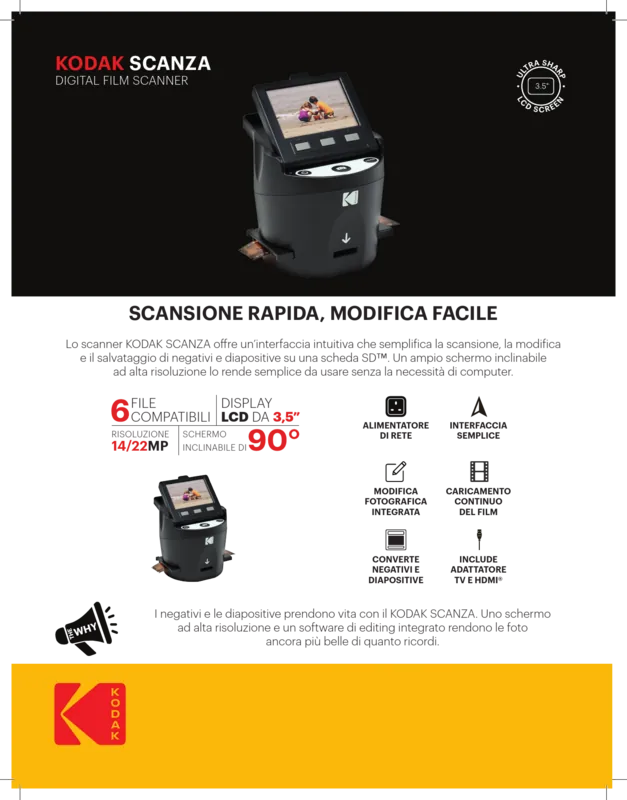
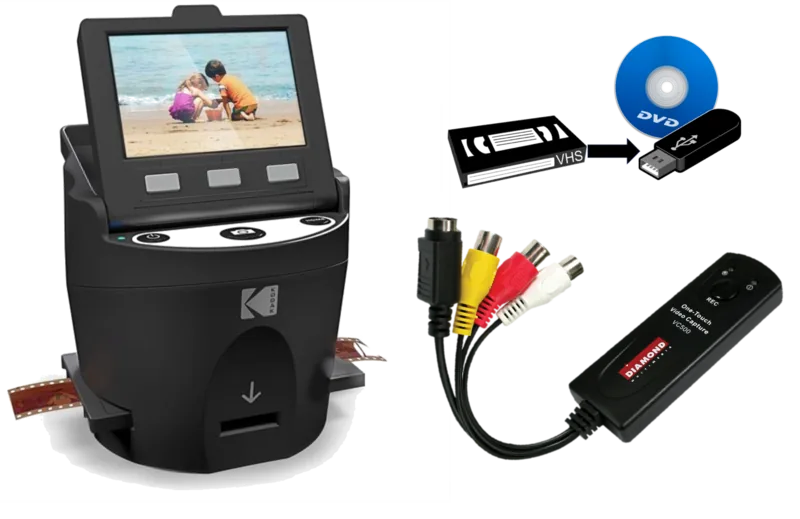
The Kodak Scanza is a user-friendly digital film scanner designed to convert slides, negatives and Super 8/8mm motion film into JPEG images you can store, edit and share. With a 3.5" tilt LCD, adjustable color and brightness controls, and support for multiple film sizes, it aims to simplify digitizing old analog memories without requiring a computer.
Designed for home use, the Scanza accepts 35mm, 126, 110, Super 8 and 8mm film as well as 2x2 mounts. It saves scans to an SD/SDHC card (not included) or can connect to a computer via USB. The device offers two selectable scan resolutions: native 14MP and an interpolated 22MP option that uses onboard processing to boost image size. Built-in video and HDMI outputs let you preview or display images on a TV, and the included adapter trays and quick-load system make it simple to feed multiple frames.
The scanner provides manual image controls including RGB color adjustments, brightness, and basic gallery editing such as rotate, flip, delete and slideshow playback. Controls are handled with softkeys and a physical capture button; the interface displays context-sensitive functions on the screen. Before scanning, the correct adapter and insert must be chosen and film should be loaded with care: negatives and slides go in glossy-side up, Super 8 with sprocket holes upward. Clean film gently to reduce dust and scratches for better results.
Safety and practical tips emphasize keeping the unit dry, avoiding disassembly, using a flat stable surface, and powering it from the supplied AC adapter or via USB. The scanner needs an SD card to operate because it has no internal storage; when connected to a computer via USB it acts as an external storage device for the card. A cleaning brush and inserts are included to help maintain the light path and adapters.
While marketed under the Kodak Scanza name, manufacturing and warranty are provided by the licensed distributor (C & A Marketing, Inc.). The product includes a limited one-year warranty with exclusions for misuse, cosmetic damage, third-party accessories and other conditions. Customer support contact details are provided for US and international assistance.
Notes
- Requires SD/SDHC card (not included).
- Uses AC adapter or USB power; avoid overloading computer USB ports.
- Handle film carefully to prevent scratches and fingerprints.
- Color settings reset on power cycle; save images before changing media.
Search for 67,706 Manuals online


Type-in Brand or Model
Sofia Weber
11 months ago
Does the device work reliably and without issues after purchase?
Manual.ly
11 months ago
Yes. Customers report that the device works flawlessly and functions reliably. If you follow the setup instructions, it should run smoothly without noticeable problems.