
KeySonic KSM-3020M Manual
PDF manual · 8 Pages
English



Quick check
Incorrect answer, please try again.
Chat with your KeySonic KSM-3020M manual using AI
Get instant AI answers from your KeySonic KSM-3020M manual
Ask anything about the KeySonic KSM-3020M. Answers come from this manual, with the pages they are based on.
Ask a Question
Do you recommend KSM-3020M?
Yes NoFrequently Asked Questions
Its biggest advantage is the combination of IP68 water and dust resistance with a silicone surface, making it a practical choice for environments where spills, dirt, and frequent cleaning are common.
Is this answer helpful?
It is a wired USB mouse. The 1.8-meter cable provides a direct connection, so there is no need for batteries, charging, or pairing.
Is this answer helpful?
The mouse is compatible with Windows and macOS, which makes it suitable for many common desktop and laptop setups.
Is this answer helpful?
Disconnect it before cleaning and use a dry anti-static cloth. Avoid aggressive cleaning agents, solvents, or excess moisture, and make sure no residue is left behind.
Is this answer helpful?
Yes, the IP68 rating indicates strong protection against water and dust. Still, it should be used in intended environments and treated as an electronic device that benefits from careful handling.
Is this answer helpful?
If repairs are needed, it is best to contact a specialist retailer or support service instead of trying to modify or repair it yourself.
Is this answer helpful?
Advantages and Disadvantages
Advantages

- IP68 protection adds strong resistance against water and dust.
- Silicone surface is easy to clean and feels durable in daily use.
- 1.8 m USB cable offers stable wired connectivity without charging.
- Compatible with Windows and macOS for flexible use across systems.
Disadvantages

- Not suitable for harsh cleaners or aggressive solvents during maintenance.
- Wired design limits movement compared with wireless mice.
- Repairs should be handled by a specialist rather than DIY.
- Must be kept away from children due to small parts and packaging risks.
Product Specification
Compatibility
both hands (left hand, right hand)
Buttons
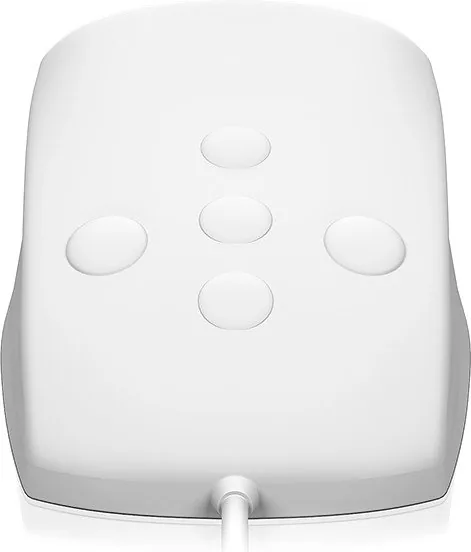
5 (total), 2 (main), 3 (top)
Scroll wheel
N/A
Tracking
LED-red/IR
Lighting
N/A
Connection
wired (5.91 ft), USB
Power supply
USB
Dimensions (WxHxD)
2.56x1.57x4.53in
Approximate volume
4.76in^3 (approximate shape)
Weight
0.35lb
Color
solid color, white
Features
IP68 certified
Product Description
KeySonic KSM-3020M-W White USB Mouse
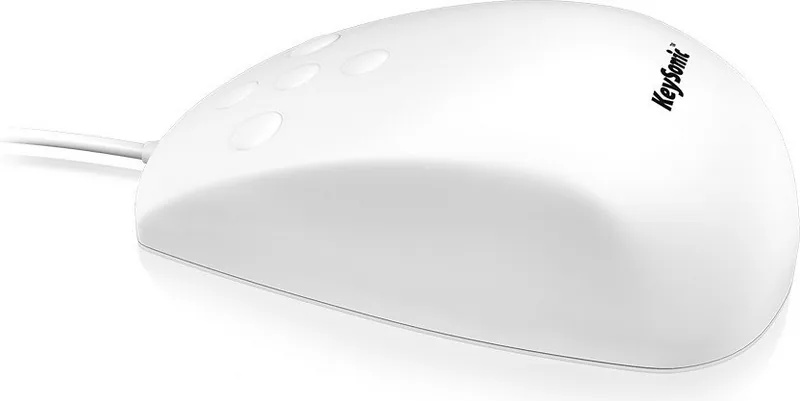
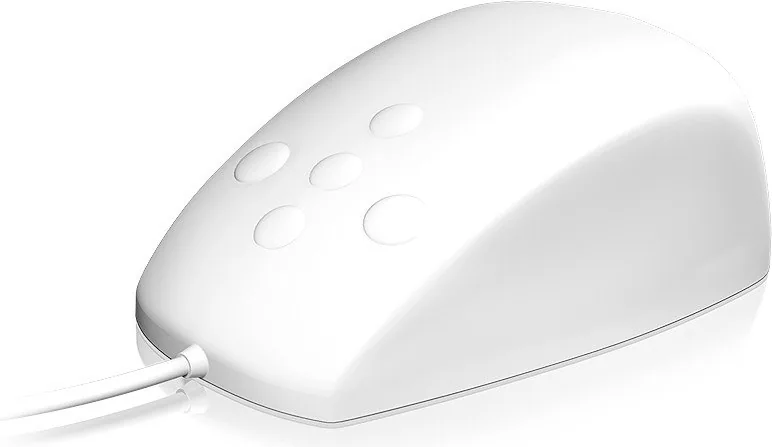
The KeySonic KSM-3020M-W is a practical USB mouse designed for everyday use where durability and easy maintenance matter. Its white finish gives it a clean, simple look, while the silicone surface adds a soft, resilient feel that is made to handle frequent use. Rather than focusing on flashy extras, this model keeps things straightforward and functional.
Built for busy and challenging environments
One of the most notable strengths of the KSM-3020M-W is its waterproof design. With IP68 protection, it is built to resist water and dust far better than a standard desktop mouse. That makes it a strong choice for workplaces, shared stations, or any setting where accidental spills and constant handling are part of daily routines. The silicone body also helps make cleaning easier and supports a more durable overall design.
Simple connection, broad compatibility
This mouse uses a USB connection with a 1.8-meter cable, offering a stable wired setup without the need for batteries or pairing. Just plug it in and get to work. Compatibility with Windows and macOS makes it versatile enough for mixed-device environments, whether at home, in an office, or in a practical workstation setup.
Care, safety, and everyday use
The included manual emphasizes safe handling, proper cleaning, and responsible use. Like any electronic accessory, it should be kept away from harsh cleaning agents, excessive heat, and unnecessary modifications. A dry, anti-static cloth is recommended for maintenance, and the device should be disconnected before cleaning. The packaging and small parts should also be kept out of reach of children. If the mouse ever needs service, professional support is the safest route.
Notes
- IP68 protection helps with dust and water resistance.
- USB wired operation keeps the setup simple and reliable.
- Silicone construction supports easier cleaning.
- Dispose of the product through proper recycling channels, not household waste.
Search for 67,732 Manuals online


Type-in Brand or Model