
KeySonic KSK-8023BTRF Manual
PDF manual · 20 Pages
English



Quick check
Incorrect answer, please try again.
Chat with your KeySonic KSK-8023BTRF manual using AI
Get instant AI answers from your KeySonic KSK-8023BTRF manual
Ask anything about the KeySonic KSK-8023BTRF. Answers come from this manual, with the pages they are based on.
KSK-8023BTRF Maintenance Schedule
Charge the battery to avoid malfunctions caused by long-term storage with low voltage.
Disconnect the device first. Do not use aggressive cleaning agents or solvents. Ensure no residual moisture remains.
Ask a Question
Do you recommend KSK-8023BTRF?
Yes NoFrequently Asked Questions
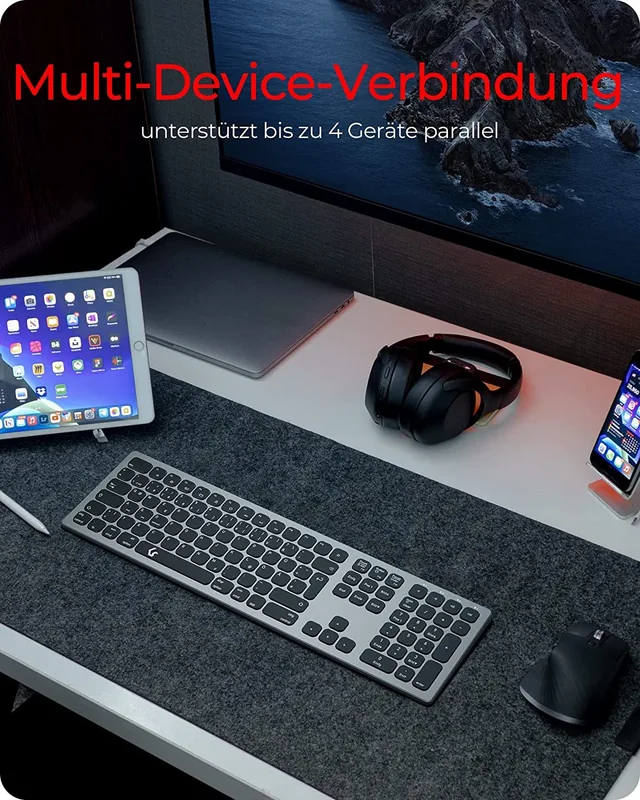
The keyboard allows you to pair with up to four devices total. This includes one device connected via the 2.4GHz RF USB dongle and up to three additional devices connected via Bluetooth.
Is this answer helpful?
Yes, the keyboard is fully compatible with macOS 10.9 or higher. It includes specific function keys for Mac and allows you to switch modes by pressing Fn + A to optimize the layout for Apple systems.
Is this answer helpful?
You charge the keyboard using the included USB Type-C cable. Connect the cable to the keyboard's charging port and plug the other end into a USB power source or computer. The red LED will blink while charging and stay solid when full.
Is this answer helpful?
First, check if the battery is low and charge it if necessary. Ensure the keyboard is in the correct mode (Windows, Mac, or Android) by pressing Fn + S, A, or D. If using Bluetooth, try re-pairing the device by holding the respective Fn keys until the LED blinks.
Is this answer helpful?
Yes, the keyboard supports Android 5.0 or higher. You can connect via Bluetooth or the RF dongle. Simply press Fn + D to switch the keyboard to Android mode after pairing.
Is this answer helpful?
Based on the product specifications, there is no mention of a built-in backlight feature. The device relies on ambient light for visibility, though it does have LED indicators for lock keys and battery status.
Is this answer helpful?
Do not throw the keyboard in regular household waste. As per WEEE directives, it must be taken to a local recycling point or returned to the retailer. Ensure the batteries are completely discharged before returning them.
Is this answer helpful?
Advantages and Disadvantages
Advantages

- Supports switching between up to four devices (one RF plus three Bluetooth)
- Compatible with Windows, macOS, and Android operating systems
- Slim aluminum design with quiet X-Type membrane keys
- Rechargeable via convenient USB Type-C cable
- Dedicated multimedia keys and OS-specific function shortcuts
Disadvantages

- Requires pairing process for Bluetooth devices which can be tricky initially
- RF dongle must remain plugged in for one-device connection
- LED indicators can be bright in dark environments
- Battery life may decrease if stored with low charge for long periods
- No backlighting mentioned for low-light typing conditions
Product Specification
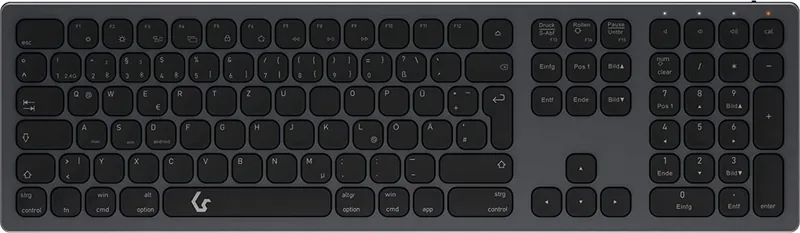
Layout
DE
Type
Rubber Dome
Lighting
N/A
Keycap Level
Regular, with frame, Chiclet
Keycap Format
Flat
Keycap Crown
Straight
Numpad
Standard
Cursor Block
Standard
Control Keys
Standard
Enter Key
Standard
Delete Key
Standard
Status Indicator
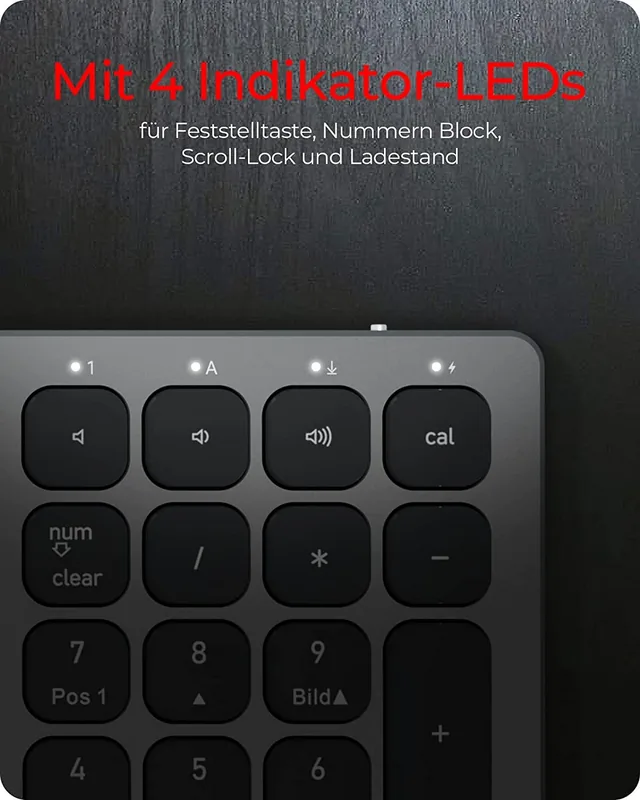
Capslock (Lock Key), Num (Num Lock), Scroll (Scroll Lock)
Wrist Rest
N/A
Housing
Metal
Housing Color
Solid, Gray
Keycap Finish
Solid, Black
Key Legend
Solid, White
Connection
Wireless (2.4GHz), USB-A (USB-A Receiver) or Wireless (Bluetooth), Detachable Cable (USB-C Port, Charging Port)
Power Supply
Battery (Built-in, 350mAh), USB-C Charging Port
Dimensions (WxDxH)
17.32x0.59x4.92in
Weight
1.19lbs
Features
13 Multimedia Keys, Bluetooth Connections Switchable by Key, FN Key, CMD Key (Mac Layout)
Product Description
Experience Seamless Connectivity with the KeySonic KSK-8023BTRF
The KeySonic KSK-8023BTRF is a versatile full-size wireless keyboard designed to bridge the gap between Windows, macOS, and Android ecosystems. Its sleek gray and black design features a high-grade aluminum body that offers durability while maintaining a slim profile suitable for any modern desk setup. Whether you are a productivity enthusiast managing multiple devices or a casual user seeking comfort, this keyboard delivers an exceptional typing experience.
Equipped with advanced X-Type membrane technology, every keystroke feels quiet, smooth, and responsive. The device supports dual connectivity modes: a stable 2.4GHz RF connection via the included USB dongle for a single device, and Bluetooth capability allowing you to pair and switch between up to three additional devices effortlessly. This flexibility makes it ideal for users who juggle work on a laptop, personal tasks on a tablet, and media consumption on a phone.
Powering the unit is a rechargeable lithium battery charged conveniently via the included USB Type-C cable. A simple two to three-hour charge provides extended usage time. Visual feedback is provided through intuitive LED indicators that display Caps Lock status, Num Lock, Scroll Lock, and current charging levels. The keyboard also includes dedicated multimedia keys and function shortcuts tailored specifically for your operating system, ensuring quick access to volume controls, brightness adjustments, and application launchers without leaving your workflow.
Safety and longevity are prioritized in the design. The manual emphasizes proper handling to prevent electrical hazards, overheating, and data loss. Users are advised to avoid moisture, direct sunlight, and extreme temperatures to ensure optimal performance. When not in use, the keyboard automatically enters sleep mode to conserve power, waking instantly upon detecting a key press.
Important Usage Notes
- Always back up data before connecting new hardware.
- Keep small parts away from children to prevent choking hazards.
- Do not expose the device to liquids or aggressive cleaning agents.
- Ensure sufficient ventilation to prevent overheating.
- Return batteries to retailers for proper disposal according to WEEE guidelines.
Search for 67,732 Manuals online


Type-in Brand or Model