
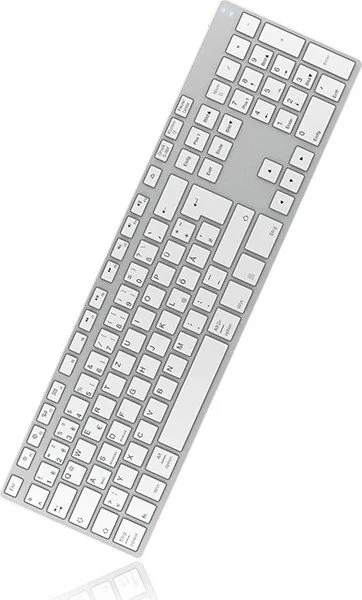
KeySonic KSK-8022BT Manual
PDF manual · 19 Pages
English



Quick check
Incorrect answer, please try again.
Chat with your KeySonic KSK-8022BT manual using AI
Get instant AI answers from your KeySonic KSK-8022BT manual
Ask anything about the KeySonic KSK-8022BT. Answers come from this manual, with the pages they are based on.
Ask a Question
Do you recommend KSK-8022BT?
Yes NoFrequently Asked Questions
It can pair with common Bluetooth devices such as smartphones, tablets, laptops, and PCs. The keyboard supports switching between up to three saved channels, which makes it practical for multi-device use.
Is this answer helpful?
Yes. It offers layout modes for Windows, macOS, and Android. You can change the layout with function key combinations, making the keyboard easier to adapt to different systems.
Is this answer helpful?
No. The Micro-USB port is for charging the internal battery only. It is not intended for signal or data transfer, so Bluetooth remains the main connection method.
Is this answer helpful?
The keyboard can store and switch between three device channels. This is useful if you want one keyboard for a phone, tablet, and computer without pairing each time.
Is this answer helpful?
No, it is designed for quiet operation. The X-Type membrane technology helps reduce typing noise, which is helpful in offices, libraries, or home workspaces.
Is this answer helpful?
Charge the keyboard using the included USB cable. The LED indicators will help show charging status and low battery alerts, so you can recharge before performance drops.
Is this answer helpful?
Advantages and Disadvantages
Advantages

- Aluminium housing gives the keyboard a sturdy, premium feel while keeping the design slim and portable.
- Bluetooth 3.0 and three-device switching make it easy to move between phone, tablet, and PC.
- Quiet X-Type membrane keys are suitable for offices, shared rooms, and focused typing sessions.
- Windows, macOS, and Android layout support increases compatibility across different setups.
Disadvantages

- Micro-USB is used for charging only, so it does not provide wired data input.
- Wireless use depends on battery level, so regular charging is necessary.
- No backlight is mentioned, which may limit comfort in low-light environments.
- Layout switching and function combinations may take time to learn for new users.
Product Specification
Layout
DE
Type
Rubber Dome
Lighting
N/A
Keycap Level
regular, framed, Chiclet
Keycap Format
flat
Keycap Profile
straight
Numpad
Standard
Arrow Keys
Standard
Control Keys
Standard
Enter Key
Standard
Delete Key
Standard
Status Indicator
N/A
Palm Rest
N/A
Housing
Metal
Connection
wireless (Bluetooth)
Power Supply
Battery
Dimensions (WxHxD)
16.93x0.59x4.84in
Weight
1.08lb
Special Features
1 multimedia keys, Bluetooth connections switchable via button, FN key
Product Description
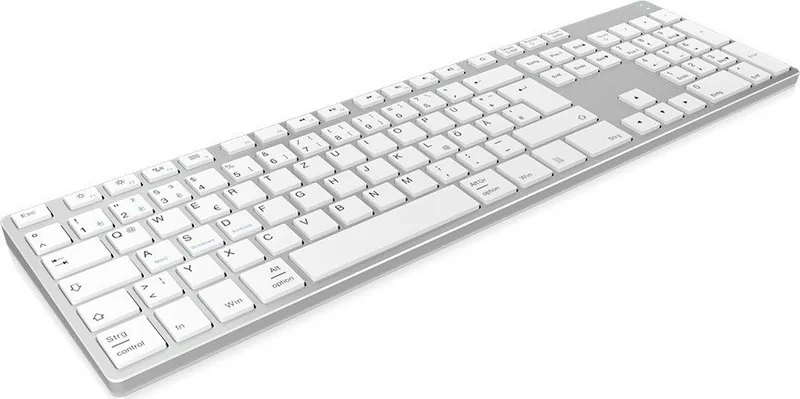
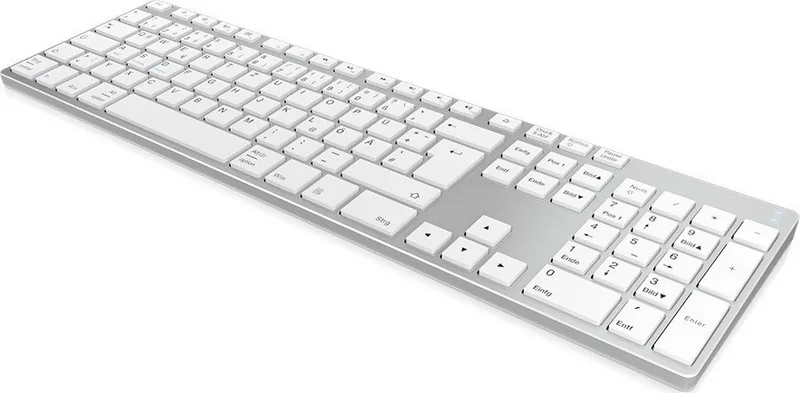
KeySonic KSK-8022BT Bluetooth Keyboard, German Manual
The KeySonic KSK-8022BT is a slim Bluetooth keyboard designed for everyday typing across multiple devices. Built with a high-grade aluminium enclosure, it combines a clean, modern look with practical durability. The compact full-size layout keeps the familiar number pad and function row, making it a convenient choice for users who want a traditional typing experience without the bulk of a desktop keyboard.
One of its strongest features is flexible connectivity. With Bluetooth 3.0 support and the ability to pair with up to three devices, the keyboard is well suited for people who move between a smartphone, tablet, and computer throughout the day. Switching channels is simple with key combinations, and the layout can be changed for Windows, macOS, or Android, which adds real value for mixed-device workflows. The KeySonic KSK-8022BT Bluetooth Keyboard, German Manual also highlights the importance of easy setup, battery awareness, and proper charging habits, helping users get the best results from the start.
Typing comfort is another highlight. The X-Type membrane technology is designed to deliver quiet keystrokes, which makes this keyboard a good match for shared spaces, home offices, and late-night work sessions. LED indicators provide quick status feedback for caps lock, pairing, low battery, charging, and Num Lock, so it is easy to stay informed without interrupting work. The non-slip rubber feet further improve stability, keeping the keyboard steady on a desk.
Charging is handled through Micro-USB, and the built-in battery can be topped up with the included cable. It is worth noting that the Micro-USB port is for charging only, not data transmission, so wireless use remains the core experience. The manual also emphasizes safe handling, proper ventilation, and responsible disposal, reinforcing that the product is designed not only for convenience but also for long-term reliable use.
In practice, the KSK-8022BT is a balanced keyboard for users who want portability, broad compatibility, and a calm typing feel. It is especially appealing to anyone who values a lightweight multi-device setup with a premium finish and straightforward controls.
Notes
- Best for Windows, macOS, and Android users who switch between devices.
- The Micro-USB port charges the battery only.
- Keep the keyboard charged and use the original cable for the most stable performance.
Search for 67,732 Manuals online


Type-in Brand or Model
jamison82
7 months ago
Is it normal that the keyboard goes into sleep mode quickly on Windows and then key presses are delayed, causing Copy/Paste to fail?
Manual.ly
7 months ago
Thanks for the details. A fast sleep state on Windows can be caused by power or USB power-saving settings. Check Windows Settings > System > Power & sleep (set it to never sleep while plugged in), and also disable USB selective suspend: Device Manager > USB Root Hub (or each USB controller) > Power Management > uncheck “Allow the computer to turn off this device to save power”. After changing, test Copy/Paste again. If delays persist, try a different USB port (preferably directly on the PC), update the keyboard drivers/firmware if available, and ensure the keyboard is not connected via a low-power hub. If you still see issues, contact support with your Windows version so we can guide the next steps.