
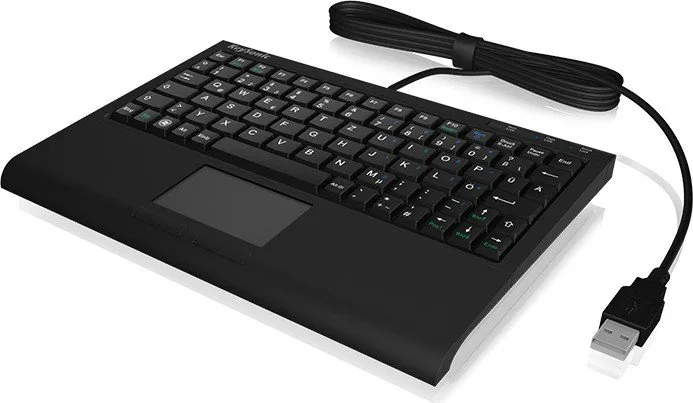
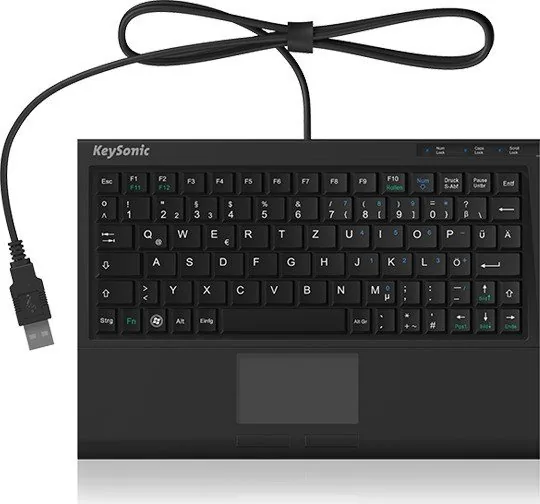
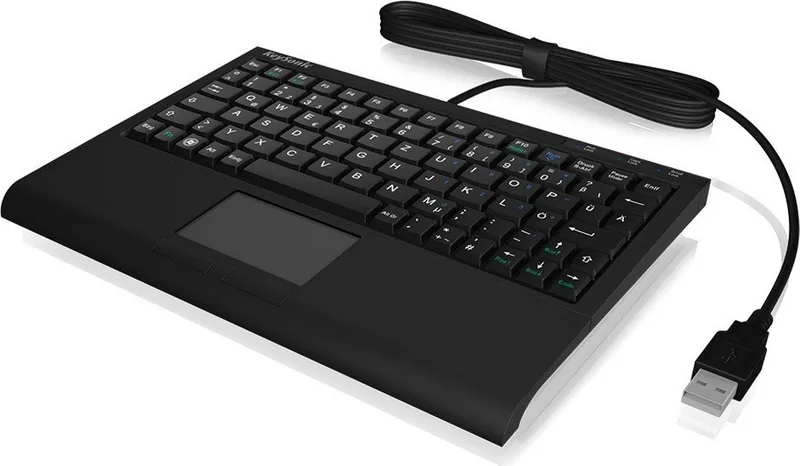
KeySonic ACK-3410 Manual
PDF manual · 12 Pages
English



Quick check
Incorrect answer, please try again.
Chat with your KeySonic ACK-3410 manual using AI
Get instant AI answers from your KeySonic ACK-3410 manual
Ask anything about the KeySonic ACK-3410. Answers come from this manual, with the pages they are based on.
Ask a Question
Do you recommend ACK-3410?
Yes NoFrequently Asked Questions
It combines a compact keyboard with an integrated Smart-Touchpad, so you can type and control the cursor without needing a separate mouse. This saves desk space and keeps the setup tidy.
Is this answer helpful?
No special driver is required. It uses plug-and-play USB installation, so you only need to connect it to an available USB port and it should work right away.
Is this answer helpful?
Yes. The X-Type membrane keys are designed for a quieter typing experience while still offering tactile feedback, which makes it useful in shared rooms or home offices.
Is this answer helpful?
You can move the cursor by sliding a finger across the touchpad, tap to click, use two fingers for scrolling, and tap with three fingers to open the context menu.
Is this answer helpful?
It lets the compact keyboard offer number-entry functions without needing a full-size keypad. The NumLock and Fn keys help switch between typing and navigation modes.
Is this answer helpful?
Use a dry cloth, soft brush, or gentle compressed air for dust. Avoid aggressive cleaners, solvents, gasoline, and excess moisture to protect the surface and electronics.
Is this answer helpful?
Advantages and Disadvantages
Advantages

- Compact all-in-one design combines keyboard and touchpad in one device.
- Quiet X-Type membrane keys provide tactile feedback with low typing noise.
- Plug-and-play USB setup keeps installation fast and simple.
- Smart-Touchpad supports gestures like scrolling and context-menu access.
Disadvantages

- Compact layout may take some time to get used to for frequent typists.
- Integrated touchpad can be less comfortable than a separate full-size mouse.
- Cleaning and care require caution to avoid moisture and harsh chemicals.
Product Specification
Layout
DE
Type
Rubber Dome
Lighting
N/A
Keycap level
regular, framed, Chiclet
Keycap format
flat
Keycap dome
straight
Numpad
N/A
Cursor block
offset
Control keys
proprietary
F-keys
Standard (top row, no downward spacing, ungrouped)
Enter key
shortened
Delete key
Standard
Status indicator
Capslock, Num, Scroll
Palm rest
fixed
Housing
Plastic
Housing color
monochrome, black
Keycap design
monochrome, black
Key labeling
monochrome, white
Connection
wired (6.56 ft), USB-A 2.0
Power supply
USB
Dimensions (WxHxD)
8.66x0.79x5.91in
Weight
0.66lb
Special features
FN key, Touchpad
Product Description
KeySonic ACK-3410: Compact Black USB Keyboard with Smart Touchpad
The KeySonic ACK-3410 is a smart choice for anyone who wants a compact keyboard without sacrificing everyday usability. With its black, matte SoftSkin finish and clean design, it looks subtle on a desk while still feeling modern. The German DE layout makes it especially practical for users who want a familiar typing experience in a space-saving format.
What makes this model stand out is its combination of keyboard and touchpad in one unit. The integrated Smart-Touchpad is designed as a real mouse alternative, offering smooth cursor control, tapping, dragging, scrolling with two fingers, and a three-finger shortcut for the context menu. That makes the ACK-3410 especially appealing for media centers, compact workstations, and setups where a separate mouse would only add clutter.
Typing comfort is another strong point. The X-Type membrane technology is built for quiet operation and a tactile feel, so the keyboard is suitable for shared spaces, home offices, and long sessions where lower noise matters. Even though it uses a smaller footprint, it still delivers the feel of a full-size layout through its virtual numeric keypad and dual-function keys. With NumLock and Fn, users can switch between letters, numbers, and navigation quickly.
Setup is refreshingly simple. The keyboard uses a USB connection and works on a plug-and-play basis, so there is no special driver to install. Just connect it to a free USB port and start typing. Blue status LEDs for Caps, Num, and Scroll Lock add a clear visual cue, while the Light-Stripe design gives the device a polished finish.
For anyone searching for KeySonic ACK-3410, black, USB, DE Manual details, the real appeal is straightforward: it is a compact input solution that keeps everyday tasks efficient. It is especially useful when desk space is limited but you still want reliable typing, convenient navigation, and a neat, uncluttered workspace.
Notes
- Best suited for compact desks, living-room PCs, and mobile work setups.
- Use gentle cleaning methods and avoid harsh liquids or abrasives.
- Two-finger and three-finger touchpad gestures make navigation faster.
- The DE layout and virtual keypad help balance comfort with space savings.
Search for 67,732 Manuals online


Type-in Brand or Model