
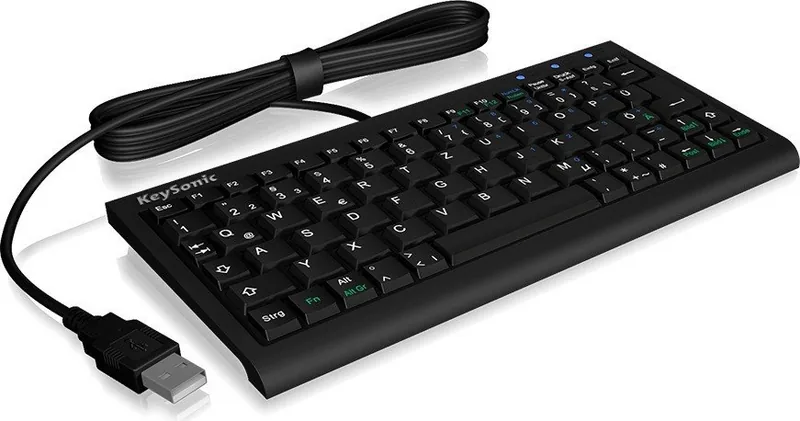
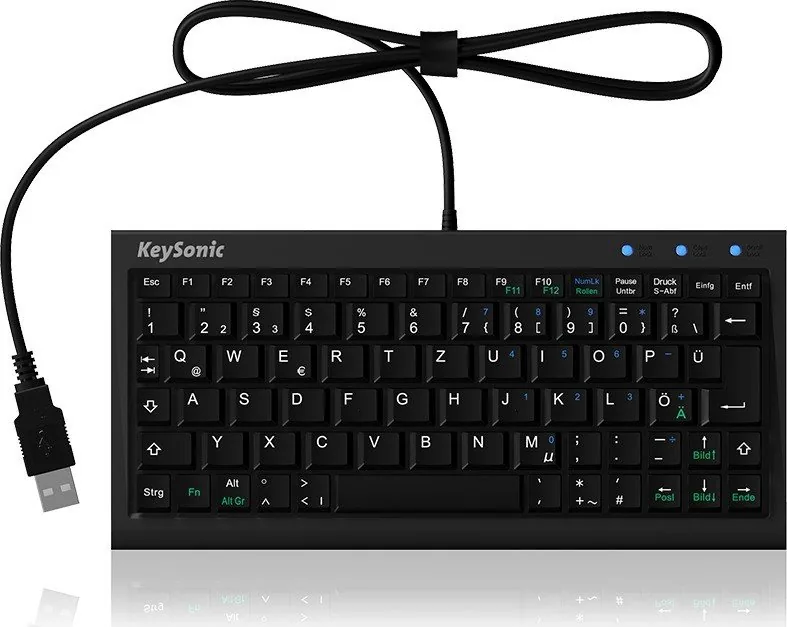
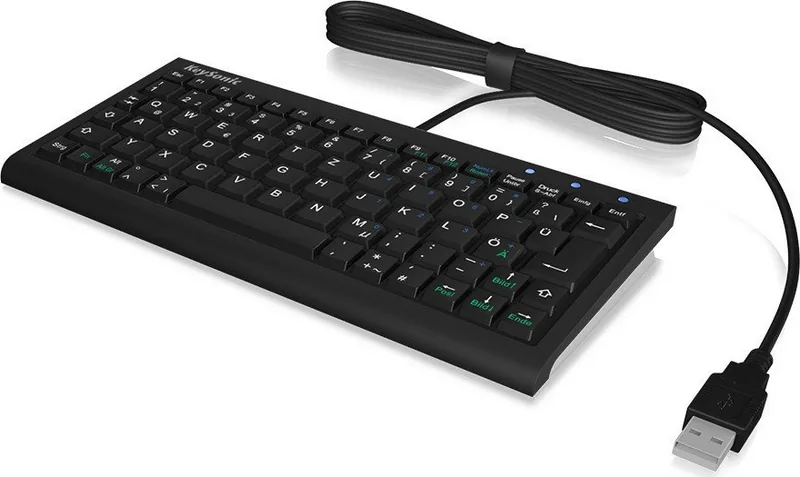
KeySonic ACK-3401U Manual
PDF manual · 12 Pages
English



Quick check
Incorrect answer, please try again.
Chat with your KeySonic ACK-3401U manual using AI
Get instant AI answers from your KeySonic ACK-3401U manual
Ask anything about the KeySonic ACK-3401U. Answers come from this manual, with the pages they are based on.
Ask a Question
Do you recommend ACK-3401U?
Yes NoFrequently Asked Questions
It is a compact super-mini USB keyboard made for simple, space-saving everyday typing. The design focuses on practical use, quick setup, and a smaller footprint rather than advanced gaming or multimedia features.
Is this answer helpful?
No special driver is required. The keyboard uses a Plug & Play approach, so you can connect it to a free USB port and start using it right away on supported Windows systems.
Is this answer helpful?
The manual lists Windows 98SE, ME, 2000, XP, Vista, 7, 8, and 10. Older systems may need BIOS support for USB keyboards, so compatibility can depend on the hardware environment.
Is this answer helpful?
Press NumLk to switch the virtual numeric keypad on or off. When NumLk is active, holding Fn temporarily disables the virtual keypad, giving you more control over input on the smaller layout.
Is this answer helpful?
The package includes the keyboard and a user manual. The manual provides setup guidance, basic usage instructions, and important safety and maintenance notes.
Is this answer helpful?
Disconnect the keyboard before cleaning it. Use a dry, antistatic cloth and avoid strong solvents or aggressive cleaners. Keep it away from moisture, direct heat, and dust for best long-term use.
Is this answer helpful?
Advantages and Disadvantages
Advantages

- Compact super-mini design saves space and fits easily on small desks or travel setups.
- X-type membrane keys and SoftSkin coating provide a modern, comfortable typing feel.
- Plug & Play USB setup means no special driver installation is needed.
- Supports a broad range of Windows versions, including older systems.
- Virtual numeric keypad adds flexibility despite the smaller keyboard layout.
Disadvantages

- Windows-focused compatibility limits use on non-Windows systems.
- Older computers may need BIOS support or updates for USB keyboard recognition.
- Compact layout may feel tight for users who prefer full-size keyboards.
- No advanced extras such as backlighting or dedicated media controls are mentioned.
Product Specification
Layout
DE
Type
Rubber Dome
Lighting
N/A
Keycap Level
regular, with frame
Keycap Format
flat
Keycap Top
concave
Numeric Keypad
N/A
Cursor Block
offset
Control Keys
N/A
Enter Key
Standard
Delete Key
Standard
Status Indicator
Caps Lock, Num Lock, Scroll Lock
Palm Rest
N/A
Housing
Plastic
Connection
wired, USB-A 2.0
Power Supply
USB
Dimensions (WxHxD)
8.66x0.63x4.13in
Weight
0.48lb
Special Features
FN Key
Product Description
KeySonic ACK-3401U Super-Mini Keyboard, German Manual
The KeySonic ACK-3401U Super-Mini Keyboard is built for users who want a compact, straightforward typing solution without sacrificing everyday usability. Its small footprint makes it a practical match for tight desks, travel setups, media stations, and workspaces where every centimeter matters. Despite the reduced size, it aims to deliver a familiar keyboard experience with a clean, modern look.
One of its most notable traits is the X-type membrane technology, which helps keep typing quiet and responsive. The SoftSkin coating adds a polished finish that feels contemporary and comfortable in daily use. Instead of loading the user down with extra software, the keyboard follows a simple Plug & Play approach, so setup stays fast and uncomplicated. Just connect it to a free USB port and it is ready for action.
Compatibility is another strong point. The ACK-3401U supports a wide range of Windows systems, from older editions such as Windows 98SE and ME through Windows 10. That makes it useful for both legacy computers and more recent setups, especially when a secondary keyboard is needed for light office work, browsing, or home use. The included German manual also helps users get started with clear guidance and basic operational notes.
A helpful feature for a keyboard of this size is the virtual numeric keypad. Using NumLk, users can switch the keypad function on or off, and the Fn key allows temporary deactivation when needed. This gives the small layout more flexibility than it first appears to have, making it easier to handle numbers without dedicating space to a full-sized number pad.
Like any compact input device, it works best when used with a little care. The manual emphasizes safe handling, proper ventilation, protection from moisture, and cleaning with a dry antistatic cloth. It also reminds users to back up data before connecting new hardware and to dispose of the product responsibly through proper recycling channels.
Notes
- Ideal for compact work areas and simple USB use
- Best suited to Windows-based systems
- Keep away from moisture, dust, and excessive heat
- Use NumLk and Fn to manage the virtual numeric keypad
Search for 67,732 Manuals online


Type-in Brand or Model
Louis Lewis
9 months ago
Are the keys large enough for thick fingers? The photos looked misleading, so how can I verify the key size or spacing before I order?
Manual.ly
9 months ago
Good question. The key size and spacing are listed in the product specifications (dimensions and layout). We recommend checking those measurements rather than relying only on the photo, and comparing them to a keyboard you already use comfortably. If the keys still do not feel right after arrival, you can return the item. Customers typically receive a quick return confirmation, and the refund is processed via the original payment method (for PayPal orders, you should see the PayPal credit/notice after the return is completed).