
Kettler Hoi Frame Manual
PDF manual · 84 Pages
English



Quick check
Incorrect answer, please try again.
Chat with your Kettler Hoi Frame manual using AI
Get instant AI answers from your Kettler Hoi Frame manual
Ask anything about the Kettler Hoi Frame. Answers come from this manual, with the pages they are based on.
Ask a Question
Do you recommend Hoi Frame?
Yes NoFrequently Asked Questions
Press the CONNECT button on the idle screen. Select either BLE or ANT plus depending on your strap type. Ensure the sensor is worn correctly and within range. Wait for the indicator to turn solid green upon successful connection. You can connect simultaneously to other devices.
Is this answer helpful?
Yes, use the Custom mode in program setup. You can define resistance for 30 segments. Choose between constant torque or constant power settings. Save your profile to access it later in saved workouts for reuse.
Is this answer helpful?
The system supports four primary user profiles plus a guest option. Each profile stores unique workout history and settings. User management allows editing weight, age, and units per profile individually.
Is this answer helpful?
You can select Manual, Hills, Intervals, Heart Rate Control, Custom, or Saved workouts. Each type offers specific targets for time, distance, or energy. Profiles vary in resistance simulation intensity.
Is this answer helpful?
Yes, network setup screens allow you to connect to local Wi-Fi networks. This enables software updates and potential data synchronization features to keep the console current.
Is this answer helpful?
If RPM drops under 25 for four seconds, the system enters pause mode. A 30-second timer starts to resume or end the session. You can press continue or end manually to prevent session loss.
Is this answer helpful?
Available fields include Time, Watt, Heart Rate, RPM, Speed, Energy, Distance, and Level. You can select which key metrics to display in the zone during your workout routine.
Is this answer helpful?
Advantages and Disadvantages
Advantages

- Excellent customization options for unique workout profiles with constant torque or power
- Automatic resistance adjustment based on real-time heart rate data for optimal training
- Supports multiple connectivity standards including Bluetooth and ANT plus for accessories
- User management allows up to four distinct profiles for separate household members
- Clear display screen with key metrics visible at a glance during exercise
Disadvantages

- Limited to specific resistance levels compared to direct drive magnetic alternatives
- Learning curve required to fully understand all program setup features initially
- External subscription might be needed for some entertainment app content on screen
- Wi-Fi setup may require technical knowledge for troubleshooting network issues
- Console display brightness might be difficult to read in very bright sunlight
Product Specification
Resistance
Manually adjustable in 20 levels
Brake System
magnetic
Flywheel Weight
18.74 lbs
Max User Weight
286.6 lbs
Dimensions
54.33 x 21.65 x 41.34 in
Weight
105.82 lbs
Features
Transport wheels, chest strap compatible, tablet holder, app support (iOS, Android), Bluetooth, power meter
Product Description
Experience the Ride with Kettler
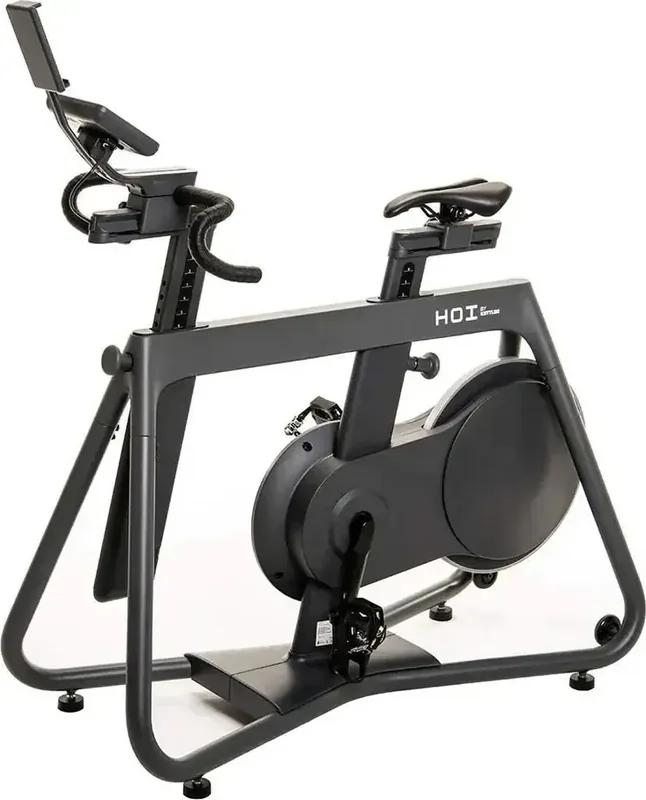
The Kettler Hoi Frame offers a sophisticated indoor cycling experience designed for enthusiasts seeking precision and comfort. This stationary bike integrates advanced technology to track performance metrics accurately during every session. Users familiar with the instructions in the Kettler Hoi Frame Manual will appreciate the intuitive interface controls available on the console unit. The system waits in standby mode until activation, ensuring easy access when you are ready to train hard.
Getting Started
Upon powering on, the idle screen welcomes you with essential buttons for immediate use. Quick Start allows entry into a workout session without navigating complex menus unnecessarily. Selecting the Workout button transitions the system into setup mode quickly. Here, you choose from various program types tailored to different fitness goals effectively. User profiles ensure personalized settings for weight, age, and preferred measurement units automatically. Guest mode accommodates visitors without altering primary data settings permanently.
Real-Time Feedback
Display clarity is vital for tracking progress accurately throughout your exercise routine. Key metrics such as Watts and Heart Rate appear prominently on the dashboard. Distance and Energy fields update instantly to reflect current performance levels. You can cycle through these data fields using the selection buttons available on the console. This feedback loop ensures you stay within your training zones effectively.
Customizable Workouts
Manual mode provides complete control over resistance levels ranging between one and twenty grades. You can set specific goals based on time, distance, or total energy expenditure targets. Hills workouts simulate terrain with six distinct resistance profiles for varied challenges. Intervals alternate between high and low intensity to boost cardiovascular endurance. Heart Rate Control adjusts resistance automatically to maintain target heart rate zones. The Custom option lets you build unique profiles using constant torque or power levels. Saved workouts store your best previous performances for future reference easily.
Connectivity Features
Modern fitness relies heavily on connectivity options to integrate with digital life. This console supports ANT plus and Bluetooth heart rate straps seamlessly for monitoring. Smartphone apps connect via Bluetooth Low Energy protocols for advanced data logging. You can also pair wireless headphones to enjoy audio during workout sessions. Network setup enables Wi-Fi access for software updates and cloud data synchronization. Device information screens display total time and distance accumulated over the usage lifecycle.
Conclusion
This equipment represents a significant upgrade for home gyms looking for quality and reliability. The ability to monitor metrics in real time keeps motivation and focus high. Whether you prefer a gentle ride or intense sprint intervals, the configuration accommodates all levels. Proper usage prevents confusion during complex setup processes for users. Enjoy the blend of hardware excellence and software flexibility provided by this impressive model.
Search for 67,706 Manuals online


Type-in Brand or Model