
Kenwood DRV-N520 Manual
PDF manual · 48 Pages
English



Quick check
Incorrect answer, please try again.
Chat with your Kenwood DRV-N520 manual using AI
Get instant AI answers from your Kenwood DRV-N520 manual
Ask anything about the Kenwood DRV-N520. Answers come from this manual, with the pages they are based on.
Ask a Question
Do you recommend DRV-N520?
Yes NoVideo Manual
DRV-N520 connected to a DNX875S in my Jayco Redhawk 22J
Frequently Asked Questions
It is a front dash camera designed to record driving, save incidents automatically, and provide optional driver-assist alerts. It is best for drivers who want reliable road footage and parking protection with a compact setup.
Is this answer helpful?
The device supports microSDHC cards from 8GB to 32GB, with Class 6 or higher recommended. It should be formatted in the camera before use to help avoid recording problems.
Is this answer helpful?
Yes. When wired correctly, it can switch into parking recording after ACC is turned off. If a collision is detected while parked, recording starts automatically to capture the event.
Is this answer helpful?
Yes. HDR is available with certain recording settings and helps reduce overexposure and underexposure. It is useful when driving in scenes with strong sunlight, shadows, or changing brightness.
Is this answer helpful?
The DRV-N520 can provide forward collision warning, lane departure warning, and departure delay warning. These features require correct vehicle-specific setup and are meant to assist, not replace, attentive driving.
Is this answer helpful?
Yes. Kenwood DRIVE REVIEWER lets you view recorded clips on a computer, back up files, export route data, and inspect driving information. It is useful for reviewing incidents and organizing recordings.
Is this answer helpful?
Advantages and Disadvantages
Advantages

- Supports multiple recording modes, including continuous, event, manual, parking, and still images.
- HDR and up to 3M resolution help improve clarity in mixed light and changing road conditions.
- Driver-assist alerts add useful support for distance, lane position, and delayed departure awareness.
- Works with Kenwood receivers and includes a PC viewer for playback, backup, and driving-data review.
Disadvantages

- Needs correct installation and calibration, especially for parking mode and driving-support features.
- Only supports microSDHC cards from 8GB to 32GB, which limits storage flexibility.
- Parking and event features depend on proper wiring and vehicle power behavior.
- Recording quality and alerts can be affected by windshield coatings, weather, tunnels, or poor GPS reception.
Product Specification
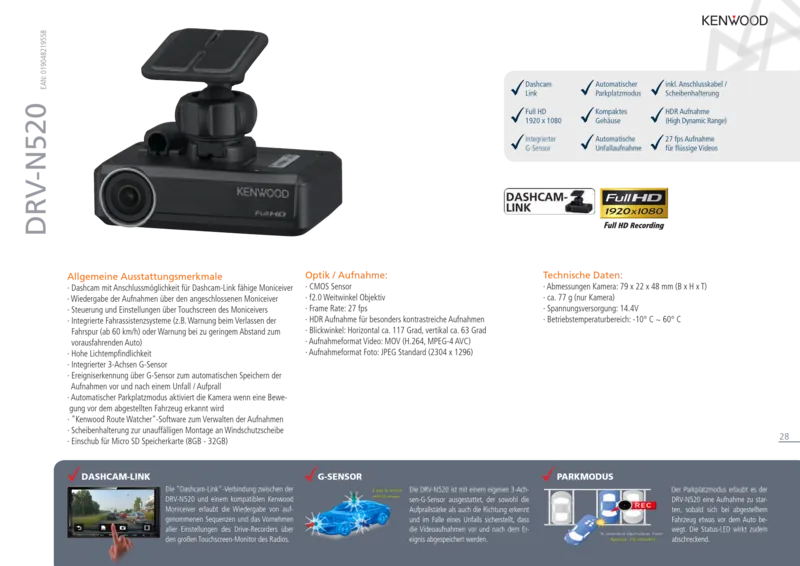
Effective Megapixel
3.0 Megapixel
Sensor
CMOS 1/3"
Memory Card
microSD/microSDHC
Video Features
H.264, MOV, 2340x1296@27p (16:9)
Photo Resolution
JPEG (max. 2304x1296 Pixels)
Viewing Angle
128°
Display
no
Special Features
Motion Sensor, Loop Function
Dimensions
3.11x0.87x1.89 in (WxHxD)
Weight
2.72 oz
Product Description
Kenwood DRV-N520: a smart dash camera for everyday driving
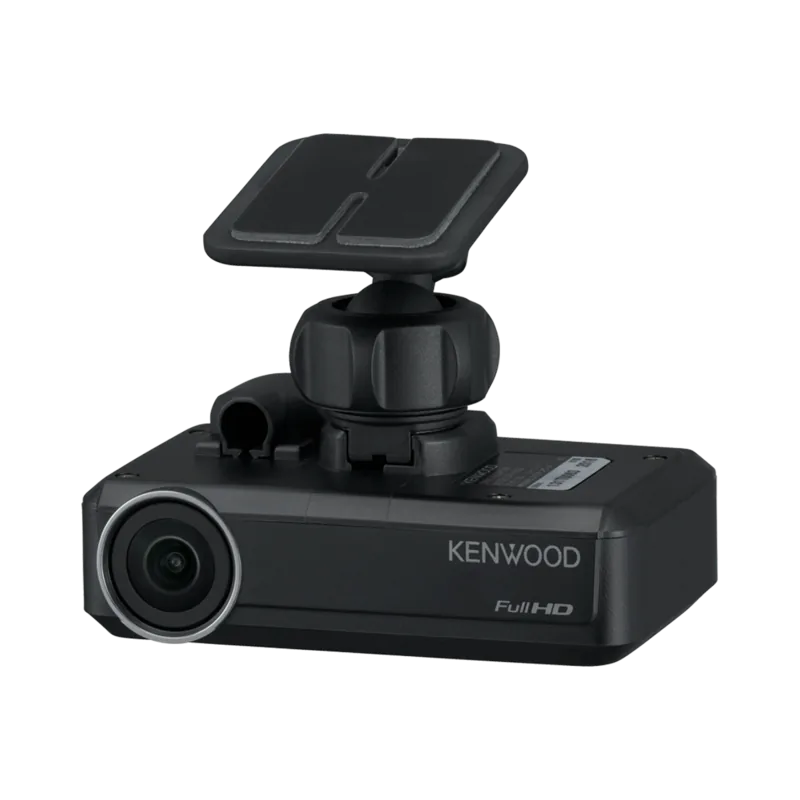
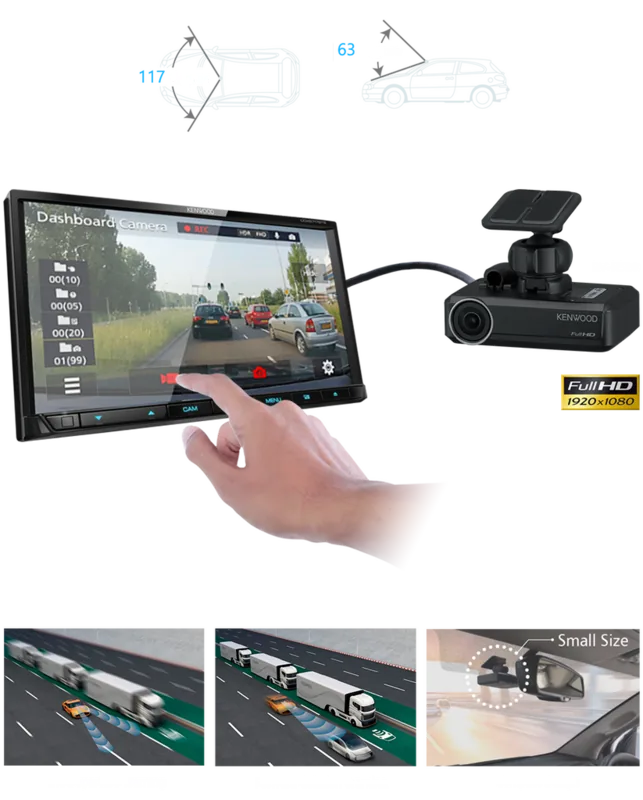
The Kenwood DRV-N520 is built for drivers who want a compact dash camera that quietly works in the background while capturing the road ahead. Designed to pair with compatible Kenwood receivers, it brings front-facing recording, parking protection, and driver-assist features into one practical system. If you are looking for the Kenwood DRV-N520 Manual to understand how the unit behaves, the real story is simple: this camera is made to be useful, dependable, and easy to live with once installed correctly.
At its core, the DRV-N520 focuses on recording what matters. It supports up to 3M resolution, 1080p, and 720p, with HDR available to help balance bright skies and darker road scenes. A built-in G-sensor detects impacts and triggers event recording automatically, while manual recording gives you a way to save important moments on demand. The camera also offers still image capture, audio recording, and a clear file structure that separates normal, event, manual, parking, and picture folders.
Installation is straightforward, but placement matters. The camera should sit behind the rearview mirror, within the wiper area, and away from anything that blocks the driver’s view or interferes with airbags. Once mounted, the unit can be tuned to match the vehicle, including camera height, horizon alignment, and hood reference points for driving support functions. That extra calibration helps features like forward collision warning, lane departure warning, and departure delay warning work more accurately.
For daily use, the DRV-N520 is built around convenience. It starts recording when the vehicle powers on, can switch to parking mode when ACC is off, and supports microSDHC cards from 8GB to 32GB. The companion PC viewer adds another layer of value by letting you review clips, inspect motion data, export driving information, and back up files. Firmware updates and SD card formatting are also handled through the system menu, keeping the device maintainable over time.
Notes
- Use a compatible SD card and format it in the device before first use.
- Keep the lens clean for the best video quality.
- Adjust the camera carefully before relying on driver-assist alerts.
- Back up important footage regularly, especially before formatting or replacing a card.
Overall, the Kenwood DRV-N520 is a thoughtful dashboard companion for drivers who want recording, parking protection, and safety alerts in a single compact package.
Search for 67,706 Manuals online


Type-in Brand or Model