Műszaki támogatás/ Technická podpora / Pomoc techniczna /
Техническая поддержка / Assistência técnica /
/1
%
Quick check
I'm not a robot
Incorrect answer, please try again.
Chat with your Kensington UH4000 manual using AI
Get instant AI answers from your Kensington UH4000 manual
Ask anything about the Kensington UH4000. Answers come from this manual, with the pages they are based on.
Ask a Question
0/1000
Do you recommend UH4000?
YesNo
Frequently Asked
Questions
A
The UH4000 is a USB 3.0 hub with a theoretical maximum of 5 Gbps. Actual transfer speeds depend on the host controller, connected devices, cable quality, and simultaneous usage. Expect real-world file transfers to be lower than the theoretical maximum.
Is this answer helpful?
A
No special drivers are required for basic functionality. The hub relies on native USB mass-storage and HID drivers provided by modern operating systems. For specialized hardware, check the peripheral manufacturer’s requirements.
Is this answer helpful?
A
As a bus-powered hub, the UH4000 supplies limited current per port, sufficient for some phone charging but not optimized for fast charging or powering multiple high-current devices simultaneously. For reliable multi-device charging, use a powered hub or dedicated charger.
Is this answer helpful?
A
Yes, but you’ll need a USB-C to USB-A adapter or cable because the UH4000 uses a USB-A plug. Using an adapter may limit maximum speeds depending on the adapter and host port capabilities.
Is this answer helpful?
A
It works with many external drives, especially those with their own power source. For multiple bus-powered drives that draw significant current, performance or power availability may be limited; a powered hub is recommended for such setups.
Is this answer helpful?
A
Yes. Kensington supplies compliance documentation (CE, FCC, etc.) and warranty/support details on their support site. Contact regional support or visit www.support.kensington.com for documentation and service contacts.
Is this answer helpful?
M: OA-GPT-5-NAN
Advantagesand
Disadvantages
Advantages
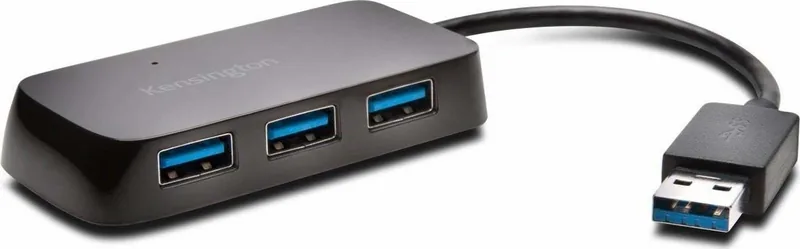
Four USB-A 3.0 ports expand a single host port for peripherals and storage.
Plug-and-play operation with broad OS compatibility and no drivers required.
Compact, lightweight design makes it highly portable for travel or mobile work.
Durable molded cable and solid housing for everyday desk use.
Meets regulatory standards (FCC/CE) and includes compliance documentation.
VS
Disadvantages
Bus-powered only — may not reliably run multiple high-draw devices simultaneously.
Uses USB-A host connector; lacks USB-C native connection without adapter.
No external power or charging optimization for mobile devices.
Limited to USB 3.0 bandwidth shared across all four ports.
Basic feature set — no individual port switches or indicator lights on some units.
M: OA-GPT-5-NAN
Product
Specification
Type
USB-Hub
Form factor
1x external wired (connection cable not detachable)
Connection
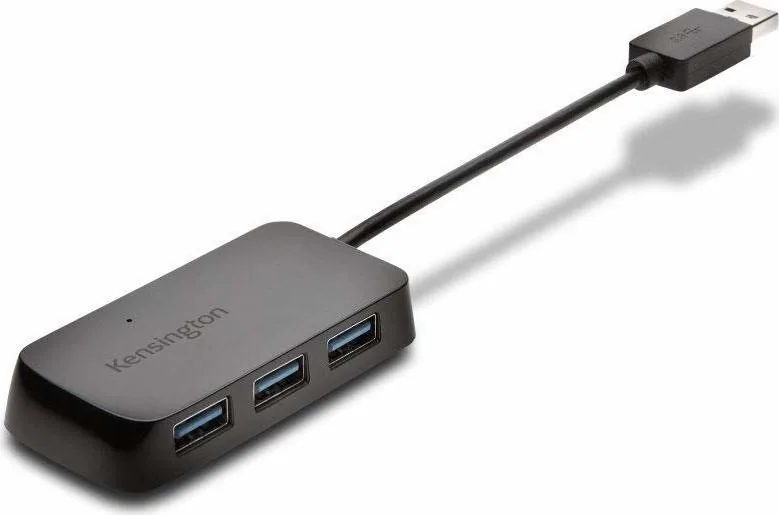
1x USB-A 3.0 (plug via cable, 5Gb/s, 5.91in cable length)
Connectivity
4x USB-A 3.0 (socket)
Data Transfer
4x USB-A 3.0 (socket, 5Gb/s)
Power Supply
Power supply only via connection
Color
black
Compatibility
universal
USB notation
Link
M: OA-GPT-54-NAN
Product
Description
Kensington UH4000 USB hub — Compact 4-Port USB-A 3.0 Hub
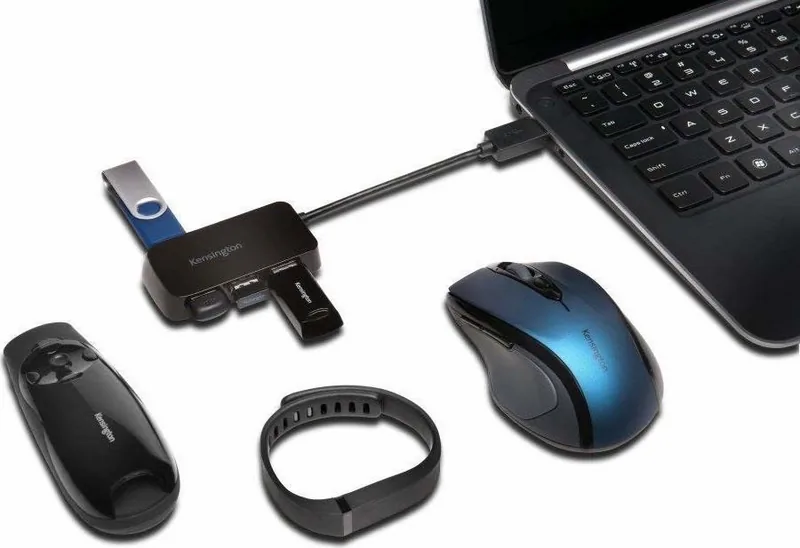
The Kensington UH4000 is a practical, no-frills USB hub that expands a single USB-A port into four USB-A 3.0 downstream ports. Designed for users who need extra connectivity for peripherals, flash drives, and low- to medium-power accessories, the UH4000 emphasizes simplicity, reliable data transfer speeds, and plug-and-play convenience.
What it offers
Built around USB 3.0 technology, the UH4000 delivers up to 5 Gbps theoretical transfer rates, making it suitable for transferring large files between external drives and a host computer. The hub uses a single integrated USB-A (plug) cable to connect to laptops or desktops, eliminating the need for separate power bricks for most everyday devices. Its compact footprint and lightweight build make it easy to tuck into a laptop bag or keep on a crowded desk.
Design and usability
Kensington focused on a functional design that blends into typical workspaces. The hub’s rigid molded cable and durable housing are geared toward long-term daily use. Because it is bus-powered (via the host’s USB-A port), the UH4000 is ideal for powering keyboards, mice, flash drives, dongles, and similar peripherals. For power-hungry devices like multiple external drives or some high-draw peripherals, an externally powered hub is preferable.
Compatibility and compliance
The UH4000 works across major operating systems with native USB mass-storage and HID drivers, making setup simple—no drivers required for basic use. Kensington provides compliance documentation and meets regulatory standards such as FCC and CE declarations, offering reassurance for enterprise and consumer users alike.
Who should consider it
This hub is a good fit for students, office workers, and travelers who need more USB-A ports without added complexity. It’s especially useful for older laptops that still rely on USB-A or for users who frequently swap thumb drives, card readers, and peripherals. If you need charging for multiple high-power devices or extensive connected storage arrays, consider a powered USB hub instead.
Notes
Bus-powered via a USB-A (plug) cable; no external power adapter included.
USB 3.0 (5 Gbps theoretical); real-world speeds depend on device and host capabilities.