
Kensington UA3000E Manual
PDF manual · 6 Pages
English



Quick check
Incorrect answer, please try again.
Chat with your Kensington UA3000E manual using AI
Get instant AI answers from your Kensington UA3000E manual
Ask anything about the Kensington UA3000E. Answers come from this manual, with the pages they are based on.
Ask a Question
Do you recommend UA3000E?
Yes NoDo you recommend UA3000E?
Yes NoFrequently Asked Questions
The UA3000E provides an RJ-45 Ethernet port and a 3-port USB-A hub via a single USB-A 3.0 connection, enabling wired network access and additional USB connectivity for laptops and desktops.
Is this answer helpful?
Many modern operating systems support the UA3000E as plug-and-play. Some systems may require drivers available from Kensington’s support site for full functionality or optimal performance.
Is this answer helpful?
The UA3000E uses a USB-A connector; to use it with USB-C laptops you’ll need a compatible USB-C-to-USB-A adapter or dock. Performance depends on the adapter and host controller.
Is this answer helpful?
The adapter supports standard Ethernet link speeds with auto-negotiation. Actual throughput depends on the host USB 3.0 interface, network environment, and connected equipment.
Is this answer helpful?
The ports supply standard USB power from the host. Power-hungry devices (external drives, some peripherals) may require an externally powered hub for reliable operation.
Is this answer helpful?
Yes. The UA3000E is designed for broad compatibility with common Windows and macOS versions, though specific driver recommendations and downloads are available at Kensington support for certain OS releases.
Is this answer helpful?
Kensington provides support resources, driver downloads, and compliance documentation on its support website. Product registration and regional support contacts are listed in the device materials and online.
Is this answer helpful?
Advantages and Disadvantages
Advantages

- Adds gigabit-capable RJ-45 Ethernet to machines without an Ethernet port.
- Built-in 3-port USB hub expands connectivity from a single USB-A port.
- USB 3.0 interface supports high-speed data transfers for peripherals.
- Compact, lightweight design ideal for travel and clutter-free desks.
- Broad OS compatibility and Kensington support documentation available.
Disadvantages

- Requires a free USB-A 3.0 port; not directly compatible with USB-C without adapter.
- Performance may depend on host USB controller and drivers on some OS versions.
- Limited to three additional USB ports, which may not suffice for heavy peripheral setups.
- No built-in power supply—power-hungry devices may need an externally powered hub.
- Physical dongle can be mislaid due to small size if not stored carefully.
Product Specification
Type
LAN adapter, USB hub
Form Factor
1x external wired (connection cable not detachable)
Interface
1x USB-A 3.0 (plug via cable, 5Gb/s)
Connections
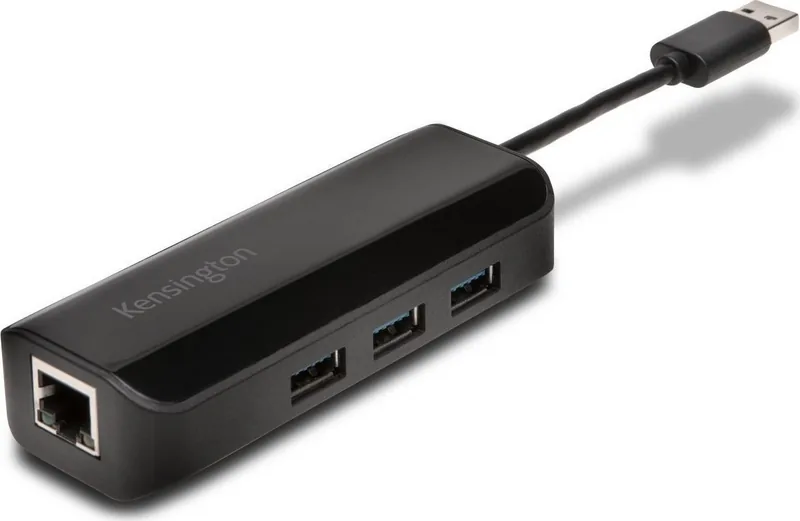
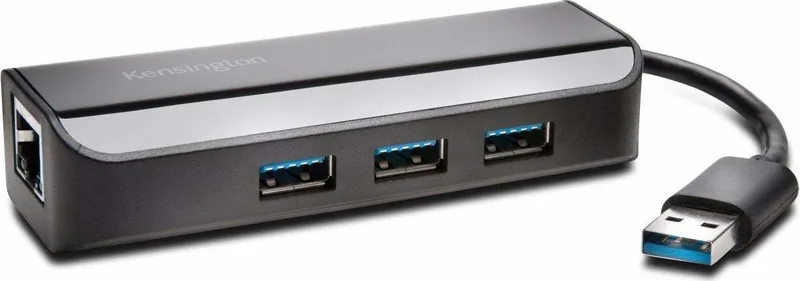
1x RJ-45, 3x USB-A 3.0 (female)
Transfer
1x RJ-45 (10/100/1000Base-T), 3x USB-A 3.0 (female, 5Gb/s)
Power Supply
Power supply only via interface
Chipset
Asix AX88179 (LAN adapter, RJ-45) (LAN)
Dimensions
1.77x0.94x4.13in (WxHxD)
Weight
0.15 lb
Housing Color
black, grey
Compatibility
universal
Manufacturer Warranty
two years
USB Notation
Link
Product Description
Kensington UA3000E RJ-45 USB-A 3.0 Manual
The Kensington UA3000E is a compact USB-A 3.0 Ethernet adapter with a built-in 3-port USB hub that brings wired network reliability and extra USB connectivity to laptops and desktops. Designed for users who need a simple, portable solution to add gigabit Ethernet to modern machines lacking a dedicated RJ-45 port, the UA3000E combines plug-and-play convenience with durable construction. It is ideal for home offices, business travel, classrooms, and anywhere a stable wired connection improves performance for video calls, large file transfers, or online gaming.
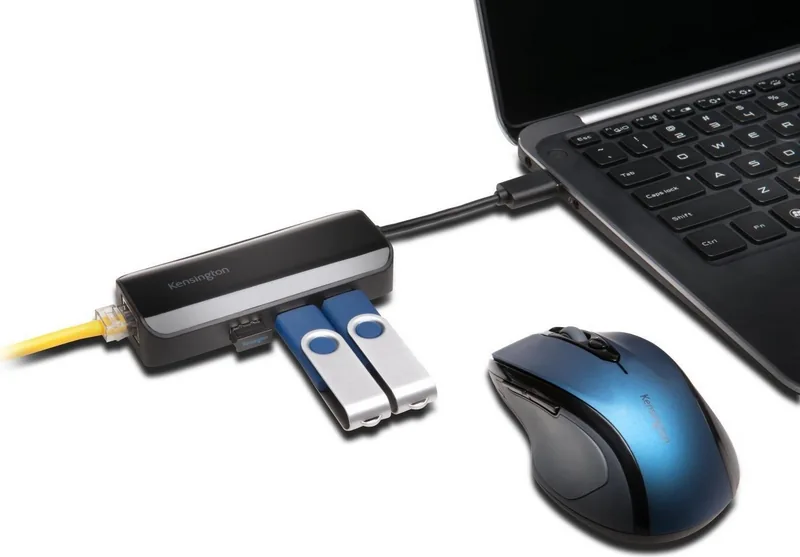
Equipped with a USB 3.0 interface, the UA3000E supports high-speed data transfer between the host device and external peripherals while providing a reliable Ethernet link. The RJ-45 port offers standard network compatibility and auto-negotiation for link speed. The integrated three-port hub expands a single USB-A connection into multiple USB ports, letting you connect flash drives, mice, keyboards, or other accessories without sacrificing network access. Its compact footprint and lightweight design make it easy to tuck into a bag or leave on a desk without clutter.
Installation is straightforward: connect the adapter to a USB-A 3.0 port and plug in your Ethernet cable and peripherals. Many modern operating systems recognize the device automatically, though drivers and support documentation are available for broader OS compatibility. Kensington’s compliance with global regulatory standards and clear support resources add reassurance for international users and enterprise deployments.
Beyond connectivity, the UA3000E emphasizes practical features: a sturdy housing to withstand daily use, helpful LED indicators for link/activity status, and broad compatibility with Windows and macOS versions. Kensington’s global support network and product registration options make troubleshooting and warranty service accessible. For anyone seeking a dependable, portable way to add Ethernet and extra USB ports to a slim laptop or desktop setup, the UA3000E delivers straightforward functionality without complexity.
Notes
- Supports USB 3.0 data rates and standard Ethernet speeds with auto-negotiation.
- Plug-and-play on many systems; check Kensington support for driver downloads if needed.
- Compact, travel-friendly design with a 3-port USB hub for added peripheral connectivity.
- Complies with global regulatory standards and recycling directives.
Search for 67,732 Manuals online


Type-in Brand or Model