
Kensington SD4700P Manual
PDF manual · 10 Pages
English



Quick check
Incorrect answer, please try again.
Chat with your Kensington SD4700P manual using AI
Get instant AI answers from your Kensington SD4700P manual
Ask anything about the Kensington SD4700P. Answers come from this manual, with the pages they are based on.
Ask a Question
Do you recommend SD4700P?
Yes NoFrequently Asked Questions
This docking station supports dual monitor setups through DisplayPort and HDMI outputs. It handles 2K resolution levels effectively ensuring clear visuals for work tasks and multimedia consumption on connected displays.
Is this answer helpful?
Yes it delivers up to sixty watts of power. This allows you to charge your laptop while using other accessories eliminating the need for a separate charger during daily use.
Is this answer helpful?
It works with Windows Seven and Ten as well as Mac operating systems running Ten point thirteen or later. Drivers install automatically or via Windows Update centers for seamless integration.
Is this answer helpful?
Yes it features a built in gigabit ethernet port. This ensures stable network access for video calls and large file transfers without needing to rely solely on Wi-Fi connections.
Is this answer helpful?
Some accessories like security locks or specific cables are sold separately. Always check your requirements and purchase add ons before installation to ensure compatibility with your setup.
Is this answer helpful?
Use Windows Update for Windows systems or visit the official software site for Mac updates. Regular updates keep the system secure and ensure performance remains optimal over time.
Is this answer helpful?
Advantages and Disadvantages
Advantages

- Supports dual display outputs via DisplayPort and HDMI for enhanced multitasking productivity
- Delivers up to sixty watts of power delivery to charge the host laptop directly
- Compatible with major operating systems including Windows and macOS without driver friction
- Equipped with gigabit ethernet for reliable network connectivity during heavy usage
- USB 3.1 ports provide high speed data transfer rates of five gigabits per second
Disadvantages

- Certain security accessories like locks are sold separately and must be purchased independently
- Requires specific power matching to ensure compatibility with all host laptop power needs
- Some monitor cables may be required separately if legacy adapter ports are needed
- Limited number of USB 2.0 ports available for older peripherals compared to USB 3.0
- Installation requires driver updates to ensure full functionality on Mac operating systems
Product Specification
Compatibility
USB-C 3.0
Ports
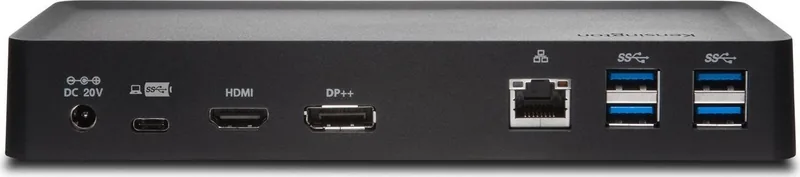
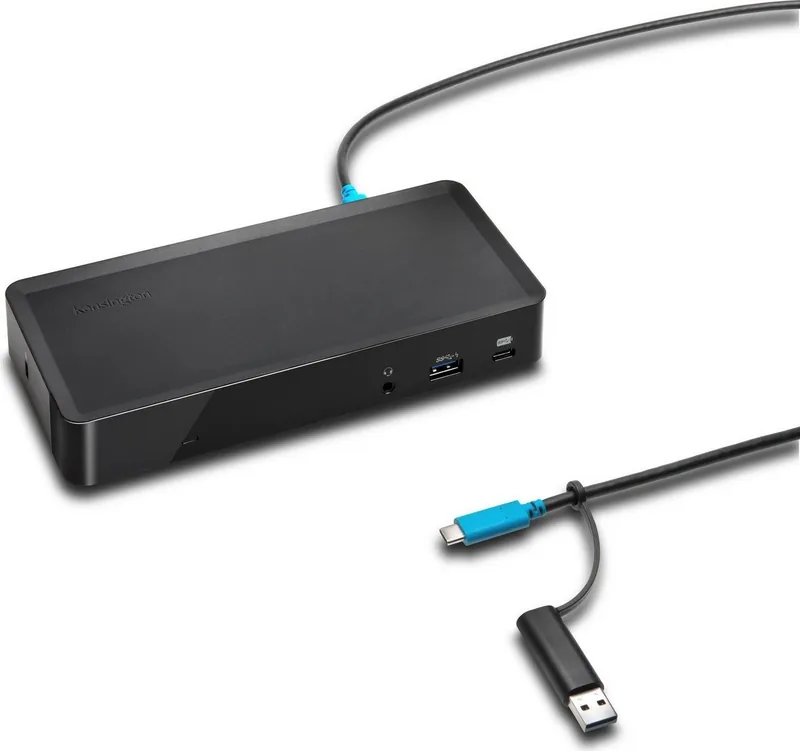
1x USB-C 3.0, 5x USB-A 3.0, 1x HDMI 1.3, 1x DisplayPort 1.1, 1x Gb LAN, 1x Headphone Jack
Power Supply
135W, External
Dimensions
7.87 x 3.58 x 1.18 in
Weight
0.66 lbs
Features
Security Lock (Kensington), USB-C Power Delivery (60W)
Product Description
Introduction to High Performance Docking Solutions
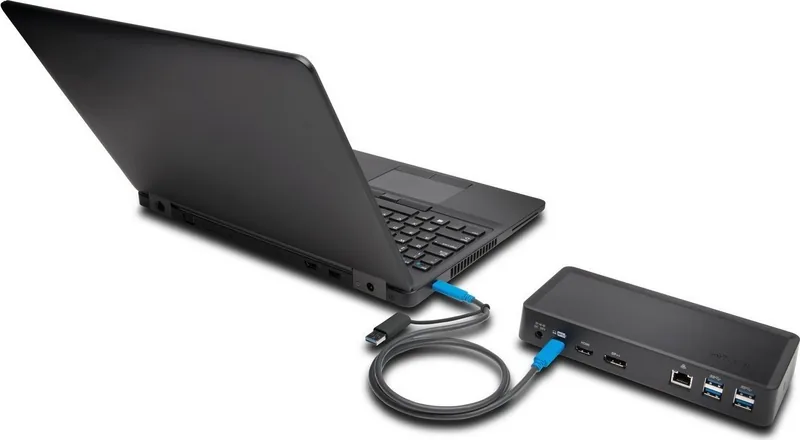
When searching for the perfect setup solution the Kensington SD4700P USB-C 3.0 Universal Dual 2K Docking Station Manual often guides users to the best choice for their workspace. This device offers exceptional value for business and personal use cases alike by reducing cable clutter effectively. It enables users to connect multiple peripherals through a single connection point while maintaining high speeds. The design focuses on minimizing physical mess on the desk while maximizing functionality for the modern distributed workforce.
Detailed Technical Features Overview The hardware supports high speed data transfer through multiple USB 3.1 ports delivering five gigabits per second for efficient file movements. Power delivery is a key feature allowing up to sixty watts to flow directly to the host device. This means your laptop stays powered while you work on other tasks without needing a separate charger. Display capabilities are robust featuring both DisplayPort and HDMI outputs for flexibility. These ports allow for dual screen setups supporting twenty one hundred and sixty resolution levels clearly and vividly.
Operating System Support and Driver Compatibility Windows and Mac systems are the primary targets for this software stack and driver support package. Windows Seven and Ten versions receive full driver support automatically through standard update systems. Mac operating systems starting from Ten point thirteen receive necessary recognition for plug and play operation without complex configuration. Internet connectivity relies on the built in gigabit ethernet port ensuring stable network access during video calls or large file transfers easily.
Setup Considerations and Accessory Needs Some accessories are sold separately to maintain flexibility in purchasing options for different budgets. Security locked covers protect the physical structure from unauthorized removal from the desk surface. Ventilation holes manage heat dissipation to prevent overheating under continuous heavy loads. The compact footprint leaves ample space for other essential items on the workspace surface needed most. Always verify your specific requirements before purchasing add on s to avoid compatibility issues with your existing computer setup.
Global Support and Warranty Information Technical support is available through regional offices globally for any inquiries regarding this unit. The text includes contact numbers for various countries including the United States and European territories for help. Users can register their product on the main website to ensure warranty coverage remains active for the long term. Software updates keep the system secure and performant over time to protect critical data.
User Experience and Workflow Integration Integrating this dock into a daily workflow transforms how users manage their digital assets efficiently. The dual display capability supports multitasking scenarios better than single screen laptops alone. Audio features allow for clear communication during online meetings without external headsets often required separately. USB charging ensures mobile devices stay topped up during long work days seamlessly.
Search for 67,732 Manuals online


Type-in Brand or Model