
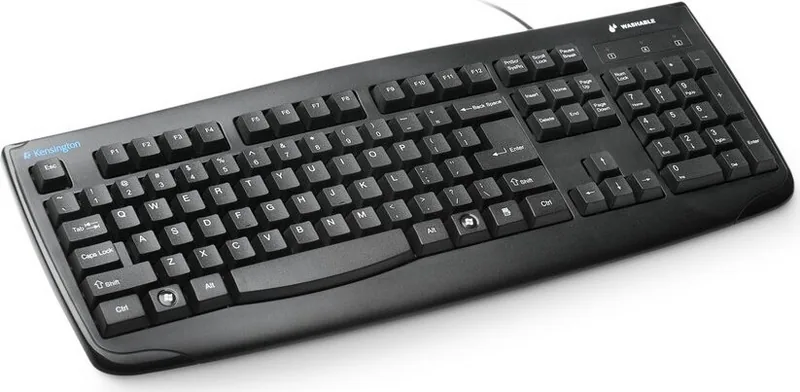
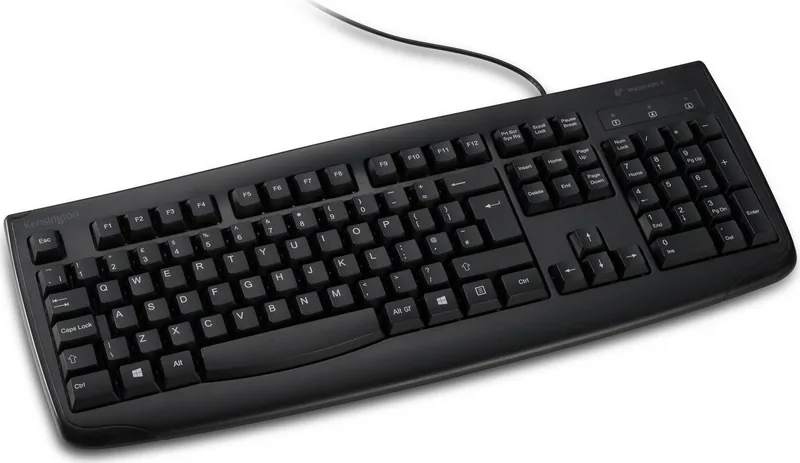
Kensington Pro Fit Washable Keyboard K64407EU Manual
PDF manual · 12 Pages
English



Quick check
Incorrect answer, please try again.
Chat with your Kensington Pro Fit Washable Keyboard K64407EU manual using AI
Get instant AI answers from your Kensington Pro Fit Washable Keyboard K64407EU manual
Ask anything about the Kensington Pro Fit Washable Keyboard K64407EU. Answers come from this manual, with the pages they are based on.
Ask a Question
Do you recommend Pro Fit Washable Keyboard K64407EU?
Yes NoFrequently Asked Questions
The keyboard is plug-and-play compatible with Windows 7, Windows 8, and Windows 10. For other operating systems, compatibility is not specified; testing on macOS or Linux may be necessary and some functionality could be limited.
Is this answer helpful?
Clean using non-abrasive cleansers, soap, general purpose cleaners, disinfectants, bleach, or surgical spirit as permitted. Follow temperature limits noted by the manufacturer, keep the connector dry, and air-dry the keyboard thoroughly after cleaning.
Is this answer helpful?
Common troubleshooting steps: unplug and replug the keyboard, or connect it to a different USB port or computer. If issues persist, contact Kensington technical support—available to registered product users—and provide product and system details for assistance.
Is this answer helpful?
The keyboard is designed to be washable with specified cleaners and supports air drying, but you must keep the connector dry. Avoid submerging the connector and follow the manufacturer’s cleaning and temperature guidance to prevent damage.
Is this answer helpful?
Kensington warns about risks of repetitive stress injuries (RSI). They recommend proper posture, regular breaks, and consulting a qualified health professional for persistent symptoms like pain, numbness, or tingling. Ergonomic use helps mitigate long-term risks.
Is this answer helpful?
Operate the keyboard within 0°C to 40°C (32°F to 104°F). Cleaning and washing guidelines reference a maximum wash temperature (e.g., under 70°C / 158°F for some procedures); always follow the product’s specific temperature and cleaning instructions.
Is this answer helpful?
Visit Kensington’s support site at www.kensington.com/support for FAQs and contact information. Telephone support hours and regional contact numbers are listed on product materials; technical support is free except for any applicable long-distance charges.
Is this answer helpful?
Advantages and Disadvantages
Advantages

- Washable design allows safe cleaning with approved cleaners and supports air drying.
- Plug-and-play USB compatibility with Windows 7, 8, and 10 for easy setup.
- Durable construction and clear temperature/cleaning guidelines for reliable maintenance.
- Global technical support and FAQ resources available to registered users.
- Ergonomic considerations and health guidance help reduce RSI risk when used correctly.
Disadvantages

- Limited OS compatibility listed (Windows 7/8/10) — no explicit macOS or Linux support.
- Connector must be kept dry, so full submersion precautions and connector care are required.
- Operating temperature range (0°C–40°C) restricts use in extreme environments.
- Cleaning guidance includes bleach and disinfectants which may require care to avoid damage.
- Basic troubleshooting only (replug or different port) — advanced issues require support contact.
Product Specification
Type
Rubber Dome
Lighting
N/A
Keycap Level
regular, with frame
Keycap Format
flat
Keycap Profile
straight
Numeric Keypad
Standard
Cursor Block
Standard
Control Keys
Standard
Enter Key
Standard
Delete Key
Standard
Status Indicator
Caps Lock, Num Lock, Scroll Lock
Palm Rest
fixed
Case
Plastic
Case Color
solid, black
Keycap Finish
solid, black
Key Labeling
solid, white
Connection
wired, USB-A 2.0
Power Supply
USB
Dimensions (WxHxD)
18.03x1.30x11.26in
Weight
1.61 lb
Special Features
splash-proof, antibacterial coating, MIL-STD-810H certified
Product Description
Kensington Pro Fit Washable Keyboard — Reliable, Hygienic, and Durable
The Kensington Pro Fit Washable Keyboard is engineered for everyday productivity with a focus on cleanliness and practical durability. Built to withstand spills and routine cleaning, this USB keyboard suits offices, healthcare, education, labs, and home environments where hygiene matters. Its washable construction allows safe cleaning with non-abrasive cleaners and disinfectants and supports air-drying after exposure to liquids, helping maintain sanitary workspaces without compromising functionality.
Designed for wide compatibility, the Pro Fit plug-and-play USB connects easily to Windows 7, 8, and 10 systems. Troubleshooting is straightforward: unplug and replug or try a different USB port or computer. Kensington provides extensive global support and resources, including FAQs and technical assistance for registered users, ensuring help is available if you encounter connectivity or performance issues.
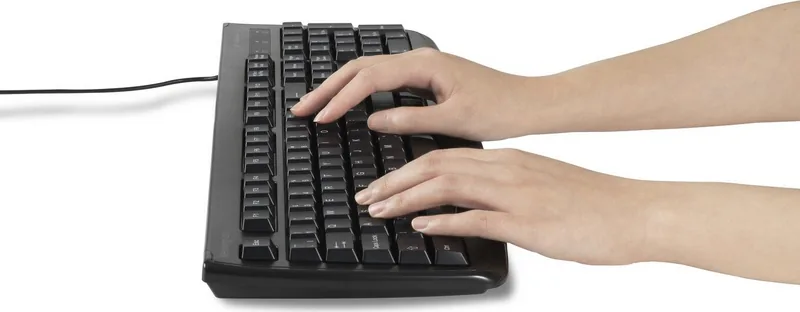
Ergonomics and user health are emphasized. Kensington highlights best practices to reduce risk of repetitive stress injuries (RSI), advising appropriate posture, frequent breaks, and consulting health professionals if persistent discomfort arises. The keyboard’s tactile key feel aims to balance responsive typing with comfort to minimize strain during long sessions.
Safety and usage guidelines recommend operating the keyboard within a standard temperature range (0°C to 40°C / 32°F to 104°F) and keeping the connector dry. If exposed to out-of-range conditions, power down and allow the device to return to normal temperatures. The product carries Kensington and ACCO Brands trademarks and includes clear instructions on permitted cleaning agents and maximum wash temperature limits, supporting robust maintenance without voiding expected performance.
Whether deployed in busy public spaces or personal desks, the Pro Fit keyboard’s washable design and simple USB connectivity make it a practical choice for users prioritizing cleanliness and dependable everyday use.
Notes
- Compatible with Windows 7, Windows 8, and Windows 10.
- Clean using non-abrasive cleansers, soap, general purpose cleaners, disinfectants, bleach, or surgical spirit as specified; max wash temperature indicated.
- Keep the connector dry and air dry the keyboard after washing.
- Follow ergonomic guidance to reduce risk of RSI and seek medical advice for persistent symptoms.
Search for 67,706 Manuals online


Type-in Brand or Model