

Kensington MiniSaver Mobile Manual
PDF manual · 7 Pages
English



Quick check
Incorrect answer, please try again.
Chat with your Kensington MiniSaver Mobile manual using AI
Get instant AI answers from your Kensington MiniSaver Mobile manual
Ask anything about the Kensington MiniSaver Mobile. Answers come from this manual, with the pages they are based on.
Ask a Question
Do you recommend MiniSaver Mobile?
Yes NoFrequently Asked Questions
You can register your key code at register.kensington.com to activate replacement benefits.
Is this answer helpful?
The product is manufactured by Kensington Computer Products Group, a division of ACCO Brands.
Is this answer helpful?
The specific product code listed in the manual is 901-3088-01 K67890.
Is this answer helpful?
Yes, toll-free numbers and support contacts exist for the US, Europe, and Canada.
Is this answer helpful?
The manufacturing location for this device is stated as Made in Taiwan.
Is this answer helpful?
Registration allows for potential key code replacement and future access recovery options.
Is this answer helpful?
Unauthorized copying or reproduction is prohibited without written consent from Kensington.
Is this answer helpful?
Advantages and Disadvantages
Advantages

- Trusted brand ACCO Brands supports global security
- Global technical support available in multiple regions
- Heavy duty cable resists physical tampering
- Key code registration helps manage replacements
- Compact design suitable for mobile professionals
Disadvantages

- Proprietary key system may limit compatibility
- Manual registration required to secure key access
- Copyright date suggests older product generation
- Requires permanent anchor point for secure lock
- Cable durability requires regular visual inspection
Product Specification
Mechanism
Key
Standard
Kensington Lock
Application
Notebook, Desktop, POS System
Cable Length
70.87 in
Product Description
Secure Your Mobile Workstation Today
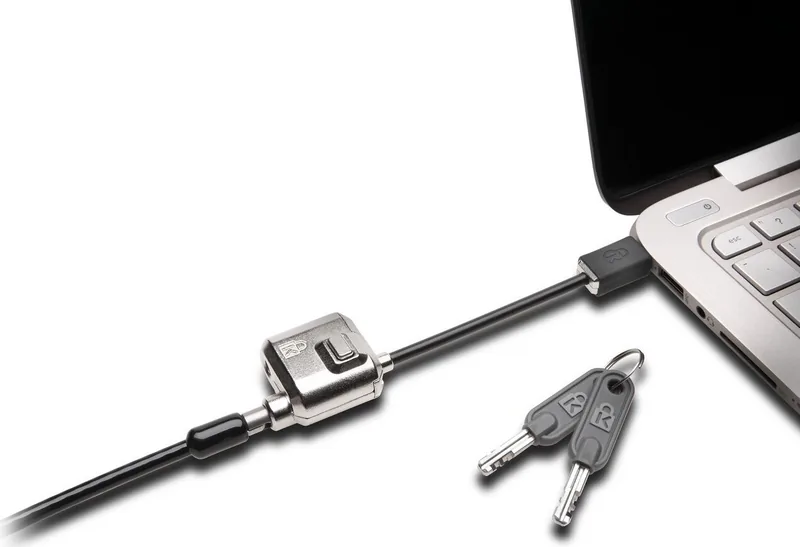
Protecting your laptop while traveling is a top priority for digital nomads and business professionals. Theft is a significant risk in public spaces such as coffee shops and co-working environments. Using a physical locking mechanism provides essential deterrence against opportunistic crime. The Kensington MiniSaver Laptop Lock Manual details the proper procedures to ensure your equipment stays safe. This guide helps users understand how to anchor their devices securely without permanent damage to furniture or hardware.
Understanding the Security Features
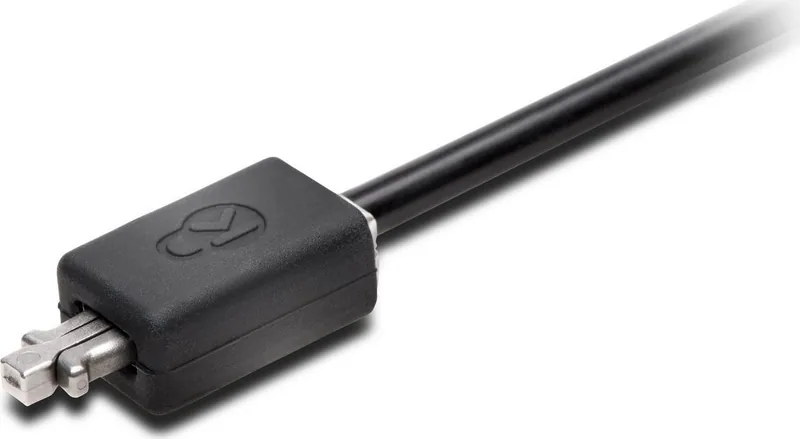
This compact locking system is designed for portability and strength. It features a heavy duty cable that withstands physical stress. The locking head is engineered to resist tampering and drilling attempts. Users can attach the anchor point to desks, tables, or other fixed objects found in standard office settings. This flexibility makes the product ideal for temporary work locations. The key cylinder mechanism ensures only authorized personnel can unlock the unit.
Importance of Registration and Support
The manufacturer emphasizes registering your key code immediately upon purchase. This step is crucial for managing replacements if keys are lost. Without registration, recovery options may be limited significantly. The company provides extensive support networks across multiple continents. Addresses are available for customers in Europe, the Americas, and Asia. This global infrastructure ensures assistance is available regardless of your current location. Contacting technical support is straightforward for troubleshooting installation issues. The contact information provided covers numerous countries including Australia and Canada.
Brand Trust and Manufacturing Quality
Produced by ACCO Brands, this device meets stringent safety standards. The product carries registered trademark protections indicating genuine quality control. Manufacturing originates from facilities in Taiwan known for high precision. All components are designed to last through years of regular use. Unauthorized duplication of the content regarding specifications is prohibited by copyright law. This protects the integrity of the design and intellectual property owned by the company. Intellectual property laws strictly forbid unauthorized copying or reproduction of this material.
Notes for Users
Always verify the locking mechanism is engaged before leaving your device unattended. Do not attempt to cut the cable as this may cause damage or injury. Keep spare keys in a separate secure location away from the locked laptop. Regularly inspect the cable for wear and replace the unit if signs of fatigue appear. Following these guidelines ensures long term protection for your technology investment.
Search for 67,706 Manuals online


Type-in Brand or Model