
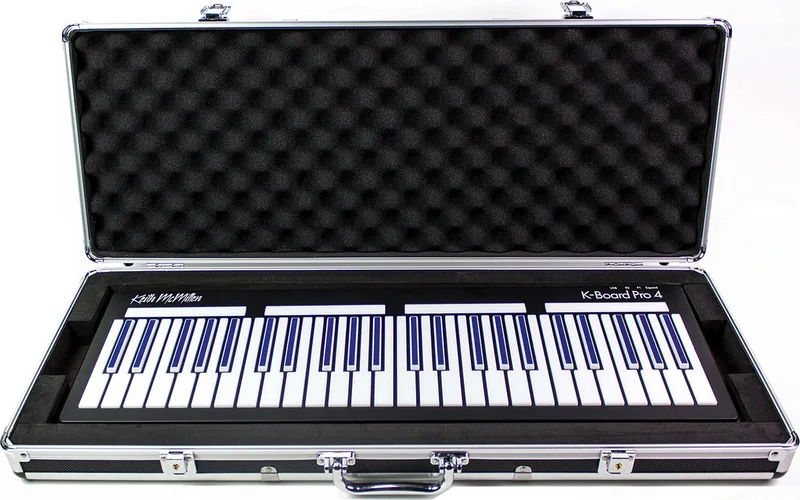
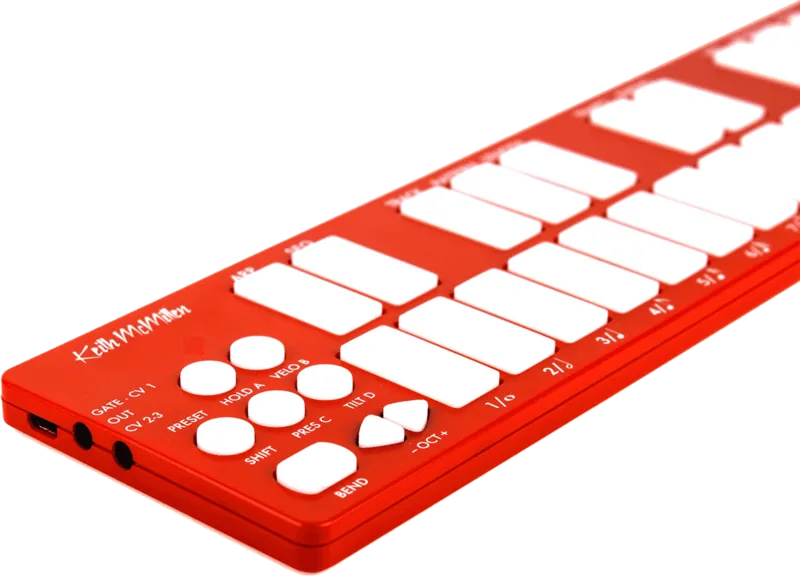
Keith McMillen K-Board Manual
PDF manual · 26 Pages
English



Quick check
Incorrect answer, please try again.
Chat with your Keith McMillen K-Board manual using AI
Get instant AI answers from your Keith McMillen K-Board manual
Ask anything about the Keith McMillen K-Board. Answers come from this manual, with the pages they are based on.
Ask a Question
Do you recommend K-Board?
Yes NoVideo Manual
Manual kboard
Frequently Asked Questions
No. The K-Board is bus-powered over USB and draws about 90mA, so it runs from standard USB ports on computers, tablets, and phones (adapters may be required for some mobile devices).
Is this answer helpful?
Hold the corresponding button (Press, Tilt, or Velo) for one second to toggle that gesture. LEDs indicate enabled status. Use the K-Board Editor to change how those gestures are routed and their sensitivity.
Is this answer helpful?
The K-Board is a MIDI controller and does not produce sound itself. Connect it to a synth, DAW, or mobile instrument app that responds to MIDI messages, and ensure the software’s MIDI input is configured to receive the K-Board.
Is this answer helpful?
Try unplugging and replugging the K-Board, connect the board before opening the editor, restart the computer, close other audio apps (Windows), or reload firmware. If problems persist, try another USB cable/port or contact tech support.
Is this answer helpful?
Yes. The K-Board Editor lets you map pressure and tilt to different CC numbers or channel/aftertouch settings. Tilt defaults to pitch bend but can be set to output CC messages via the editor.
Is this answer helpful?
Firmware updates can be automatic via the K-Board Editor, manually from the editor’s Hardware menu, or sent with SysEx tools (SysEx Librarian on Mac, SysEx Box on Windows) using KMI firmware files from their downloads site.
Is this answer helpful?
Yes. USB supports many devices on a single host (up to 127), so multiple K-Boards can be connected simultaneously. Only one board can be edited at a time using the editor.
Is this answer helpful?
Advantages and Disadvantages
Advantages

- Highly expressive keys with pressure, tilt, and velocity for nuanced control.
- Compact, lightweight, and bus-powered — ideal for mobile and desktop setups.
- K-Board Editor offers deep customization: CC mapping, sensitivity, curves, and firmware updates.
- Class-compliant USB MIDI works across macOS, Windows, iOS, and Android without drivers.
- Low power draw (~90mA) and included micro-USB cable for immediate use.
Disadvantages

- As a MIDI controller, it requires external sound-generating software or hardware.
- Windows limits class-compliant devices to a single application connection at a time.
- Tilt disabled-return feature won’t work when tilt is mapped to pitch bend.
- Editor must remain in its original folder on Windows to function correctly.
- Firmware updates via SysEx require extra tools if the editor can’t connect.
Product Specification
Type
MIDI Controller
Keys
no
Pads
25, Aftertouch
Knobs
no
Faders
no
Other Controllers
Pitch-Bend (Touch)
Connections
USB-B (USB to Host)
Dimensions
12.80x3.31x0.43in (WxHxD)
Weight
1.68 lbs
Product Description
Keith McMillen K-Board — Expressive USB MIDI Controller
The Keith McMillen K-Board is a compact, bus-powered 25-key controller built for tactile, expressive performance. Its thin, lightweight form factor houses pressure- and tilt-sensitive keys, a pitch-bend pad, octave buttons, sustain, and dedicated toggles for pressure, tilt, velocity, and sustain. Class-compliant USB MIDI connectivity ensures compatibility with Mac, Windows, iOS, and Android devices, making it an ideal portable companion for studio and live use.
Beyond its hardware, the K-Board ecosystem includes a free K-Board Editor (Mac/Windows) that unlocks deeper customization: remap pressure and tilt to different MIDI CCs, change pitch-bend behavior, adjust sensitivity curves, and update firmware. The editor syncs settings to the connected controller, offering control over velocity curves (linear, logarithmic, sine, cosine, exponential, inverted), pressure and tilt return values, bend ranges, and per-gesture sensitivity.
Practical features streamline the user experience. Pressure outputs the averaged value of held keys (default CC#1), tilt can be routed to pitch bend or CCs, velocity sensitivity is adjustable, and a toggle mode lets keys act as on/off switches. The sustain button temporarily holds notes while pressed. Onboard LEDs indicate enabled gestures. The K-Board draws only ~90mA and ships with a micro-USB cable for immediate bus-powered operation.
Installation and maintenance are straightforward: download the editor, install on Mac or Windows, and connect the K-Board. Firmware can be updated automatically through the editor or manually via SysEx tools if needed. The manual and editor include troubleshooting guidance for common issues—try a different USB cable or port, avoid unpowered hubs, rescan MIDI on macOS if devices don’t appear, and remember Windows allows a class-compliant device to be connected to a single application at a time.
The K-Board is built with portability and expressive control in mind. Its sensitivity sliders and preference options let players tailor response to playing style, while the editor provides granular control for advanced routing and behavior. Compact dimensions (325 x 84 x 11 mm) and light weight (345 g) make it easy to add expressive MIDI control to rigs, desks, or mobile setups.
Notes:
- Default pressure outputs on CC#1; tilt defaults to pitch bend but can output CCs via the editor.
- Use the editor to change MIDI channel, sensitivity, and disabled-return values.
- For connection issues, test cables, ports, and avoid unpowered hubs; rescan MIDI on macOS if necessary.
Search for 67,706 Manuals online


Type-in Brand or Model