
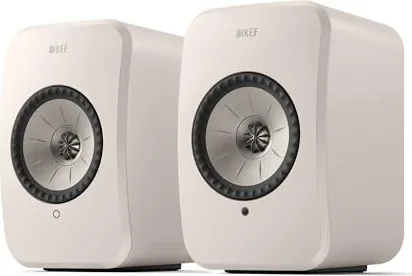

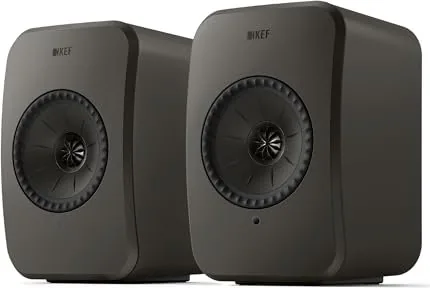
KEF LSX II LT Manual
PDF manual · 104 Pages
English



Quick check
Incorrect answer, please try again.
Chat with your KEF LSX II LT manual using AI
Get instant AI answers from your KEF LSX II LT manual
Ask anything about the KEF LSX II LT. Answers come from this manual, with the pages they are based on.
LSX II LT Maintenance Schedule
Unplug power before cleaning. Use a lint-free cloth for surfaces and an anti-static cleaner with a soft sponge for Uni-Q drivers.
Insert two AAA batteries into the remote compartment if it becomes less responsive or stops working.
Ask a Question
Do you recommend LSX II LT?
Yes NoFrequently Asked Questions
Download the KEF Connect App on your iOS or Android device. Open the app and select LSX II LT. Follow the onboarding steps to connect to your local Wi-Fi network. Ensure your router supports 2.4 GHz or 5 GHz bands.
Is this answer helpful?
Yes, the speakers support Spotify Connect. You can control playback directly from the Spotify app on your mobile device by selecting the speakers as the output destination.
Is this answer helpful?
The system supports HDMI ARC for TV audio, Optical input for digital audio, and USB Type-C for computer playback. It also features wireless streaming via Bluetooth 5.0.
Is this answer helpful?
Use the Equalizer settings in the KEF Connect App. You can select Normal Mode or Expert Mode to adjust bass, treble, and room adaptation settings like desk mode or wall mode.
Is this answer helpful?
Yes, you can disable Wi-Fi mode using the remote control. However, you will lose access to streaming services and firmware updates. Bluetooth and wired inputs will still function.
Is this answer helpful?
Press and hold the reset button on the back panel of the Primary Speaker until the LED light blinks orange. Alternatively, use the Factory Reset option in the Speaker Info menu within the KEF Connect App.
Is this answer helpful?
The included USB-C interspeaker cable is 3 meters long. It supports cables up to 8 meters. For optimal stereo imaging and stable connection, keep the distance within this limit.
Is this answer helpful?
Advantages and Disadvantages
Advantages

- High-fidelity audio quality with Uni-Q driver technology
- Versatile connectivity options including AirPlay 2 and Chromecast
- Intuitive KEF Connect App for sound profile customization
- Supports HDMI ARC and Optical inputs for TV integration
- Automatic firmware updates ensure latest features
Disadvantages

- Secondary speaker requires wired inter-speaker connection
- Premium price point compared to basic bookshelf speakers
- Setup requires stable dual-band Wi-Fi network
- Maximum speaker distance limited by cable length
- No built-in microphone for voice assistant integration
Product Specification
Power
200W RMS
Tuner
Internet Radio
Streaming Clients
Amazon Music, Apple AirPlay 2, Apple Music, Deezer, Google Cast, Pandora, Qobuz, Spotify, Tidal
Voice Assistants
Apple Siri, Google Assistant
Audio Connections
Digital Audio In (Optical), Sub Out (RCA)
Additional Connections
USB-C, HDMI
Wireless
Bluetooth 5.0, Wi-Fi 5 (802.11a/b/g/n/ac)
Power Supply
AC
Features
Remote Control
Dimensions
6.10x9.45x7.09in (WxHxD)
Weight
14.99 lbs
Product Description
Elevate Your Music with KEF LSX II LT
Experience superior sound quality with the KEF LSX II LT. This compact system delivers powerful audio for modern homes. It supports the latest wireless standards for hassle-free streaming. Detailed setup instructions can be found in the KEF LSX II LT Manual. The design integrates seamlessly into any living space while maintaining high fidelity audio performance. Uni-Q driver technology ensures point source accuracy for every listener.
Installation and Setup
Begin by downloading the KEF Connect App on your smartphone. Connect the speakers to your Wi-Fi network for full features. The primary speaker handles the connection while the secondary speaker links via cable. Place speakers at ear level for best stereo imaging. Ensure your router supports dual-band frequencies for stability. Proper positioning affects the soundstage significantly. Adjust the volume sensitivity within the app to control input levels. The LED indicators provide clear status updates during pairing. Keep devices within range for optimal signal strength.
Streaming and Connectivity
AirPlay 2 and Chromecast are fully supported. Stream from Spotify, TIDAL, and Amazon Music effortlessly. You can also use native protocols for specific services. Voice control works through Siri and Google Assistant. Multiple inputs allow TV linking via HDMI ARC or Optical. USB ports enable high-resolution file playback from computers. Internet radio stations provide unlimited listening options. Podcasts are accessible directly through the interface. Bluetooth 5.0 ensures stable wireless pairing for mobile devices.
Sound Customization
Use the equalizer settings to match your room acoustics. The app offers normal and expert modes for precise adjustments. You can create custom sound profiles for different genres. Firmware updates occur automatically when connected. Regular maintenance keeps the system running smoothly. The system includes room adaptation tools for optimal sound. Adjust balance between left and right channels easily. Subwoofer connection expands low-frequency response capabilities. Power management settings help reduce energy consumption over time.
Multi-Room Audio
Group multiple speakers for synchronized playback throughout the house. AirPlay 2 allows you to create stereo pairs or multi-zone groups. Control volume independently or as a unified system. This feature enhances the entertainment experience for larger spaces.
Important Notes
Keep speakers away from magnetic interference devices. Do not expose the drivers to moisture or water. Use only approved cables for inter-speaker connections. Adhere to warranty guidelines included in the guide. Ensure power cables are securely connected to avoid interruptions. Check for firmware updates periodically for new features. Clean the unit with a soft lint-free cloth only. Do not use harsh chemicals on the speaker surface.
Search for 67,732 Manuals online


Type-in Brand or Model