
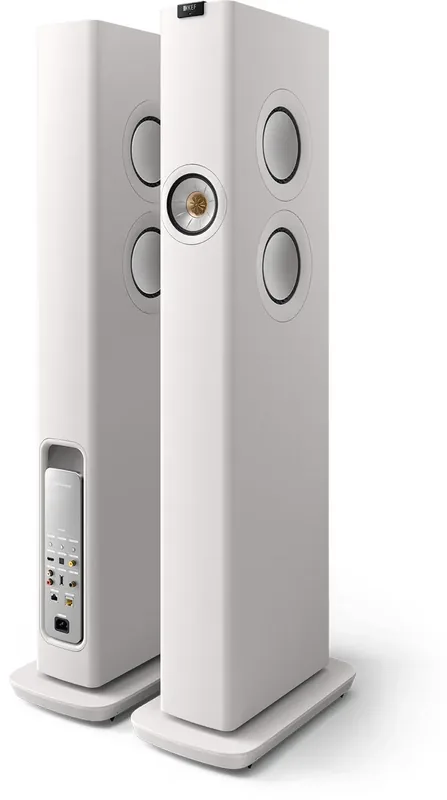
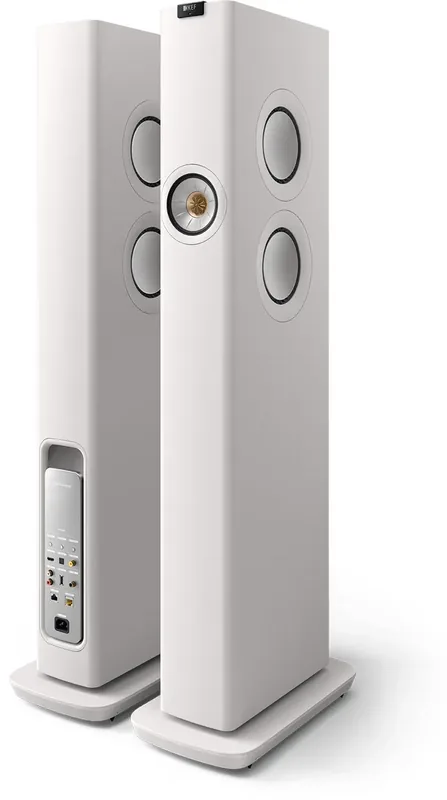
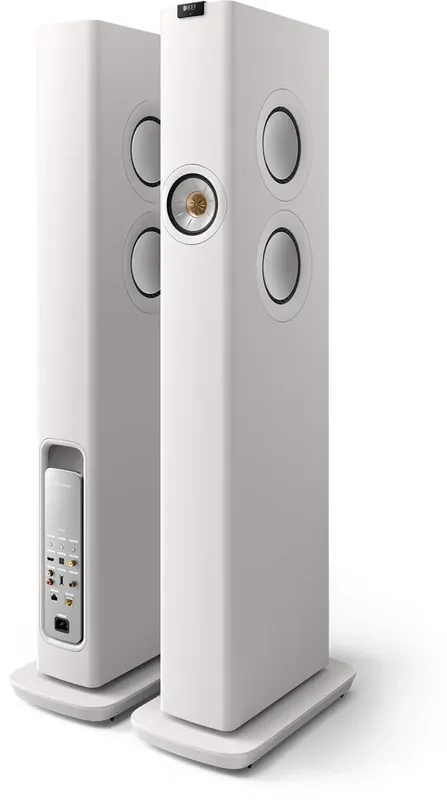
KEF LS60 Wireless Manual
PDF manual · 107 Pages
English



Quick check
Incorrect answer, please try again.
Chat with your KEF LS60 Wireless manual using AI
Get instant AI answers from your KEF LS60 Wireless manual
Ask anything about the KEF LS60 Wireless. Answers come from this manual, with the pages they are based on.
LS60 Wireless Maintenance Schedule
Unplug power cables. Clean surfaces with a lint-free cloth and alcohol-free cleaner. Use anti-static cleaner and soft sponge for Uni-Q drivers.
If the remote is less responsive or not working, replace the two AAA batteries in the battery compartment.
Ask a Question
Do you recommend LS60 Wireless?
Yes NoFrequently Asked Questions
Unplug nearby KEF speakers to prevent incorrect pairing. Plug in the primary and secondary speakers. Press and hold the P/S pairing button on the primary speaker for 5 seconds until the light blinks quickly. Repeat for the secondary speaker. Wait for the lights to stay lit, indicating successful pairing.
Is this answer helpful?
In wireless mode, the speakers can be up to 8 meters apart, though interference may reduce this range. Using the provided inter-speaker cable allows for a wired connection up to 10 meters, ensuring higher resolution audio and stability.
Is this answer helpful?
Yes, the speakers feature an HDMI eARC input that works with ARC and CEC. This allows you to control volume with your TV remote. Ensure your TV is set to output PCM audio and enable HDMI CEC in your TV settings for best results.
Is this answer helpful?
Absolutely. The app offers Normal Mode for automatic room adaptation and Expert Mode for manual adjustments. You can fine-tune desk mode, wall mode, treble trim, bass extension, and subwoofer settings to match your specific listening environment.
Is this answer helpful?
The speakers support Spotify Connect, TIDAL Connect, and QPlay. They also work seamlessly with AirPlay 2, Chromecast, and Roon. Through the KEF Connect App, you can stream from Amazon Music, Deezer, Qobuz, and various internet radio stations.
Is this answer helpful?
Press and hold the Factory Reset button (R) on the back panel of the primary speaker until the LED light above it blinks. This clears all network settings, EQ preferences, and system configurations, returning the speakers to their original state.
Is this answer helpful?
Yes, most popular mesh routers work well. However, since there is no industrial standard for mesh technology, ensure your router firmware is updated. If issues arise, try adjusting the channel settings to avoid overlap with Channel 2.
Is this answer helpful?
Advantages and Disadvantages
Advantages

- Supports high-resolution audio streaming up to 192 kHz/24 bit via wired connection
- Comprehensive connectivity including HDMI eARC, optical, coaxial, and Bluetooth
- Intuitive KEF Connect App for setup, EQ tuning, and music streaming
- Flexible multi-room streaming with AirPlay 2 and Chromecast support
- Includes expert mode equalization for precise acoustic customization
Disadvantages

- Requires a stable Wi-Fi network for full functionality and updates
- Wireless inter-speaker distance limited to 8 meters without interference
- Secondary speaker LED does not illuminate during normal operation
- Some streaming features require specific subscription tiers
- Initial setup requires downloading the KEF Connect App and creating an account
Product Specification
Power
1400W RMS
Tuner
Internet Radio
Streaming Clients
Amazon Music, Apple AirPlay 2, Deezer, Google Cast, Qobuz, Roon, Spotify, Tidal
Voice Assistants
No
Audio Connections
Stereo Line In (RCA), Digital Audio In (coaxial), Digital Audio In (optical), Sub Out (RCA)
Other Connections
HDMI, RJ-45
Wireless
Bluetooth 4.2, Wi-Fi 5 (802.11a/b/g/n/ac)
Power Supply
Mains Power
Features
Remote Control, MQA
Dimensions
8.35x42.91x15.51 in (WxDxH)
Weight
137.56 lbs
Product Description
Discover the KEF LS60 Wireless: A New Era of HiFi
The KEF LS60 Wireless represents a monumental leap in audio engineering, celebrating 60 years of innovation by combining the most advanced technologies into a single, powerful floor-standing active speaker system. Designed for the digital music era, this speaker delivers unparalleled performance with an intuitive user experience and expansive connectivity options.
Unpacking and Setup
Upon opening the box, you will find two speakers, each packed separately but paired automatically if they share the same serial number. The package includes essential accessories such as floor spikes for vibration isolation, a remote control, power cables, and an inter-speaker cable. Setting up the LS60 Wireless is straightforward. First, connect the power cables to the back panel. The LED indicator on the primary speaker will blink white and amber, signaling it is ready for network connection.
To onboard the speakers, download the KEF Connect App on your iOS or Android device. The app guides you through connecting the speakers to your Wi-Fi network, preferably using a dual-band router with a 5 GHz frequency for optimal streaming stability. Once connected, the speakers can be placed on a flat surface with at least 7.5 cm of clearance from walls to ensure proper ventilation and sound quality.
Connectivity and Streaming
The LS60 Wireless excels in versatility. It supports multiple wireless streaming protocols including AirPlay 2, Chromecast, and Roon Ready. For native app users, Spotify Connect, TIDAL Connect, and QPlay are fully integrated. The KEF Connect App itself provides direct access to services like Amazon Music, Deezer, and Qobuz, along with internet radio and podcasts.
For wired connections, the back panel features HDMI eARC, Optical, Coaxial, and Auxiliary inputs, making it compatible with TVs, Blu-ray players, and turntables. The HDMI eARC support allows for integrated control via your television remote. Additionally, the speakers can be linked wirelessly up to 8 meters apart, or via the provided 8-meter cable for higher resolution audio up to 192 kHz/24 bit.
Customization and Control
Customize your listening environment using the KEF Connect App. The Equalization settings offer both Normal Mode, which adjusts based on room acoustics and placement, and Expert Mode for precise control over bass extension, treble trim, and subwoofer integration. You can also adjust volume sensitivity, set standby timers, and manage firmware updates directly through the interface.
Key Features
- Uni-Q Driver Technology: Delivers precise soundstage and imaging.
- Multi-Room Capability: Group with other AirPlay 2 or Chromecast devices.
- Voice Control: Compatible with Siri and Google Assistant.
- Smart EQ: Automatically optimizes sound for your room layout.
Search for 67,732 Manuals online


Type-in Brand or Model