
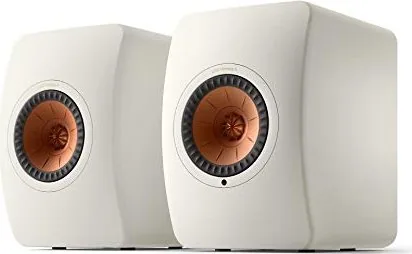
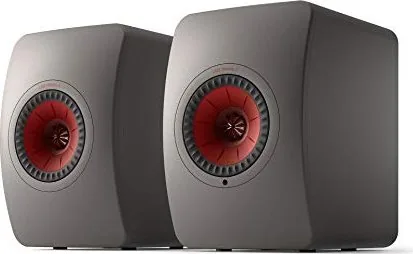
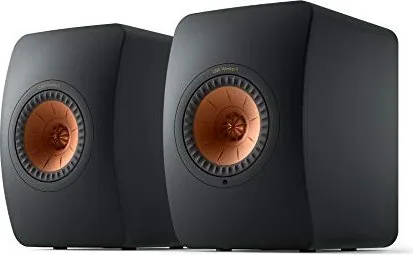
KEF LS50 Wireless II Manual
PDF manual · 98 Pages
English



Quick check
Incorrect answer, please try again.
Chat with your KEF LS50 Wireless II manual using AI
Get instant AI answers from your KEF LS50 Wireless II manual
Ask anything about the KEF LS50 Wireless II. Answers come from this manual, with the pages they are based on.
LS50 Wireless II Maintenance Schedule
Unplug the power cable and clean surfaces with a lint-free cloth. Use alcohol-free cleaner if needed.
Use an antistatic cleaner and soft sponge on the driver. Apply minimal force to avoid damage.
Ask a Question
Do you recommend LS50 Wireless II?
Yes NoFrequently Asked Questions
Yes, the speakers support AirPlay 2 for seamless streaming from Apple devices. You can select the LS50 Wireless II from the audio output menu on your iOS device.
Is this answer helpful?
Use an HDMI cable to connect your television to the TV port on the rear panel of the primary speaker. Ensure eARC is enabled in your TV settings for optimal control.
Is this answer helpful?
Yes, Spotify Connect is pre-configured. Select the KEF LS50 Wireless II from your Spotify app device list to start wireless audio playback.
Is this answer helpful?
Yes, the KEF Connect App offers Normal and Expert modes. You can customize bass extension, treble trim, and wall distance settings for your room.
Is this answer helpful?
Yes, Bluetooth pairing is available. Connect via the app or the button on the back panel. It supports connection as a wake-up source option.
Is this answer helpful?
Download the KEF Connect App. Follow the onboarding steps to add the speakers to your network. Ensure your router supports 5GHz for best stability.
Is this answer helpful?
Yes, you can group multiple AirPlay 2 or Chromecast speakers for synchronized playback. This setup is managed through the respective ecosystems and the app.
Is this answer helpful?
Advantages and Disadvantages
Advantages

- Features Uni-Q driver technology for precise imaging and coherent sound from a single acoustic center.
- Supports diverse streaming protocols including AirPlay 2, Chromecast, Spotify Connect, and TIDAL Connect.
- Dedicated KEF Connect App allows deep EQ customization and source control on iOS and Android.
- HDMI eARC and optical inputs provide versatile connectivity for televisions and legacy devices.
- Multi-room functionality enables synchronized playback across different zones using AirPlay 2 or Chromecast.
Disadvantages

- Setup requires a specific router configuration to ensure the most stable streaming performance.
- Highest audio resolution may require a wired connection between speakers if wireless interference occurs.
- Power settings and EQ customization may require careful exploration of the KEF Connect App menu structure.
- Cleaning the Uni-Q chassis requires specific antistatic materials to avoid damaging the membrane.
- Voice assistant integration requires prior network setup and compatibility verification with smart homes.
Product Specification
Power
760 W RMS
Tuner
Internet Radio
Streaming Clients
Amazon Music, Apple AirPlay 2, Apple Music, Deezer, Google Cast, Qobuz, Roon, Spotify, Tidal
Voice Assistants
No
Audio Connections
AUX In (3.5mm Jack), Sub Out (RCA)
Additional Connections
HDMI, RJ-45
Wireless
Bluetooth 4.2, Wi-Fi 5 (802.11a/b/g/n/ac)
Power Supply
Mains Power
Features
Remote Control, DSD256, MQA
Dimensions
7.87 x 12.01 x 12.24 in (WxHxD)
Weight
46.30 lbs
Product Description
Comprehensive Audio Review of the KEF LS50 Wireless II System
The KEF LS50 Wireless II stands as a testament to modern acoustic engineering. This active wireless stereo system merges beautifully designed cabinets with advanced digital amplification technology. The Uni-Q driver array remains the star feature, positioning the tweeter at the acoustic center of the midrange. This ensures coherent sound where the listener perceives the source accurately regardless of room position. Proper integration into your home network is straightforward and often referenced in the KEF LS50 Wireless II Manual for optimal configuration. The speakers utilize a dual-band Wi-Fi connection to handle high-resolution streaming without interruptions.
Connectivity is exceptionally versatile for this class of product. Users can stream directly from cloud-based music services including Amazon Music, Spotify, TIDAL, and Deezer. The KEF Connect App serves as the central hub for all operations. It enables source selection, volume control, and detailed equalization settings. You can modify treble, bass, and phase to match your listening space. The application also supports firmware upgrades to keep software current and secure. Multi-room streaming works via AirPlay 2 or Chromecast ecosystems for synchronized playback in other rooms.
Physical connections offer flexibility for various inputs. The rear panel features HDMI eARC for television audio, optical inputs for digital sources, and coaxial inputs for older devices. An AUX input allows connection to standard analog equipment like turntables or phones. Bluetooth pairing adds another layer of wireless convenience for mobile devices. Power settings allow the system to enter standby after periods of inactivity. You can configure wakeup sources to activate the speakers automatically. Placement guidelines suggest spacing speakers between one and eight meters for proper stereo imaging. Cables can be used between speakers if wireless interference occurs. Cleaning requires a soft cloth and mild solutions to protect the finish. This system delivers high fidelity that satisfies discerning listeners everywhere. HDMI eARC also supports CEC for unified cable management with compatible televisions. Maintenance guidelines recommend unplugging power before any cleaning procedures to ensure safety.
Setup involves specific router requirements for stability. IEEE 802.11a/b/g/n/ac standards are recommended for best performance. You should connect to the 5GHz band for the most stable stream. The app home screen offers shortcuts to your favorite media. You can adjust the volume display settings to prefer sliders or buttons on your interface. Speaker preferences allow you to reverse the channel settings if needed. Service support contacts are available within the application for troubleshooting. You may also access analytics to help improve the product over time. Cleaning the Uni-Q chassis requires an antistatic cloth to maintain performance. The system supports wall mounting using M8 threads for flexibility. It is a complete package for the digital music era. Enjoy the precision and power provided by this advanced wireless solution.
Search for 67,732 Manuals online


Type-in Brand or Model