
Kathrein CAR 150 WiFi Duo Manual
PDF manual · 20 Pages
English



Quick check
Incorrect answer, please try again.
Chat with your Kathrein CAR 150 WiFi Duo manual using AI
Get instant AI answers from your Kathrein CAR 150 WiFi Duo manual
Ask anything about the Kathrein CAR 150 WiFi Duo. Answers come from this manual, with the pages they are based on.
Ask a Question
Do you recommend CAR 150 WiFi Duo?
Yes No
Zach Knight
9 months ago
Does this product actually strengthen the Wi-Fi signal? Mine kept disconnecting and I did not notice any improvement. How can I check compatibility before buying?

Manual.ly
9 months ago
Signal results vary by router placement and existing coverage, but if the connection drops or you see no improvement, the first step is to verify compatibility with your device and setup. Check the product requirements (router standards, frequency band, and supported hardware) against what you have. If it is not compatible, you should not install it. In that case, the easiest solution is to use the return process so you can get your money back. If it is compatible but performance is poor, try relocating the unit to a more central location, avoid interference sources, and restart your router. If issues persist, contact support with your router model and the exact behavior (disconnect frequency, device type) so we can troubleshoot.
Frequently Asked Questions
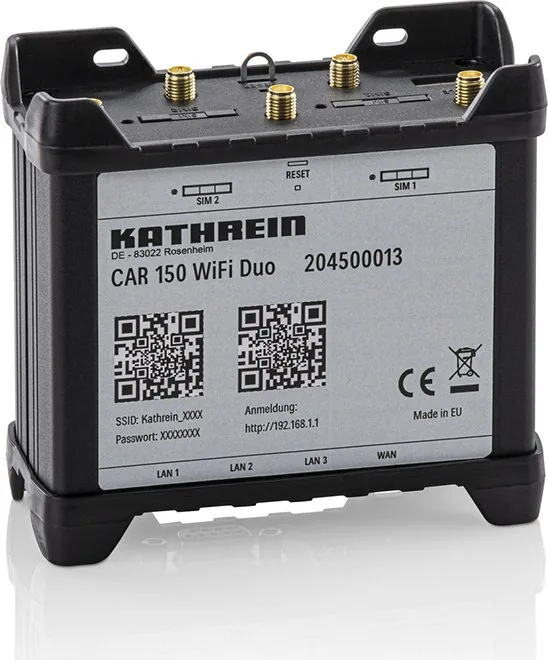
Connect to the router’s WiFi (scan the left QR code or select Kathrein_XXXX and enter the sticker password), open http://192.168.1.1 (or scan the right QR code) and create a new admin password when prompted.
Is this answer helpful?
The router has two SIM slots and supports selection of the active transmission path (SIM1, SIM2 or WiFi) via the web interface. You can switch manually or configure failover behavior; dual SIM is mainly for coverage and cost optimization.
Is this answer helpful?
If a SIM is blocked after three wrong PIN attempts, you must enter the PUK (Personal Unblocking Key) from your SIM card documentation to unlock it. The router preserves SIM PINs during factory reset.
Is this answer helpful?
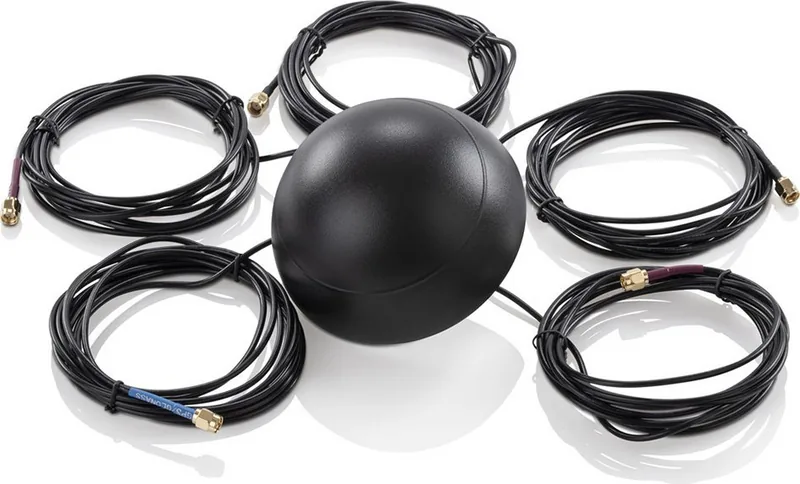
Use the supplied roof gland or the M27 nut and washers. Drill the appropriate hole (Ø38 mm for the gland or Ø27 mm for thin roofs), feed cables through, secure the antenna and tighten the knurled nut per the manual. Ensure a clean, dry mounting surface and follow safety precautions.
Is this answer helpful?
Check signal strength on the home page, verify APN and provider settings, confirm data volume and contract status via SMS, ensure correct WiFi password for hotspot use, and if necessary perform a factory reset (SIM PINs remain).
Is this answer helpful?
Yes. The router can search for and connect to local WiFi networks. Enter the network password or follow on‑site authentication procedures if a captive portal is used, and monitor signal strength for a stable connection.
Is this answer helpful?
Open the web interface, go to the general settings or software update section and check for the latest firmware. If an update is available, follow the prompts to download and install it; ensure stable power during the process.
Is this answer helpful?
Advantages and Disadvantages
Advantages

- Dual‑SIM support for seamless switching between mobile networks and better coverage abroad.
- External MIMO roof antenna (IP67) and internal WiFi antenna for improved reception and stable connections.
- Flexible power options: 12 V vehicle supply or 230 V adapter for campsite and travel use.
- Simple setup with QR codes for quick WiFi connection and web UI access; English/German interface.
- Multiple interfaces: Ethernet (LAN/WAN), USB host, GPS, and many antenna connectors for integration.
Disadvantages

- External antenna installation requires roof drilling and careful mounting, may need professional help.
- LTE Cat 4 limits maximum throughput compared with newer higher‑category modems.
- Antenna cable length limitation (~2.8 m) restricts flexible placement in larger vehicles.
- Some advanced setup (APN, roaming) may require manual configuration or provider info.
- No built‑in support for latest WiFi standards beyond 802.11n (no 802.11ac/ax).
Product Specification
Modem
GSM, UMTS, LTE
Bandwidth
150Mbps/50Mbps (LTE)
Interfaces
3x Gb LAN, 1x Gb WAN, Wi-Fi 4 (WLAN 802.11b/g/n), 1x USB-A, 1x RS-485, 1x RS-232
Dimensions
4.29x4.06x1.97in
Weight
0.65 lb
SIM Form Factor
Mini-SIM
Power Supply
external power adapter
Features
microSD slot, Hotspot, Antenna connector (Mobile, WLAN, GNSS), Dual-SIM, GPS
Product Description
Kathrein Car 150 WiFi Duo — Reliable Dual‑SIM LTE Router for Campers
The Kathrein Car 150 WiFi Duo is a compact LTE/4G dual‑SIM router set designed for caravans, motorhomes and mobile use. Combining robust hardware, external MIMO antenna support and flexible power options (12 V or 230 V), it provides on‑the‑road internet access via mobile networks or by joining local WiFi hotspots. With dual SIM slots you can switch between networks for better coverage or use a local prepaid SIM while travelling abroad.
Setup is straightforward: mount the roof antenna using the supplied roof gland or nut and washers, connect antenna and internal WiFi antenna inside the vehicle, and power the router via the integrated 12 V cable or the 230 V adapter. QR codes on the housing let you quickly join the router’s WiFi network or open the web interface (http://192.168.1.1) for configuration. The web UI supports English and German and guides you through initial password creation and SIM configuration.
The router supports automatic or manual selection of internet paths (SIM1, SIM2 or WiFi) and displays signal strength and connection status via LEDs and the web interface. Important SIM features like PIN/PUK handling, SMS reading, roaming and APN settings are available in the SIM settings menu. Firmware updates can be performed online to keep the device current.
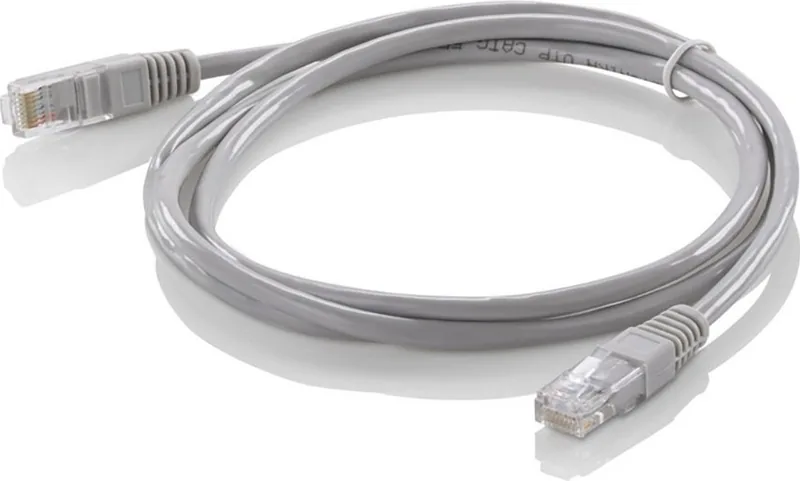
Kathrein provides a complete kit: router, internal antenna, roof antenna with duct and fastening hardware, power supplies, Ethernet cable and SIM adapters. The device is rugged (IP67 antenna), rated for wide temperature ranges and designed for low energy consumption. Technical specs include LTE Cat 4 support, IEEE 802.11b/g/n WiFi, multiple antenna connectors (SMA/RP‑SMA), USB host and microSD support.
Whether you need steady streaming, remote work connectivity or a campsite WiFi bridge, the CAR 150 WiFi Duo delivers flexible connectivity tailored for vehicle use. Its dual‑SIM capability, external MIMO antenna and easy mounting make it a practical solution for travelers wanting reliable internet while driving or parked internationally.
Notes
- Keep antenna and router cable runs within specified lengths (max ~2.8 m between antenna and router).
- Register a strong admin password on first login; backup configuration and check for firmware updates regularly.
- SIM PINs remain after factory reset; use the PUK from your SIM provider if blocked.
Search for 67,732 Manuals online


Type-in Brand or Model
William Lewis
10 months ago
I bought this to boost my Wi-Fi, but my internet connection keeps dropping and I do not notice any signal improvement. Is this normal?
Manual.ly
10 months ago
No, a frequent internet drop and no noticeable signal boost usually indicate setup or compatibility issues. Please try: (1) place the extender at the recommended distance between your router and the weak area (not too far, not right next to the router); (2) restart modem and router, then power-cycle the extender; (3) connect to the correct network (2.4 GHz vs 5 GHz) and use the same SSID settings if supported; (4) update the extender firmware and re-run setup; (5) verify your router is compatible with the extender model. If signal reinforcement still does not work after these steps, contact support for troubleshooting or a return.