
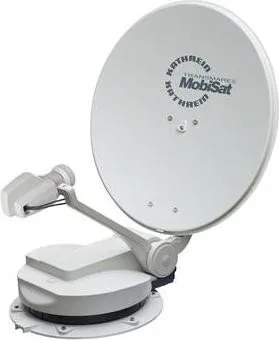
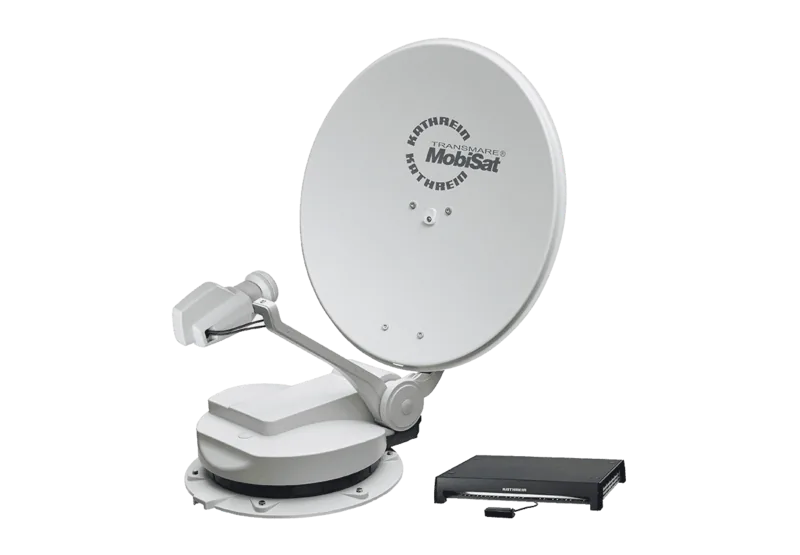
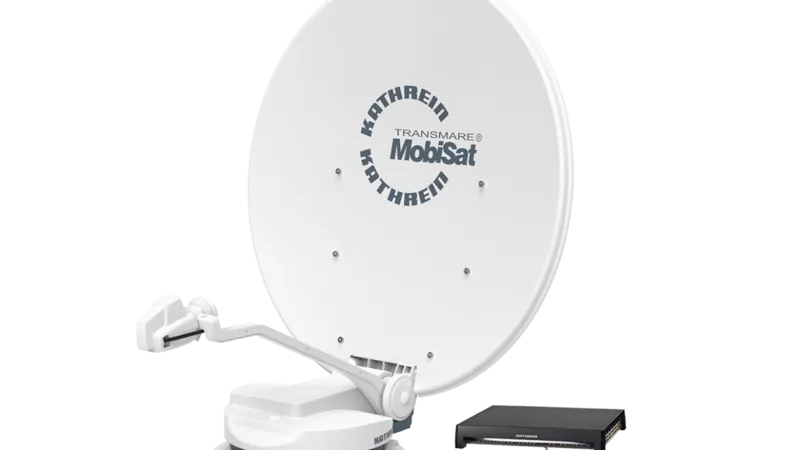
Kathrein CAP 750 MobiSet 3 Manual
PDF manual · 2 Pages
English



Quick check
Incorrect answer, please try again.
Chat with your Kathrein CAP 750 MobiSet 3 manual using AI
Get instant AI answers from your Kathrein CAP 750 MobiSet 3 manual
Ask anything about the Kathrein CAP 750 MobiSet 3. Answers come from this manual, with the pages they are based on.
Ask a Question
Do you recommend CAP 750 MobiSet 3?
Yes No
Lukas Weber
10 months ago
Is everything needed for installation included, like mounting and sealing materials, or do I need to buy extra parts?

Manual.ly
10 months ago
The kit includes the parts required to assemble and mount the satellite/receiver according to the manual, along with clear installation steps. However, sealing materials and some wall-mounting components (for example, suitable anchors/screws and weatherproof sealant) can depend on your wall type and local setup and are therefore not always included. For the most reliable result, use the mounting hardware and sealant that match your surface and follow the guidance in the instruction manual. If you tell us your wall type and mounting method, support can recommend what to use.
Frequently Asked Questions
CAP mode lets the receiver manage the antenna as a controllable turn-table system. It simplifies antenna configuration, positioning, and related service functions through the menu.
Is this answer helpful?
Open Antenna Configuration, choose the reset option for the turn-table antenna, and confirm the prompt. This returns the CAP to its parked state and clears stored satellite positions.
Is this answer helpful?
A CAP reset restores the antenna and deletes previously found satellites. A factory reset restores the receiver to delivery status and usually requires the initial installation process again.
Is this answer helpful?
Yes. You can enter GPS coordinates directly or use list selection to choose your country and nearest town. Both methods help the system determine your operating location.
Is this answer helpful?
Use the receiver menu, go to the main menu, then the service menu. The screen will show the installed software information, depending on the version.
Is this answer helpful?
Updates can be loaded from a USB stick or downloaded via satellite. For satellite updates, the antenna must be aligned to ASTRA 19.2° East.
Is this answer helpful?
Advantages and Disadvantages
Advantages

- Easy CAP mode setup through the receiver menu.
- Supports GPS entry and location list selection.
- Reset options help recover from alignment or setup issues.
- Software can be updated by USB or satellite.
Disadvantages

- Some functions require the latest software version.
- Satellite updates need alignment to ASTRA 19.2° East.
- Factory reset removes settings and requires new setup.
- Menu navigation may feel technical for beginners.
Product Specification
Participants
2
Satellite Positions
1
Satellite Dish
23.62in
LNB
1x Twin
Multiswitch
no
Receiver
no
Installation Accessories
Coaxial Cable (26.25ft), Coaxial Cable (9.84ft), Power Cable (32.81ft)
Special Features
Camping System
Product Description
Kathrein CAP 750 MobiSet 3 Satellite System Manual: Practical Setup for Life on the Move
The Kathrein CAP 750 MobiSet 3 Satellite system is designed for travelers who want reliable TV reception without spending time on complicated tuning. Built for mobile use, it combines automatic satellite alignment with a straightforward control structure that helps users get the system ready quickly after installation or location changes. For anyone comparing compact satellite solutions, the Kathrein CAP 750 MobiSet 3 Satellite system Manual offers a clear path through setup, positioning, reset functions, and software maintenance.
One of the most useful parts of the system is CAP mode, which can be activated through the receiver menu. Once enabled, the antenna behaves as a turn-table style satellite unit that can be managed through on-screen options. This makes it easier to switch between normal operation, antenna configuration, and service-related tasks. The manual also explains how to restore the antenna to its parked position and how to return the system to delivery settings when troubleshooting is needed.
Location setup is another important strength. The system supports GPS coordinate entry as well as list-based location selection, allowing users to define where the antenna is operating with minimal guesswork. That is especially helpful for caravans, motorhomes, and mobile setups that move often. Instead of manually searching for satellites each time, the system can use the selected location to simplify alignment and improve the overall user experience.
Maintenance is covered as well. Users can check the installed software version and perform updates either through a USB stick or by satellite download. When updating by satellite, the antenna must be aligned to ASTRA 19.2° East, which shows how the system balances convenience with a few technical requirements. These update options help keep performance stable and ensure compatibility with newer receiver functions.
Notes
- A reset may delete previously found satellites.
- Factory reset restores the receiver and may require a fresh first-time setup.
- Some features depend on having the current software version installed.
- Satellite updates require correct antenna alignment.
Overall, the Kathrein CAP 750 MobiSet 3 Satellite system stands out as a practical mobile entertainment solution with useful controls for setup, location management, and maintenance. It is especially appealing to users who want a dependable satellite system that can adapt to changing travel routes while remaining manageable through a clear menu structure.
Search for 67,706 Manuals online


Type-in Brand or Model
M.M Schneider
8 months ago
Hi, does this TV/satellite setup include the needed mounting and sealing materials, or do I have to buy anything extra for installation?
Manual.ly
8 months ago
The package includes the required device parts and clear step-by-step instructions so installation is straightforward. However, mounting hardware and sealing materials (like wall plugs, screws, or specific sealant for weatherproofing) can depend on your mounting location and wall type, so they may not be included. Before installing, please check the box contents list and the instruction section for recommended accessories. If you are mounting outside or on an uneven surface, use suitable, compatible fastening hardware and appropriate sealing material for the installation surface.