
Karcher VC 7 Cordless yourMax Manual
PDF manual · 184 Pages
English



Quick check
Incorrect answer, please try again.
Chat with your Karcher VC 7 Cordless yourMax manual using AI
Get instant AI answers from your Karcher VC 7 Cordless yourMax manual
Ask anything about the Karcher VC 7 Cordless yourMax. Answers come from this manual, with the pages they are based on.
VC 7 Cordless yourMax Maintenance Schedule
To ensure optimal suction performance, empty the dust container after every use. Empty at latest when the MAX marking is reached.
Clean the air inlet filter after every use to maintain suction power. Pull it down, beat gently, and clean with a damp cloth or running water.
Clean the HEPA filter if visibly dirty. Knock it out carefully or wash under running water without rubbing. Ensure it is completely dry before reinserting.
Replace the HEPA filter if there is visible damage. Remove the old filter, attach the cover to the new filter, and insert it into the device until it clicks.
Remove dirt from the brush roll. Unlock the cover with a coin, remove the roll, cut off tangled threads or hairs with scissors, and wipe the opening.
Ask a Question
Do you recommend VC 7 Cordless yourMax?
Yes NoFrequently Asked Questions
The VC7 is intended for dry household surfaces. Its motorized multi-function brush is suitable for hard floors and carpets. Optional soft motorized brush attachments can be used for hard and sensitive wooden floors.
Is this answer helpful?
A fully charged battery provides up to 60 minutes of operating time in normal mode. In maximum or Boost-style operation, runtime is listed at up to 8 minutes, so this mode is best used for concentrated cleaning tasks.
Is this answer helpful?
Charging a fully discharged battery takes approximately 220 minutes. The battery can be charged while fitted in the vacuum on its charging bracket or separately on a stable, heat-resistant surface.
Is this answer helpful?
Boost mode manually increases suction performance for stubborn or heavier debris. It switches off automatically when the vacuum is turned off and can also be deactivated by pressing the Boost button again.
Is this answer helpful?
Empty the dust container after use and no later than when the MAX mark is reached. Clean the air inlet filter regularly to help maintain suction performance. Keep electrical contacts and internal components dry during cleaning.
Is this answer helpful?
The HEPA filter can be carefully tapped to remove dust. If heavily soiled, it may be rinsed under running water without rubbing or brushing. It must dry completely before being reinstalled to avoid moisture-related hygiene issues.
Is this answer helpful?
Advantages and Disadvantages
Advantages

- Cordless design and 1.7 kg handheld weight support easy room-to-room cleaning.
- Motorized multi-function brush with LED light works on hard floors and carpets.
- Dust sensor display and Boost mode help adapt suction to changing debris levels.
- Removable 25.2 V battery provides up to 60 minutes of normal-mode runtime.
- Optional tools support upholstery, pet hair, crevices, cars, and delicate surfaces.
Disadvantages

- Boost mode reduces listed runtime to up to 8 minutes.
- A full charge from an empty battery takes approximately 220 minutes.
- The 0.8-liter dust container requires regular emptying for optimal suction.
- Some useful accessories are optional and may not be included with every version.
- The vacuum is for dry debris only and must not be used for liquids or hot ash.
Product Specification
Type
Handheld vacuum, stick vacuum
Power source
Battery powered (25.2 V, 2.5 Ah, lithium-ion)
Color
black, white
Capacity
27 fl oz
Filtration
EPA filter (E12, 99.5%)
Runtime
1 hr
Weight
5.73 lb (without vacuum accessories)
Product Description
Karcher VC7 Cordless Handheld Vacuum Cleaner (1.198) - Read, Download & Print Free
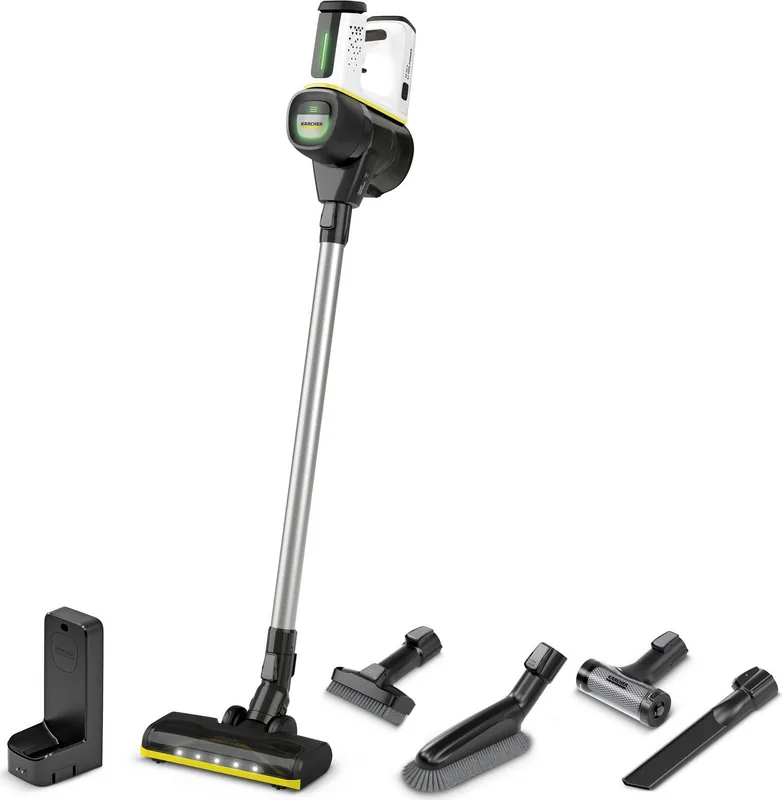
The Karcher VC7 Cordless Handheld Vacuum Cleaner (1.198) is designed for convenient everyday cleaning across dry household surfaces. Combining a lightweight cordless format with a motor-driven floor brush, it offers a flexible way to tackle dust, crumbs, hair, and debris without being tied to a mains cable. The handheld unit weighs approximately 1.7 kg without accessories, making it practical for moving between rooms, cleaning stairs, or reaching above-floor areas.
Smart cleaning performance for floors and more
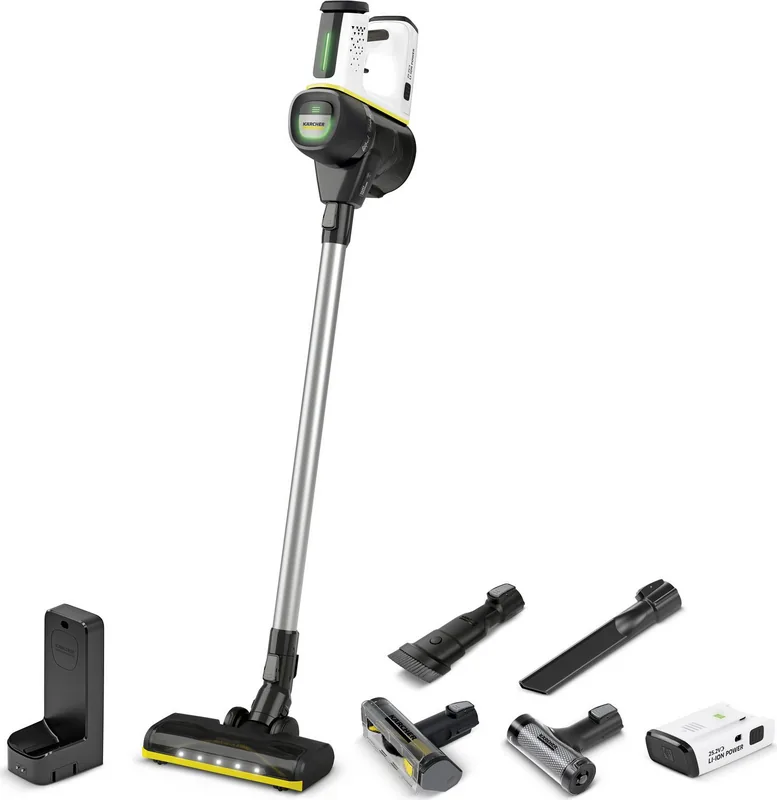
At the center of the VC7 is a motorized multi-function brush with LED lighting. It is intended for both hard floors and carpets, helping lift embedded dirt from carpet fibers while making debris easier to spot in darker areas. A dust sensor LED display shows the level of collected dust, giving users useful feedback while they clean. When extra power is required, the Boost function increases suction performance for demanding spots.
The vacuum includes a 0.8-liter dust container with an easy-release flap for hygienic emptying. For consistent results, the container should be emptied when it reaches the MAX mark, while the air inlet filter should be cleaned after use. A HEPA filter helps support cleaner exhaust air and can be cleaned when visibly dirty or replaced if damaged.
Cordless convenience and flexible storage
The removable 25.2 V lithium-ion battery delivers up to 60 minutes of operating time in normal mode. Boost mode is best reserved for short, intensive tasks, as maximum-mode runtime is listed at up to 8 minutes. A full charge from empty takes around 220 minutes. Battery LEDs display charging progress and remaining charge, while separate charging is also possible for added flexibility.
Depending on the version, the vacuum can be stored on a wall-mounted charging bracket or a free-standing parking station. Both options help keep the appliance ready for the next cleaning session and provide a tidy place for compatible accessories.
Accessories for detailed household cleaning
Optional attachments expand the VC7 beyond routine floor care. Available tools include crevice nozzles for narrow gaps, upholstery nozzles for fabric surfaces, a mini turbo nozzle for pet hair, flexible extensions for vehicles, and soft brushes for delicate items. An LED crevice nozzle is especially useful for illuminating dust in corners and tight spaces.
Note: This appliance is intended only for dry surfaces in private households. Do not use it to collect water, hot ash, cigarettes, flammable materials, or debris near explosive substances. Clean filters only as instructed and allow washed filters to dry completely before refitting them.
Search for 67,732 Manuals online


Type-in Brand or Model