
Karcher VC 4 Cordless myHome Manual
PDF manual · 148 Pages
English



Quick check
Incorrect answer, please try again.
Chat with your Karcher VC 4 Cordless myHome manual using AI
Get instant AI answers from your Karcher VC 4 Cordless myHome manual
Ask anything about the Karcher VC 4 Cordless myHome. Answers come from this manual, with the pages they are based on.
VC 4 Cordless myHome Maintenance Schedule
To ensure optimum suction performance, empty the dust container after each use. Do so at the latest when the MAX marking is reached.
Clean the air inlet filter manually by tapping it out and wiping with a damp cloth or rinsing under running water. Ensure it is fully dry before reinserting.
Clean the exhaust foam filter if it is visibly dirty. Tap it off gently or rinse under running water without rubbing or brushing. Let it dry completely.
Replace the exhaust foam filter if visible damage occurs to ensure pure exhaust air.
Remove the brush roller, clean dirt with a brush or under running water if necessary, and wipe the brush opening. The roller must be completely dry before reinstalling.
Clean with a soft brush or slightly damp cloth. Ensure cables and contacts do not get wet during cleaning. Allow to dry before reassembly.
Ask a Question
Do you recommend VC 4 Cordless myHome?
Yes NoDo you recommend VC 4 Cordless myHome?
Yes NoFrequently Asked Questions
The Karcher VC4 is intended for dry household surfaces. Its motorized multifunction brush is suitable for hard floors and carpets. It should not be used to collect water, other liquids, hot ash, cigarettes, or flammable materials.
Is this answer helpful?
A fully charged battery provides up to 30 minutes of operating time in normal mode. In maximum or Boost operation, runtime is up to 18 minutes. Actual runtime can vary with the selected accessory and cleaning conditions.
Is this answer helpful?
Attach the vacuum to its wall bracket, connect the supplied charger to a power outlet, and insert the charging connector into the vacuum. The LED flashes green while charging. When full, it stays green for two minutes and then turns off.
Is this answer helpful?
Empty the dust container after each use for optimal suction performance, or at the latest when debris reaches the MAX marking. Open the container flap over a waste bin, empty it, and press the flap closed until it clicks into place.
Is this answer helpful?
Check whether the battery is low, the dust container is full, filters are dirty, or the suction opening, pipe, accessories, or brush roller are blocked. Empty the container, clean dry filters, and remove obstructions before continuing.
Is this answer helpful?
The air inlet filter and exhaust foam filter can be cleaned as directed, including rinsing when necessary. Do not reinstall any filter until it is completely dry. Moist filters can affect performance and may encourage mold growth.
Is this answer helpful?
Advantages and Disadvantages
Advantages

- Cordless, lightweight design supports fast cleaning throughout the home.
- Motorized multifunction brush works on hard floors and carpets.
- Boost mode provides extra suction for more demanding debris.
- Wall bracket supports organized storage and convenient charging.
- Removable dust container and washable filter components simplify maintenance.
Disadvantages

- Normal-mode runtime is limited to up to 30 minutes per full charge.
- Charging a fully depleted battery takes about 390 minutes.
- Boost mode reduces maximum runtime to up to 18 minutes.
- Filters and brush roller must be fully dry before reinstallation.
- The vacuum is intended only for dry surfaces and household use.
Product Specification
Type
Handheld vacuum cleaner, stick vacuum cleaner
Power source
Battery-powered (21.6 V, 2.5 Ah, lithium-ion)
Capacity
22 fl oz
Filtration
Yes
Runtime
30 min
Weight
5.29 lb (without vacuum accessories)
Product Description
Karcher VC4 Cordless Handheld Vacuum Cleaner
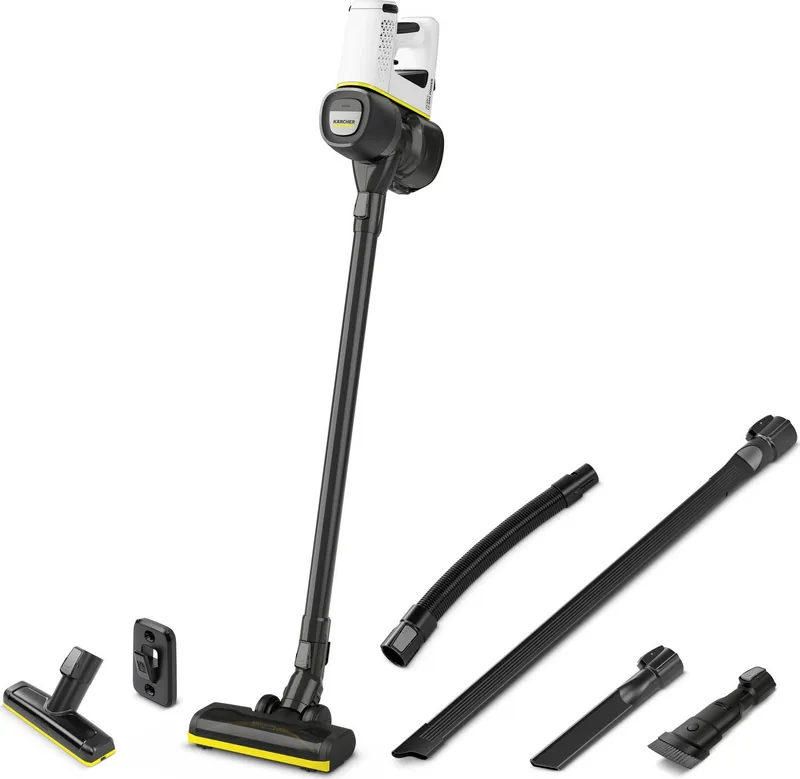
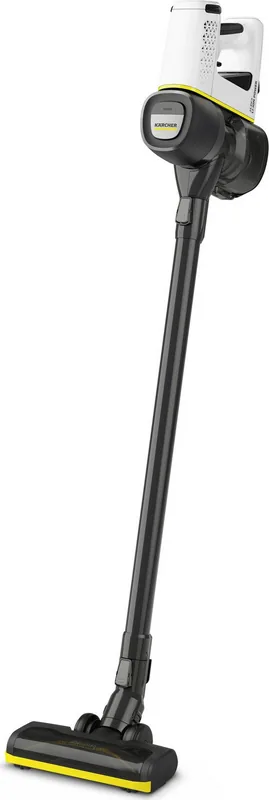
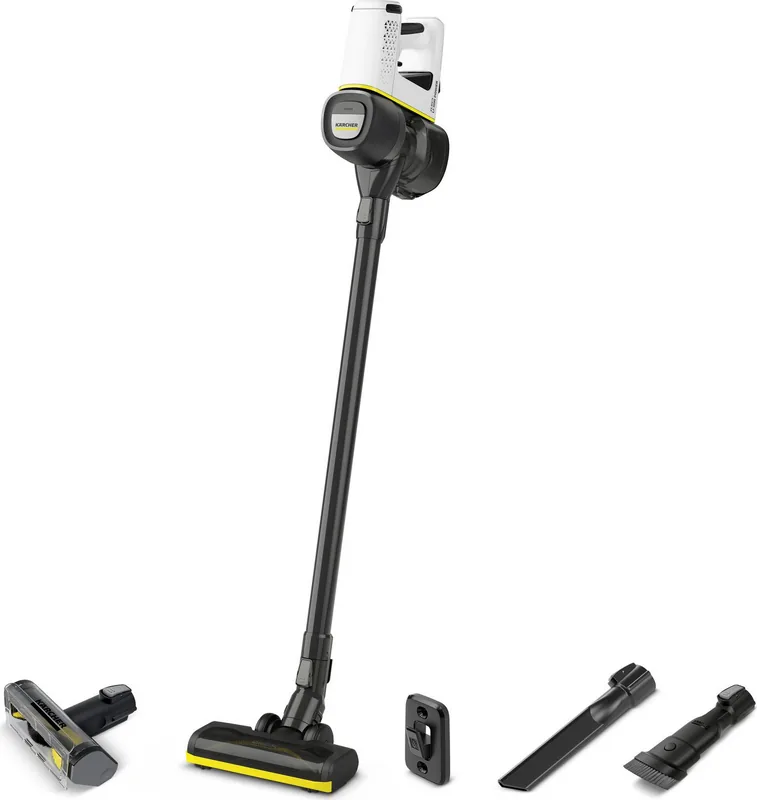
The Karcher VC4 Cordless Handheld Vacuum Cleaner is designed for convenient everyday cleaning in private homes. Its cordless format makes it easy to move from room to room, tackle quick spills, and reach awkward spaces without managing a power cable. A removable battery, wall-mounted storage option, and lightweight hand unit help keep the vacuum ready for routine use.
Flexible Cleaning for Floors and Above-Floor Areas
A motorized multifunction brush is built for both hard floors and carpets, helping lift fine debris as well as dirt trapped in carpet fibers. The suction pipe extends reach for floors, ceilings, and higher surfaces, while the handheld configuration is useful for furniture, stairs, and compact cleaning jobs.
The included crevice nozzle supports cleaning around edges, radiators, joints, and narrow gaps. A 2-in-1 combination brush adds versatility for hard furniture surfaces, upholstery, and curtains. Depending on the selected model, additional accessories and filter cleaning equipment may be available.
Boost Power When You Need It
For heavier debris or demanding spots, the Boost function increases suction performance at the press of a button. The vacuum can be operated by holding the power switch or by using the locking lever for continuous cleaning. An LED indicator communicates battery status, charging progress, and certain fault messages, making operation straightforward.
With a fully charged battery, the VC4 offers up to 30 minutes of use in normal mode and up to 18 minutes in maximum mode. Charging from empty takes approximately 390 minutes. The 0.65-liter dust container is removable and opens directly over a bin, helping make emptying simple.
Everyday Care and Storage
Maintaining the Karcher VC4 Cordless Handheld Vacuum Cleaner is important for consistent suction. The dust container should be emptied when it reaches the MAX mark, and the air inlet filter should be cleaned after use. The cyclone filter, exhaust foam filter, and brush roller can also be cleaned as needed. Filters and brush rollers must be completely dry before being reinstalled.
The supplied wall bracket offers tidy vertical storage and a practical charging location. For best results, use the vacuum only on dry surfaces. It is not intended for liquids, hot ash, combustible materials, people, animals, or plants.
Notes
- Use original Karcher accessories and replacement parts for reliable operation.
- Check for blockages, a full dust container, or dirty filters if suction becomes weak.
- Store the battery indoors in a dry location below 20 C.
- The Karcher VC4 Cordless Handheld Vacuum Cleaner - Read, Download & Print Free keyword highlights a practical cordless cleaning solution for home care.
Search for 67,732 Manuals online


Type-in Brand or Model