
Karcher SC 3 Upright EasyFix Manual
PDF manual · 188 Pages
English



Quick check
Incorrect answer, please try again.
Chat with your Karcher SC 3 Upright EasyFix manual using AI
Get instant AI answers from your Karcher SC 3 Upright EasyFix manual
Ask anything about the Karcher SC 3 Upright EasyFix. Answers come from this manual, with the pages they are based on.
SC 3 Upright EasyFix Maintenance Schedule
Empty the water reservoir if the device will not be used for more than 2 months to prevent water putrefaction.
Replace the cartridge when the red indicator light flashes or stays on continuously to prevent device damage.
Wash floor cleaning cloths in a washing machine at a maximum temperature of 60 degrees Celsius.
Ask a Question
Do you recommend SC 3 Upright EasyFix?
Yes NoFrequently Asked Questions
It is intended for level, washable hard floors that tolerate heat, pressure, and moisture. Suitable examples include tiles, stone, PVC, and sealed wooden floors such as parquet and laminate. Always test a hidden area first, especially on sealed wood.
Is this answer helpful?
No. The cleaner is designed to work with steam and does not require detergents. Do not put cleaners, fragrances, rainwater, or dryer condensate in the water tank because these can damage or block the appliance.
Is this answer helpful?
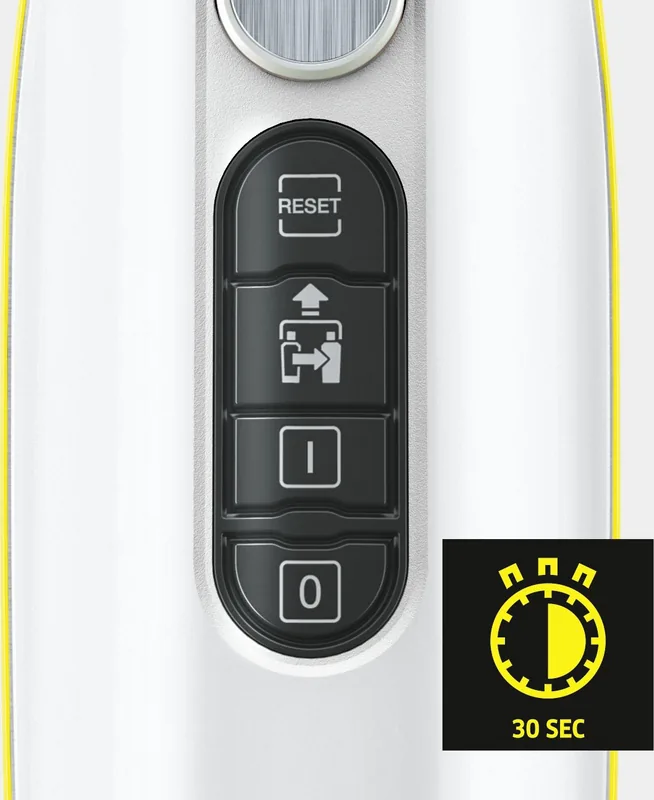
The cleaner takes approximately 30 seconds to heat up. The operating indicator flashes red while heating and turns solid green when the appliance is ready to produce steam.
Is this answer helpful?
The low steam setting is for sealed wood, the medium setting is for carpet refreshing with the carpet glider, and the high setting is for tiles and stone. The cleaner starts at the highest setting after being switched on.
Is this answer helpful?
The water tank holds up to 0.5 L of tap water. It can be filled directly on the appliance or removed for filling. Keep the decalcification cartridge installed in the tank while refilling.
Is this answer helpful?
Replace it when the red cartridge indicator warns that its service life is ending or has ended. After fitting a new cartridge, hold the RESET button for four seconds, then run steam for about 30 seconds to vent the cartridge.
Is this answer helpful?
Advantages and Disadvantages
Advantages

- Heats up in approximately 30 seconds for quick cleaning sessions.
- Three steam levels help match output to sealed wood, carpets, tiles, and stone.
- Cleans suitable floors without detergents or added cleaning chemicals.
- Removable 0.5 L water tank can be refilled during use.
- Decalcification cartridge and water-hardness setting help protect the appliance from limescale.
Disadvantages

- Not suitable for untreated cork, unsealed wood, painted, or plastic-coated surfaces.
- Carpet glider is only for short-pile carpets and requires careful, limited steaming.
- The decalcification cartridge must be replaced when its indicator signals the end of service life.
- Abrasive floor cloth can damage sensitive floors and must not be used on wood.
- Residual moisture must be removed after use to avoid risking floor damage.
Product Specification
Power
1,600 W
Water tank capacity
16.91 fl oz, removable
Features
Ready indicator, steam flow control, anti-scale function, carrying handle, carpet glider
Area coverage
max. 646 sq ft
Heat-up time
30 sec
Dimensions (L x W x H)
12.36 x 8.15 x 46.65 in
Weight
6.83 lb (excluding accessories)
Product Description
Kärcher SC3 Upright Steam Cleaner: Fast, Chemical-Free Floor Care
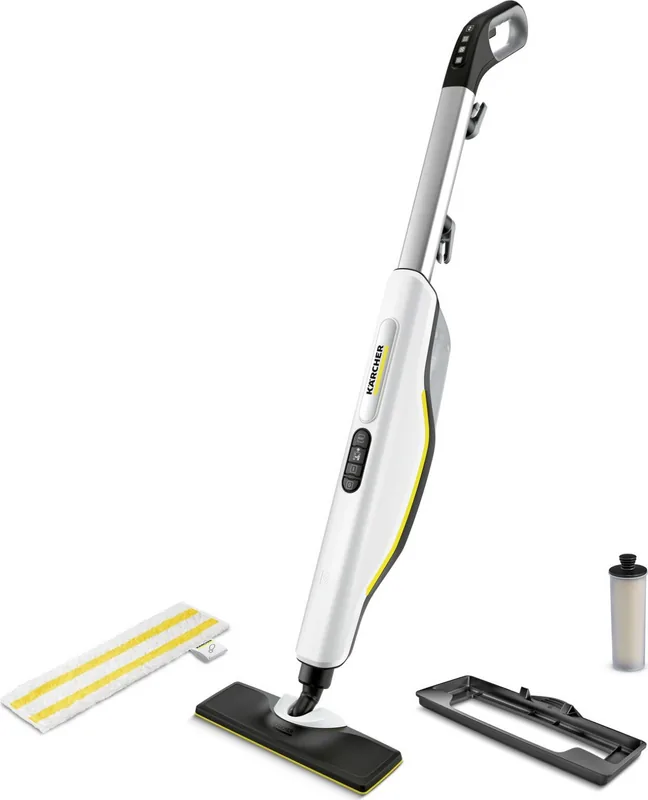
The Kärcher SC3 Upright Steam Cleaner is designed for practical everyday cleaning on sealed hard floors. It uses hot steam rather than chemical detergents to lift routine dirt from tiles, stone, PVC, sealed parquet, and laminate. With a slim upright design and a ready-to-use time of around 30 seconds, it offers a convenient alternative for households that want a quick way to refresh floors.
Designed for Different Floor Types
A key strength of this model is its three adjustable steam settings. The low setting is intended for sealed wood surfaces, the medium level supports the refreshing of short-pile carpets when used with the carpet glider, and the highest setting is suitable for durable tile and stone floors. This makes it easier to match steam output to the material being cleaned instead of using one intensity everywhere.
The floor nozzle works with washable microfibre cloths that attach through a hook-and-loop fastening. An abrasive cloth may be included with selected versions for robust tile or stone surfaces, but it should not be used on wood or delicate finishes. Before steam cleaning any unfamiliar surface, test a discreet area with minimal steam.
Everyday Operation Made Simple
The 0.5 L removable water tank can be refilled during use, helping maintain cleaning momentum. The Kärcher SC3 Upright Steam Cleaner Manual highlights the importance of filling it only with tap water and avoiding detergents, fragrances, collected rainwater, or dryer condensate. A built-in decalcification cartridge helps manage limescale, while the water hardness setting allows the cleaner to be adapted to local water conditions.
Once switched on, the unit heats up in approximately 30 seconds. A red indicator shows that it is heating, while a green light signals that it is ready. The steam lever provides controlled delivery, so steam is released only when needed. With 1600 W heating power and continuous steam output rated at 40 g/min, it is built for efficient floor maintenance rather than heavy-duty restoration work.
Carpet Refreshing and Storage
With the optional carpet glider and a microfibre cloth, the cleaner can refresh short-pile carpets and runners. The carpet should be vacuumed first, and steam should not remain on one spot for more than a few seconds. Deep-pile carpets are not recommended for this accessory.
After cleaning, remove the cloth or carpet glider, wipe residual moisture from the nozzle, empty the tank before long storage periods, and keep the unit upright in a dry, frost-protected area. The Kärcher SC3 Upright Steam Cleaner provides a focused, low-chemical approach to maintaining suitable floors with adjustable steam control.
Notes
- Use only on washable, heat- and moisture-resistant floor coverings.
- Replace the decalcification cartridge when the red replacement indicator alerts you.
- Wash floor cloths at up to 60 C without fabric softener.
Search for 67,732 Manuals online


Type-in Brand or Model