
Karcher EDI 4 Manual
PDF manual · 236 Pages
English



Quick check
Incorrect answer, please try again.
Chat with your Karcher EDI 4 manual using AI
Get instant AI answers from your Karcher EDI 4 manual
Ask anything about the Karcher EDI 4. Answers come from this manual, with the pages they are based on.
EDI 4 Maintenance Schedule
Remove dirt, snow, and ice from the scraper disc before every use to prevent scratches on the windscreen.
Regularly remove dirt from the car windscreen to avoid scratching the glass during operation.
If the device is stored for a longer period (e.g., over summer months), fully charge the battery before storing it.
Ask a Question
Do you recommend EDI 4?
Yes No
consectetur_dolorem
6 months ago
Is this electric scraper effective on smooth ice without texture, and does it scratch the windshield?
Frequently Asked Questions
The Karcher EDI 4 provides approximately 15 minutes of operating time with a fully charged battery.
Is this answer helpful?
No, never use the rotating disc to clean car paintwork as it may cause scratches and damage.
Is this answer helpful?
The device should only be operated at ambient temperatures between -20 degrees Celsius and +40 degrees Celsius.
Is this answer helpful?
No, the device contains non-replaceable batteries integrated into the unit.
Is this answer helpful?
The LED light will stay permanently lit for one hour after the battery is fully charged.
Is this answer helpful?
No, extra de-icing agents are not necessary for the device to function effectively.
Is this answer helpful?
Store the device in a dry room within the allowed temperature range, not inside a vehicle.
Is this answer helpful?
Advantages and Disadvantages
Advantages

- Cordless design eliminates the hassle of cords and extension cables
- Rotating disc efficiently removes thick ice without scratching glass
- No additional de-icing agents are required for effective results
- Maintenance-free operation saves time and effort
- LED indicator clearly shows battery status and charging progress
Disadvantages

- Limited operating time of only 15 minutes per charge
- Battery is non-replaceable if it fails after warranty expires
- Must not be used at the very edge of the windshield
- Requires careful storage away from extreme heat or cold
- Charging takes up to 3 hours for a full cycle
Product Specification
Edge material
Plastic
Edge width
3.94 in
Handle material
Plastic
Features
Electric
Product Description
Karcher EDI 4 Cordless Ice Scraper with Battery Manual Review
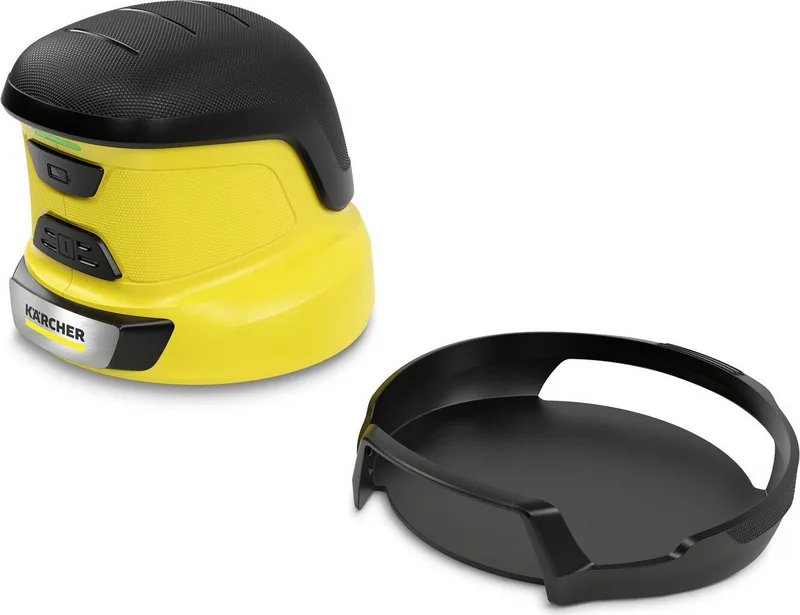
Winter driving conditions can be treacherous, but clearing your windshield doesn't have to be a struggle. The Karcher EDI 4 Cordless Ice Scraper with Battery is designed to make frost removal quick and effortless for homeowners. This cordless device eliminates the need for physical scraping that often leads to fatigue or scratched glass. It is specifically engineered to remove fog-frost deposits, including hoar frost, hoar ice, and clear ice from automobile windshields.
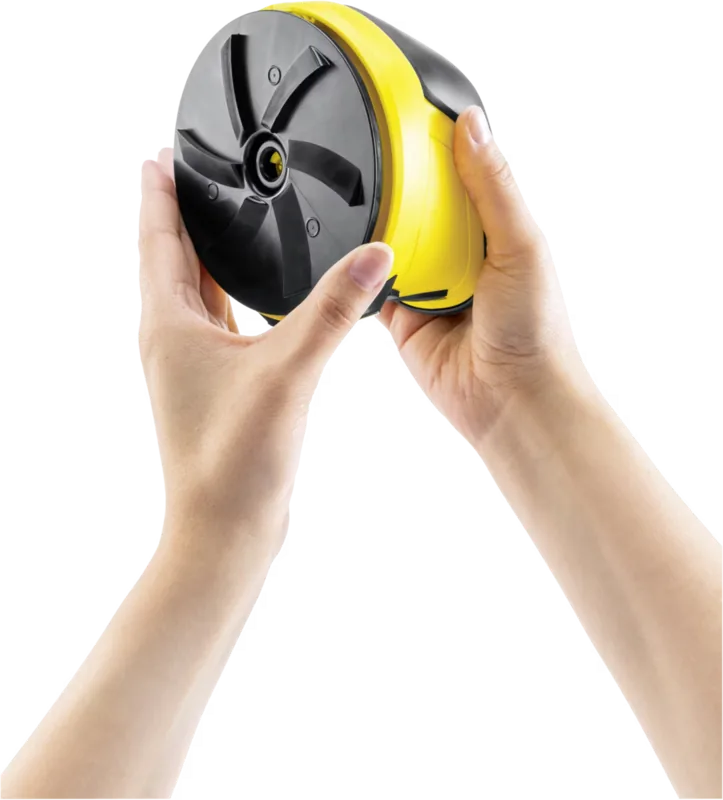
The unit features a rotating scraper disc powered by a rechargeable lithium-ion battery. With a nominal voltage of 7.2 volts, it provides sufficient power to break through thick ice layers when used correctly. The device operates within a temperature range of -20°C to +40°C, making it suitable for harsh winter environments. A key safety feature is the protective cap that covers the rotating disc when not in use, preventing accidental contact and damage to vehicle paint or seals.
Using the manual instructions, you will learn how to safely charge the battery using the included charger. The LED indicator provides clear feedback on the charging status and battery life. Once fully charged, the device offers up to 15 minutes of continuous operation, which is typically enough time to clear a standard windshield. The ergonomic design allows for easy handling, and the device requires no regular maintenance, ensuring long-term reliability.
It is crucial to follow the safety guidelines provided in the manual. Never use the device near the edges of the window to avoid damaging rubber seals or paintwork. Always ensure the device is switched off before cleaning snow or ice from the body of the tool. By adhering to these practices, you ensure both personal safety and the longevity of your vehicle's glass.
Important Notes
- Do not store the device inside a vehicle for extended periods to protect the battery.
- Only use original spare parts for optimal performance and safety.
- Clean the scraper disc before every use to prevent scratches on the glass.
Search for 67,706 Manuals online


Type-in Brand or Model
eos_aliquid
4 months ago
Does the Kärcher EDI 4 come with a car adapter cable for charging while driving, or must I carry the wall charger?
Manual.ly
4 months ago
The Kärcher EDI 4 does not include a 12V car adapter cable in the standard package. Users who wish to charge the device using their vehicle's cigarette lighter socket must purchase this accessory separately. The included power supply is designed for use with a standard wall outlet. We recommend checking our accessories section for compatible charging cables if you plan to charge the unit frequently in your car.