
Kali Audio IN-UNF Manual
PDF manual · 19 Pages
English



Quick check
Incorrect answer, please try again.
Chat with your Kali Audio IN-UNF manual using AI
Get instant AI answers from your Kali Audio IN-UNF manual
Ask anything about the Kali Audio IN-UNF. Answers come from this manual, with the pages they are based on.
IN-UNF Maintenance Schedule
Power the product down and unplug it before cleaning. Clean only with a dry cloth.
Ensure that ventilation openings are kept free of dust or other matter to prevent overheating.
Ask a Question
Do you recommend IN-UNF?
Yes NoFrequently Asked Questions
No, the bass unit must be placed on a desk. Using it on the floor results in poor sound quality and is invalid for monitoring.
Is this answer helpful?
The system supports balanced TRS, unbalanced 3.5mm, Optical, and USB-C inputs for versatile connectivity.
Is this answer helpful?
Yes, there is a one-year warranty covering defects in materials or workmanship for the US region.
Is this answer helpful?
No, avoid placing laptops or electronics on the bass unit as the strong magnets may damage hard drives.
Is this answer helpful?
Use the dip switches to adjust boundary EQs and system position settings based on your room layout.
Is this answer helpful?
No, it is self-powered with internal D-class amplification for efficiency and ease of use.
Is this answer helpful?
Advantages and Disadvantages
Advantages

- Coincident architecture ensures phase accuracy
- Desk vibration cancellation via opposing woofers
- Multiple input types including USB-C and optical
- DSP allows for EQ and position customization
- Compact size fits desktop environments perfectly
Disadvantages

- Not designed for floor placement
- Strong magnets may damage electronics nearby
- Specific setup printouts required for alignment
- US only warranty coverage provided
- High volume use poses hearing risks
Product Specification
Type
2-Way
Tweeter
1x 1"
Midrange
1x 4"
Woofer
1x 4.50"
Frequency Range
47Hz-21kHz (+/-3dB)
Power
60W/100W RMS (HF/LF)
Max SPL
103dB
Features
USB-C, S/PDIF In
Weight
24.69 lbs
Product Description
Discover the Future of Desktop Monitoring
Introducing the Kali Audio IN-UNF Pair
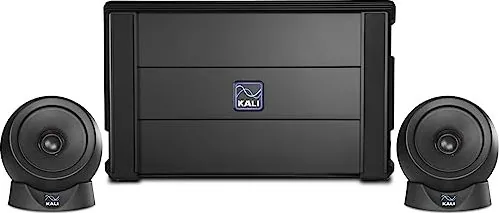
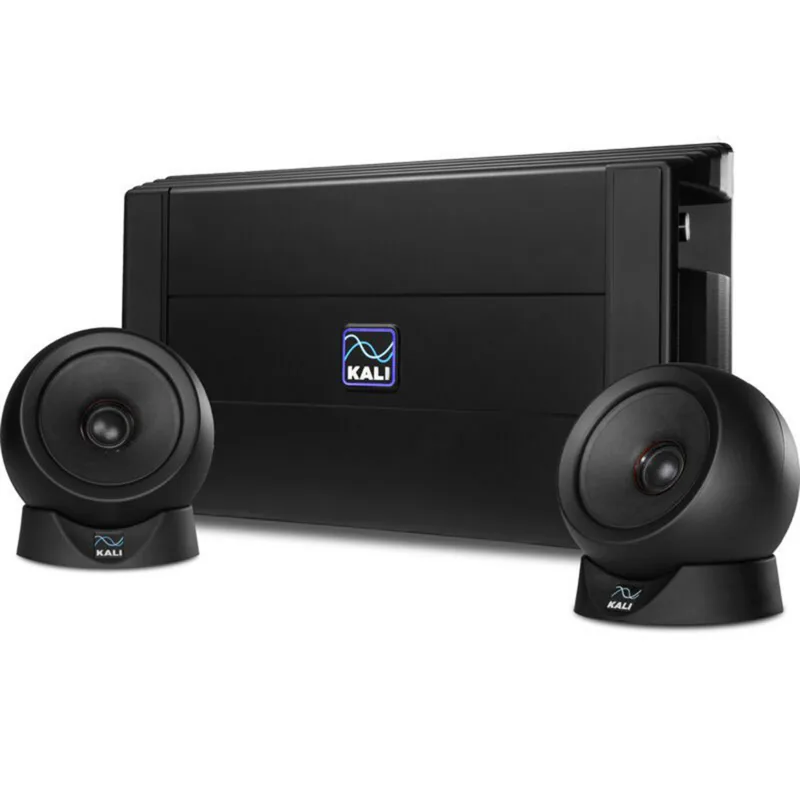
The IN-UNF stands out as an ultra-nearfield studio monitoring system designed specifically for desktop environments. It bridges the gap between professional audio quality and space-saving design, allowing producers to work effectively in tight spaces. With reference level sound at arms length, this system ensures you hear your mix accurately without disturbing others in the room. It is part of the Project Independence series, sharing technology with larger models while offering unique benefits for those where space is limited. Users should follow all safety instructions to ensure longevity and reliability during daily use. This setup guarantees consistency for your mixing sessions every single day.
Acoustic Excellence in Compact Form
This unit features a unique 3-way coincident architecture. The satellite speakers house a 4-inch midrange driver and a 1-inch soft dome tweeter that share the same acoustic center. This alignment ensures phase accuracy across the frequency spectrum. The midrange driver also acts as the waveguide for the tweeter, optimizing directivity. The bass unit handles low frequencies below 280 Hz using two horizontally opposed woofers. This opposition cancels vibration, preventing transfer to your desk and keeping your workflow stable. The system supports high maximum SPL levels suitable for monitoring dynamic mixes without distortion at typical listening levels.
Flexible Connectivity and Control
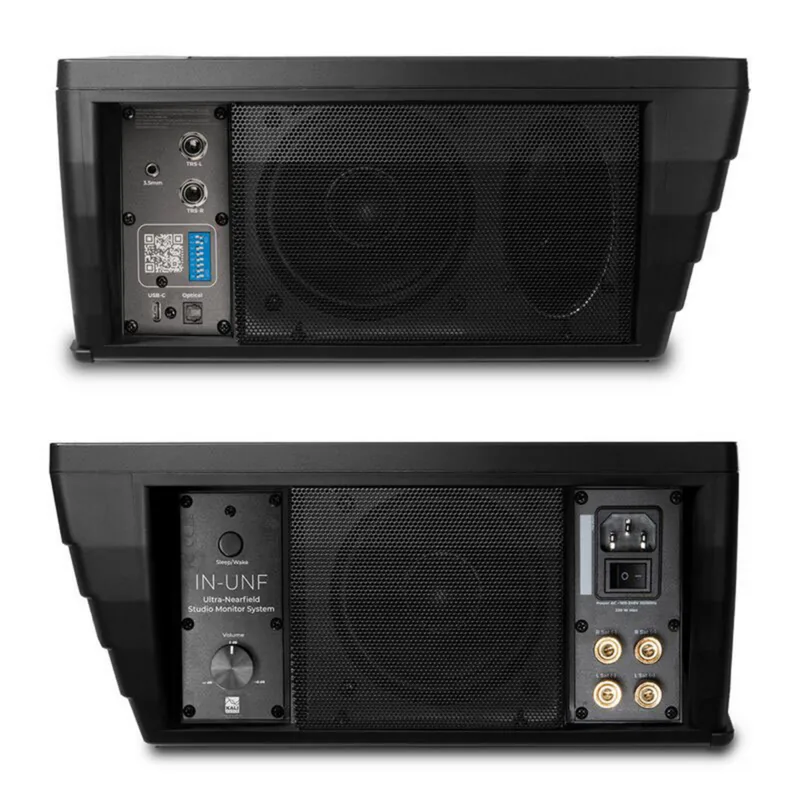
Connection options are robust, supporting balanced TRS, unbalanced 3.5mm, Optical, and USB-C inputs. Digital signal processing controls tuning, limiting, and crossovers inside the system. Dip switches allow you to adjust boundary EQs and system position settings. You can customize the sound based on your room placement, whether against a wall, in a center position, or placed vertically on your desk. A volume control on the rear allows for fine adjustment from mute to a slight boost. The system also includes a sleep switch for low power operation during breaks.
Setup and Placement Considerations
Proper setup involves placing the bass unit on your desk, not the floor. Using it on the floor leads to poor sound quality. Use the included printouts to align the satellites for optimal imaging. Aim tweeters directly at your ears for the best stereo picture. Be mindful of magnetic fields and avoid placing sensitive electronics like laptops directly on the bass unit due to strong internal magnets. The system requires moderate climates and should never be exposed to moisture or extreme heat to ensure longevity. High sound pressure levels pose risks to hearing if volume is set too high.
Final Thoughts and Support
This monitoring solution integrates seamlessly into a modern production setup. With adjustable trims and reliable DSP, it accommodates various acoustic challenges. While specific placement is required for optimal performance, the resulting sound quality and build utility make it a top choice for desktop production environments. Internal amplification eliminates the need for external gear. Regarding support, the manufacturer offers a one-year warranty covering defects in materials or workmanship. Customers should keep proof of purchase. If issues arise, contact the retailer immediately. Damage from misuse is excluded. The unit is self-powered. The bass unit height is 11.6 inches. Weight is 25 lbs. Ensure power down before cleaning with a dry cloth.
Search for 67,706 Manuals online


Type-in Brand or Model