
Jura WiFi Connect Manual
PDF manual · 30 Pages
English



Quick check
Incorrect answer, please try again.
Chat with your Jura WiFi Connect manual using AI
Get instant AI answers from your Jura WiFi Connect manual
Ask anything about the Jura WiFi Connect. Answers come from this manual, with the pages they are based on.
Ask a Question
Do you recommend WiFi Connect?
Yes No
Anna Kowalska
6 months ago
Why is my device failing to connect to the Wi-Fi network after multiple attempts?
Frequently Asked Questions
It enables wireless communication between Jura coffee machines and peripheral devices like the Cool Control or the J.O.E. app, allowing remote operation and monitoring.
Is this answer helpful?
Insert the module into the service interface on the top or back of your Jura machine. Then configure your network using the J.O.E. app by entering your SSID and password.
Is this answer helpful?
No, the Jura WiFi Connect only supports the 2.4 GHz frequency band for its wireless connection.
Is this answer helpful?
A double blink indicates that the device is actively attempting to establish a wireless connection with your peripheral equipment.
Is this answer helpful?
Yes, you can reset it to factory settings by plugging it into a Cool Control and holding the power button for three seconds, or by resetting the main machine.
Is this answer helpful?
Yes, it comes with a 25-month manufacturer warranty for domestic users when purchased from an authorized dealer.
Is this answer helpful?
Advantages and Disadvantages
Advantages

- Enables wireless control and monitoring of Jura coffee machines via mobile apps
- Simple plug-and-play installation into the machine's service interface
- Automatic reconnection after power cycles ensures consistent availability
- Low power consumption with transmission power under 1 mW for efficiency
- Includes a comprehensive 25-month manufacturer warranty for domestic use
Disadvantages

- Limited to 2.4 GHz frequency bands which may have range limitations
- Requires specific Jura authorized dealers for full warranty coverage on some models
- Does not support 5 GHz Wi-Fi networks found in many modern routers
- Excludes wear parts like seals and grinding discs from warranty protection
- Reset procedures require access to both the machine and peripheral device
Product Specification
Fits for
Jura E8 (EB), Giga 6 (EA), ENA 4, Z10 (EA)
Product Description
Unlock Seamless Coffee Control with Jura WiFi Connect
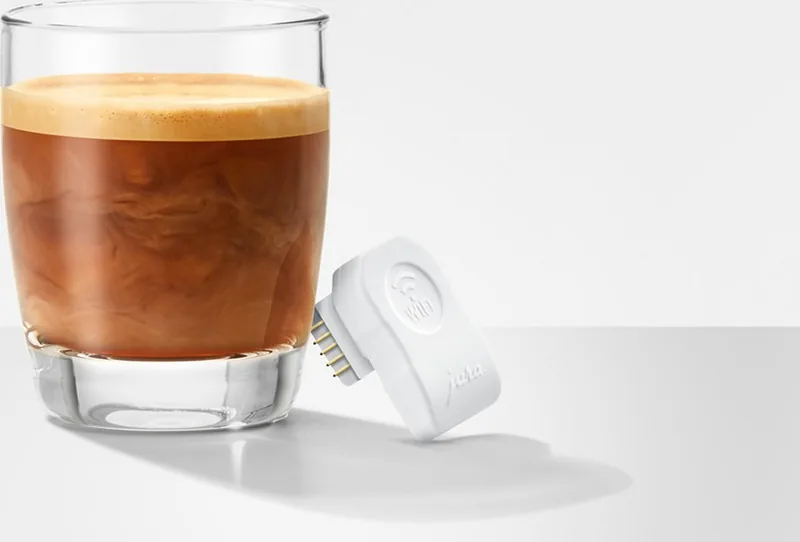
The Jura WiFi Connect represents a significant leap in home coffee automation, transforming your traditional Jura bean-to-cup machine into a smart device capable of wireless communication. This compact module is designed specifically for use with compatible Jura appliances, allowing you to bridge the gap between your favorite coffee maker and various peripheral devices like the Cool Control or the official J.O.E. app. By integrating this small but powerful tool, users gain the ability to manage their brewing process remotely without the clutter of physical cables.
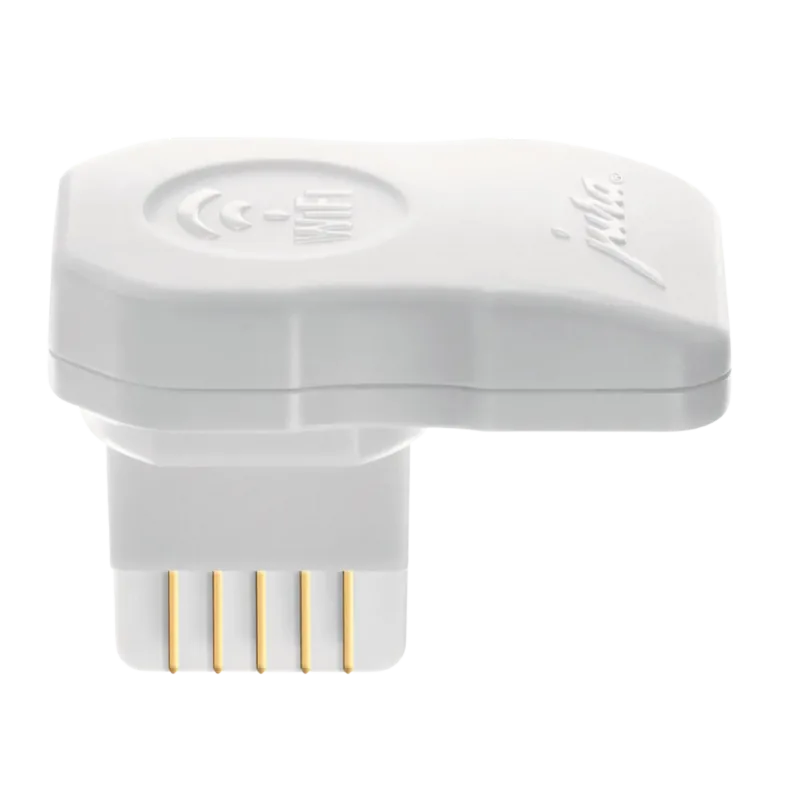
Installation is straightforward and user-friendly. The device plugs directly into the service interface located on the top or rear of your Jura machine, often hidden under a removable cover. Once connected, the unit utilizes the 2.4 GHz frequency band to establish a secure link with your network. An intuitive LED indicator provides real-time feedback on the connection status, guiding you through setup via the J.O.E. application where you simply enter your SSID and password. Whether you are waking up to a fresh brew or monitoring your machine from across the room, the Jura WiFi Connect ensures reliable performance.
Beyond convenience, this accessory emphasizes safety and longevity. It operates with a transmission power of less than 1 mW, ensuring minimal interference while maintaining a robust signal. The system automatically reconnects if power cycles occur, provided the settings remain active. For troubleshooting, the module can be easily reset to factory defaults either through the peripheral device or by resetting the main appliance settings. This flexibility ensures that your coffee experience remains uninterrupted even if technical hiccups arise.
With a standard 25-month warranty for domestic users, Jura stands behind the reliability of this technology. The product is engineered to work exclusively within the Jura ecosystem, guaranteeing compatibility and optimal function. Embrace the future of coffee making where technology meets tradition seamlessly.
Important Notes
- Ensure your coffee machine is powered off before inserting the WiFi Connect.
- Use only original Jura maintenance products to keep warranty valid.
- The device requires a 2.4 GHz Wi-Fi network; it does not support 5 GHz bands.
Search for 67,706 Manuals online


Type-in Brand or Model
ea67
4 months ago
Does this Wi-Fi adapter work with 5 GHz networks and allow manual IP configuration?
Manual.ly
4 months ago
No, the Jura Wi-Fi Connect adapter only supports 2.4 GHz networks and cannot connect to 5 GHz signals. Additionally, it does not support manual IP settings; it is limited to Class C networks. For setup, please ensure your router uses a compatible channel (avoid channels 12 or 13 if you experience connection issues) and use the dedicated J.O.E. app to manage drink settings, monitor cleaning intervals, and track usage statistics.