
Jura Giga 6 EA Manual
PDF manual · 56 Pages
English



Quick check
Incorrect answer, please try again.
Chat with your Jura Giga 6 EA manual using AI
Get instant AI answers from your Jura Giga 6 EA manual
Ask anything about the Jura Giga 6 EA. Answers come from this manual, with the pages they are based on.
Giga 6 EA Maintenance Schedule
Pull out the drip tray, empty the coffee grounds container and drip tray, rinse with warm water, and refit. Always empty when machine is switched on.
Remove the water tank, rinse it with clean cold water, fill with fresh cold water, reinsert, and close the cover. Change water daily for hygiene.
Use original JURA milk system cleaner to ensure proper function. Perform this daily if milk beverages have been prepared.
Remove milk pipe, dismantle the milk system parts from the dual spout, rinse under running water, and reassemble. Do this daily if milk was used.
For hygiene reasons, change the milk pipe and interchangeable milk spout approximately every 3 months. Replacements are available from dealers.
Initiate the cleaning programme via the dashboard when prompted. Insert a JURA cleaning tablet into the filler funnel during the process.
Perform descaling when the display prompts you. Use only original JURA descaling tablets dissolved in water. Do not interrupt the cycle.
Replace the filter cartridge when the machine indicates it no longer works. Remove old cartridge, fit new one with extension, and insert into water tank.
Remove bean containers using the service cover mechanism and wipe with a soft dry cloth to remove oil film residues that affect coffee taste.
Fill tank with water and dissolve 3 JURA descaling tablets. Leave for several hours (e.g., overnight), then empty and rinse thoroughly.
Free maintenance reminders
Timed to your purchase date. Always free, unsubscribe anytime.
Ask a Question
Do you recommend Giga 6 EA?
Yes No
DisappointedBuyer
4 months ago
How difficult is it to program the machine to use beans from different containers, and is the interface intuitive?

Manual.ly
4 months ago
The programming process requires specific steps to assign bean sources to products. While the system allows for customization, users may find the navigation complex due to the combination of touchscreen and dial controls. We recommend consulting the detailed user manual or contacting our support team for step-by-step guidance on setting up your preferred configurations.
Elliott Richardson
6 months ago
Are there known issues with the water tray or coffee grounds container fitting back into place after cleaning?
Thomas K
5 months ago
Why does the water tray and coffee grounds container seem too small, and why is the front cover difficult to operate?
Martin Weber
6 months ago
Is it easy to switch between the left and right bean containers and save those drinks to the home screen?
Manual.ly
6 months ago
Switching bean containers may require creating or editing separate drink profiles, each assigned to one container. After saving, the profiles can be added to the home screen through the customization menu. Please consult the programming section of the manual for the exact steps, as the workflow is not designed as a per-brew bean selection.
Martin Keller
6 months ago
Is it easy to switch between the left and right bean containers and add those drinks to the home screen?
Manual.ly
6 months ago
Switching bean containers may require creating or editing separate drink profiles, as the machine does not always offer a direct bean-container selection immediately before brewing. Save each profile, then add it to the home screen through the product settings. Ensure the coffee spout is not blocking the front cover when accessing the grounds container or drip tray.
sunt55
6 months ago
Is it easy to switch between the left and right bean containers and add those drinks to the home screen?
Manual.ly
6 months ago
Switching bean containers may require creating or editing separate drink profiles, as the machine does not always offer a direct selection immediately before brewing. Save each profile with a clear name, then add it to the start screen through the product settings. Keep in mind that the drip tray, grounds container, and water tank require regular emptying and refitting.
Frequently Asked Questions
It prepares espresso, coffee, cappuccino, latte macchiato, flat white, cortado, milk coffee, Caffe Barista, Lungo Barista, hot water, and green tea water. Many recipes can be customized for strength, volume, temperature, and milk settings.
Is this answer helpful?
Yes. The machine can prepare two coffee specialties simultaneously, such as two espressos. This is useful when serving a second person without starting another separate brewing cycle.
Is this answer helpful?
The two bean containers hold up to 280 g each and allow different beans to be available at once. Separate grinder adjustments and grinder allocation settings help tailor drinks to different roast profiles and flavor preferences.
Is this answer helpful?
Yes. Connect the milk hose to a milk container or compatible cooler to make milk-based specialties. The combination spout dispenses milk, foam, and coffee into one glass, and the system automatically rinses 15 minutes after milk preparation.
Is this answer helpful?
Clean the milk system daily whenever milk drinks have been prepared. The combination spout should also be disassembled and rinsed daily after milk use to support hygiene, dependable milk flow, and consistent foam quality.
Is this answer helpful?
Yes. Many beverages allow adjustments to coffee strength, temperature, water quantity, milk quantity, foam duration, and grinder use. Products can also be copied, renamed, replaced, or doubled to create personalized favorites.
Is this answer helpful?
Advantages and Disadvantages
Advantages

- Makes a wide range of black coffee, milk drinks, hot water, and green tea water.
- Prepares two coffee specialties at the same time for convenient shared use.
- Two 280 g bean containers and separate grinder settings support different coffee preferences.
- Touchscreen, Rotary Switch, favorites, timers, and intelligent mode offer extensive personalization.
- Guided cleaning prompts, automatic rinsing, and optional CLARIS Smart filtration simplify upkeep.
Disadvantages

- Daily milk-system cleaning is required after preparing milk-based drinks.
- The machine is large and heavy at about 18 kg, requiring substantial counter space.
- Only untreated roasted beans should be used, limiting flavored or caramelized bean options.
- Original JURA cleaning and descaling products are recommended for maintenance.
- Energy-saving mode can require a warm-up period before drink preparation.
Product Specification
Power
2,300 W
Color
silver, black
Pump Pressure
217.56 psi
Coffee System
coffee beans, ground coffee
Milk System
optional separate milk container
Grinder
adjustable ceramic grinder
Coffee Quantity
adjustable (10 levels)
Water Quantity
adjustable
Coffee Temperature
adjustable (3 levels)
Hot Water Temperature
adjustable (3 levels)
Water Tank Capacity
87.92 fl oz
Bean Hopper Capacity
1.23 lb (2 x 0.62 lb)
Coffee Grounds Container Capacity
20 servings
Display
touchscreen
Special Features
touch controls, dual height-adjustable beverage spout (2.72-6.22 in), 2-cup function (with milk), carafe function, memory function, timer (programmable start time), automatic shutoff (adjustable, energy-saving mode), hot water function, variable brewing system (0.18-0.56 oz), pre-brewing system, integrated water filter, cup illumination, cleaning program, automatic milk frothing line cleaning program, rinsing function, descaling program
Smart Home
app control
Dimensions
12.6 x 16.34 x 19.57 in (W x H x D)
Weight
39.68 lb
Product Description
Jura Giga 6 aluminium (EA) - Read, Download & Print Free
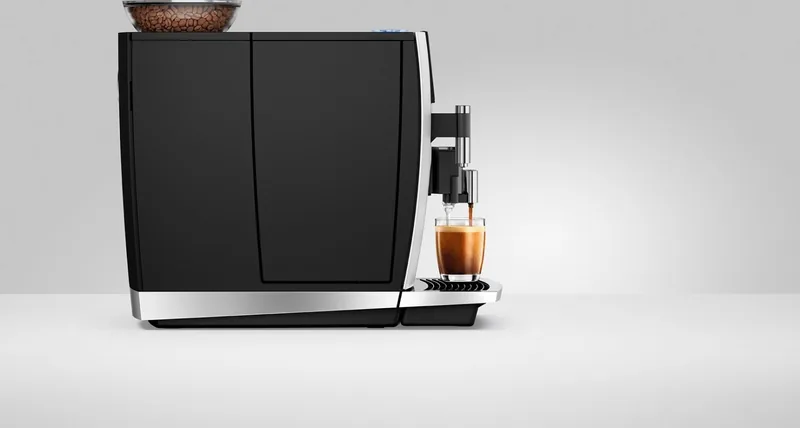
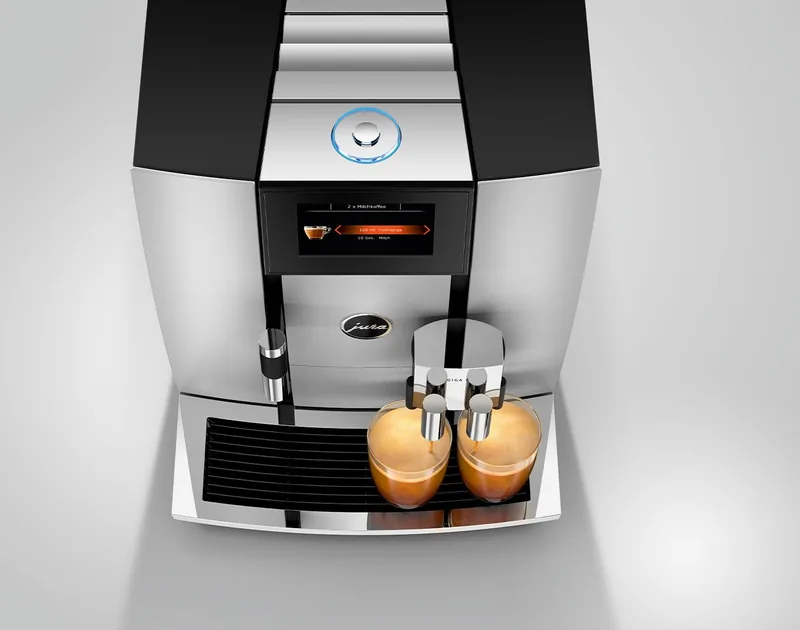
The Jura Giga 6 aluminium (EA) is a premium automatic coffee machine designed for households that want cafe-style variety with a polished, modern look. Its aluminium finish gives the machine a refined presence on the counter, while its thoughtfully arranged touchscreen controls and Rotary Switch make daily use straightforward. From a quick espresso to a layered latte macchiato, it is built to turn freshly ground beans into personalized drinks with minimal effort.
Coffee variety for every routine
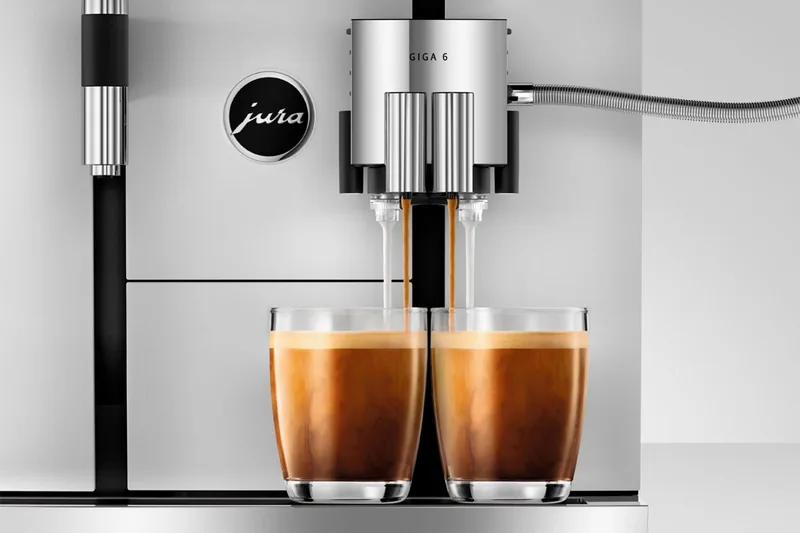
This machine supports a broad selection of coffee specialties, including espresso, coffee, cappuccino, flat white, latte macchiato, cortado, and milk coffee. It can also prepare hot water and a dedicated green tea water setting. For busy mornings or shared coffee breaks, the Jura Giga 6 can prepare two coffee specialties at once, helping serve more than one cup without repeated setup.
Two bean containers, each with a 280 g capacity, offer useful flexibility for different roast styles. Users can adjust the grind settings for both grinders separately and select how the grinders contribute to a recipe. This makes it easier to move between a bold espresso blend and a smoother everyday coffee while keeping flavor preferences close at hand.
Detailed personalization without complication
The touchscreen display allows direct drink selection, while the Rotary Switch opens a product overview and settings area. Coffee strength, temperature, water volume, milk foam, milk quantity, and other recipe details can be tailored for many beverages. Favorite drinks can be copied, renamed, replaced, or positioned for convenient access.
An intelligent mode can reorganize displayed products according to preparation frequency. Other useful settings include automatic switch-off, timers, display brightness, language, water units, and energy-saving mode. These options let the machine fit naturally into different schedules and kitchen routines.
Milk drinks and maintenance
For milk-based drinks, the adjustable combination spout delivers milk, foam, and coffee into the same glass, supporting the recognizable layers of a latte macchiato. A milk cooler can be connected wirelessly through JURA Smart Connect for a more integrated setup. For best foam quality, cold milk between 4 and 8 degrees C is recommended.
Maintenance is guided through clear on-screen prompts. The machine handles automatic rinsing and signals when cleaning, filter replacement, or descaling is needed. The milk system should be cleaned daily after milk preparation, and the combination spout should be rinsed regularly to maintain hygiene and reliable performance.
Notes
- Use fresh, cold water and untreated roasted coffee beans.
- A CLARIS Smart filter can reduce the need for descaling.
- Preheated cups help preserve heat, aroma, and crema.
- The 2.6 L water tank and 20-serving grounds container suit frequent home use.
Search for 67,706 Manuals online


Type-in Brand or Model
Wolfgang N
6 months ago
Is the software interface intuitive enough for programming custom drinks and selecting between dual bean hoppers without excessive complexity?
Manual.ly
6 months ago
We understand your concerns regarding the programming workflow. While the system requires specific steps to configure products and manage bean hopper selection, we recommend consulting the detailed user manual or contacting our support team for a guided walkthrough of these features.