
Jura Giga 10 EA Manual
PDF manual · 36 Pages
English


Quick check
Incorrect answer, please try again.
Chat with your Jura Giga 10 EA manual using AI
Get instant AI answers from your Jura Giga 10 EA manual
Ask anything about the Jura Giga 10 EA. Answers come from this manual, with the pages they are based on.
Giga 10 EA Maintenance Schedule
Empty and rinse with warm water daily. Always empty the coffee grounds container while the device is on to reset the counter.
If milk is prepared, clean the milk system daily to ensure proper function. An automatic rinse occurs 8 minutes after each milk preparation.
Rinse the milk hose and wash the inside walls of the water tank with a brush daily as part of routine care.
Wipe the device surface with a clean, soft, damp cloth such as microfiber.
Clean both the upper and lower surfaces of the cup platform daily.
Replace the replaceable milk hose approximately every 3 months to maintain hygiene.
Replace the exchangeable milk outlet CX3 approximately every 3 months.
The device requests cleaning after 180 preparations or 80 start rinses using JURA cleaning tablets.
Perform descaling automatically when prompted based on water hardness and usage. Use only original JURA descaling tablets.
Replace the filter cartridge when the device indicates it is exhausted; this also stops descaling requirements.
Clean the bean container occasionally to remove residual fat layers that may affect coffee quality.
Free maintenance reminders
Timed to your purchase date. Always free, unsubscribe anytime.
Ask a Question
Do you recommend Giga 10 EA?
Yes No
Thomas Berg
6 months ago
Is the new touch interface more responsive than the previous Giga 5 or Giga 6 models?

Manual.ly
6 months ago
The touch screen has been updated for better sensitivity, though a brief familiarization period may be required. Most users find the operation intuitive after the first two days. Cleaning programs remain automated and easy to manage. If you experience specific issues, our team can assist with firmware updates or calibration checks.
Wayne Reynolds
4 months ago
Is the touchscreen easy to use, and does the machine make different coffee specialties well?
Manual.ly
4 months ago
The touchscreen may take a short time to get used to and could be slightly more responsive, but users generally report smooth operation after the first couple of days. The machine is praised for preparing espresso, cappuccino, macchiato, Americano, and Cold Brew with very good flavor. Its cleaning programs also make daily maintenance convenient.

Sophia Pacocha
6 months ago
Is the touchscreen easy to use, and does it respond reliably when selecting different coffee drinks?
Manual.ly
6 months ago
The machine offers a wide range of drink options, including espresso, cappuccino, macchiato, Americano, and Cold Brew. Some users find the controls require a short familiarization period, especially during the first days of use. Once accustomed to the interface, operation is generally straightforward. The touchscreen may occasionally feel slightly less responsive than expected, but this does not appear to affect everyday use.
Frequently Asked Questions
It can make espresso, coffee, Americano, Lungo, espresso doppio, cappuccino, flat white, latte macchiato, cortado, espresso macchiato, milk coffee, milk foam, hot water, green tea water, coffee pot servings, and selected Cold Brew drinks.
Is this answer helpful?
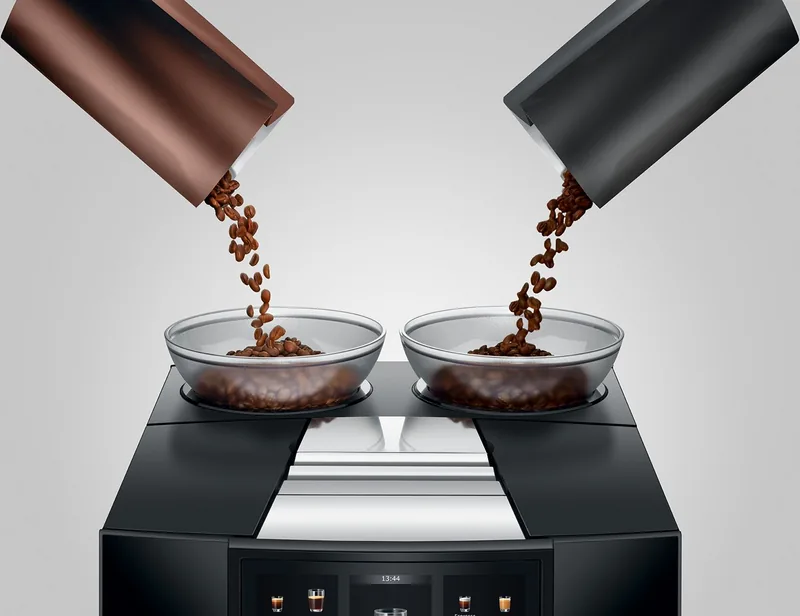
Yes. It has two separate bean containers, each holding up to 280 g. The grinders can be adjusted independently, and Aroma Selection lets you choose the bean container for compatible drinks before preparation.
Is this answer helpful?
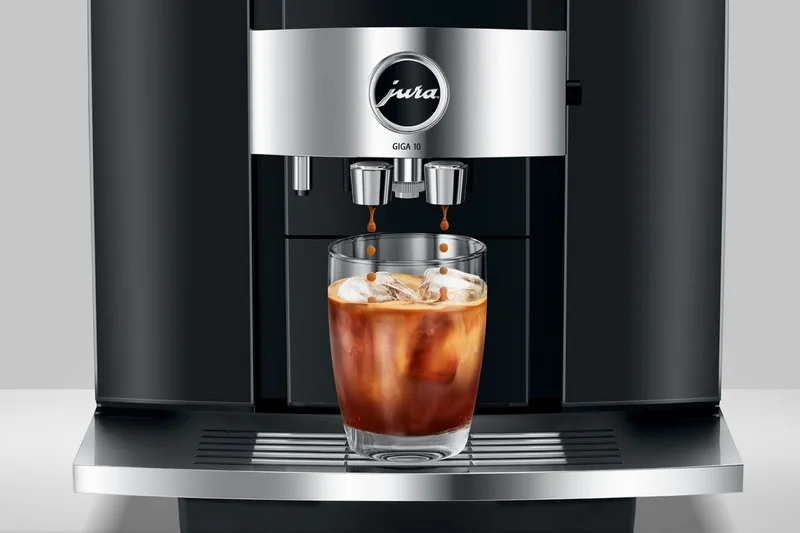
Yes. Select the Cold Brew preset for compatible drinks, fill the tank with cold water, and place a glass under the spout. Ice can be added to the glass according to personal preference for a colder drink.
Is this answer helpful?
Up to four profiles can be created. Each profile can hold three favorite coffee specialties. Individual products can also be customized with settings such as coffee strength, cup size, product name, and compatible presets.
Is this answer helpful?
Clean the milk system daily whenever milk has been prepared. The machine automatically rinses the system eight minutes after a milk drink, but this rinse does not replace the required daily cleaning cycle.
Is this answer helpful?
Yes. Its JURA WiFi Connect can link the machine to the JURA J.O.E. app. It can also connect wirelessly with a compatible Cool Control milk cooler.
Is this answer helpful?
Advantages and Disadvantages
Advantages

- Prepares a broad menu of black coffee, milk drinks, hot water, coffee pot servings, and Cold Brew beverages.
- Two 280 g bean containers and separately adjustable grinders support different beans and taste preferences.
- Aroma Selection, Extra Shot, cup sizes, favorites, and up to four profiles provide strong personalization.
- Large touch display, guided care programs, automatic rinsing, and self-diagnostics simplify daily operation.
- WiFi Connect supports J.O.E. app integration and optional connection to a Cool Control milk cooler.
Disadvantages

- Milk system cleaning is required daily when milk drinks are prepared to maintain hygiene and foam quality.
- The machine is large and heavy, measuring 32 x 41.5 x 49.6 cm and weighing 16.7 kg.
- Only untreated roasted beans should be used; flavored, caramelized, ground, and freeze-dried coffee can damage grinders.
- Cleaning, descaling, filter changes, and milk-system care require approved Jura products and regular attention.
- Cold Brew results depend on cold water availability, and ice must be added separately if desired.
Product Specification
Power
2,300 W
Color
black
Pump pressure
217.56 psi
Coffee system
coffee beans, ground coffee
Milk system
optional separate milk container
Grinder
adjustable ceramic grinder
Coffee quantity
adjustable (10 settings)
Water quantity
adjustable
Coffee temperature
adjustable (3 settings)
Hot water temperature
adjustable (3 settings)
Water tank capacity
87.92 fl oz
Bean container capacity
1.23 lb (2 x 0.62 lb)
Coffee grounds container capacity
20 servings
Display
touchscreen
Special features
touch controls, dual height-adjustable beverage spout (2.76-6.02 in), 2-cup function, carafe function, memory function, timer (programmable switch-on time), automatic shutoff (adjustable, energy-saving mode), hot water function, variable brewing system (0.18-0.56 oz), pre-brewing system, Americano coffee function, integrated water filter, cup illumination, second coffee bean compartment, cleaning program, automatic milk frothing line cleaning program, rinsing function, descaling program
Smart home
app control
Dimensions
12.60 x 16.34 x 19.53 in (W x H x D)
Weight
39.68 lb
Product Description
Jura Giga 10 EA Diamond Black - Read, Download & Print Free
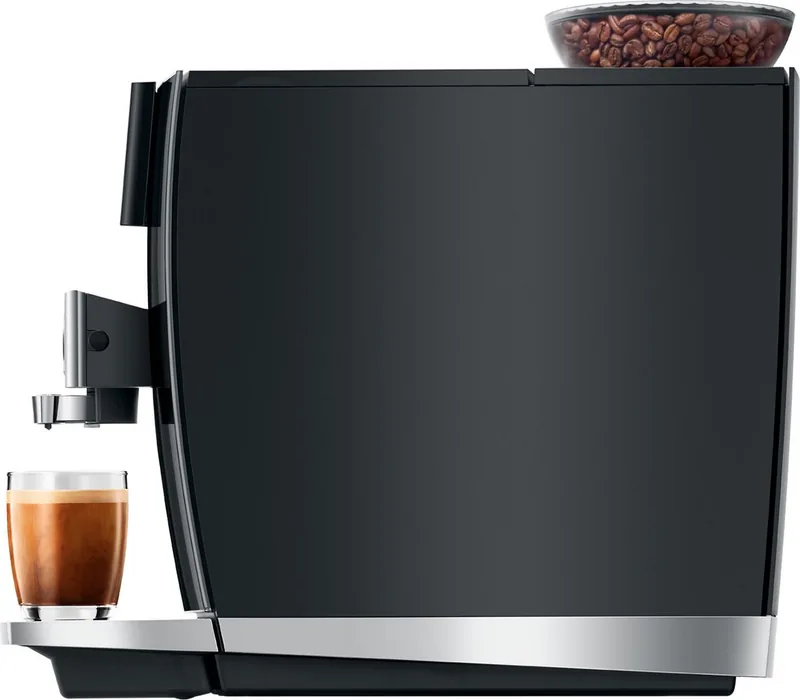
The Jura Giga 10 EA Diamond Black is a premium automatic coffee machine designed for households that want cafe-style variety with a refined, modern appearance. Its Diamond Black finish gives the machine a confident, polished presence, while the large touch display makes everyday drink selection feel direct and intuitive. From concentrated espresso to smooth coffee, milk specialties, hot water, and cold coffee creations, it supports a broad range of preferences from one countertop appliance.
Wide Coffee Selection and Personal Control
This model prepares espresso, coffee, Americano, Lungo, espresso doppio, cappuccino, flat white, latte macchiato, cortado, espresso macchiato, milk coffee, and more. It also offers a coffee pot option for serving multiple portions. The Aroma Selection feature lets users choose a bean container and adjust coffee strength before brewing. This flexibility is especially useful for homes where people enjoy different bean types, roast profiles, or caffeine levels.
Cold Brew preparation is another standout capability. Add cold water to the tank, place ice in a glass if desired, select the Cold Brew option, and enjoy a refreshing coffee drink without complicated extra equipment. For an even stronger result, compatible drinks can use the Extra Shot setting, which brews with two cycles for a more intense flavor.
Built for Personalized Everyday Use
The Jura Giga 10 EA Diamond Black includes two separate 280 g bean containers, allowing convenient access to different beans. Each grinder can be adjusted individually to suit the selected coffee. Up to four user profiles can be created, with three favorite drinks assigned to each profile. Drink settings can also be tailored for strength, cup size, names, and preset options.
The adjustable combination spout supports coffee and milk recipes, while the HP3 milk system produces warm milk and fine milk foam. For the best foam texture, milk should be kept cool, ideally between 4 and 8 degrees C. Optional WiFi connectivity supports use with the JURA J.O.E. app and compatible accessories such as the Cool Control milk cooler.
Care and Practical Notes
Automatic rinsing, guided cleaning prompts, filter support, and self-diagnostics help simplify maintenance. The milk system should be cleaned daily after milk preparation, and fresh water should be used every day. Use only untreated roasted coffee beans, fresh cold still water, and approved Jura care products to protect performance.
Note: The 2.6 L water tank, 20-portion grounds container, and large bean capacity make this machine well suited to frequent home use. Its 16.7 kg weight and 49.6 cm depth should be considered when planning counter space.
Search for 67,706 Manuals online


Type-in Brand or Model
Marta Schneider
9 months ago
How responsive is the touchscreen on the new Jura machine, and is setup difficult at first?
Manual.ly
9 months ago
The touchscreen is generally responsive and reliable, but a few reviewers note that it could react slightly better at times. In practice, the main thing is the learning curve: after the first couple of days of getting used to the menus and drink settings, operation becomes straightforward. For the best touch performance, keep the screen clean and dry, use your finger (not wet hands), and make sure any protective film is removed. Also, follow the guided cleaning and rinse programs, since proper maintenance helps keep the workflow smooth. If touch sensitivity still feels off after these steps, check for firmware updates and contact support for assistance.