
Jura E4 EA Manual
PDF manual · 32 Pages
English


Quick check
Incorrect answer, please try again.
Chat with your Jura E4 EA manual using AI
Get instant AI answers from your Jura E4 EA manual
Ask anything about the Jura E4 EA. Answers come from this manual, with the pages they are based on.
E4 EA Maintenance Schedule
Empty and rinse the water tank with cold water, then refill it with fresh, cold water daily to ensure optimal coffee quality.
Empty the drip tray and coffee grounds container, rinse them with warm water, and reset the counter by emptying while the machine is on.
Clean the exterior of the machine with a soft, damp cloth (e.g., microfibre) to maintain hygiene.
After 180 preparations or 80 switch-on rinses, use a JURA cleaning tablet to run the automatic cleaning programme.
Change the filter cartridge when the filter symbol lights up, indicating the filter capacity is depleted based on water hardness.
Perform descaling using JURA tablets when the descaling symbol appears. Note: Not required if using a CLARIS Smart filter.
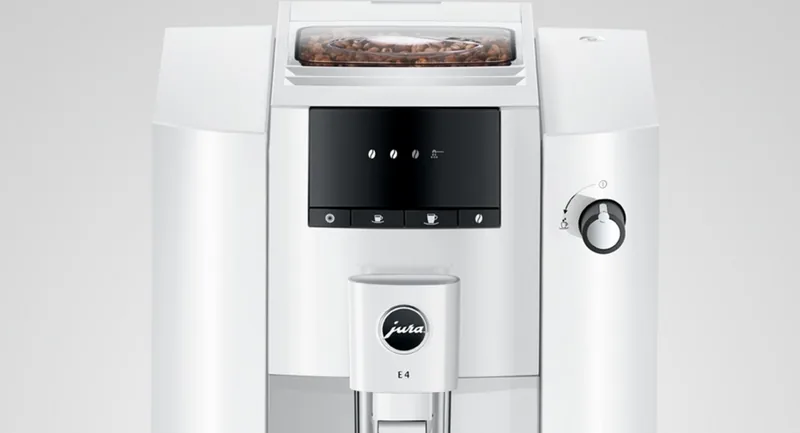
Remove the aroma cover and wipe the inside of the bean container with a dry cloth to remove oil film deposits.
Fill the tank with water and 3 JURA descaling tablets, leave for several hours, then rinse thoroughly to remove limescale deposits.
Ask a Question
Do you recommend E4 EA?
Yes NoFrequently Asked Questions
Use the included Aquadur test strips to determine hardness. Press the f button to enter programming mode, then select the water hardness setting using the o button. Confirm with the s button.
Is this answer helpful?
Yes, open the filler funnel cover and add up to two level measuring spoons of ground coffee. Ensure it is not too fine to avoid clogging the system.
Is this answer helpful?
Flashing symbols indicate specific actions needed, such as opening the hot water switch or replacing the filter cartridge. Refer to the display message table for exact meanings.
Is this answer helpful?
The machine prompts you after 180 preparations or 80 switch-on rinses. Use original JURA cleaning tablets for the 20-minute cleaning cycle.
Is this answer helpful?
The standard E4 prepares coffee and hot water. Milk-based specialty drinks like Caffè Barista require the optional J.O.E. app connection and specific setup steps.
Is this answer helpful?
Empty the system by turning the hot water switch on until no water flows. Switch off the machine and keep the original packaging for protection during transit.
Is this answer helpful?
Advantages and Disadvantages
Advantages

- Intuitive controls with automatic programming for personalized drink settings
- High-quality grinder adjusts consistency for optimal crema and flavor
- Optional WiFi connectivity allows remote brewing via smartphone app
- Integrated maintenance alerts simplify cleaning and descaling processes
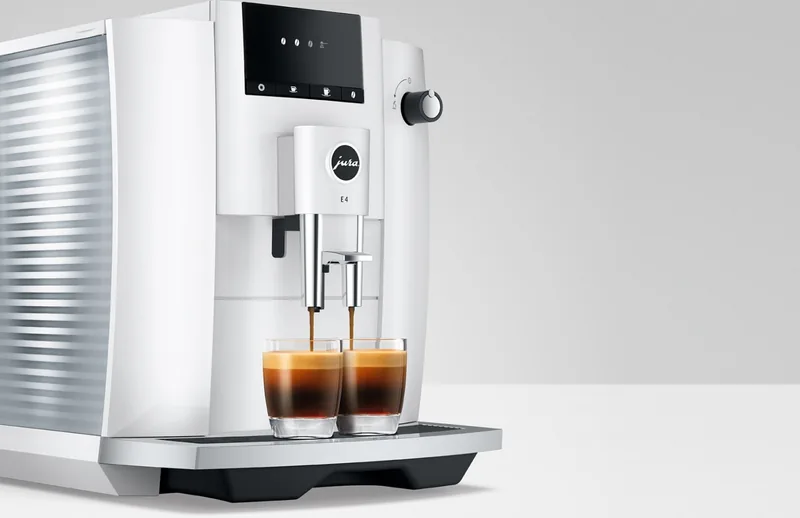
- Height-adjustable spouts accommodate various cup sizes effortlessly
Disadvantages

- Requires regular descaling if hard water is used without the smart filter
- Mains cable is permanently connected on some models limiting placement
- Cleaning cycle takes approximately 20 minutes which can be lengthy
- Grinder adjustment must only be performed while the machine is running
- Original JURA maintenance products are recommended for warranty compliance
Product Specification
Power
1450W
Pump pressure
217.56psi
Coffee system
Coffee beans, ground coffee
Coffee amount
Adjustable
Water amount
Adjustable
Water tank capacity
0.5 gallons
Bean container capacity
0.62lb
Coffee grounds container capacity
16 servings
Features
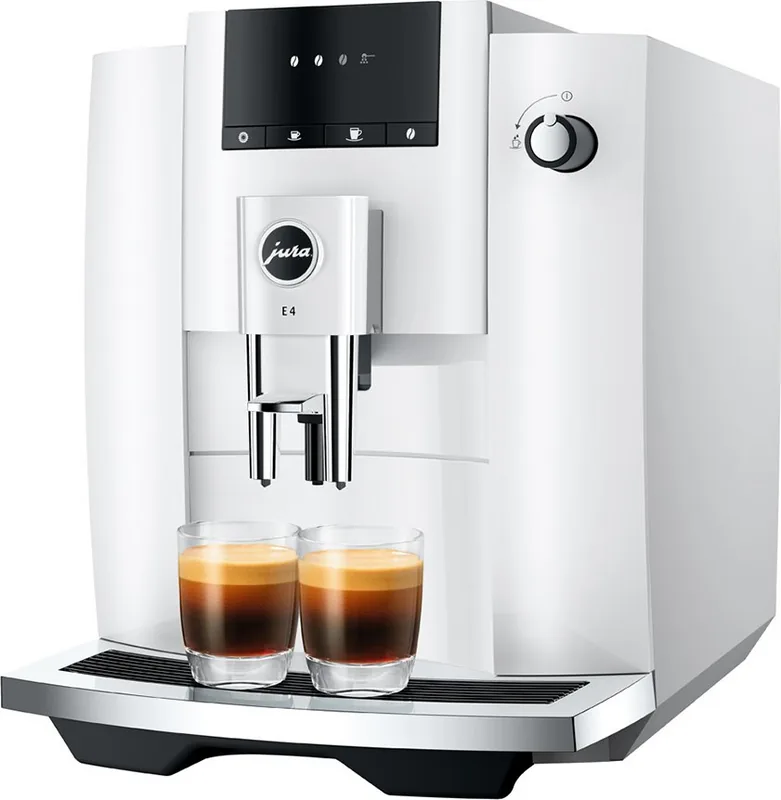
Double height-adjustable beverage outlet (2.56-4.37 inches), 2-cup function, auto-off (adjustable, energy-saving mode), hot water function, variable brewing system (P.E.P. Puls Brewing System), removable water tank, integrated water filter, adjustable water hardness, cleaning program, rinse function, descaling program
Smart Home
App control
Dimensions
11.02x13.62x17.48 inches (WxDxH)
Weight
21.61lb
Product Description
Discover the Jura E4 EA: Your Gateway to Perfect Coffee
The Jura E4 EA represents a seamless blend of Swiss engineering and intuitive design, crafted for those who demand excellence in every cup. This fully automatic coffee machine brings the café experience directly into your home or office. With its sleek interface and robust functionality, the E4 EA handles everything from grinding whole beans to brewing rich espresso with just a touch.
At the heart of the E4 is the intelligent brewing system that ensures optimal extraction temperatures and pressures. The machine features a programmable grinder that allows you to adjust the coarseness to suit different bean types, ensuring a perfect crema every time. Whether you prefer a strong espresso or a gentle lungo, the E4 remembers your last settings, making morning routines effortless. The height-adjustable spout accommodates various cup sizes, while the large water tank and bean container minimize refilling frequency.
Safety and maintenance are prioritized in the E4 design. Integrated warning systems alert you when the drip tray needs emptying or when descaling is required. The optional CLARIS Smart filter cartridge extends the life of the machine by reducing limescale buildup, though manual descaling modes remain available for deep cleaning. For tech-savvy users, the JURA WiFi Connect option enables remote control via the J.O.E. app, allowing you to start brewing before you even leave the bedroom.
Every detail, from the aroma preservation cover on the bean container to the easy-to-clean components, reflects a commitment to quality. The machine automatically rinses itself after use, maintaining hygiene without extra effort. It is designed for domestic use, providing a safe and reliable way to enjoy hot beverages daily.
Key Highlights
- Intelligent Brewing System for consistent taste.
- Adjustable Grinder Settings for customized texture.
- Optional WiFi Connectivity for remote operation.
- Integrated Maintenance Programs for longevity.
Important Notes
Always use fresh, cold water and untreated roasted beans for best results. Ensure the machine is placed on a level surface away from direct heat sources.
Search for 67,706 Manuals online


Type-in Brand or Model