
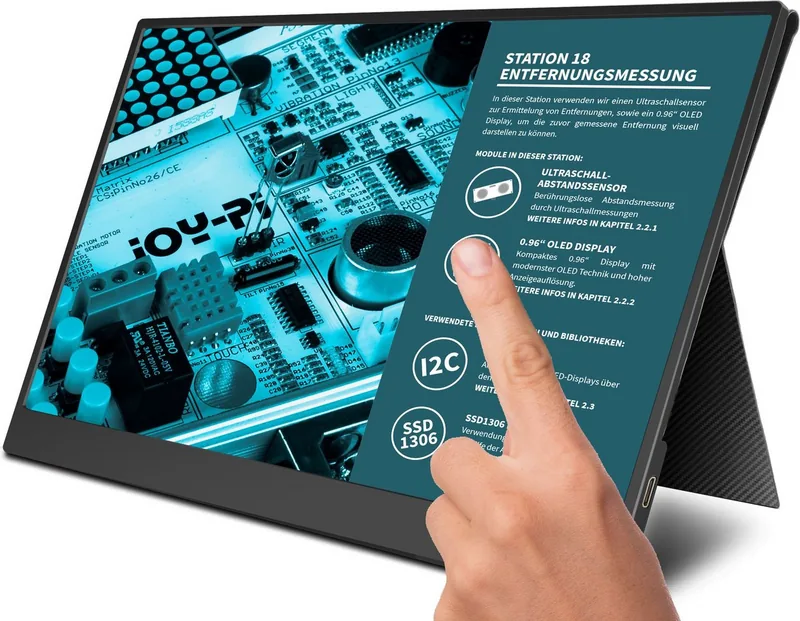
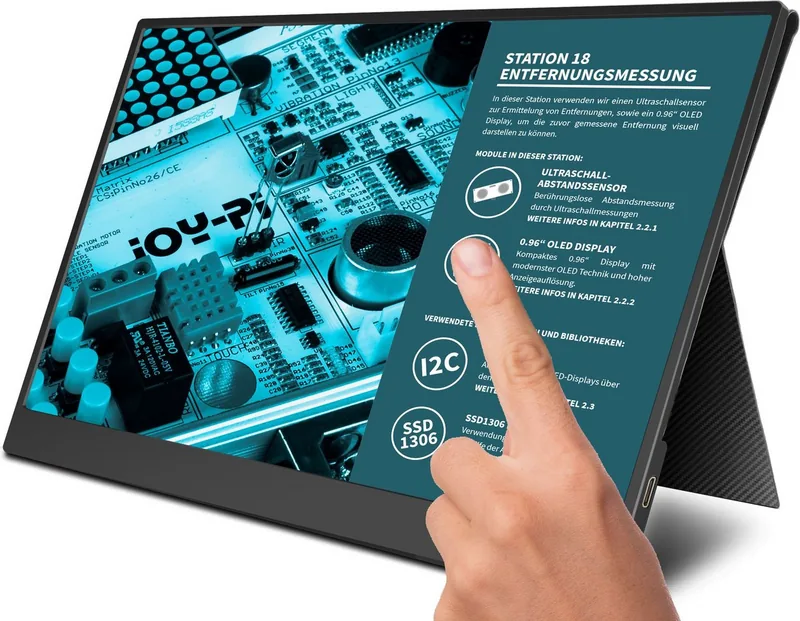
Joy-iT JOY-View 15 Manual
PDF manual · 10 Pages
English



Quick check
Incorrect answer, please try again.
Chat with your Joy-iT JOY-View 15 manual using AI
Get instant AI answers from your Joy-iT JOY-View 15 manual
Ask anything about the Joy-iT JOY-View 15. Answers come from this manual, with the pages they are based on.
Ask a Question
Do you recommend JOY-View 15?
Yes NoFrequently Asked Questions
Yes, the monitor works with MacBooks and iMacs via HDMI or USB-C. However, the touchscreen feature is generally limited to Windows 7/8/10 and Raspberry Pi environments.
Is this answer helpful?
Absolutely. You can connect the Switch using the included Mini-HDMI cable. Note that the touchscreen will not function while connected to the Switch console.
Is this answer helpful?
The Joy-iT JOY-View 15 operates at a standard refresh rate of 60 Hz, which is suitable for general productivity, web browsing, and casual gaming.
Is this answer helpful?
Connect the monitor to a compatible Windows laptop or Raspberry Pi using the USB Type-C cable. Ensure the device provides sufficient power and has the necessary drivers installed.
Is this answer helpful?
No, the monitor is not waterproof. Avoid exposing it to water or high humidity to prevent electric shock or permanent damage to the internal components.
Is this answer helpful?
The package includes the monitor, a smart case, a Mini-HDMI to HDMI cable, a USB A to Type-C cable, a Type-C to Type-C cable, an HDMI adapter, and a power supply unit.
Is this answer helpful?
Advantages and Disadvantages
Advantages

- High-resolution 15.6-inch Full-HD IPS display with excellent viewing angles
- Integrated touchscreen support for interactive use with Windows and Raspberry Pi
- Includes a versatile smart case that functions as both protection and a stand
- Multiple connectivity options including USB-C Power Delivery and Mini-HDMI
- Built-in stereo speakers and headphone jack for complete multimedia experience
Disadvantages

- Touchscreen requires specific drivers and may not work with all operating systems
- Single cable connection depends heavily on the host device's USB-C power delivery
- Screen brightness of 300 nits may be insufficient for direct sunlight use
- Requires separate USB-A to USB-C cable for touch functionality on some setups
- No built-in battery, requiring constant external power for operation
Product Specification
Touchscreen
capacitive, multi-touch
Diagonal
15.6"/15.6in
Resolution
1920x1080, 16:9
Brightness
300cd/m²
Contrast
800:1 (static), not specified (dynamic)
Viewing angle
178°/178°
Panel
IPS
Backlight
White-LED
HDR
N/A
Color depth
8bit (16.7 million colors)
Color space
100% (sRGB)
Refresh rate
60Hz
Signal frequency
not specified (horizontal), not specified (vertical)
Connections
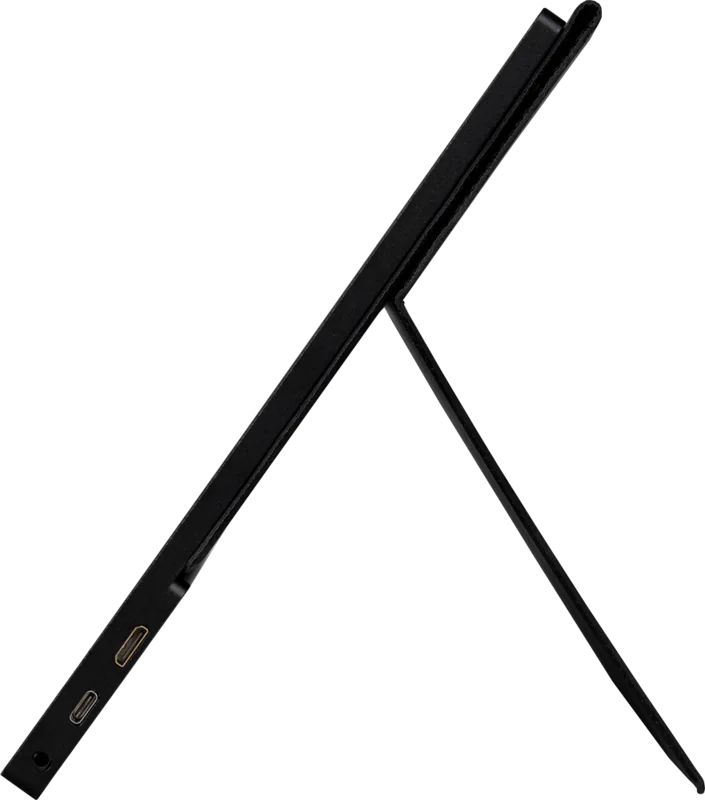
1x Mini HDMI 1.4, 1x 3.5mm jack (Line-Out)
Additional connections
1x USB-C (touch function)
Ergonomics
N/A
VESA
N/A
Power consumption
not specified (max), 6W (typical), not specified (energy label old A+++ to G), 0.9W (standby)
SDR energy efficiency class (A to G)
A
SDR power consumption
6kWh/1000h
Dimensions (WxHxD)
14.2x9.1x0.4in
Weight
3.06lbs
Features
Speakers (2x 2W)
Product Description
Discover the Joy-iT JOY-View 15 Portable Monitor
The Joy-iT JOY-View 15 is a versatile 15.6-inch portable monitor designed for users who demand high-quality visuals on the go. This device features a stunning Full-HD resolution of 1920 by 1080 pixels, delivering crisp and clear images perfect for gaming, productivity, or media consumption. The screen utilizes an IPS LCD panel with a 178-degree viewing angle, ensuring that colors remain accurate even when viewed from the side. With a brightness level of 300 nits and a contrast ratio of 800:1, this monitor performs well in various lighting conditions.
One of the standout features of the Joy-iT JOY-View 15 is its integrated touchscreen capability. When connected to compatible devices like Windows laptops or Raspberry Pi boards via USB Type-C, users can interact directly with the display. The monitor supports multiple connection methods, including Mini-HDMI for standard devices and a robust USB Type-C port that handles video, data, and power delivery simultaneously. This one-cable solution simplifies setup for modern smartphones, tablets, and ultrabooks.
Portability is at the heart of this design. Weighing very little, it fits easily into the included smart case. This case does more than just protect the screen during transport; it transforms into a sturdy pedestal stand, allowing you to set up the monitor upright on any stable surface. Whether you are working from a coffee shop or setting up a dual-screen gaming station with a console, the Joy-View adapts to your needs.
Key Features and Versatility
The monitor includes a double loudspeaker system for audio output, eliminating the need for external speakers in many scenarios. It also features a headphone jack for private listening. The On-Screen Display menu allows for extensive customization, including brightness, contrast, color temperature adjustments, and aspect ratio changes between 16:9 and 4:3 modes. Safety is prioritized with built-in protections against overheating and electrical issues, provided users follow standard safety guidelines regarding water exposure and power supply usage.
Important Notes
Always ensure the monitor is placed on a stable surface to prevent tipping. Use only the original power supply or a compatible USB-C PD source to avoid damage. Do not expose the device to extreme temperatures or humidity. For touchscreen functionality, ensure your host device supports USB input protocols.
Search for 67,706 Manuals online


Type-in Brand or Model