
Joy-iT JDS6600 Manual
PDF manual · 11 Pages
English



Quick check
Incorrect answer, please try again.
Chat with your Joy-iT JDS6600 manual using AI
Get instant AI answers from your Joy-iT JDS6600 manual
Ask anything about the Joy-iT JDS6600. Answers come from this manual, with the pages they are based on.
Ask a Question
Do you recommend JDS6600?
Yes No
Ian Cummerata
7 months ago
Does the device stay stable on smooth surfaces, and is there a way to prevent it from sliding?

Manual.ly
6 months ago
The unit features a lightweight plastic housing which may slide on very smooth surfaces. To improve stability, we recommend placing non-slip mats or rubber feet underneath the device. Additionally, when connecting BNC cables, holding the unit steady during insertion helps maintain position.
Jonathan Turner
6 months ago
Is Channel 1 reliable for long-term use without signal distortion?
Klaus Weber
5 months ago
Is there a risk of channel defects appearing after extended use? One reviewer mentioned CH1 issues after one year.
Manual.ly
5 months ago
We prioritize quality assurance. Although failures are uncommon, they can occur within warranty limits. Please contact support with your serial number if you suspect signal deformation. We can initiate a replacement. For stability, note the unit is lightweight; securing it helps during cable connections.

Maya Chen
5 months ago
Is this function generator easy to use for beginners, and are its waveforms and frequency stable?
Manual.ly
4 months ago
Yes. Reviews describe the controls as clear and intuitive even for users without electronics training. The unit provides multiple settings, clean waveforms, stable frequencies, and fine adjustment. Please note that its lightweight plastic housing can slide on smooth surfaces, so holding it while connecting BNC cables or using a non-slip mat may help.
Jordyn Schamberger
5 months ago
Is this function generator easy to use for beginners, and are the waveforms and frequencies reliable?
Manual.ly
4 months ago
Users generally report intuitive operation, clear controls, stable frequencies, and clean waveforms, even without electronics training. It offers several adjustable settings and is considered good value. Note that the unit is lightweight with a plastic housing, so it may slide on smooth surfaces when connecting BNC cables; placing it on a non-slip mat can help.
Liam Patel
5 months ago
Is the function generator reliable for long-term use, and does the lightweight plastic case slide around during operation?
Manual.ly
5 months ago
Most users report clean waveforms, stable frequencies, straightforward operation, and good value. The unit is lightweight, so it should be held when connecting BNC cables, and its non-rubber feet may slide on smooth surfaces. One review reported a distorted negative waveform on CH1 after about a year of light use, while CH2 continued working. Using a non-slip mat and checking output signals periodically is recommended.
Frequently Asked Questions
The JDS6600 is a two-channel signal and function generator for producing test signals in electronics work. It also offers measurement, counting, sweep, pulse, burst, synchronization, and arbitrary waveform functions.
Is this answer helpful?
Yes. CH1 and CH2 can be controlled separately, and simultaneous output can be enabled or disabled from the main interface. A channel can also be assigned as the main display channel.
Is this answer helpful?
The external input can measure frequency, period, positive pulse width, negative pulse width, and duty cycle. Its stated frequency range is 1 Hz to 100 MHz, with an input amplitude range of 2 Vpp to 20 Vpp.
Is this answer helpful?
Yes. Sweep mode allows configurable start and end frequencies, timing, direction, and mode. Burst mode supports sequences from 1 to 108575 periods with internal, external, or manual burst triggering.
Is this answer helpful?
Yes. It can connect through USB or USB-TTL. The companion software supports waveform output, measurement and counting tools, pulse, burst, sweep functions, and creation of custom arbitrary waveforms.
Is this answer helpful?
The instrument can save and load configurations in data groups numbered 0 through 99. This helps preserve frequently used signal parameters and test setups.
Is this answer helpful?
Advantages and Disadvantages
Advantages

- Two independently controlled output channels support flexible signal testing.
- Measures frequency, period, pulse width, and duty cycle from 1 Hz to 100 MHz.
- Sweep, pulse, and burst functions expand test and modulation options.
- USB and USB-TTL connectivity enable PC-based control and custom waveform work.
- Stores settings in 100 data groups and supports up to 15 saved arbitrary waveforms.
Disadvantages

- Pulse and burst functions are specified for CH1, limiting some dual-channel modulation use cases.
- External measurement input requires signals between 2 Vpp and 20 Vpp.
- PC operation requires selecting the correct COM port and installing companion software.
- The 2.4-inch display may be small for users who prefer a larger visual interface.
Product Specification
Units
MHz
Display
yes
Features
2-channel, 0-60 MHz bandwidth
Power supply
AC power
Dimensions
7.64 x 2.72 x 7.01 in (W x H x D)
Package contents
Test leads
Product Description
Joy-iT JDS6600 Signal / Function Generator - Read, Download & Print Free
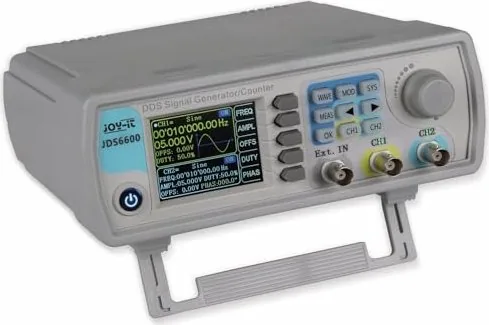
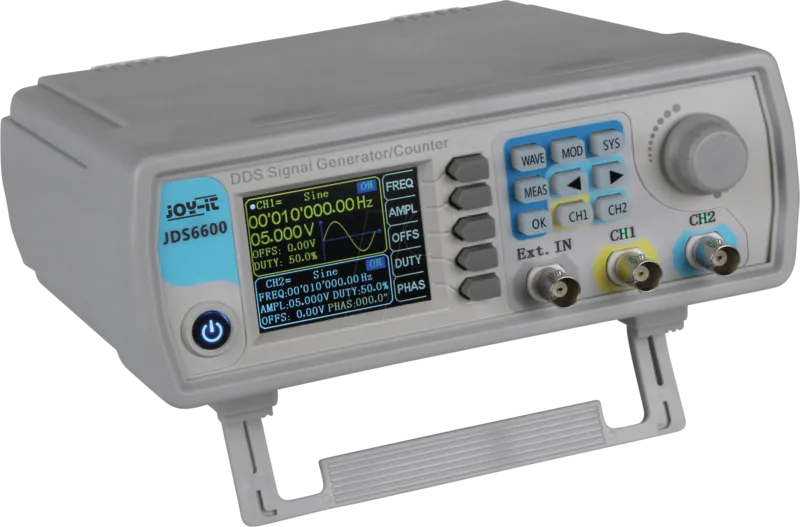
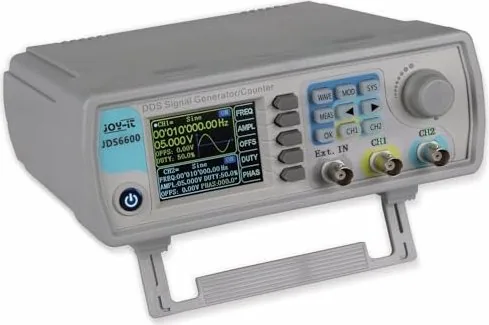
The Joy-iT JDS6600 Signal / Function Generator is a versatile two-channel instrument designed for electronics development, laboratory testing, education, and repair work. Its clear 2.4-inch TFT LCD presents waveform status, channel values, phase relationships, and menu controls in one compact interface. With dedicated keys, a rotary encoder, shortcut functions, and separate CH1 and CH2 outputs, the generator supports fast adjustment during practical signal testing.
Dual-channel signal control
Both output channels can be enabled independently or operated together, making the JDS6600 useful for comparisons, synchronized experiments, and multi-signal setups. Users can select a channel directly, assign a main display channel, adjust waveform parameters, and set frequency values with cursor-based editing. Frequency units can be switched from microhertz through megahertz, supporting fine control across a broad range of applications.
Waveform selection is streamlined through the front-panel controls. The rotary knob enables rapid navigation between waveform choices, while arrow keys allow users to move through available options and presets. Channel status and waveform information remain visible on the display, helping users confirm settings before connecting equipment under test.
Measurement and modulation features
Beyond signal generation, the unit includes measurement and counting functions through its external input. It can measure frequency, period, positive and negative pulse width, and duty cycle. The specified measurement range is 1 Hz to 100 MHz, with supported input amplitudes from 2 Vpp to 20 Vpp. AC or DC coupling and adjustable gate times from 0.01 to 10 seconds provide additional flexibility for measurement tasks.
The modulation menu adds sweep, pulse, and burst capabilities. Sweep mode supports configurable start and end frequencies, direction, mode, and durations from 0.1 to 999.9 seconds. Pulse mode allows adjustment of pulse width, period, offset, and amplitude. Burst mode can produce sequences from 1 to 108575 periods, with internal, external, and manual triggering options.
PC connectivity and settings
The JDS6600 can connect to a computer through USB or USB-TTL. Companion software provides controls for standard waveforms, extended measurement functions, burst, sweep, pulse operation, and custom arbitrary waveforms. Up to 15 custom waveforms can be saved on the instrument through the software.
System settings include save and load groups numbered 0 to 99, adjustable sound, 12 brightness levels, English, German, and French language choices, channel synchronization, and a configurable arbitrary waveform display list.
Notes
- Verify external input voltage is within the stated 2 Vpp to 20 Vpp measurement range.
- Use saved data groups to preserve repeatable test configurations.
- Select the correct COM port in the PC software before connecting.
Search for 67,706 Manuals online


Type-in Brand or Model
Lena Schmidt
7 months ago
My FG's CH1 output seems distorted and won't produce correct waveforms after about a year of light use. How can I troubleshoot, and what happens if only one channel is faulty?
Manual.ly
7 months ago
First, verify the basics: reseat the BNC cable for CH1, confirm the generator settings (waveform, frequency, amplitude, offset) and use the oscilloscope to compare CH1 vs CH2. Make sure you are using the correct load/termination and that the output is not being shorted. If possible, try a different known-good BNC cable and check for any visible damage or looseness at the CH1 output. If CH1 remains faulty after these checks, contact us with your order number, purchase date, and the oscilloscope screenshots showing the distortion. Our support will review the case and, if it is covered under warranty, arrange the appropriate repair or replacement.