
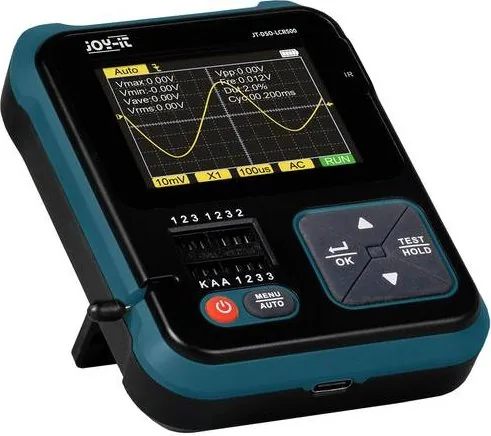
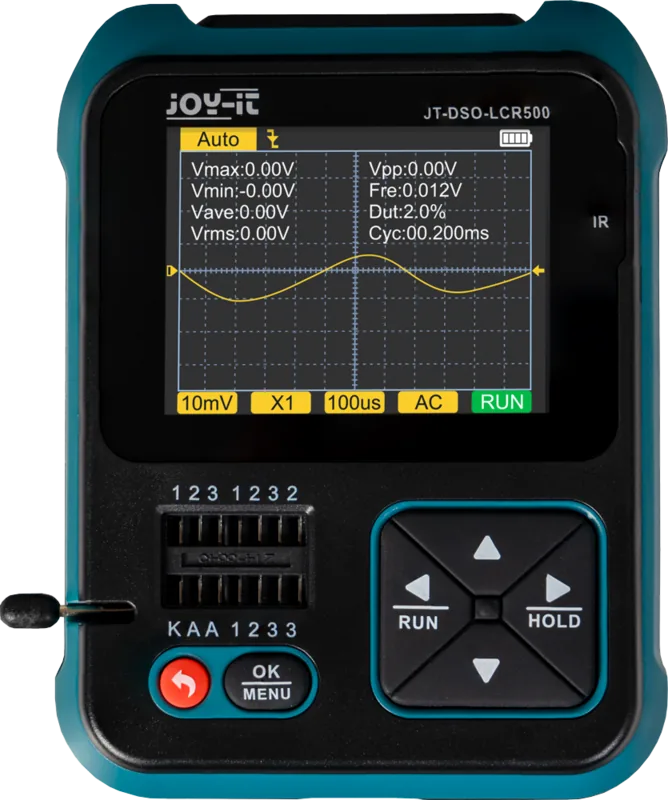
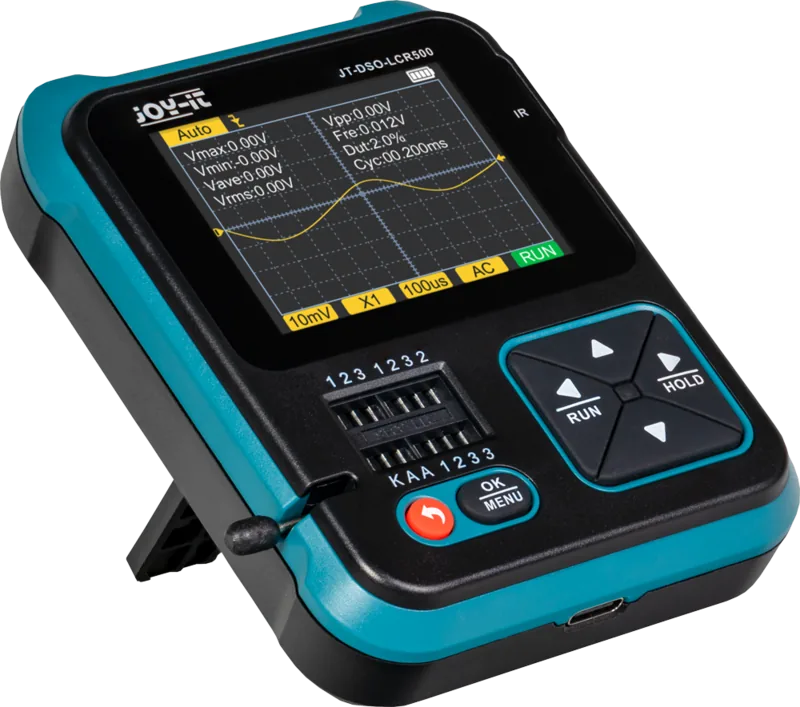
Joy-iT DSO-LCR500 Manual
PDF manual · 32 Pages
English



Quick check
Incorrect answer, please try again.
Chat with your Joy-iT DSO-LCR500 manual using AI
Get instant AI answers from your Joy-iT DSO-LCR500 manual
Ask anything about the Joy-iT DSO-LCR500. Answers come from this manual, with the pages they are based on.
Ask a Question
Do you recommend DSO-LCR500?
Yes NoFrequently Asked Questions
The device supports a sampling rate of 10 megasamples per second.
Is this answer helpful?
Yes, but you must always discharge your capacitor before taking a capacitance measurement to prevent damaging the device.
Is this answer helpful?
You can perform a reset by piercing the marked opening on the device case with a thin object, which will cause the unit to restart automatically.
Is this answer helpful?
It can measure DS18B20 and DHT11 temperature sensors automatically by connecting pins to specific test sockets 1, 2, and 3.
Is this answer helpful?
Yes, you can switch the language between English and German through the settings menu.
Is this answer helpful?
The device may not detect or measure them correctly because they differ from original specifications in design and functionality.
Is this answer helpful?
Support is available via email at [email protected] or through their online ticket system and phone lines.
Is this answer helpful?
Advantages and Disadvantages
Advantages

- High 10 MS/s sampling rate enables detailed waveform capture
- Multi-function device replaces oscilloscope, LCR meter, and signal generator
- Supports DS18B20 and DHT11 temperature sensor measurements automatically
- Built-in signal generator offers five waveform types for testing circuits
- Auto-calibration feature simplifies maintenance and ensures accuracy
Disadvantages

- Limited 500 kHz bandwidth restricts high-frequency applications significantly
- Counterfeit temperature sensors may not be detected or measured correctly
- Steep learning curve for beginners unfamiliar with trigger modes
- Requires separate probes for voltage measurement beyond test sockets
- Capacitors must be fully discharged before testing to avoid damage
Product Specification
Display
yes
Features
0.5 MHz Bandwidth
Product Description
Joy-iT DSO-LCR500 Digital Oscilloscope Overview
Welcome to the world of precise electronic measurement with the Joy-iT DSO-LCR500 Digital Oscilloscope Manual guide. This versatile instrument combines multiple diagnostic functions into a compact handheld design. It serves hobbyists and professionals who demand accuracy across various electronic parameters without requiring bulky lab equipment.
Advanced Oscilloscope Capabilities
At the core of this system lies a robust sampling rate of 10 megasamples per second. Users can monitor analog signals with a bandwidth ranging from zero to 500 kilohertz effectively. The input resistance remains steady at one megaohm, supporting alternating current and direct current coupling methods seamlessly. Vertical sensitivity adjusts flexibly from ten millivolts per division up to ten volts per division. Horizontal time bases offer immense flexibility, spanning from ten microseconds to ten seconds for detailed analysis. Trigger modes include automatic, normal, and single triggers to stabilize waveforms efficiently.
Comprehensive Component Testing Functions
Beyond basic waveform analysis, this unit acts as a powerful component tester for passive and active parts. It identifies triodes, silicon rectifiers, thyristors, capacitors, field-effect transistors, MOSFETs, and IGBTs reliably. Resistance measurements cover a massive range from 0.01 ohms to 50 megaohms accurately. Inductance testing spans from 10 microhenries to 1000 microhenries for coil diagnostics. Battery checks determine polarity and voltage values between 0.01 and 4.5 volts clearly. Always discharge capacitors thoroughly before testing to prevent severe damage to your valuable equipment.
Signal Generation and Extra Utility Tools
A built-in signal generator produces sine, square, pulse, triangle, ramp, and DC waves independently. Frequencies range from 1 kilohertz to 100 kilohertz with adjustable amplitude and duty cycles for complex testing scenarios. Additional tools facilitate continuity tests and voltage measurements up to 40 volts directly on the clear display. Specialized sockets enable automatic detection of DS18B20 and DHT11 temperature sensors conveniently. An infrared decoder function reads remote control signals automatically after positioning the device correctly.
Configuration and Maintenance Guidelines
Configuration options allow users to toggle the boot logo, switch between English and German languages locally, adjust volume levels, and modify screen brightness dynamically. An auto-calibration feature ensures peak accuracy when probes are connected correctly to specific terminals. If issues arise unexpectedly, a physical reset pin located on the casing restores factory states safely for troubleshooting. The manufacturer offers ongoing technical support via email and phone during business hours. Proper disposal of electronic waste follows strict environmental guidelines to protect our planet.
Search for 67,706 Manuals online


Type-in Brand or Model
Sarah Mitchell
7 months ago
Does this device explicitly list the voltage and current limits used during component testing? I am concerned if the 2.4 inch screen is sufficient for accurate oscilloscope measurements or if signals appear too small to analyze properly.
Manual.ly
7 months ago
We appreciate your feedback regarding the specifications. While the manual details resistance and diode tests, exact test voltages and currents for advanced components were omitted due to space constraints. Regarding the oscilloscope function, the 2.4 inch screen provides basic visualization using grid overlays for estimation. Detailed waveform analysis requires stable triggers which may vary based on signal strength. We are updating documentation to clarify these limitations further. Thank you for helping us improve our user guides.