

Free Joolz Manuals – Read, Download & Print
4 Manuals
Manuals
Categories

Free Joolz Manuals - Read, Download & Print
Introduction to Joolz User Resources
Joolz is a globally recognized brand dedicated to creating high-quality strollers and accessories for modern families. Their products are known for their innovative design, durability, and ease of use. Whether you own a Joolz Aer, Joolz Hub, or the versatile Joolz Day+ model, having access to the correct user manual is essential for ensuring safety and maximizing the functionality of your equipment. This guide provides comprehensive information on how to access, read, download, and print free Joolz manuals online. By following these steps, parents and caregivers can ensure they have all the necessary instructions at their fingertips.
Why Accessing Official Manuals Matters
Using the original manufacturer documentation is crucial for several reasons. First and foremost, safety is paramount when transporting children in a stroller. The manuals contain detailed instructions on how to properly assemble the frame, attach the wheels, secure the harness, and fold the unit correctly. Incorrect assembly can lead to mechanical failure or accidents. Second, understanding the specific features of your model helps you get the most out of your purchase. Many Joolz models come with unique adapters for car seats, rain covers, and footmuffs that require specific installation procedures found only in the official guides. Finally, regular maintenance tips provided in the manual can extend the lifespan of your stroller, keeping it looking new and functioning smoothly for years to come.
How to Find Your Specific Model Manual
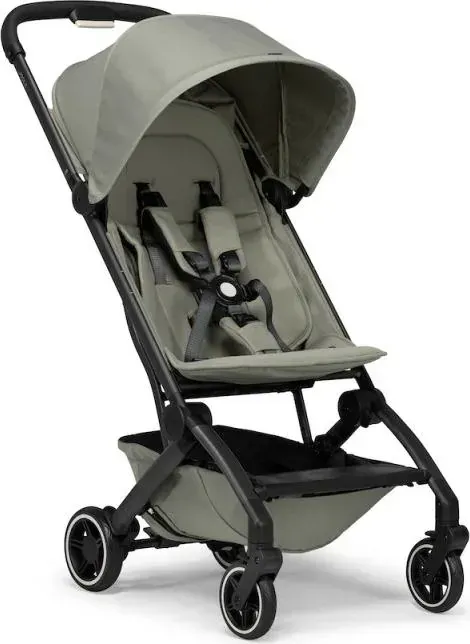
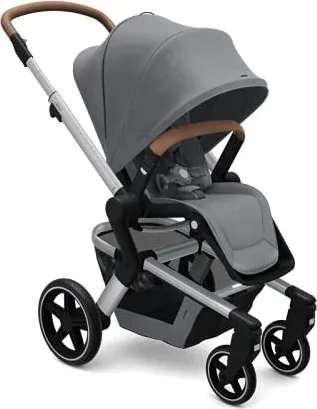
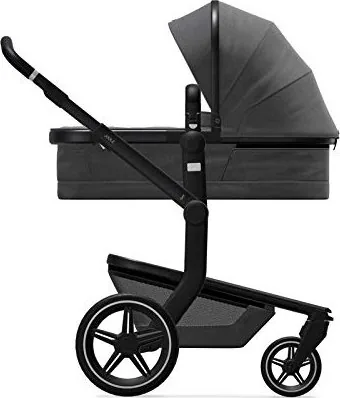
Finding the right manual starts with identifying your exact Joolz model number. Joolz produces several distinct lines, each with its own set of specifications and parts. The most common models include the Joolz Aer, which is designed for lightweight travel; the Joolz Hub, known for its robust suspension and large wheels; and the Joolz Day+, a premium all-terrain stroller. To locate your manual, visit the official Joolz website or authorized retailer support pages. Look for a section labeled Support, Downloads, or Manuals. You will typically find a dropdown menu or a search bar where you can select your product category and then your specific model. Once selected, the system will display the relevant documentation files ready for your review.
Step-by-Step Guide to Reading Online
For those who prefer not to download files immediately, reading the manual directly online is a convenient option. Most Joolz manuals are available in PDF format, which opens in any standard web browser. When you click the link to view the manual, a new tab will open displaying the document. You can navigate through the pages using the scroll bar or the page navigation buttons usually located at the bottom of the viewer. The online reader allows you to zoom in on diagrams and text if needed, making it easier to see small details like torque settings or assembly warnings. This method is particularly useful if you need to reference a specific instruction while assembling the stroller but do not want to clutter your computer with extra files.
Downloading Your Manual for Offline Use
Downloading the manual ensures you have a permanent copy that does not rely on an internet connection. This is especially helpful when traveling or visiting locations with poor Wi-Fi coverage. To download, locate the blue or green download button associated with your specific model. Clicking this button will initiate the transfer of the PDF file to your device. Depending on your browser settings, the file may save automatically to your default downloads folder, or a prompt may ask you to choose a location. It is advisable to create a dedicated folder named Joolz Manuals on your computer or tablet to keep all your documents organized. Once downloaded, you can open the file anytime using Adobe Reader or any other PDF viewing software.
Printing Your Joolz Manual
Having a physical copy of the manual can be beneficial for quick reference during assembly or troubleshooting. If you wish to print your Joolz manual, open the downloaded PDF file and look for the printer icon in your viewer toolbar. Before printing, check the page range options. You may choose to print the entire book, which includes the table of contents, warranty information, and full assembly guides. Alternatively, you might only need to print specific sections, such as the folding instructions or the car seat adapter guide. Select the appropriate pages and click print. Ensure your printer has sufficient ink and paper before starting. For best results, consider using double-sided printing to save paper, though single-sided printing may make it easier to flip through pages while working on the stroller.
Understanding Manual Sections
A typical Joolz manual is divided into logical sections to help users find information quickly. The introduction usually contains important safety warnings and a list of included parts. Following this, there are step-by-step illustrated guides for unpacking, unfolding, and folding the stroller. These visual aids are critical for first-time users. Another key section covers the installation of accessories like the bassinet, toddler seat, and rain cover. Detailed care and cleaning instructions are also provided, explaining how to wash fabric components and clean the frame without causing damage. Finally, the manual often includes a troubleshooting guide that addresses common issues such as stiff wheels or difficult folding mechanisms, along with contact information for customer support.
Troubleshooting Common Issues
Even with careful handling, minor issues can arise with any stroller. The manual serves as the primary resource for diagnosing these problems. If your stroller feels heavy to push, the manual may suggest checking the tire pressure or inspecting the wheel bearings for debris. If the brake is not engaging properly, the guide will show how to adjust the tension mechanism. For electronic models, the manual provides reset procedures and battery replacement instructions. By following the diagnostic flowcharts in the manual, many common problems can be resolved at home without needing professional service. Always refer to the specific model section of the manual, as solutions vary between different Joolz products.
Conclusion
Accessing free Joolz manuals is a straightforward process that enhances the ownership experience of these excellent strollers. Whether you choose to read them online, download them for offline access, or print them for a physical copy, having the correct documentation ensures safety and optimal performance. Take the time to familiarize yourself with your specific model's instructions before using the stroller. This preparation will save you time, prevent frustration, and allow you to enjoy quality moments with your child knowing that your equipment is set up correctly and safely.
Search for 67,706 Manuals online


Type-in Brand or Model