
JBL Link Music Manual
PDF manual · 16 Pages
English


Quick check
Incorrect answer, please try again.
Chat with your JBL Link Music manual using AI
Get instant AI answers from your JBL Link Music manual
Ask anything about the JBL Link Music. Answers come from this manual, with the pages they are based on.
Ask a Question
Do you recommend Link Music?
Yes NoFrequently Asked Questions
Download and open the Google Home app, tap Add Accessory, then select the Link Music speaker when it shows up. Assign a name and choose the room where it will be located, then confirm with Done.
Is this answer helpful?
Yes, AirPlay 2 setup is supported through the Apple Home app for AirPlay 2 users. Open Apple Home, tap Add Accessory, pick the speaker when it appears, then name it and select the room. This approach is intended for AirPlay 2 workflows.
Is this answer helpful?
Use the front-top control: press and hold for more than 2 seconds to activate Google Assistant. You can then issue voice commands for music and other compatible actions.
Is this answer helpful?
It supports dual-band Wi-Fi (802.11 a/b/g/n/ac for 2.4GHz and 5GHz) and Bluetooth 4.2. That means you can stream over your home network or pair directly from a phone or tablet.
Is this answer helpful?
Supported formats include HE-AAC, LC-AAC, MP3, Vorbis, WAV (LPCM), FLAC, and Opus. These formats help improve compatibility with common music libraries and streams.
Is this answer helpful?
Wi-Fi compatibility is broad, but operation in the 5150-5350 MHz frequency range is restricted to indoor use in certain countries. If you are in one of the listed regions, keep usage indoors when operating in that band.
Is this answer helpful?
Advantages and Disadvantages
Advantages

- 20W RMS output with a 64mm transducer, tuned for 60Hz-20kHz everyday clarity.
- Works with Google Assistant, including quick controls for music, timers, and alarms.
- Dual-band Wi-Fi (2.4/5GHz) plus Bluetooth 4.2 for flexible streaming options.
- AirPlay 2 setup supported via Apple Home for compatible Apple users.
- Supports many formats: HE-AAC, LC-AAC, MP3, Vorbis, WAV (LPCM), FLAC, and Opus.
Disadvantages

- Voice and online features require an internet connection and depend on service availability.
- Google Assistant support may vary by language and country.
- AirPlay 2 control support depends on iOS version (iOS 11.4 or later).
- Regulatory restrictions apply for 5150-5350 MHz, requiring indoor use in specified countries.
- Designed as a single compact speaker, so larger setups may need additional speakers for scale.
Product Specification
Power
20W Peak
Tuner
no
Streaming Clients
Apple AirPlay 2, Apple Music, Google Cast, Spotify
Voice Assistants
Google Assistant
Audio Connections
no
Wireless
Bluetooth 4.2, Wi-Fi 5 (WLAN 802.11a/b/g/n/ac)
Power Supply
Mains Operation
Dimensions
4.41x5.28x4.41in (WxHxD)
Weight
1.61lb
Product Description
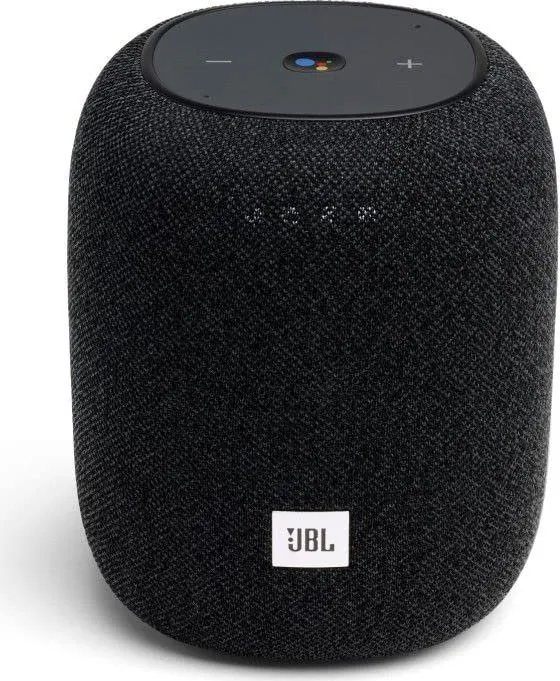
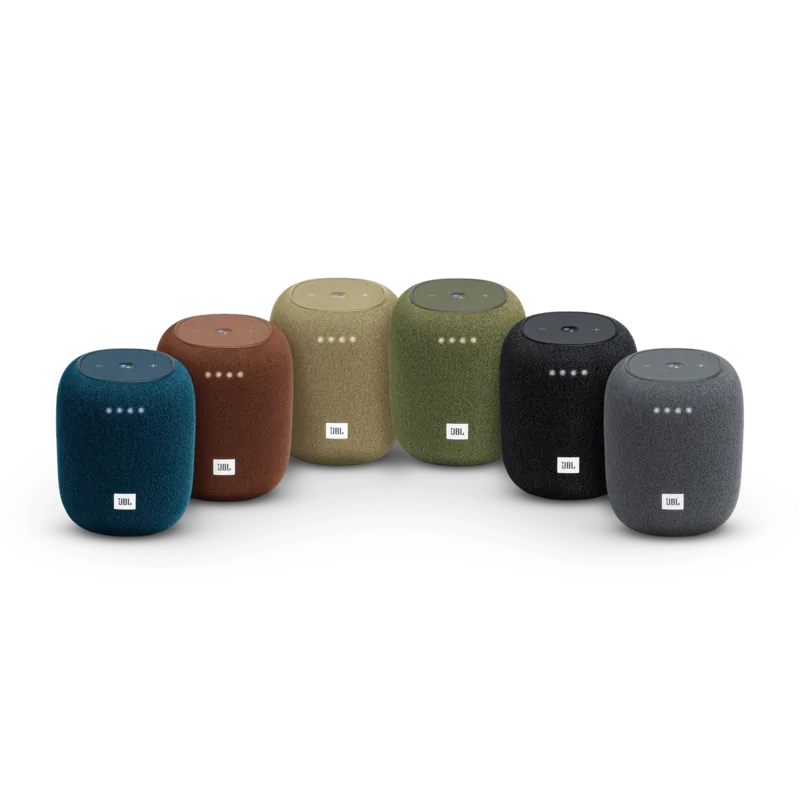
JBL Link Music Manual: A smart speaker built for everyday listening
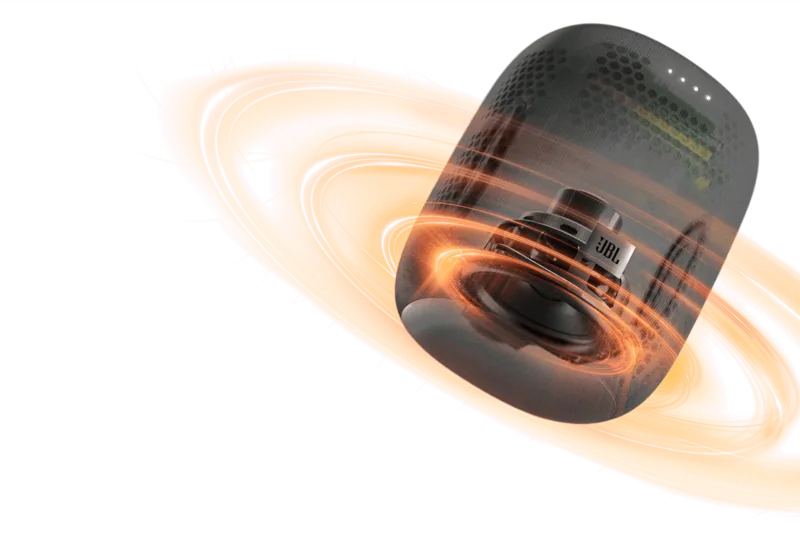
JBL Link Music brings convenient voice control and multi-room-friendly streaming into one compact smart speaker. Designed for living spaces, it delivers clear, room-filling audio with a 20W RMS output and a 64mm transducer, covering a frequency range of 60Hz to 20kHz. It also supports popular audio formats like MP3, FLAC, and WAV (LPCM), so your library sounds faithful whether you stream over Wi-Fi or connect via Bluetooth.
At the heart of the experience is Google Assistant support for hands-free control. From the front-top, simple button presses let you stop audio, manage timers, and handle alarms and spoken responses. Press and hold the control for more than 2 seconds to activate Google Assistant, making it easy to ask for music, quick info, or routine commands without reaching for your phone.
Easy setup with Google Home and AirPlay 2
Getting started is straightforward. Use the Google Home app to add the speaker: open Home, choose Add Accessory, select the Link Music speaker when it appears, then name it and select the room it will live in. If you prefer Apple devices, AirPlay 2 setup is supported through the Apple Home app for AirPlay 2 users, with guided steps to add the accessory, pick a name, and assign a room.
For connectivity flexibility, JBL Link Music supports dual-band Wi-Fi (802.11 a/b/g/n/ac for 2.4GHz and 5GHz) and Bluetooth 4.2. It is also intended for indoor use, with regulatory behavior affecting the 5150-5350 MHz range in specific countries.
Key takeaways
- Smart voice control: press and hold to activate Google Assistant, plus quick music and alarm controls.
- Flexible streaming: Wi-Fi for richer integration, or Bluetooth 4.2 for direct pairing.
- AirPlay 2 support: set up through Apple Home when using AirPlay 2.
- Broad compatibility: supports HE-AAC, LC-AAC, MP3, Vorbis, WAV (LPCM), FLAC, and Opus.
- Built for daily use: compact size (112 x 134 mm) and lightweight design (730g).
Notes
- An internet connection is required for voice features and online services.
- Google Assistant availability can vary by language and country.
- Some AirPlay 2 controls require an iOS version of iOS 11.4 or later.
- Operating in 5150-5350 MHz requires indoor use in listed countries.
Search for 67,706 Manuals online


Type-in Brand or Model