
JBL Aquaristic LED Solar Manual
PDF manual · 53 Pages
English



Quick check
Incorrect answer, please try again.
Chat with your JBL Aquaristic LED Solar manual using AI
Get instant AI answers from your JBL Aquaristic LED Solar manual
Ask anything about the JBL Aquaristic LED Solar. Answers come from this manual, with the pages they are based on.
LED Solar Maintenance Schedule
Use a JBL WishWash cloth moistened with JBL Clean A to remove limescale deposits once a week. Always disconnect the power plug before cleaning.
Use a lint-free dry cloth to remove dust and other deposits from the top of the light as required. Always disconnect the power plug before cleaning.
Ask a Question
Do you recommend LED Solar?
Yes NoFrequently Asked Questions
You can switch modes using the dedicated buttons on the device interface. Simply press the mode button to toggle between the dynamic Effect setting and the steady Natur setting suitable for plant growth.
Is this answer helpful?
Yes, the Natur mode provides a full spectrum of light optimized for photosynthesis, making it ideal for supporting healthy growth in planted aquariums.
Is this answer helpful?
No, this model relies on manual operation. You must manually turn the lights on and off or use an external timer plug if you need automated scheduling.
Is this answer helpful?
The standard warranty typically covers manufacturing defects for one year from the date of purchase. Check your local retailer for specific terms.
Is this answer helpful?
While primarily designed for freshwater, the light spectrum can support certain marine species. However, specialized marine lighting is often recommended for reef tanks requiring specific intensities.
Is this answer helpful?
The brightness is adjustable within the manual settings, allowing you to dim or brighten the LEDs to suit different tank depths and plant requirements.
Is this answer helpful?
The unit measures approximately 15mm in height and fits standard aquarium widths, though exact length depends on the specific model variant purchased.
Is this answer helpful?
Advantages and Disadvantages
Advantages

- Simulates natural day-night cycles effectively for fish health
- Offers dual modes for both dramatic effects and natural growth
- Simple manual controls make setup easy for beginners
- Compact design fits well in small to medium aquariums
- Energy-efficient LED technology reduces electricity costs
Disadvantages

- Manual adjustment requires physical interaction rather than remote control
- Limited customization options compared to fully automated smart systems
- No built-in timer function; relies on user intervention for scheduling
- May require frequent cleaning to prevent dust accumulation on lenses
- Initial cost might be higher than basic fluorescent alternatives
Product Specification
Application
Aquarium, Terrarium
Product Description
Discover the Magic of JBL LED Solar
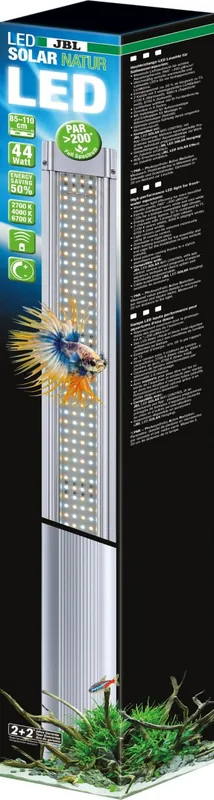
The aquarium hobby has evolved significantly, and few innovations have captured the imagination of enthusiasts quite like the JBL LED Solar. This lighting system represents a perfect fusion of solar-inspired technology and aquatic aesthetics, designed to bring vibrant life to your underwater world. Whether you are cultivating lush planted tanks or creating a naturalistic biotope for fish, the JBL LED Solar offers a versatile solution that mimics the gentle rhythm of nature.
Natural Light Cycles
One of the standout features of this product is its ability to simulate natural daylight cycles. The system transitions smoothly from dawn to dusk, providing a realistic environment that reduces stress for aquatic inhabitants. The manual controls allow users to customize these phases, ensuring that your tank receives the optimal amount of light intensity throughout the day. This attention to detail helps promote healthy plant growth while maintaining the well-being of your fish.
Two Distinct Modes
The JBL LED Solar comes equipped with two primary modes: Effect and Natur. The Effect mode creates dynamic lighting scenarios that can mimic storms, moonlight, or seasonal changes, adding an element of drama and excitement to your viewing experience. In contrast, the Natur mode focuses on a steady, balanced spectrum that supports photosynthesis and highlights the natural colors of your aquatic plants and animals. Choosing between these modes allows aquarists to tailor the atmosphere of their tank to specific needs or personal preferences.
Installation and Usability
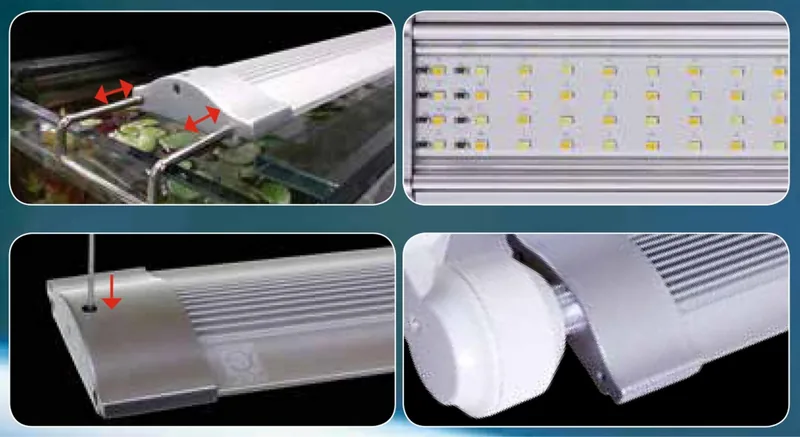
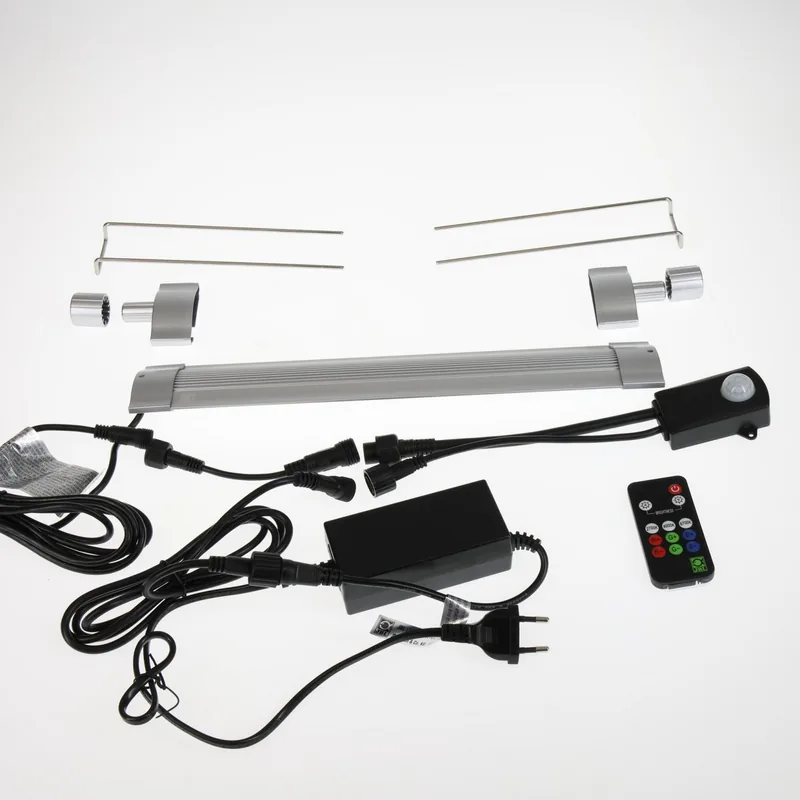
Despite its advanced features, the unit is designed for straightforward installation. With a slim profile and compact dimensions, it fits seamlessly into various tank sizes without overwhelming the space. The manual operation ensures that even beginners can easily adjust settings without needing complex software or external controllers. This user-friendly approach makes high-quality aquarium lighting accessible to everyone.
Notes on Maintenance
Regular cleaning of the lens is recommended to maintain optimal light output. Additionally, checking the solar charging capability if applicable ensures long-term efficiency. Always refer to the manufacturer guidelines for specific care instructions to maximize the lifespan of your lighting unit.
Pros and Cons
Pros
- Simulates natural day-night cycles effectively for fish health.
- Offers dual modes for both dramatic effects and natural growth.
- Simple manual controls make setup easy for beginners.
- Compact design fits well in small to medium aquariums.
- Energy-efficient LED technology reduces electricity costs.
Cons
- Manual adjustment requires physical interaction rather than remote control.
- Limited customization options compared to fully automated smart systems.
- No built-in timer function; relies on user intervention for scheduling.
- May require frequent cleaning to prevent dust accumulation on lenses.
- Initial cost might be higher than basic fluorescent alternatives.
Frequently Asked Questions
How do I switch between Effect and Natur modes?
You can switch modes using the dedicated buttons on the device interface. Simply press the mode button to toggle between the dynamic Effect setting and the steady Natur setting suitable for plant growth.
Is the JBL LED Solar suitable for planted tanks?
Yes, the Natur mode provides a full spectrum of light optimized for photosynthesis, making it ideal for supporting healthy growth in planted aquariums.
Does the unit come with a timer?
No, this model relies on manual operation. You must manually turn the lights on and off or use an external timer plug if you need automated scheduling.
What is the warranty period for this product?
The standard warranty typically covers manufacturing defects for one year from the date of purchase. Check your local retailer for specific terms.
Can I use this light for marine tanks?
While primarily designed for freshwater, the light spectrum can support certain marine species. However, specialized marine lighting is often recommended for reef tanks requiring specific intensities.
How bright is the light output?
The brightness is adjustable within the manual settings, allowing you to dim or brighten the LEDs to suit different tank depths and plant requirements.
What dimensions does the unit have?
The unit measures approximately 15mm in height and fits standard aquarium widths, though exact length depends on the specific model variant purchased.
Search for 67,706 Manuals online


Type-in Brand or Model