
Jaybird Run Manual
PDF manual · 17 Pages
English



Quick check
Incorrect answer, please try again.
Chat with your Jaybird Run manual using AI
Get instant AI answers from your Jaybird Run manual
Ask anything about the Jaybird Run. Answers come from this manual, with the pages they are based on.
Ask a Question
Do you recommend Run?
Yes NoVideo Manual
How to Enter Pairing Mode Manually on Jaybird Run?
Frequently Asked Questions
Each earbud provides approximately 4 hours of playback on a full charge. The included charge case supplies two additional recharge cycles, giving about 8 extra hours and roughly 12 hours total combined playtime.
Is this answer helpful?
Turn off the right bud, then press and hold its multi-function button for about 6 seconds to enter pairing mode. Open your device’s Bluetooth settings and select "Jaybird Run" to pair. The LED blinks green while in pairing mode.
Is this answer helpful?
Yes. Use the Jaybird App to adjust equalizer settings, choose presets, and save custom sound profiles directly to the earbuds so your personalized audio travels with the buds across devices.
Is this answer helpful?
Try a factory reset: put the buds into pairing mode, press and hold the right bud’s multi-function button for about 6 seconds until the LED flashes green, then press the button twice. The LED will turn orange and the buds will power off; they will enter pairing mode when powered on.
Is this answer helpful?
They are sweat-proof and water-resistant, designed for workouts and light weather exposure. They are not fully waterproof; avoid submersion and ensure buds are dry before charging.
Is this answer helpful?
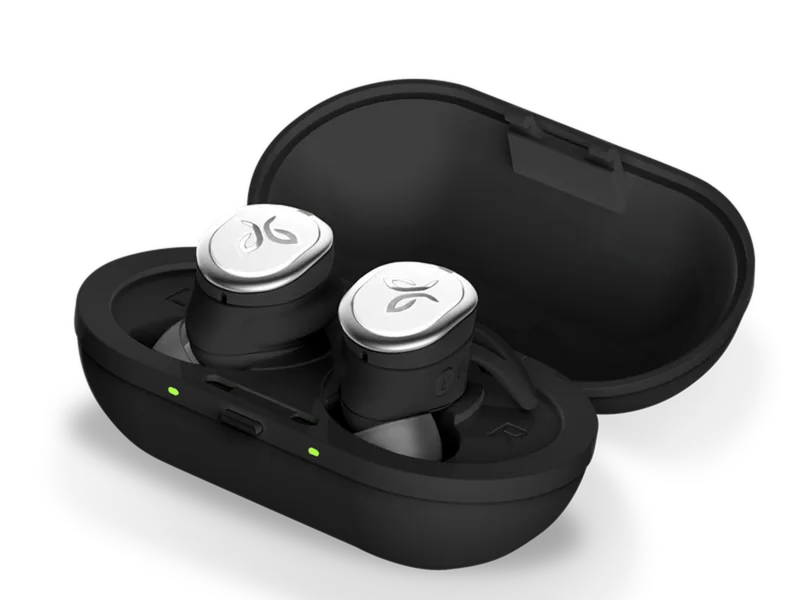
When placed in the charge case, the left and right LEDs pulse green while charging and turn solid green when fully charged. The case’s central LED pulses green while charging and turns solid green when full; it will briefly flash red when the case battery is low.
Is this answer helpful?
Yes. Multi-function buttons handle play/pause, accept/end calls, skip tracks, and activate voice assistants. Some single-press behaviors can be customized in the Jaybird App for left and right buds.
Is this answer helpful?
Advantages and Disadvantages
Advantages

- Secure, customizable fit with multiple ear tips and fins for active use.
- True wireless freedom with a dedicated right-bud master connection.
- Custom sound via Jaybird App and onboard preset storage.
- Fast-charge provides up to 1 hour playback from a 5-minute charge.
- Portable charge case offers two additional full recharge cycles.
Disadvantages

- Right-bud-as-master means optimal range depends on device placement.
- Adding heavy bass through EQ can reduce battery life.
- About 4 hours per single charge may be short for extended outings.
- Physical button controls can be less convenient than touch controls.
- Not fully waterproof — suitable for sweat and light water exposure only.
Product Specification
Type
Earbuds (In-Ear)
Form factor
True Wireless, Ear fins
Acoustic design
closed
Microphone
integrated
Wireless
Bluetooth 4.1
Controls
1-button remote control
Operating time
4h
Battery
USB Micro-B charging port, Charging case
Frequency range
20Hz-20kHz
Impedance
16Ω
Sensitivity
103dB
Driver
0.24 in
Device features
water resistant
Software features
Voice assistant (Apple Siri, Google Assistant)
Color
black
Weight
0.03 lb
Product Description
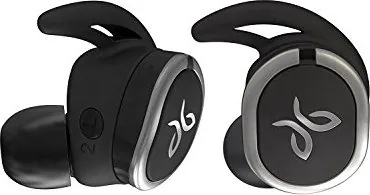
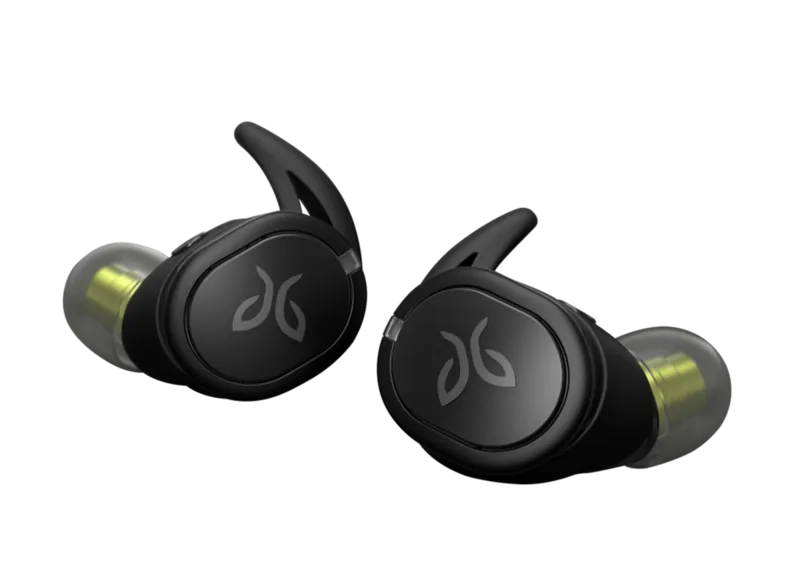
Jaybird Run Black — Performance True Wireless Earbuds
The Jaybird Run black delivers a focused, sport-ready true wireless experience built for runners and active users who want secure fit, solid battery life, and customizable sound. These compact earbuds come with multiple silicone tips and fins to tailor the fit to your ear, providing stability during movement while isolating sound for a more immersive listening session. Their sweat-proof, water-resistant design stands up to workouts and light weather, making them reliable for daily training.
Equipped with a right-bud master Bluetooth connection, the Jaybird Run black pairs quickly and maintains a stable link when the audio source is kept near the right earbud — for example in a right pocket. Each bud offers about 4 hours of playtime on a single charge; the included charge case supplies two additional full charges for a total of roughly 12 hours of combined playtime. Fast-charge capability gives up to an hour of playback from just five minutes of charging, while full charging cycles take a couple of hours depending on whether you’re charging the buds or the case.
Controls are handled through multi-function buttons on each bud: power on/off, pairing, play/pause, call handling, voice assistant activation, and track skipping. Customization is available via the Jaybird App, where you can tweak EQ presets, save personalized sound profiles directly to the buds, rename the device, change button behavior, and even use tools like Find My Buds and usage tutorials. Note that adding extra bass through EQ may reduce battery runtime.
Pairing is straightforward: put the right bud into pairing mode and select Jaybird Run from your device’s Bluetooth menu. If you run into issues, factory reset is possible via a sequence of button presses that returns the buds to original settings and forces pairing mode on next power-up.
Care instructions advise cleaning eartips regularly, drying buds before charging, and listening responsibly to protect your hearing. The package includes the earbuds with preinstalled tips and fins, a carry pouch, the charge case, multiple ear tips and fins, and a USB charging cable. Overall, the Jaybird Run black is a compact, customizable, and workout-oriented wireless solution for users seeking reliable fit and personalizable audio.
Notes
- Right earbud acts as the master for Bluetooth connections.
- 4 hours per charge; two recharge cycles from case (approx. +8 hours).
- 5-minute quick charge = ~1 hour playback.
- Use the Jaybird App to save EQ presets to the earbuds.
- Clean and dry tips before charging to protect the electronics.
Search for 67,706 Manuals online


Type-in Brand or Model
Christopher Graham
9 months ago
Are these Jaybird Run worth the price, or is it an older/overpriced model? I saw comments saying it costs almost double.
Manual.ly
9 months ago
Based on customer feedback, people are generally impressed with the sound quality, strong bass, fast Bluetooth pairing, and the secure fit for sports. The main complaint is the price, especially when sellers list an older model or charge a premium. To avoid overpaying, check the exact product name and model/version in the listing, verify that it is the current Jaybird Run, and compare the price with other sellers. If you are buying for daily use and workouts, the reviews suggest you can expect reliable comfort and sound, while phone call volume may be a bit limited for some users.