

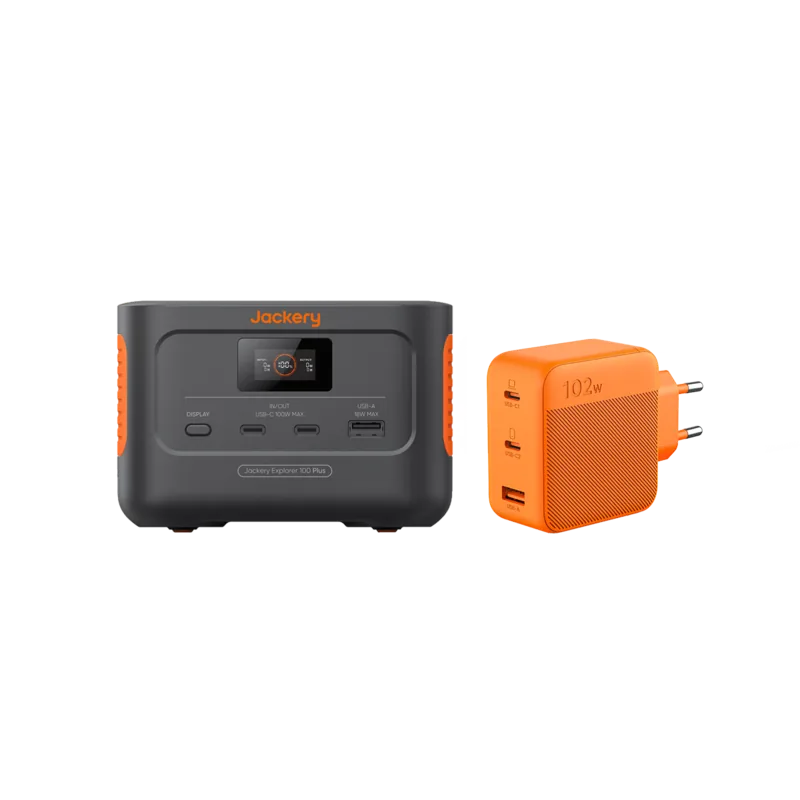
Jackery Explorer 100 Plus Manual
PDF manual · 35 Pages
English



Quick check
Incorrect answer, please try again.
Chat with your Jackery Explorer 100 Plus manual using AI
Get instant AI answers from your Jackery Explorer 100 Plus manual
Ask anything about the Jackery Explorer 100 Plus. Answers come from this manual, with the pages they are based on.
Explorer 100 Plus Maintenance Schedule
Fully charge the battery at least once every 6 months. Failure to do so voids the warranty on the battery cell.
Check the unit prior to every use. Do not use if damaged, broken, or if cords are damaged.
Free maintenance reminders
Timed to your purchase date. Always free, unsubscribe anytime.
Ask a Question
Do you recommend Explorer 100 Plus?
Yes NoFrequently Asked Questions
The product utilizes a LiFePO4 internal battery type. This chemistry is designed for high safety and durability. It allows the unit to maintain 80 percent capacity after over 2000 life cycles. This ensures the power station remains reliable for years of regular use in camping or emergency settings.
Is this answer helpful?
No, the USB-C wall charger is not included in the package list. You will need to purchase this accessory separately or use alternative charging methods. The unit features a USB-C input port allowing flexibility for different charging sources.
Is this answer helpful?
The Explorer 100 Plus supports a maximum combined output of 128 Watts depending on the port configuration used. It can handle multiple USB-C ports and USB-A outputs simultaneously. This capacity is suitable for charging laptops, phones, and small appliances.
Is this answer helpful?
Yes, the product can be charged with a 12V car charger. You must ensure your vehicle provides 12V power and not 24V. Starting the vehicle before charging prevents draining the car battery. Always ensure a good connection to the cigarette lighter to avoid damage.
Is this answer helpful?
The battery is rated for 2000+ cycles to at least 80 percent capacity. This high cycle life is a key feature of the LiFePO4 technology used inside. It provides long-term value for users who rely on portable power frequently.
Is this answer helpful?
No solar panels are included. Recommended accessories include the SolarSaga 100 or 60 watt panels. You must connect compatible panels to the USB-C input port for solar charging. Third party panels may not work optimally or safely.
Is this answer helpful?
Advantages and Disadvantages
Advantages

- LiFePO4 battery provides over 2000 charge cycles for long-term use
- Lightweight design weighs only 2.13 lbs for easy portability
- Maximum combined output reaches 128 Watts for various devices
- USB-C Power Delivery supports fast charging on multiple ports
Disadvantages

- Dedicated wall charger is not included in the standard package
- Car charging requires a 12V vehicle system only
- USB-A output is limited to 18 Watts maximum speed
Product Specification
Type
Solar Generator
Battery
LiFePO4, 99Wh
Battery Cycles
>2000 to 80% remaining capacity
USB Ports
2x USB-C (100W), 1x USB-A (18W)
Charging Methods
Solar, Car
Charging Time (AC Adapter)
1.8 h
Charging Time (Car Adapter)
2.5 h (12V)
Operating Temperature
-14 deg F to 104 deg F
Weight
2.13 lbs
Dimensions
3.43x4.96x3.41 in
Manufacturer Warranty
2 Years
Note
Prices include partially 0% VAT rates for AT and DE
Product Description
Powering Your Adventures with the Jackery Explorer
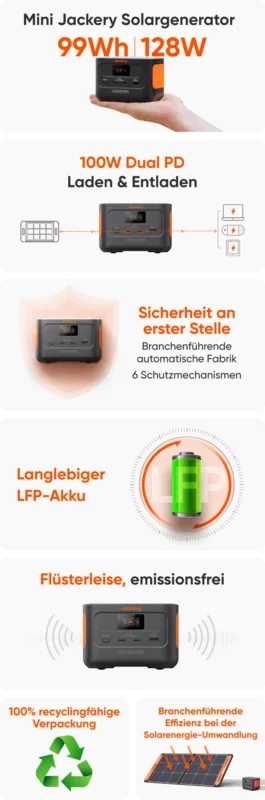
When you travel off-grid or face unexpected power outages, reliable energy becomes essential for maintaining connectivity and comfort in remote locations. The Jackery Power Station Explorer 100 Plus Solar Generator offers a compact yet robust solution for modern campers, digital nomads, and emergency preparedness kits. This device packs 99.2Wh of usable capacity utilizing advanced LiFePO4 chemistry which is known for safety and longevity. This battery type delivers over 2000 charge cycles while maintaining 80% capacity over time. Weighting just over two pounds at approximately 965 grams, it fits easily into any backpack or car storage compartment without adding significant burden to your travel load.
Charging Flexibility and Output
Powering your gear is simple thanks to multiple input and output options designed for versatility during travel. The built-in USB-C power delivery ports support speeds up to 100 Watts, allowing fast charging for sensitive laptops and smartphones simultaneously on the go. Solar charging is fully supported using compatible solar panels to replenish energy while exploring nature. You can also charge via standard wall outlets or through your vehicle using a cigarette lighter adapter, though a dedicated wall charger is not included in the standard package provided. The maximum combined output reaches 128 Watts depending on port configuration, ensuring high-wattage devices remain online without interruption. USB-A ports offer 18 Watts for smaller devices.
Smart Display Features and Modes
Managing energy levels is intuitive with the included LCD screen interface which provides clear visibility. Users benefit from an always-on display mode that tracks battery percentage and remaining charge time in real time for better planning. The device automatically disables outputs when idle to conserve power, extending operational hours during critical moments or long camping trips outdoors. Low battery indicators warn users before complete depletion occurs, allowing for timely recharging strategies before power loss impacts your activities significantly.
Safety and Warranty Details
Operating within specific temperature ranges protects the internal cells from extreme environmental conditions that could cause failure. The product includes clear safety warnings regarding water exposure, disassembly, and maximum charging temperatures to prevent accidents during use. For added peace of mind, the manufacturer provides a two-year standard warranty covering original consumer purchasers against manufacturing defects in materials. To fully understand operational limits and maintenance protocols, consulting the Jackery Power Station Explorer 100 Plus Solar Generator Manual is highly recommended before first use. This ensures optimal battery health and personal safety during operation always. Always store the unit in a dry environment to maximize its lifespan and keep it away from children to prevent accidental damage or misuse of the electronics.
Search for 67,732 Manuals online


Type-in Brand or Model