
iRobot Roomba i3+ Manual
PDF manual · 73 Pages
English



Quick check
Incorrect answer, please try again.
Chat with your iRobot Roomba i3+ manual using AI
Get instant AI answers from your iRobot Roomba i3+ manual
Ask anything about the iRobot Roomba i3+. Answers come from this manual, with the pages they are based on.
Roomba i3+ Maintenance Schedule
Remove debris by tapping against a bin. Do not wash. Clean once a week (twice if you have pets).
Wipe the inner sensors with a clean, dry cloth.
Remove wheel module and clear debris from inside the cavity to ensure free spinning.
Remove hair or debris from brushes and caps. Clean twice a month if you have pets.
Wipe sensors and charging contacts with a clean, dry cloth. Do not use water or cleaning solution.
Replace the filter every two months for optimal performance.
Replace the front caster wheel annually or if visible wear appears.
Replace Edge-Sweeping and Multi-Surface Brushes annually or if visible wear appears.
Free maintenance reminders
Timed to your purchase date. Always free, unsubscribe anytime.
Ask a Question
Do you recommend Roomba i3+?
Yes NoFrequently Asked Questions
The Clean Base collects debris from the Roomba's bin when the robot returns during a cleaning cycle. It also serves as the robot's charging station, reducing the need for frequent manual bin emptying.
Is this answer helpful?
A solid red LED on the station indicates that the bag is full or missing. The iRobot HOME app can also provide alerts. Replace the bag and make sure it is fully seated before closing the lid.
Is this answer helpful?
Place it indoors on a level, dry surface with good Wi-Fi coverage. Leave about 0.5 m clear on both sides, 1.2 m in front, and 0.3 m above. Keep it at least 1.2 m away from stair edges.
Is this answer helpful?
A flashing red LED can indicate a leak or blockage in the dock's debris transfer path. Check that the lid is closed, empty the robot manually if needed, and remove debris from the robot port, station port, or transfer tube.
Is this answer helpful?
Inspect and wipe the charging contacts and IR window once a month using a clean, dry cloth. Also check the blower cover monthly and remove lint or debris. Do not spray cleaners directly onto sensors or openings.
Is this answer helpful?
No. The station is designed for dry indoor household use only. Keep it away from water, wet surfaces, hot areas, and outdoor exposure. Do not handle the plug or unit with wet hands.
Is this answer helpful?
Advantages and Disadvantages
Advantages

- Automatic dirt disposal reduces how often users need to empty the robot's bin.
- The robot can return to the base to empty debris and recharge during cleaning.
- LED alerts and app notifications help identify a full, missing, or poorly fitted bag.
- Sealed bag removal helps limit dust release during bag changes.
- Monthly care mainly involves simple dry cleaning of contacts, sensors, and the blower cover.
Disadvantages

- Disposable bags must be replaced when the station indicates they are full or missing.
- The base needs generous open space and should be kept 1.2 m from stair edges.
- Blockages in the debris port or transfer tube may require manual inspection and clearing.
- The system is intended only for dry indoor use and must not be exposed to liquids.
- A manually docked robot may need an app or robot command to start emptying.
Product Specification
Robot Vacuum Cleaner
Battery
1x battery (14.4 V, 1.8 Ah, lithium-ion)
Color
black
Capacity
13.53 fl oz
Cleaning Modes
Vacuuming
Navigation
Cliff sensor, dirt sensor, obstacle detection, carpet detection
Filtration
yes
Display
no
Special Features
2x floor brushes (rubber brushes), 1x side brush, programmable cleaning times, learning function
Smart Home
App control (iRobot HOME), voice assistant (Amazon Alexa, Google Assistant)
Operating Time
90 min
Charging Time
3 h
Charging System
automatic
Dimensions
13.39 x 3.64 in (diameter x height)
Weight
7.01 lb
Package Contents
Station, replacement filter, 2x anti-allergen bags
Station
Station Color
black
Station Display
no
Station Special Features
automatic charging function, automatic dust emptying
Product Description
iRobot Roomba i3+ incl. self-emptying station - Read, Download & Print Free
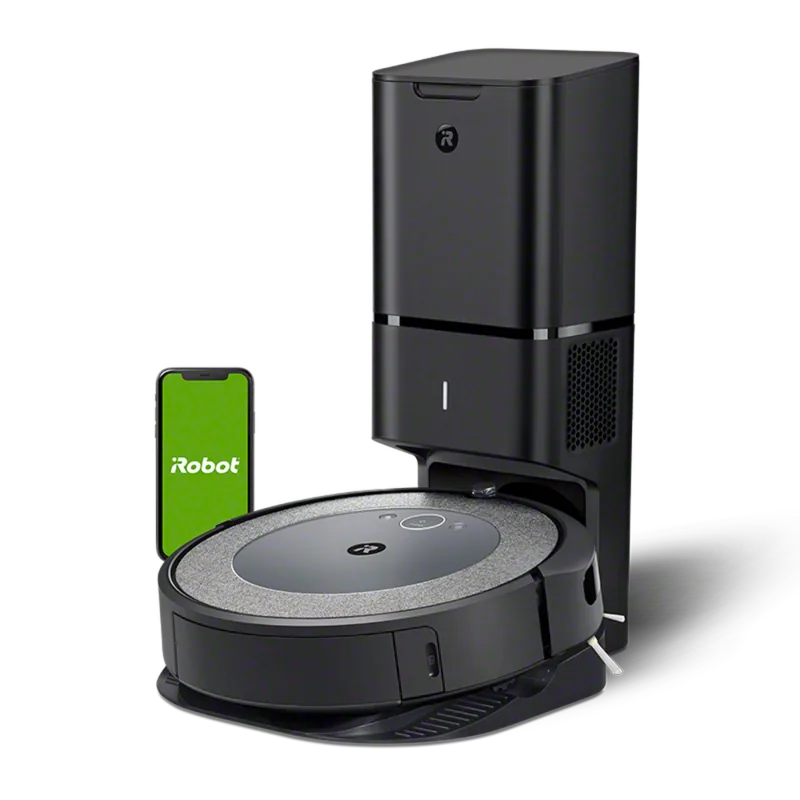
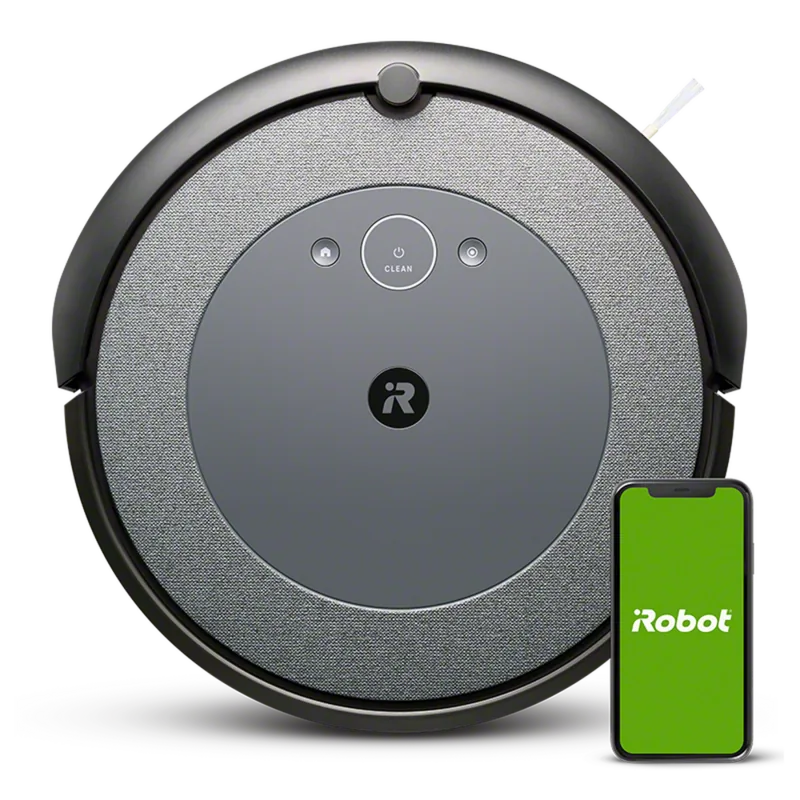
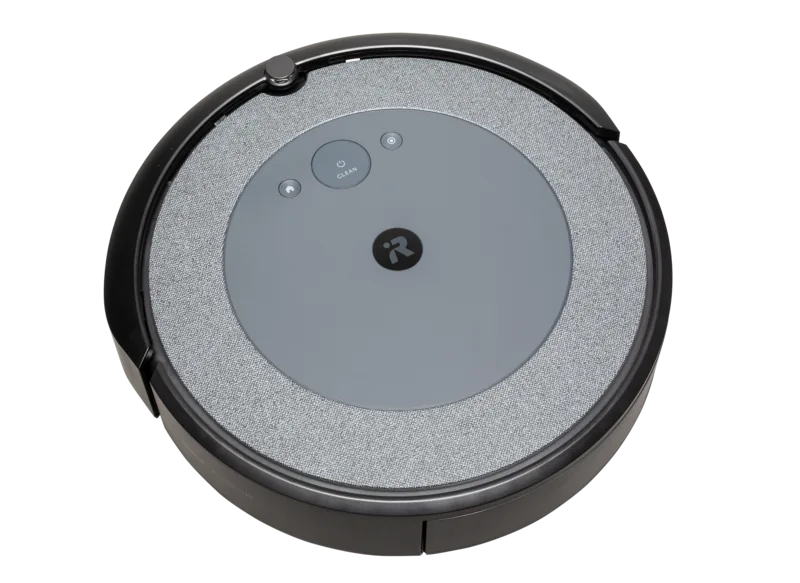
The iRobot Roomba i3+ incl. self-emptying station is designed to make regular floor care more convenient for busy households. This robot vacuum works with the Clean Base Automatic Dirt Disposal unit, allowing it to return to its dock during cleaning, empty collected debris, and recharge when needed. The result is a more hands-off cleaning routine with less frequent contact with dust and dirt.
Convenient automatic emptying
The Clean Base transfers debris from the robot's bin into a disposable bag. A front LED indicator and the iRobot HOME app can alert users when the bag is full, missing, or incorrectly installed. The bag is designed to seal during removal, helping keep captured dust contained while it is being replaced.
Automatic emptying is especially useful in homes with pets, high-traffic rooms, or frequent daily cleaning schedules. If the robot is placed on the dock manually, users can trigger bin emptying through the robot controls or the iRobot HOME app.
Setup and placement
For dependable operation, place the Clean Base indoors on a level surface with good Wi-Fi coverage. The station should have clear space around it: approximately 0.5 m on each side, 1.2 m in front, and 0.3 m above. It should also be positioned at least 1.2 m away from stair edges to reduce the risk of falls.
Keep the dock away from wet areas, hot surfaces, and outdoor conditions. The unit is intended for dry indoor household use and should be connected directly to a standard household AC outlet using the approved power cable for the region.
Routine care for steady performance
Simple maintenance helps the self-emptying system work efficiently. Check the charging contacts and IR window monthly, then wipe them using a clean, dry cloth. The blower cover inside the base should also be inspected monthly for lint or debris. Avoid spraying cleaning products directly onto sensors or openings.
When the bag indicator turns solid red, replace the bag and ensure the lid is fully closed. A flashing red light can signal a blockage or leak in the debris path. Inspect the robot's debris port, the station port, and the transfer tube for obstructions. If overheating protection activates, unplug the station, allow it to cool for 30 minutes, remove blockages, and reconnect it.
Notes
- Use the Clean Base only with a bag and filter installed.
- Disconnect the robot from the station before cleaning or maintenance.
- Do not use voltage converters, liquids, or wet hands with the unit.
- Keep children and pets supervised around the operating robot and station.
Search for 67,732 Manuals online


Type-in Brand or Model