
iRobot Roomba Combo j9+ Manual
PDF manual · 120 Pages
English



Quick check
Incorrect answer, please try again.
Chat with your iRobot Roomba Combo j9+ manual using AI
Get instant AI answers from your iRobot Roomba Combo j9+ manual
Ask anything about the iRobot Roomba Combo j9+. Answers come from this manual, with the pages they are based on.
Roomba Combo j9+ Maintenance Schedule
Remove the filter from the bin and tap it against a rubbish bin to remove debris. Do not wash the filter.
Remove the front wheel module and clear any hair or debris from inside the wheel cavity and the wheel itself.
Wipe the inner sensors and the bin door with a clean, dry cloth to ensure proper detection.
Wipe the charging contacts on the bottom of the robot with a clean, dry cloth to prevent charging issues.
Wipe the charging contacts on the Clean Base Auto-Fill Dock with a clean, dry cloth.
Clean Edge-Sweeping and Multi-Surface Brushes once a month (twice if pets). Wipe sensors, camera window, and pad shelf monthly.
Inspect and wipe the dock's sensors, IR window, and visual docking target with a clean, dry cloth.
Replace the robot's filter every two months to maintain optimal suction and performance.
Replace the front caster wheel and both the Edge-Sweeping and Multi-Surface Brushes every 12 months.
Wash the mopping pad with warm water after each mopping job. Handwash or machine wash on warm cycle and air dry.
Empty the bin as needed when it is full or when the robot indicates it needs emptying.
Replace the mopping pad after approximately 30 washes to ensure effective cleaning.
Free maintenance reminders
Timed to your purchase date. Always free, unsubscribe anytime.
Ask a Question
Do you recommend Roomba Combo j9+?
Yes NoFrequently Asked Questions
Follow the step-by-step instructions in the guide to set up your unit. Ensure you have good Wi-Fi coverage. Place the Clean Base Auto-Fill Dock on hard-surface flooring away from direct sunlight. Maintain a 1.2-meter distance from stairs for safety. Ensure the area around the station is free of clutter to improve docking performance.
Is this answer helpful?
Only use authorized Cleaning Solutions found on the iRobot website. Do not use bleach-based products. Household cleaning products must be safe when used according to label instructions. Using unauthorized cleaners may damage the unit or void the warranty.
Is this answer helpful?
The robot uses PrecisionVision Navigation to identify and avoid obstacles in real time. However, it is still recommended to remove excess obstacles before cleaning. The robot will detect objects and navigate around them safely. If it senses a problem, the light ring indicator will alert you.
Is this answer helpful?
Bags should be replaced when prompted by the LED indicator or app notifications. The Clean Base indicates when a new bag is needed with a solid red Error LED. Replacing the bag ensures that dust and debris are sealed effectively.
Is this answer helpful?
Yes, if stored correctly. Always charge and remove the Battery from your robot and accessories before long-term storage. Do not store the battery in extreme heat. Keep the battery pack clean and dry to ensure safety and longevity.
Is this answer helpful?
Clean the filter once a week, or twice if you have a pet. Wash the mopping pad after a mopping job. Clean brushes once a month. Use a dry cloth for sensors. Do not wash the filter in a machine. Replace parts if there is visible wear.
Is this answer helpful?
Advantages and Disadvantages
Advantages

- Vacuum and mop simultaneously with automatic pad retraction on carpets
- Self-emptying and self-refilling base station reduces manual maintenance
- PrecisionVision technology avoids obstacles like shoes and pet waste
- Connectivity via Home App allows remote scheduling and mapping
- Dirt Detect mode ensures thorough cleaning of heavily soiled areas
Disadvantages

- Requires specific authorized cleaning solutions to avoid damaging seals
- Charging dock must be placed away from stairs for safety reasons
- Lithium-ion battery requires strict handling to prevent overheating
- Filters and brushes need regular cleaning to maintain performance
- Do not operate outdoors or on wet surfaces due to electrical risk
Product Specification
Cleaning Robot
Battery
1x Battery (4.5Ah, Li-Ion)
Color
black, gold
Capacity
10.59 fl oz Dust, 7.10 fl oz Fresh Water
Cleaning Modes
Vacuum, Vacuum & Mop
Navigation
Obstacle Sensor, Fall Sensor, Dirt Sensor, Zones, Obstacle Detection, Carpet Detection (Mop Pad Lift Function)
Filtration
yes
Display
no
Features
2x Floor Brush (Rubber Brush), 1x Side Brush, 1x Mop Pad, Programmable Cleaning Times, Learning Function
Smart Home
App Control (Wi-Fi (WLAN), iRobot-HOME), Voice Assistant (Amazon Alexa, Apple Siri, Google Assistant)
Charging System
Automatic
Dimensions
13.70x3.43in (Dia x H)
Weight
8.97 lbs
Package Contents
Station (CleanBase), Replacement Filter, Side Brush, 2x Mop Cloth, 2x Dust Bags
Station
Station Color
black, brown
Station Display
no
Station Features
Auto-charging Function, Auto-refill Function, Auto-empty Function
Station Capacity
101.44 fl oz (Fresh Water)
Station Weight
21.91 lbs
Total Weight
30.89 lbs
Product Description
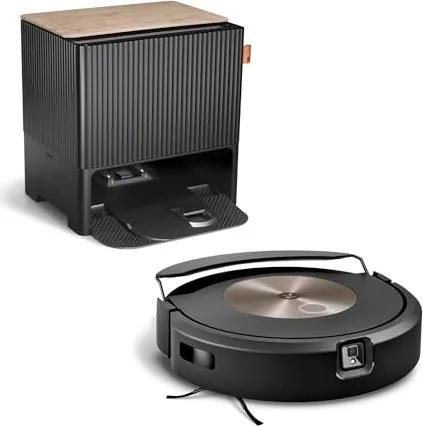
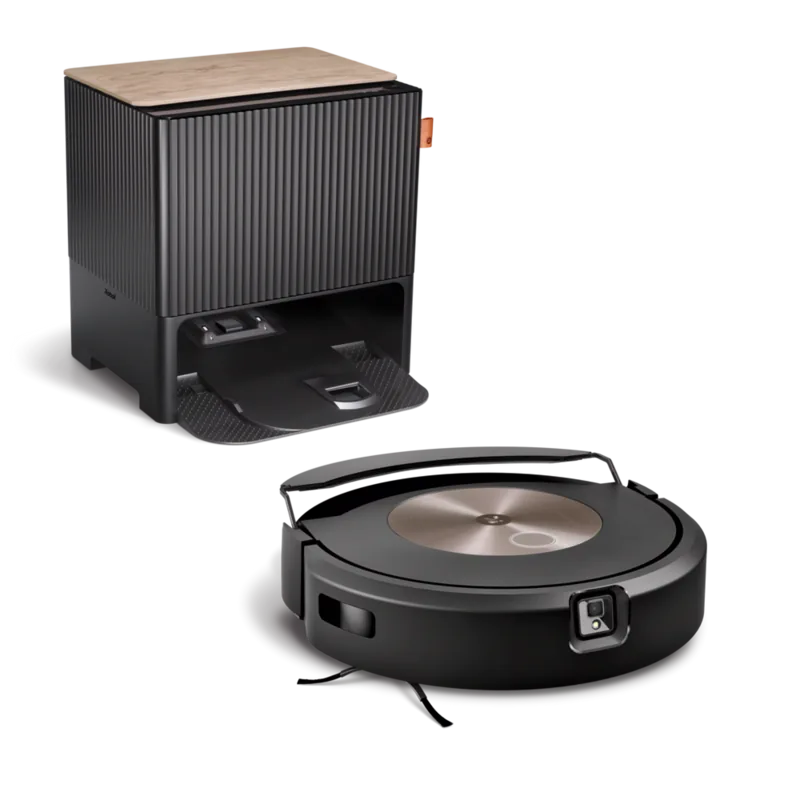
Experience Smart Cleaning with the iRobot Roomba Combo j9+
Keeping your home spotless requires significant effort and valuable time. The iRobot Roomba Combo j9+ Vacuum/Mop Robot with Self-Emptying Station offers a comprehensive cleaning solution for modern households seeking convenience. This advanced device combines powerful vacuuming with detailed mopping capabilities, ensuring that both hard floors and carpets receive the thorough attention they need. Users appreciate the integrated technology that allows the robot to navigate around furniture, shoes, and pet waste without hesitation. The smart mapping feature creates digital layouts of your rooms, letting you schedule cleanings for specific areas at convenient times. This automation saves hours of manual labor.
The Clean Base Auto-Fill Dock is the heart of this cleaning ecosystem. It automates the most tedious aspects of robotic maintenance by emptying the dust bin into a sealed bag and refilling the water reservoir for mopping tasks. This system reduces the frequency of manual intervention to a minimum, allowing owners to forget about daily chores for weeks at a time. The robot is also equipped with PrecisionVision technology, which uses a front-facing camera to detect and avoid obstacles in real time. This ensures safe operation even in cluttered environments typical of busy family living spaces. Battery safety guidelines must be followed strictly to prevent damage.
Safety is paramount when operating any electrical appliance in the home. The guide warns users to strictly follow battery handling instructions to prevent thermal issues. Lithium Ion batteries must not be crushed or exposed to extreme heat sources. The charging dock requires specific placement away from stairs to prevent falls. Regular maintenance includes cleaning the brushes and sensors to ensure longevity and performance. The Home App provides troubleshooting tips and connects directly to customer support resources for assistance. This connectivity keeps users informed about bag levels and error codes instantly. Following these steps ensures the unit operates reliably.
Important Usage Notes for Maximum Efficiency
Only authorized cleaning solutions should be used to maintain seals and filters. Ensure the charging contacts remain clean to prevent connection issues with the dock. Do not attempt to operate the device outdoors or on wet surfaces. The base should never be blocked by debris or foreign objects inside the port. Always check for loose cords or hazardous items on the floor before starting a job. Recycling and disposal must follow local environmental regulations for electronic waste disposal. Proper care extends the life of your investment and maintains warranty coverage.
Search for 67,732 Manuals online


Type-in Brand or Model