
iRobot Roomba Combo i5 Manual
PDF manual · 97 Pages
English



Quick check
Incorrect answer, please try again.
Chat with your iRobot Roomba Combo i5 manual using AI
Get instant AI answers from your iRobot Roomba Combo i5 manual
Ask anything about the iRobot Roomba Combo i5. Answers come from this manual, with the pages they are based on.
Roomba Combo i5 Maintenance Schedule
Remove debris by tapping against trash. Do not wash. Twice weekly if you have a pet.
Wipe inner sensors with a clean, dry cloth.
Remove wheel, clear hair and debris from cavity, and reinstall until it clicks.
Remove hair and debris. Clean twice monthly if you have a pet.
Wipe sensors, camera window, and charging contacts with a clean, dry cloth.
Replace the filter every two months to ensure proper operation.
Replace the wheel annually or if visible wear appears.
Replace brushes annually or if visible wear appears.
Hand wash with warm water or machine wash on warm cycle and air dry.
Replace the pad after approximately 30 washes.
Free maintenance reminders
Timed to your purchase date. Always free, unsubscribe anytime.
Ask a Question
Do you recommend Roomba Combo i5?
Yes NoFrequently Asked Questions
Although the robot comes with a partial charge, it is recommended that you charge the robot for three hours prior to starting the first cleaning job. This ensures the battery is fully active and stable.
Is this answer helpful?
Household cleaning products are safe only if used according to instructions. You should only use authorized cleaning solutions found on answers.irobot.com/roomba-combo-cleanser to avoid damage.
Is this answer helpful?
The battery MUST be turned off before shipping. Remove the robot from the charging station and hold the button for 10 seconds. Package the robot securely. Refer to the troubleshooting section for specific shipping regulations.
Is this answer helpful?
The filter should be cleaned once a week. If you have a pet, it is recommended to clean it twice a week. The filter must be dry before reinserting to ensure proper function.
Is this answer helpful?
The Dual Mode Virtual Wall Barrier creates an invisible barrier that only the robot can see. It can be set to block openings up to 10 feet in Virtual Wall mode or create a circular zone in Halo mode.
Is this answer helpful?
You can hand wash the pad with warm water. Alternatively, machine wash using the warm cycle but do not tumble dry. Air dry after washing and do not wash with delicates to maintain fabric integrity.
Is this answer helpful?
Advantages and Disadvantages
Advantages

- Dirt Detect mode identifies heavily soiled areas to adjust cleaning patterns automatically for deep cleaning.
- Combo Bin system provides dual functionality allowing vacuuming and mopping by swapping components.
- Dual Mode Virtual Wall Barrier creates invisible barriers to zone off areas for pets or electronics.
- Smart Mapping technology enables the robot to learn home layout for customized schedules and preferences.
- iRobot Home App enables remote control, tracking history, and firmware updates via Wi-Fi connectivity.
Disadvantages

- Requires specialized authorized cleaning solutions to avoid damage to internal sensors or plastic components.
- Battery must be turned off and removed before shipping per stringent transportation regulations.
- Manual cleaning of filters and brushes is necessary weekly or monthly to maintain peak performance.
- Charging station must be placed away from stairs to prevent the robot from falling down.
Product Specification
Robot Vacuum
Battery
1x Battery (14.4V, 1.8Ah, NiMH)
Color
grey, black
Cleaning Modes
Vacuum, Vacuum & Mop
Navigation
Zones
Filtering
Yes
Display
No
Features
2x Floor Brush, 1x Side Brush, 1x Mop Attachment (Microfiber Pad), programmable cleaning times, learning function
Smart Home
App Control (Wi-Fi (WLAN), iRobot-HOME), Voice Assistant (Amazon Alexa, Apple Siri, Google Assistant)
Runtime
1h
Charge Time
3h
Charging System
Automatic
Dimensions
13.39x3.62in (DxH)
Weight
7.01lbs
What's in the Box
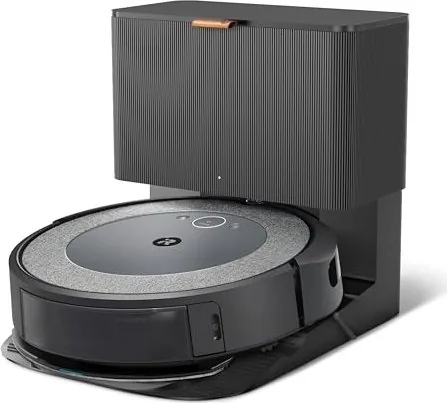
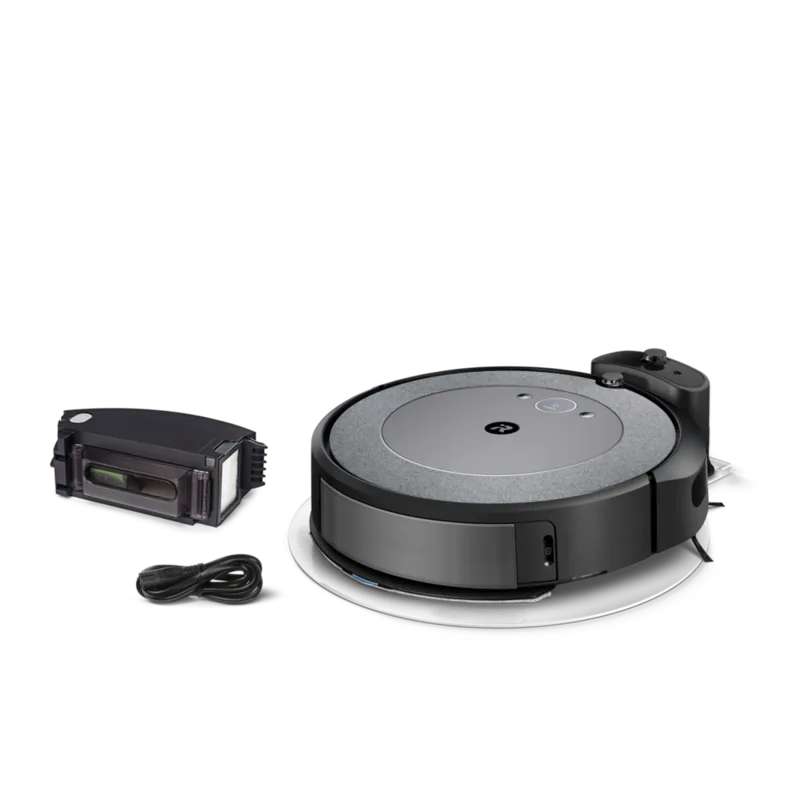
Station, Removable Dustbin (Roomba Combo), Replacement Filter, Microfiber Mop Cloth, Drip Tray
Station
Station Color
black
Station Display
No
Product Description
Discover the Power of Automated Cleaning
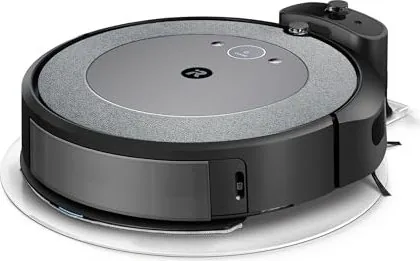
Maintaining a pristine home does not have to be an overwhelming task. With modern technology, you can achieve spotless floors with minimal effort. The iRobot Roomba Combo i5 stands out as a versatile cleaning companion designed to handle both vacuuming and mopping duties seamlessly. This device combines the convenience of robot vacuuming with the effectiveness of mopping, making it an ideal choice for mixed flooring environments. To fully utilize its potential, understanding the comprehensive features and safety guidelines is essential. Referencing the official iRobot Roomba Combo i5 Manual ensures you operate the device safely and efficiently. Ignoring specific setup instructions can lead to suboptimal performance or safety hazards around the home.
Key Features for a Spotless Home
This robot excels in multitasking across various floor types. The Combo Bin system provides dual functionality, allowing you to switch between vacuuming debris and mopping hard surfaces by simply swapping components. Dirt Detect mode identifies heavily soiled areas to adjust cleaning patterns automatically, ensuring deep cleaning where needed most. Furthermore, the Smart Mapping technology enables the robot to learn your home layout through a mapping run. This allows for customized cleaning preferences and precise scheduling. The Dual Mode Virtual Wall Barrier adds another layer of control, helping you define specific zones where cleaning should or should not occur. This is particularly useful for protecting pet bowls or sensitive electronics from accidental contact.
Maintenance and Care Requirements
Keeping your robot in top condition requires regular attention and care. The manufacturer outlines a detailed maintenance schedule in the instructions. Filters require cleaning once a week, while brushes need monthly checks to remove hair or debris buildup. Batteries demand careful handling, especially during shipping or long-term storage to prevent damage. Adhering to these instructions prevents mechanical failures and extends the lifespan of your investment. Always use authorized cleaning solutions to ensure compatibility with the water tank and mopping pad. Improper liquids can damage internal sensors or plastic components.
App Connectivity and Control
The iRobot Home App allows for remote interaction regardless of your current location. You can start, pause, or stop cleaning cycles digitally through your phone. The app also provides troubleshooting tips and firmware updates for the device connecting to Wi-Fi is necessary for these advanced features. It also allows you to track usage history and battery status visually. This digital interface enhances the usability of the hardware significantly. Regular updates keep your robot running smoothly with the latest features available.
Safety and Battery Precautions
Safety is paramount when utilizing electrical appliances in any residential environment. Ensure the charging station is placed away from stairs and exposed electrical outlets to prevent serious hazards. The robot should never be exposed to water or moisture except during its intended mopping function. Children should be supervised during operation, as this appliance is not a toy for play. Before running on hard floors, test compatibility to avoid permanent scratches on surfaces. Proper positioning of the Home Base also guarantees safe return and charging cycles for the lithium batteries. Do not charge with unauthorized chargers to avoid fire risks.
Why Choose This Model
Investing in advanced cleaning appliances pays off in saved time and consistently cleaner floors throughout your home. By following the recommendations within the provided resources, you ensure optimal performance day after day. Whether navigating around furniture, avoiding obstacles, or managing dusty bins, precision is key for best results. Embrace the convenience of smart home cleaning with proper knowledge and care. The device works best when integrated into your daily routine correctly. Trust the system to handle daily dirt accumulation while you focus on other priorities.
Search for 67,732 Manuals online


Type-in Brand or Model