
ioSafe 218 Manual
PDF manual · 16 Pages
English



Quick check
Incorrect answer, please try again.
Chat with your ioSafe 218 manual using AI
Get instant AI answers from your ioSafe 218 manual
Ask anything about the ioSafe 218. Answers come from this manual, with the pages they are based on.
Ask a Question
Do you recommend 218?
Yes NoFrequently Asked Questions
It is designed to store and protect digital data with added resistance to fire and water damage, while still offering standard NAS features like shared storage, backups, and network access.
Is this answer helpful?
Yes. It runs Synology DSM, giving users a browser-based interface for setup, storage management, backups, and system monitoring.
Is this answer helpful?
It supports two internal SATA drives, which can be configured in different storage modes such as Basic, JBOD, RAID 0, RAID 1, or Synology Hybrid RAID.
Is this answer helpful?
Setup is straightforward, especially with Web Assistant. You connect it to power and network, then use a browser to find the device and complete DSM installation.
Is this answer helpful?
Its main difference is disaster-resistant protection. The enclosure is built to help safeguard drives from heat and water exposure when properly assembled.
Is this answer helpful?
Yes. The front copy button and USB port let you connect a device and transfer data directly to the NAS without needing a full computer workflow.
Is this answer helpful?
Advantages and Disadvantages
Advantages

- Fire and water resistance add a rare layer of protection for critical data.
- Synology DSM provides a familiar, user-friendly management experience.
- Two-bay design supports flexible RAID choices and drive redundancy.
- USB ports and a copy button make local backups quick and convenient.
Disadvantages

- Only one Gigabit LAN port may limit networking flexibility for advanced setups.
- Drive installation requires careful assembly to preserve waterproof protection.
- Preloaded or diskless setup differences may confuse first-time buyers.
- Best results depend on correct use of compatible drives and covers.
Product Specification
Hard drive
N/A
Internal
2x 2.5"/3.5", SATA 6Gb/s, Hot-Swap
External
1x Gb LAN
Additional ports
2x USB-A 3.0 (Host), 1x USB-A 2.0 (Host)
RAID Level
0/1/JBOD
CPU
Realtek RTD1296, 4x 1.40GHz (ARM Cortex-A53)
RAM
2GB DDR4
Fan
1x 3.62in
Power consumption
14.99W (operation), 5.78W (idle)
Dimensions
9.06x5.91x11.50 in (WxHxD)
Weight
28.00 lbs
Special features
iSCSI, 256bit AES encryption, FTP server, DLNA server, iTunes server, WebDAV, Cloud storage, fireproof according to ASTM E119, waterproof
Warranty
12 months
USB notation
Link
Product Description
ioSafe NAS 218, 1x Gigabit LAN Manual: A Durable NAS Built for Protection
The ioSafe NAS 218 is more than a compact two-bay network storage device—it is designed for people who want dependable everyday backups with added disaster resistance. Built on Synology DSM and powered by a single 1x Gigabit LAN connection, it combines familiar NAS features with rugged protection against fire and water damage. For home offices, small teams, and anyone storing valuable files, it offers a reassuring mix of performance and resilience.
A storage system with disaster-ready design
What makes the ioSafe 218 stand out is its protective engineering. The enclosure is made to help shield data from extreme heat and prolonged water exposure when assembled correctly. That makes it especially attractive for users who keep business records, family archives, media libraries, or project files that would be difficult to replace. The front cover, waterproof drive cover, and secure drive installation steps are all part of that layered defense.
Inside, the system supports two SATA drives and offers flexible RAID options, including RAID 1 and Synology Hybrid RAID. That means users can choose between capacity, redundancy, or a balanced setup depending on their needs. The NAS also supports hot-swappable drives, scheduled power functions, and wake-on-LAN, adding convenience to its practical design.
Easy setup with familiar Synology tools
The ioSafe 218 uses Synology’s DiskStation Manager, so the software experience feels polished and approachable. Setup is handled through Web Assistant, which helps locate the device on the local network and begin installation in a browser. Once online, DSM provides a clean interface for file sharing, backup management, user accounts, and device monitoring.
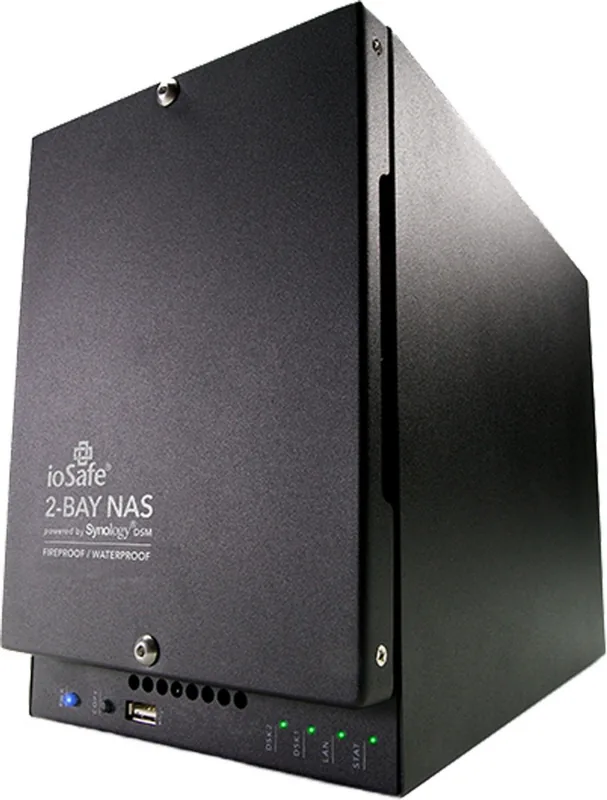
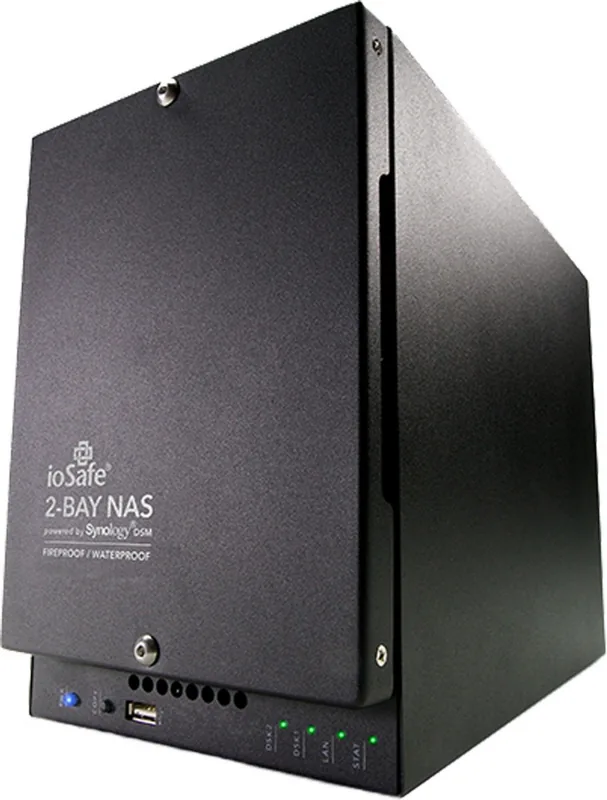
On the hardware side, the NAS includes front and rear USB ports, a dedicated copy button, LED status indicators, and a reset button for recovery tasks. These features make it easy to connect peripherals, move files quickly from a USB drive, and keep track of system health at a glance. The single Gigabit LAN port keeps networking simple and reliable, especially in environments that do not need multi-port complexity.
Final thoughts
The ioSafe NAS 218 is a strong choice for anyone who values data safety as much as storage capacity. It is not just about keeping files online—it is about protecting them when conditions become unpredictable.
Notes
- Best suited for users who want NAS convenience with added physical protection.
- Drive installation matters: the waterproof cover must be tightened correctly.
- DSM makes administration easier for both beginners and experienced users.
Search for 67,706 Manuals online


Type-in Brand or Model