
InWin Aurora RGB Manual
PDF manual · 20 Pages
English



Quick check
Incorrect answer, please try again.
Chat with your InWin Aurora RGB manual using AI
Get instant AI answers from your InWin Aurora RGB manual
Ask anything about the InWin Aurora RGB. Answers come from this manual, with the pages they are based on.
Ask a Question
Do you recommend Aurora RGB?
Yes NoFrequently Asked Questions
Its main appeal is the mix of cooling performance, modular cable management, and customizable RGB lighting. It is built for users who want a tidy, visually striking PC setup without sacrificing airflow.
Is this answer helpful?
Yes. The lighting effects can be managed through In Win’s exclusive software. Users can adjust illumination and lighting behavior to better match their build or personal preference.
Is this answer helpful?
The fans and LED strips can be linked together using modular connectors. This helps simplify installation, improves cable organization, and allows a more synchronized lighting setup.
Is this answer helpful?
Yes. The Turbo mode increases fan speed to improve cooling, which can be useful when a PC is under heavy load or when overclocking increases heat output.
Is this answer helpful?
Yes. The design includes shockproof rubber stands at the corners to reduce vibration and case resonance, helping the system run more quietly.
Is this answer helpful?
Users should confirm the power is off, follow the IN/OUT connector order, and make sure every cable is fully seated. The LED strip should also be handled gently to avoid damage.
Is this answer helpful?
Advantages and Disadvantages
Advantages

- Modular fan-and-LED linking helps reduce cable clutter and makes custom layouts easier to build.
- Addressable RGB lighting supports multiple colors and software-based effect control.
- Turbo mode boosts fan speed for stronger cooling during demanding system use.
- Rubber corner stands help absorb vibration and reduce operating noise.
Disadvantages

- Installation requires careful attention to IN/OUT connector order, which may be confusing at first.
- The LED strips and cables should not be modified, limiting DIY changes.
- Use is intended for indoor setups only, so it is not suitable for every environment.
Product Specification
Fan connector
6-Pin proprietary with daisy chain socket, removable cable
Dimensions
4.72x4.72x0.98 in (WxHxD)
RPM
800-1400 rpm
Airflow
40.25 CFM
Air pressure
0.06 inH2O
Noise level
23.7-30 dB(A)
Fan bearing
hydrodynamic plain bearing (FDB)
Voltage range
5-12 V
Power consumption
0.86 W
Lighting
RGB
LED controller/adapter
Synchronization connection via USB 2.0 header, fan/LED connections: 1x 6-Pin proprietary, with 4-Pin PWM input, power supply: 15-Pin SATA
Special features
Vibration dampeners, 2x LED strip (11.81 in)
Manufacturer's warranty
2 years
Note
Fans are operated via LED controller (LED control) using a proprietary 6-Pin connector
Product Description
In Win Aurora RGB: Modular Cooling with a Lightshow
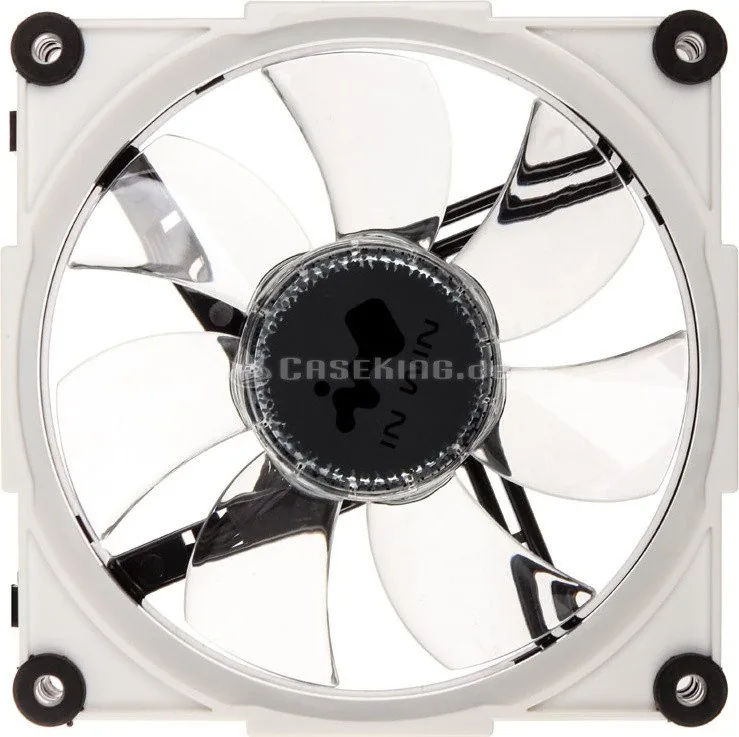
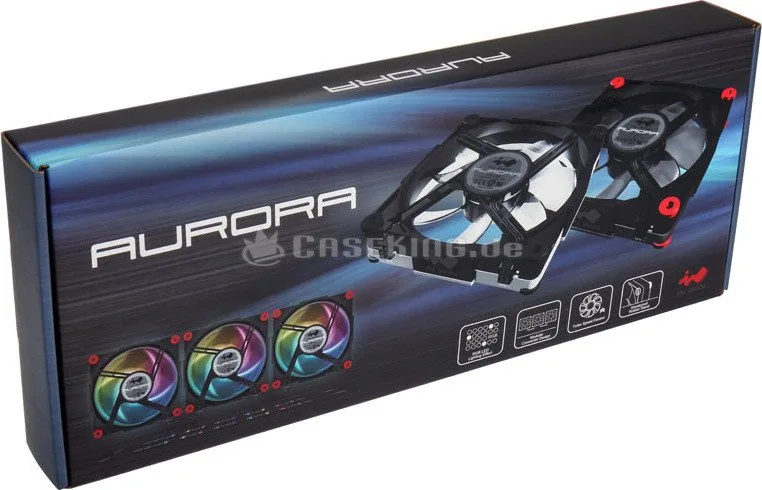
The In Win Aurora RGB Manual highlights a fan system designed for builders who want performance, flexibility, and style in one package. Aurora is more than a standard cooling fan set; it combines airflow control, synchronized RGB lighting, and a modular connection layout that helps keep the inside of a PC case neat and easy to manage.
One of its biggest strengths is the modular connector design. Fans and LED strips can link together in sequence, which reduces cable clutter and makes expansion simpler. Instead of dealing with messy wiring, users can build a cleaner layout and create a more unified lighting effect across multiple components. This makes Aurora especially appealing for custom PC builds where appearance matters as much as function.
Lighting is another major focus. The addressable RGB LEDs use an internal IC chip that can display multiple colors at the same time. With the included software, users can adjust lighting effects and frequency to match their setup or mood. This makes the system feel highly customizable rather than locked into a few preset patterns. The result is a more personal and dynamic look.
Aurora also includes Turbo speed control for users who need stronger cooling during demanding workloads. When a system is overclocked or pushed hard, the fan can ramp up to deliver more airflow. At the same time, shockproof rubber stands help reduce vibration and unwanted noise, which is valuable for anyone who wants a quieter desktop environment.
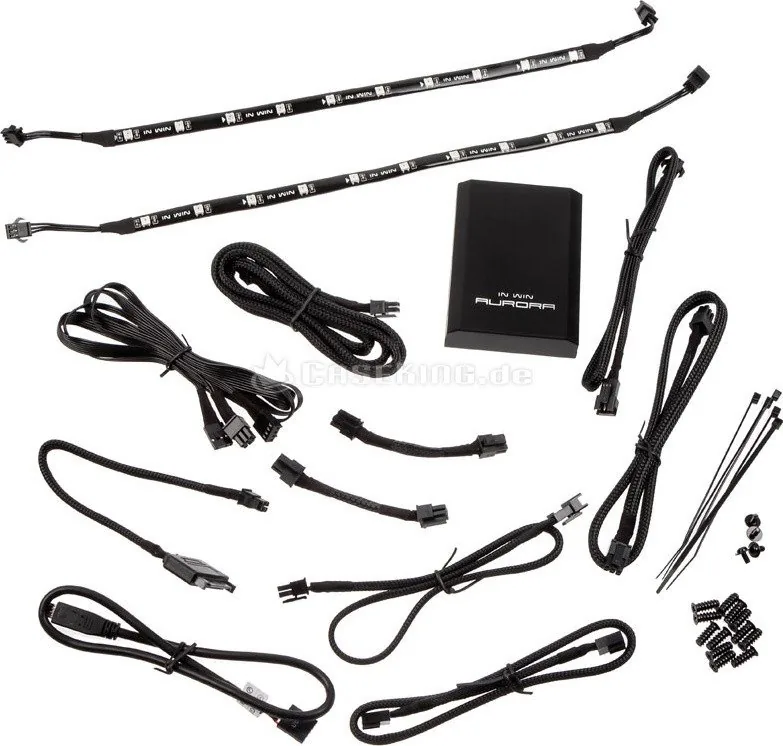
The package is built around a practical installation flow, with a controller, multiple cables, screws, and LED strips included. The fans connect through clearly marked IN and OUT ports, and the software-driven lighting control adds another layer of convenience. Overall, Aurora aims to balance style and function without forcing users to choose one over the other.
Notes
- Designed for indoor PC use only.
- LED strips should be bent gently and never forced.
- Use only compatible In Win cables and LED strips.
- Check IN/OUT orientation carefully during installation.
Search for 67,706 Manuals online


Type-in Brand or Model