
InWin 305 Manual
PDF manual · 14 Pages
English



Quick check
Incorrect answer, please try again.
Chat with your InWin 305 manual using AI
Get instant AI answers from your InWin 305 manual
Ask anything about the InWin 305. Answers come from this manual, with the pages they are based on.
Ask a Question
Do you recommend 305?
Yes NoFrequently Asked Questions
This chassis supports ATX, Micro-ATX, and Mini-ITX motherboards, providing flexibility for various build sizes.
Is this answer helpful?
Yes, the side panel comes pre-installed with tempered glass to showcase your internal components immediately.
Is this answer helpful?
The maximum compatibility for a VGA card is 350mm in length, allowing for most modern graphics cards.
Is this answer helpful?
It includes 2 x 3.5-inch drive bays and 2 x 2.5-inch drive bays, with capacity for up to 3 drives internally.
Is this answer helpful?
The maximum CPU heatsink height is 160mm to ensure proper clearance for most air cooling solutions.
Is this answer helpful?
Yes, an extra fee applies if you opt for a closed panel instead of the standard pre-installed glass panel.
Is this answer helpful?
Yes, a 360mm radiator can be mounted at the top of the chassis for liquid cooling setups.
Is this answer helpful?
Advantages and Disadvantages
Advantages

- Includes tempered glass side panel for better visibility
- Supports multiple fan sizes for advanced cooling
- Features USB 3.0 and USB 2.0 front ports
- Compliant with ATX, Micro-ATX, and Mini-ITX boards
Disadvantages

- Closed panel version requires extra fees
- Power supply length limited to 200mm
- Requires careful handling of tempered glass panel
Product Specification
External
N/A
Internal
2x 3.5" (horizontal, drive rails), 2x 2.5"
Connections
2x USB-A 3.0 (5Gb/s), 2x USB-A 2.0 (480Mb/s), 1x 3.5mm Jack (Line-Out), 1x 3.5mm Jack (Line-In)
PCI Slots
7
Fan (front)
N/A
Fan (rear)
1x 4.72" (optional)
Fan (left)
N/A
Fan (right)
3x 4.72" (optional)
Fan (top)
N/A
Fan (bottom)
3x 4.72" (optional)
Fan (other)
N/A
Motherboard
up to ATX (10.55" wide)
Power Supply
ATX
Power Supply Position
top (vertical)
CPU Cooler
max. 6.30" height
Graphics Cards
max. 13.78"
Lighting
without lighting
Dimensions (WxHxD)
9.76x19.69x19.06"
Volume
2.12 cu. ft.
Weight
25.42 lbs
Case Type
Midi Tower
Top
closed
Bottom
partially closed, mostly fan grille, dust filter inside
Left
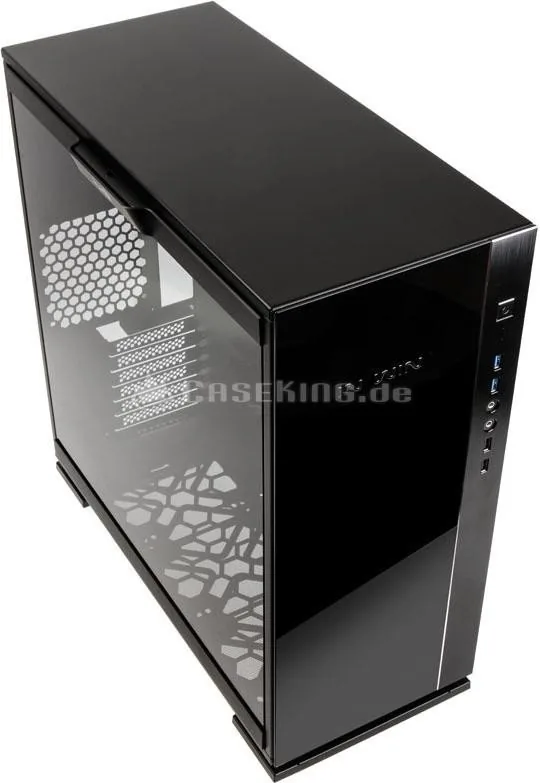
closed, glass
Right
partially closed, fan grille top, dust filter inside
Back
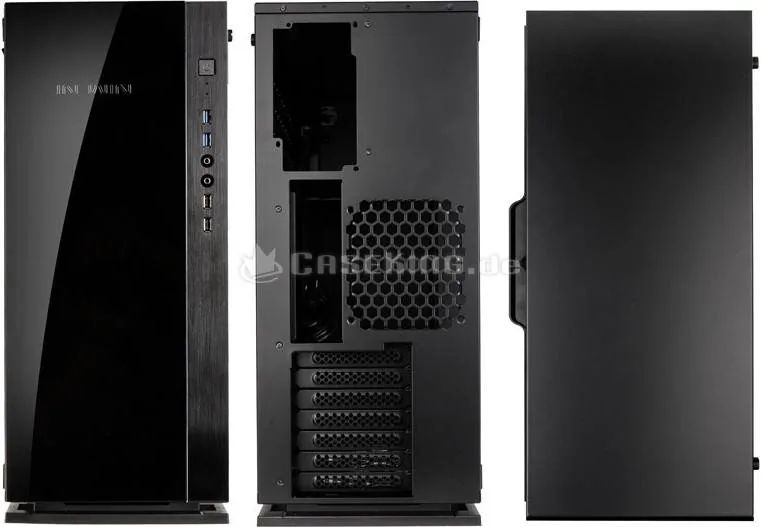
partially closed, fan grille right center, PCI slots bottom (7x horizontal)
Front I/O Position
Chassis Side: Front, Height: center, Position: right
Features
Cable Management, Dust Filter, Glass View Window
Product Description
The In Win 305 Chassis Overview
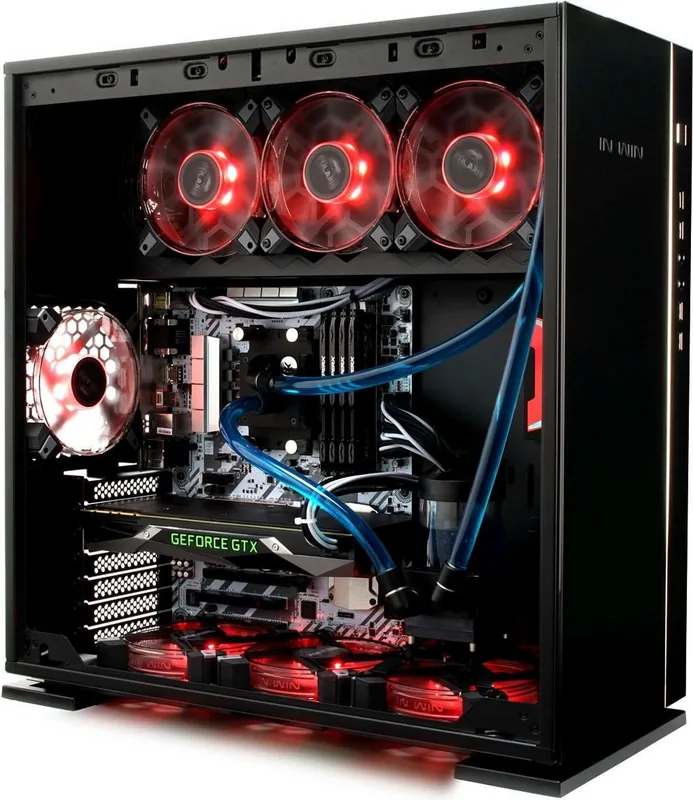
The In Win 305 represents a blend of style and functionality for PC enthusiasts. Crafted from steel and tempered glass, this chassis offers a visually appealing setup while maintaining structural integrity. It is designed to house various motherboard sizes including ATX, Micro-ATX, and Mini-ITX. The build quality reflects skilled engineering, focusing on user experience and durability. Every component is selected to ensure optimal performance and visibility within your gaming rig or workstation.
Design Features
This mid-tower unit features a pre-installed glass side panel, allowing users to showcase internal components. The aesthetic is available in black or white, ensuring it fits any desk setup. Front connectivity includes two USB 3.0 and two USB 2.0 ports alongside standard audio jacks for easy access. Thermal management is a priority, with support for top, rear, and bottom fan configurations. The dimensions measure approximately 500mm by 248mm by 485mm, providing ample space for long hardware.
Installation and Compatibility
Building a system with this unit involves straightforward steps. Users can install graphics cards up to 350mm in length and CPU coolers up to 160mm high. The power supply section supports standard ATX12V units with a maximum length of 200mm. Cable management is facilitated through a dedicated power supply mounting area and included cable ties. As detailed in the In Win 305 Manual, the package includes essential stands, screws, and a graphics card holder to assist in assembly.
Key Highlights
Storage options are plentiful with two 3.5-inch and two 2.5-inch bays available. Some bays can accommodate up to three drives internally depending on configuration. Liquid cooling radiators fitting 360mm sizes can be mounted at the top. Safety notices emphasize using antistatic precautions to avoid damaging sensitive hardware. The product complies with RoHS regulations for environmental safety. Net weight sits around 11.53kg, making it stable yet manageable during transport.
Assembly Considerations
Opening the chassis requires pressing the handle on the tempered glass side panel carefully. Power supply installation requires specific hexagon head screws to secure the top bracket. Motherboard stand-offs must be used to prevent short circuits during operation. Users should remove rubber foot stands before loosening screws on the bottom fan area. Following proper installation procedures ensures longevity and prevents accidental damage to the motherboard or other system components during upgrade processes.
Important Notes
Always follow assembly guidelines to prevent component failure. Modifications void the warranty and may cause damage. Ensure all internal devices are removed before shipping. For detailed warranty information, the manufacturer website should be consulted. Incorrect installation may burn motherboard and other system components. Do not use this product for any other purpose than its intended use.
Search for 67,706 Manuals online


Type-in Brand or Model