
InWin 303 Manual
PDF manual · 15 Pages
English



Quick check
Incorrect answer, please try again.
Chat with your InWin 303 manual using AI
Get instant AI answers from your InWin 303 manual
Ask anything about the InWin 303. Answers come from this manual, with the pages they are based on.
Ask a Question
Do you recommend 303?
Yes NoFrequently Asked Questions
The In Win 303 supports ATX, Micro-ATX, and Mini-ITX motherboards. Its maximum listed motherboard compatibility is 12 by 10.7 inches.
Is this answer helpful?
The case supports graphics cards up to 350 mm long. It also includes a graphics-card support bracket to help stabilize larger or heavier cards.
Is this answer helpful?
Yes. The top mounting area supports either three 120 mm fans or one 360 mm radiator. The rear location also supports a 120 mm fan or 120 mm radiator.
Is this answer helpful?
The chassis supports two 3.5-inch drive positions and two pre-installed 2.5-inch positions. It can accommodate up to three 2.5-inch bays in total.
Is this answer helpful?
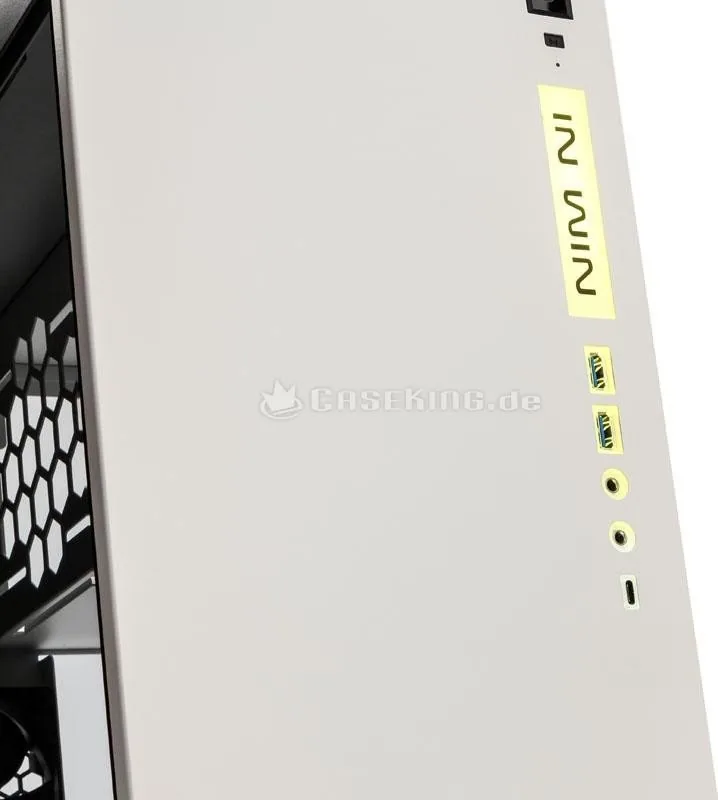
The front I/O panel includes two USB 3.0 ports, two USB 2.0 ports, and HD audio connections for headphones and a microphone. It also includes power, reset, and LED wiring.
Is this answer helpful?
The In Win 303 is compatible with ATX12V power supplies up to 200 mm long. The power supply mounts in the upper bracket area of the chassis.
Is this answer helpful?
Advantages and Disadvantages
Advantages

- Tempered glass and steel construction create a polished, durable appearance.
- Supports ATX, Micro-ATX, and Mini-ITX motherboards with seven PCI-E slots.
- Top mounting supports up to three 120 mm fans or a 360 mm radiator.
- Accepts graphics cards up to 350 mm and CPU coolers up to 160 mm.
- Front I/O includes two USB 3.0 ports, two USB 2.0 ports, and HD audio.
Disadvantages

- Power supply length is limited to 200 mm.
- Only one 120 mm rear fan or radiator position is supported.
- Storage capacity is limited to two 3.5-inch drives and up to three 2.5-inch drives.
- Tempered-glass panels require careful handling during installation and transport.
Product Specification
External
N/A
Internal
2x 3.5 in (horizontal, drive rails), 2x 2.5 in
PCI Slots
7
Fan (front)
N/A
Fan (left)
N/A
Fan (top)
N/A
Fan (bottom)
3x 4.72 in (optional)
Fan (other)
N/A
Motherboard
up to ATX (10.71 in wide)
Supported Motherboards
Mini-ITX (6.7 in x 6.7 in)/uATX (9.6 in x 9.6 in)/ATX (12 in x 9.6 in)/E-ATX (12 in x 10.7 in)
Power Supply
ATX (max. 7.87 in deep)
Power Supply Position
top (vertical)
CPU Cooler
max. 6.3 in height
Graphics Cards
max. 13.78 in
Case Type
Mid Tower
Front
closed
Top
closed
Bottom
partially closed, mostly fan grille, internal dust filter
Left
closed, glass
Right
partially closed, fan grille at top, internal dust filter
Rear
partially closed, fan grille centered on right, PCI slots at bottom (7x horizontal)
Front I/O Position
case side: front, height: center, position: right
Product Description
In Win 303 Manual: A Refined Mid Tower Case for Modern Builds
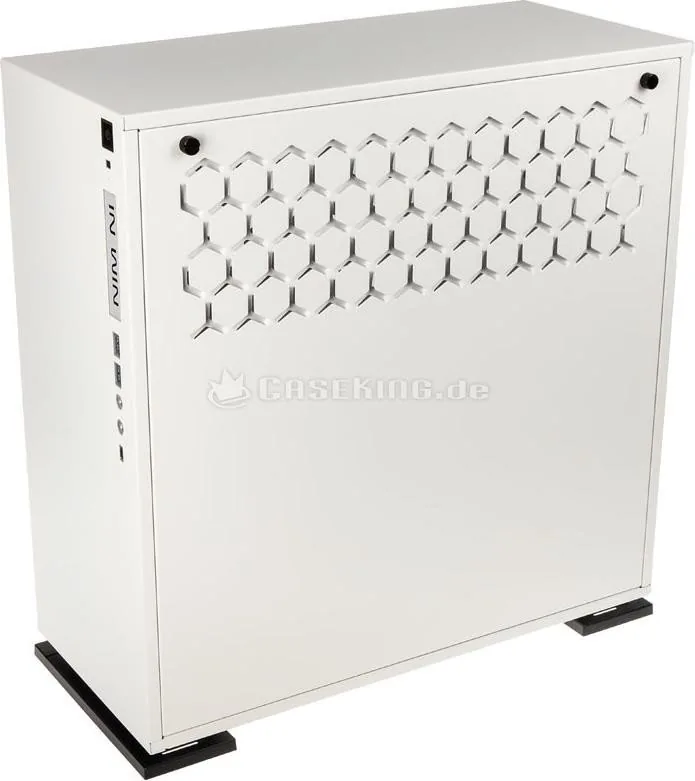
The In Win 303 is a mid tower computer case designed for builders who want a clean, premium-looking system without losing practical hardware support. Its combination of SECC steel construction and a pre-installed tempered-glass side panel gives the chassis a distinctive appearance, while the illuminated front logo adds a subtle visual accent. Available in black or white, the case suits minimalist workstations, gaming systems, and custom liquid-cooled builds.
Spacious Hardware Compatibility
This chassis supports ATX, Micro-ATX, and Mini-ITX motherboards, providing flexibility for a broad range of components. Seven PCI-E expansion slots accommodate multi-slot graphics cards, and the case supports GPUs up to 350 mm long. CPU air coolers can reach up to 160 mm in height, helping builders select capable cooling hardware without compromising the compact mid tower format.
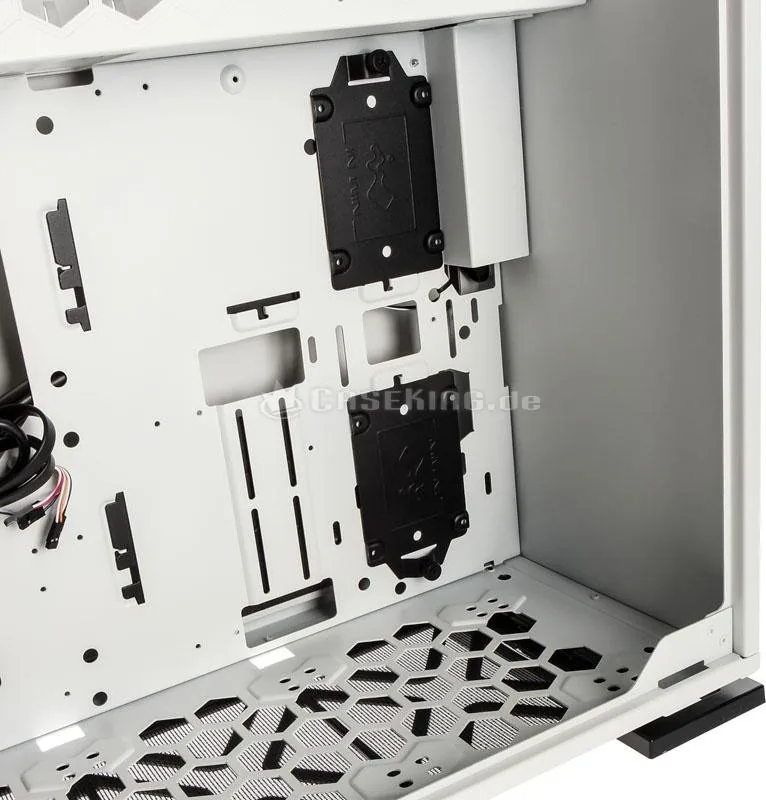
The In Win 303 Manual highlights a top-mounted power supply location compatible with ATX12V units up to 200 mm long. This layout helps separate the power supply from the bottom cooling area, which can be useful when planning airflow or radiator placement. A dedicated graphics-card support bracket is included to provide extra stability for heavier expansion cards.
Cooling and Storage Options
Cooling capacity is one of the case's strongest features. The top panel supports three 120 mm fans or a 360 mm radiator, making it suitable for enthusiast-grade liquid cooling. The rear can hold one 120 mm fan or 120 mm radiator, while the bottom area supports three additional 120 mm fans. A bottom dust filter helps reduce dust entering through the lower intake area.
For storage, the chassis includes mounts for two 3.5-inch drives and two pre-installed 2.5-inch drive positions, with support for up to three 2.5-inch bays. This arrangement allows a balanced mix of large-capacity hard drives and fast SSD storage. Cable ties are included to help keep the completed system tidy and improve internal airflow.
Connectivity and Everyday Use
The front I/O panel offers two USB 3.0 ports, two USB 2.0 ports, and HD audio connections for headphones and microphones. Power, reset, drive activity, and LED connections are designed for standard motherboard headers. The tempered-glass panel opens using the handle at its upper edge, offering convenient access during installation and maintenance.
Notes
- Use anti-static precautions when installing components.
- Remove internal hardware before transporting the case.
- Check component dimensions before selecting a graphics card, cooler, radiator, or power supply.
- Specifications and included accessories may vary by region.
Search for 67,706 Manuals online


Type-in Brand or Model