
InWin 101 Manual
PDF manual · 13 Pages
English



Quick check
Incorrect answer, please try again.
Chat with your InWin 101 manual using AI
Get instant AI answers from your InWin 101 manual
Ask anything about the InWin 101. Answers come from this manual, with the pages they are based on.
Ask a Question
Do you recommend 101?
Yes NoFrequently Asked Questions
It suits mid-range to high-performance builds that need a clean design, strong cooling options, and room for larger components. It works well for gaming systems, content creation PCs, and stylish everyday desktops.
Is this answer helpful?
The case supports ATX, Micro-ATX, and Mini-ITX motherboards. That gives builders plenty of flexibility, whether they want a full-featured system or a smaller, more compact setup.
Is this answer helpful?
The case supports graphics cards up to 421 mm long in standard layout. If you install a side radiator, the supported GPU length drops to 305 mm, so it is important to plan the cooling layout first.
Is this answer helpful?
It supports a rear 120 mm fan or radiator, two side 120 mm fans or a 240 mm radiator, and three bottom 120 mm fans or a 360 mm radiator. This makes it flexible for air cooling or liquid cooling builds.
Is this answer helpful?
The front panel includes two USB 3.0 ports and HD audio. The setup is simple, practical, and enough for most daily-use needs without cluttering the case design.
Is this answer helpful?
The case measures 445 x 220 x 480 mm and supports PSII ATX12V power supplies up to 200 mm long. That size keeps it manageable while still leaving room for capable hardware.
Is this answer helpful?
Advantages and Disadvantages
Advantages

- Supports ATX, Micro-ATX, and Mini-ITX boards for broad build compatibility.
- Offers strong cooling flexibility with fan and radiator support on the rear, side, and bottom.
- Fits large graphics cards and tall CPU coolers, making it friendly for powerful hardware.
- Tempered glass and a clean front panel give the case a premium, modern look.
Disadvantages

- GPU clearance is reduced when a side radiator is installed, which can limit some builds.
- The front I/O is functional but minimal, with only two USB 3.0 ports.
- Power supply length is capped at 200 mm, so oversized units may not fit.
- Cooling flexibility is strong, but planning the layout requires attention to avoid conflicts.
Product Specification
External
N/A
Internal
2x 2.5"/3.5" (transverse, drive rails), 2x 2.5"
PCI Slots
7
Fan (front)
N/A
Fan (rear)
1x 4.72" (optional)
Fan (left)
N/A
Fan (right)
2x 4.72" (optional)
Fan (top)
N/A
Fan (bottom)
3x 4.72" (optional)
Fan (other)
N/A
Motherboard
up to ATX (10.51" wide)
Supported Motherboards
Mini-ITX (6.7"x6.7")/µATX (9.6"x9.6")/ATX (12"x9.6")/E-ATX (SSI CEB, 12"x10.5")
Power supply
ATX (max. 7.87" deep)
Power supply position
top
CPU cooler
max. 6.30" height
Graphics cards
max. 16.57" (12.01" with radiator)
Dimensions (WxHxD)
8.66"x17.52"x18.90"
Volume
12.41 gal
Case type
Midi-Tower
Front
closed
Top
closed
Bottom
partially closed, mostly fan grille, dust filter inside
Left
closed, Glass
Right
partially closed, front fan grille, dust filter inside
Rear
partially closed, fan grille right-center, PCI-Slots bottom (7x horizontal)
Front I/O Position
Case side: top, Height: Front, Position: right
Product Description
In Win 101 Manual: A Mid-Tower Case with Refined Cooling and Clean Lines
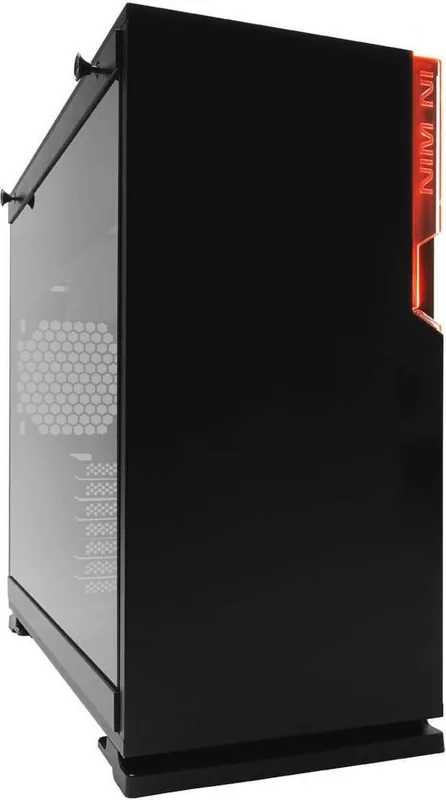
The In Win 101 is a mid-tower PC case designed for builders who want a balanced mix of style, compatibility, and thermal flexibility. It brings together a minimalist front panel, a striking LED accent, and a sturdy chassis that can support modern hardware without feeling overbuilt or bulky. The result is a case that looks calm on the outside while staying practical inside.
A clean look with purposeful details
One of the most appealing parts of the In Win 101 is its visual approach. The front surface stays smooth and uncluttered, giving the case a premium, understated feel. The LED bezel adds a subtle signature touch, while the tempered glass side panel lets the finished build take center stage. Available in black or white, it fits both dark, stealthy setups and lighter, high-contrast themes.
Built for flexible hardware support
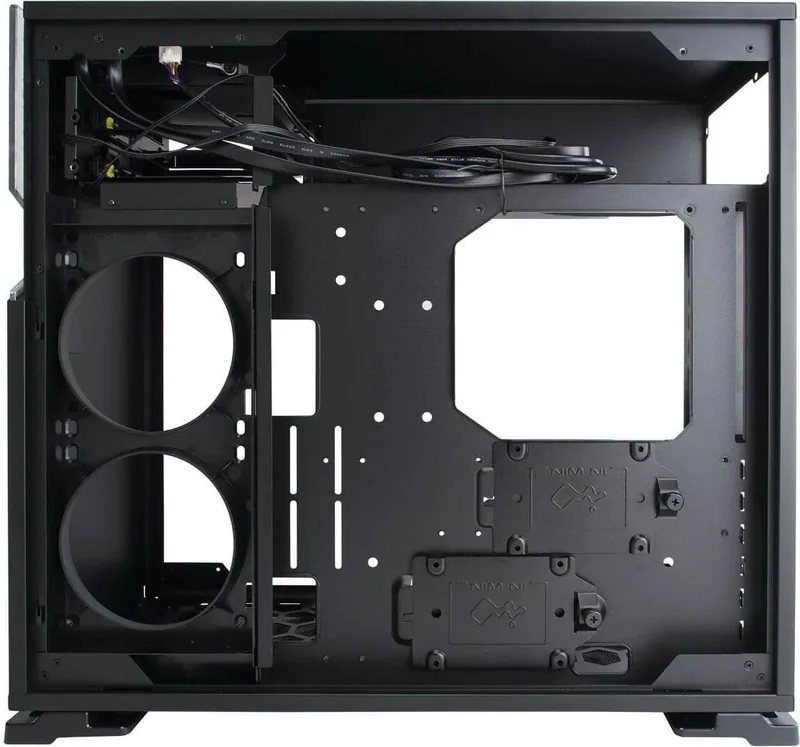
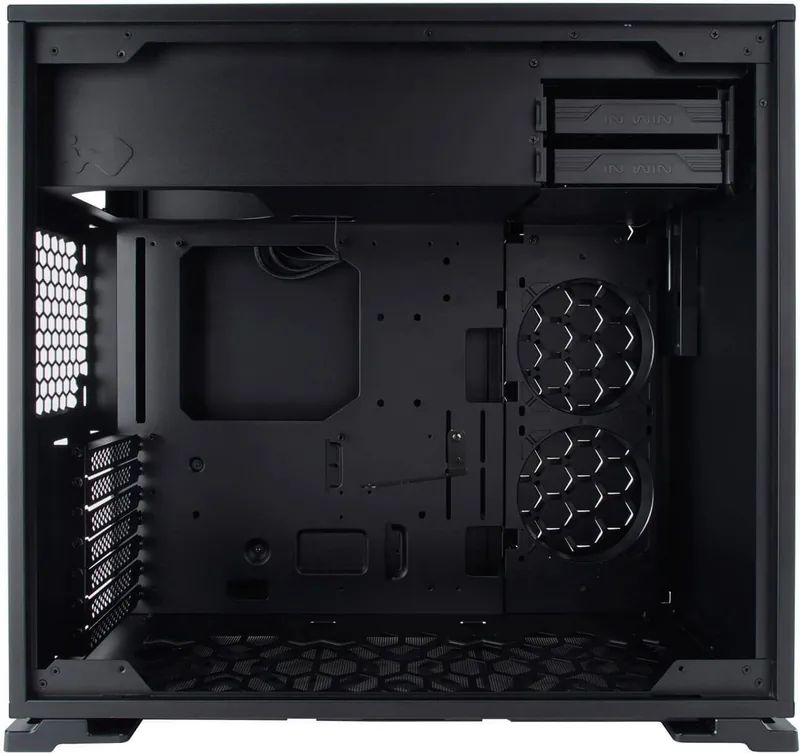
This case is made to handle a wide range of builds, from compact gaming systems to more ambitious everyday workstations. It supports ATX, Micro-ATX, and Mini-ITX motherboards, along with seven expansion slots for add-in cards. GPU clearance is generous at up to 421 mm, and the case also allows CPU coolers up to 160 mm tall, which gives builders room to choose stronger components.
Storage and connectivity are practical as well. The chassis offers space for multiple 3.5-inch and 2.5-inch drives, plus two front USB 3.0 ports and HD audio. That makes daily use simple while keeping the front panel clean and easy to access.
Cooling choices that scale with your build
The In Win 101 really shines in thermal flexibility. It supports a rear 120 mm fan or radiator, two side-mounted 120 mm fans or a 240 mm radiator, and up to three bottom 120 mm fans or a 360 mm radiator. That means you can build a quiet air-cooled system or move toward a more advanced liquid cooling layout without changing the case.
For builders who enjoy tuning airflow, this layout is a major advantage. It helps the case adapt to high-performance graphics cards and heat-heavy configurations while still keeping the design compact and tidy.
Notes
- Best suited for users who want a clean-looking mid tower with broad compatibility.
- Side radiator use can affect GPU clearance, so planning the layout matters.
- The PSU limit is 200 mm, which is enough for many systems but worth checking before purchase.
- Build quality and airflow are the main strengths, especially for modern gaming or mixed-use PCs.
Search for 67,706 Manuals online


Type-in Brand or Model