
Imperial i105 Manual
PDF manual · 220 Pages
English



Quick check
Incorrect answer, please try again.
Chat with your Imperial i105 manual using AI
Get instant AI answers from your Imperial i105 manual
Ask anything about the Imperial i105. Answers come from this manual, with the pages they are based on.
Ask a Question
Do you recommend i105?
Yes No
cmcclure96
5 months ago
Is this radio suitable for small rooms or desks?
Frequently Asked Questions
Navigate to the Settings menu, select Network, and choose either manual configuration or WPS PBC if your router supports it. You will need to enter your Wi-Fi password using the rotary dial and navigation buttons.
Is this answer helpful?
Yes, simply insert a formatted USB drive into the Type-C port. Select the USB option from the main menu to browse and play supported audio formats like MP3, AAC, and WMA.
Is this answer helpful?
Absolutely. You can set up to two alarms with customizable times, repetition schedules, and wake-up sources including internet radio stations, melodies, or tones.
Is this answer helpful?
Yes, the Air Music Control app is available for download on both Android and iOS platforms. It allows you to manage all radio functions remotely as long as both devices are on the same network.
Is this answer helpful?
The device will still function as a standard radio receiver if you have saved local favorites, but streaming capabilities will be unavailable until the connection is restored.
Is this answer helpful?
Download the latest firmware from the manufacturer's website, extract the file, copy it to a USB drive, and plug it into the device to initiate the update process via the menu.
Is this answer helpful?
Yes, when connected to the internet, the device fetches weather data which can be displayed on the screen in standby mode or viewed manually using the navigation buttons.
Is this answer helpful?
Advantages and Disadvantages
Advantages

- Access to over 25,000 global internet radio stations
- Dual functionality for streaming and USB audio playback
- Comprehensive mobile app support for remote control
- Built-in weather forecast display in standby mode
- Flexible alarm system with multiple sound sources
Disadvantages

- Requires stable Wi-Fi connection for full internet features
- No Bluetooth connectivity mentioned for wireless streaming
- Manual configuration needed for advanced network settings
- Screen brightness cannot be turned off completely during use
- Limited to 2.4 GHz Wi-Fi band only
Product Specification
Power
5W Peak
Tuner
Internet Radio
Display
2.4 inch LCD
Audio Connections
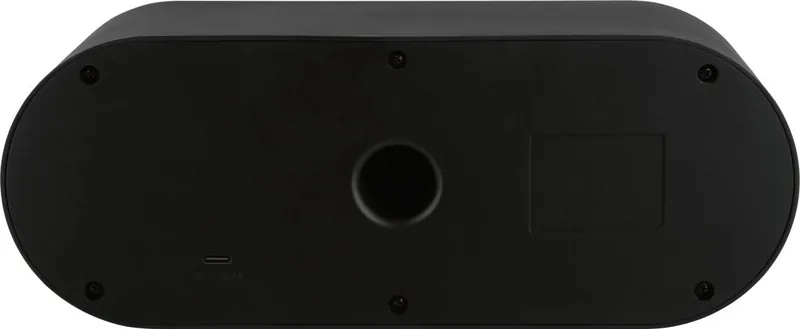
Headphones (3.5mm Jack)
Other Connections
USB-A
Wireless
Wi-Fi
Power Supply
Mains Power
Color
Black
Product Description
Discover the Imperial i105: Your Ultimate Internet Radio Experience
The Imperial i105 represents a seamless blend of modern connectivity and classic audio enjoyment. Designed for the contemporary home, this device transforms your living space into a hub of entertainment by offering access to thousands of internet radio stations from around the globe. Whether you are looking for local news, international music genres, or soothing background sounds for sleep, the Imperial i105 delivers high-quality audio with intuitive control.
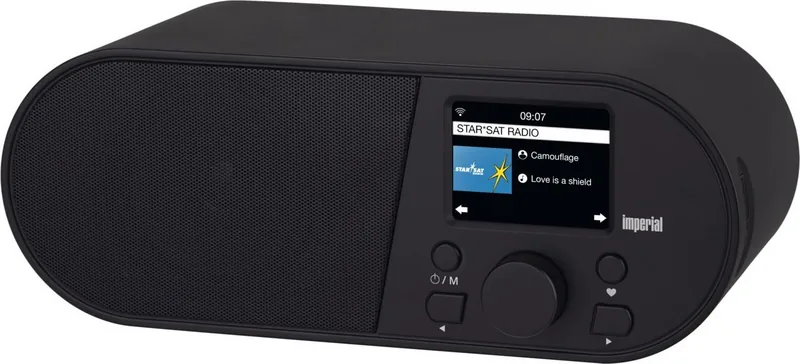
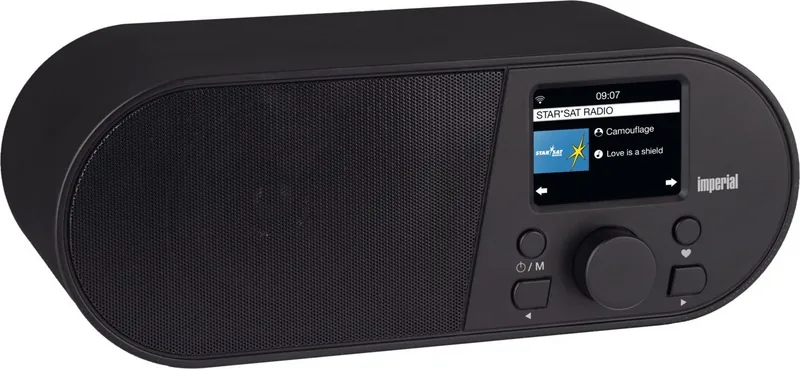
At the heart of the Imperial i105 is its robust Wi-Fi capability, allowing it to connect effortlessly to your home network via a 2.4 GHz module. This ensures that you can stream your favorite content without interruption. The device features a clear TFT color display that provides all essential information at a glance, including signal strength, clock time, weather forecasts, and station details. For those who prefer a hands-free experience, the unit can be fully controlled using the dedicated Air Music Control app available for both Android and iOS devices.
Versatility is key to the Imperial i105's design. Beyond streaming online radio, it supports direct playback of audio files stored on USB drives, making it an excellent choice for playing personal music collections. The built-in alarm clock function adds practicality to your daily routine, allowing you to wake up to your preferred sound source, whether it is a specific radio station, a melodic tune, or ambient noise. Additional smart features include a snooze timer, a sleep timer for automatic shutdown, and real-time weather updates displayed even in standby mode.
Safety and environmental responsibility are also central to the product philosophy. The device adheres to strict safety standards, featuring double insulation for secure operation and clear guidelines for maintenance. It is designed exclusively for indoor use in dry environments to ensure longevity and user safety. The sleek form factor fits perfectly on any shelf or nightstand, while the dimmer function allows you to adjust screen brightness to suit your lighting preferences.
Key Features Overview
- Global Access: Connect to over 25,000 internet radio stations worldwide.
- USB Playback: Play MP3, AAC, and WMA files directly from USB storage.
- Smart App Control: Full functionality managed via the Air Music Control mobile app.
- Weather Updates: Real-time weather forecasts displayed on the unit.
- Customizable Alarm: Wake up to radio, music, or tones with flexible scheduling.
Important Notes
Always ensure the device is connected to a grounded power outlet rated between 220 and 240 volts. Avoid placing the unit near heat sources or in areas with high humidity. For optimal performance, keep the router within a reasonable distance to maintain a strong Wi-Fi signal. If you encounter connection issues, check that your router has DHCP and UPnP functions enabled.
Search for 67,706 Manuals online


Type-in Brand or Model
dolor_veritatis
4 months ago
How is the sound quality for a radio in this size and price range?
Manual.ly
4 months ago
Based on customer feedback, the sound quality is excellent for its compact size and affordable price. Users highly recommend it for clear audio performance.