
Imperial DABMAN i410 BT Manual
PDF manual · 364 Pages
English



Quick check
Incorrect answer, please try again.
Chat with your Imperial DABMAN i410 BT manual using AI
Get instant AI answers from your Imperial DABMAN i410 BT manual
Ask anything about the Imperial DABMAN i410 BT. Answers come from this manual, with the pages they are based on.
DABMAN i410 BT Maintenance Schedule
Inspect the device for visible damage before every use. If damaged, do not operate it.
Unplug the device first. Use a dry, soft cloth. Do not use liquids or solvents to avoid surface damage.
Ask a Question
Do you recommend DABMAN i410 BT?
Yes NoFrequently Asked Questions
Go to the main menu, select System, then Network. Choose your Wi-Fi network from the list, enter the password using the keypad, and confirm with the OK button to establish connection.
Is this answer helpful?
Yes, connect a USB drive to the back. Press the Record button during playback to save files to the drive in MP3 format automatically for later listening.
Is this answer helpful?
Yes, select Bluetooth mode in the menu, activate Bluetooth on your phone, pair with DABMAN i410 BT, and stream audio freely from your device.
Is this answer helpful?
Select the Weather icon in the main menu. If connected to the internet, it will display current conditions based on your location settings.
Is this answer helpful?
Yes, download the companion app from the App Store or Google Play. Ensure both devices are on the same network to control the radio remotely.
Is this answer helpful?
It plays MP3, AAC, and WMA files from USB drives up to 320 Kbit/s bitrate and 48 KHz sample rate for high quality playback.
Is this answer helpful?
Go to System Settings, scroll to Factory Settings, and confirm the reset. Note that all stored stations and lists will be deleted during this process.
Is this answer helpful?
Advantages and Disadvantages
Advantages

- Supports DAB+ Digital, FM Analog, Internet Streaming, and Cloud Music via Deezer and TIDAL High Res Audio simultaneously.
- Built-in Bluetooth allows wireless audio streaming from smartphones or tablets for convenient music playback anywhere.
- USB port enables direct MP3 file playback and recording of radio programs on external storage devices easily.
- Weather forecast feature updates directly on display using internet connection for current local weather conditions instantly.
- Mobile app control available for iOS and Android devices provides remote management of functions and station selection.
Disadvantages

- Requires hardwired power connection and does not support battery operation for portable mobile use in outdoor settings.
- Physical display size is limited to 2.4 inches which may appear small for detailed information display at a distance.
- Wi-Fi setup depends on router compatibility and may take time for registration during initial network configuration phases.
- No native support for some popular smart home voice assistants without additional external integration devices or hubs.
- Cloud music services require separate account registrations with providers like TIDAL or Deezer before full streaming access.
Product Specification
Type
Streaming Player
Tuner
FM, DAB, DAB+, Internet Radio
Streaming Clients
Amazon Music, Deezer, Qobuz, Spotify, Tidal
Audio Ports
Digital Audio Out (optical), Stereo Line Out (3.5mm jack)
Other Ports
USB-A 2.0
Wireless
Bluetooth 5.1, Wi-Fi
Features
Remote Control
Color
Black
Dimensions
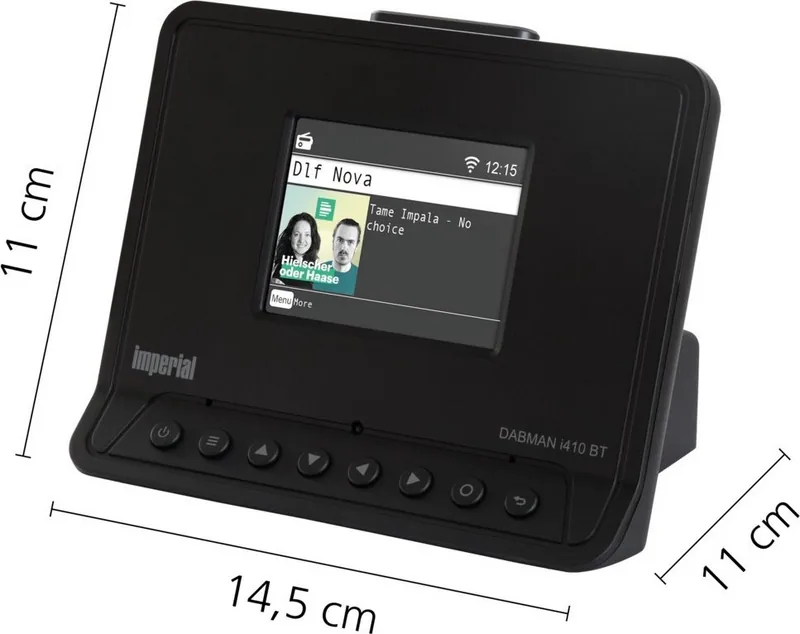
5.71x4.33x4.33 in (WxHxD)
Weight
7.90 oz
Product Description
Discover the Power of Modern Radio with the Imperial DABMAN i410 BT
Welcome to the future of audio entertainment. The Imperial DABMAN i410 BT stands out as a versatile digital receiver designed for the modern home. Whether you prefer traditional broadcasts or cutting-edge streaming, this unit delivers exceptional clarity and depth. Users often consult the Imperial DABMAN i410 BT Manual during initial setup to maximize performance and understand all features fully. This device seamlessly integrates DAB+, FM, and Internet radio capabilities into one compact chassis suitable for any room.
Advanced Connectivity Options
One of the standout features is the robust Bluetooth connectivity allowing wireless streaming. You can stream music wirelessly from smartphones or tablets without physical interruptions or tangled wires. The unit also supports UPnP for accessing media libraries on your local network efficiently. For portable enthusiasts, the USB port allows for direct playback of MP3 files or recording favorite broadcasts onto storage. This functionality transforms the listening experience by offering flexibility across multiple input sources like cloud services and local devices simultaneously.
Intelligent Features and Cloud
Beyond standard playback, the equipment offers weather updates directly through its color display. This adds practical value for daily commutes or planning your week ahead conveniently. The built-in mobile app control provides seamless management via iOS or Android devices effortlessly. You can adjust settings and switch stations remotely using the included interface on your phone. Additionally, the equalizer settings allow for personalized sound profiles to match your unique listening preferences and music genres perfectly. The unit also supports major streaming services like Deezer and TIDAL High Res Audio.
User-Friendly Design
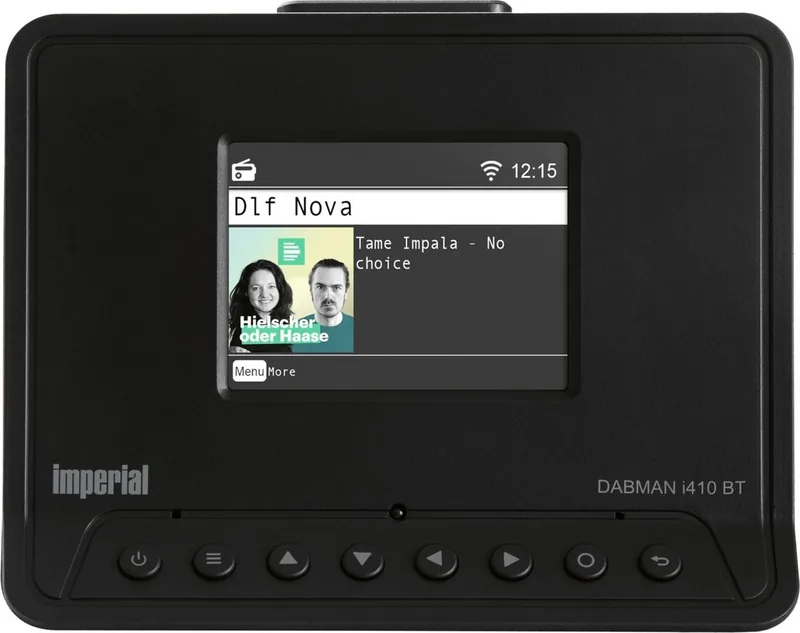
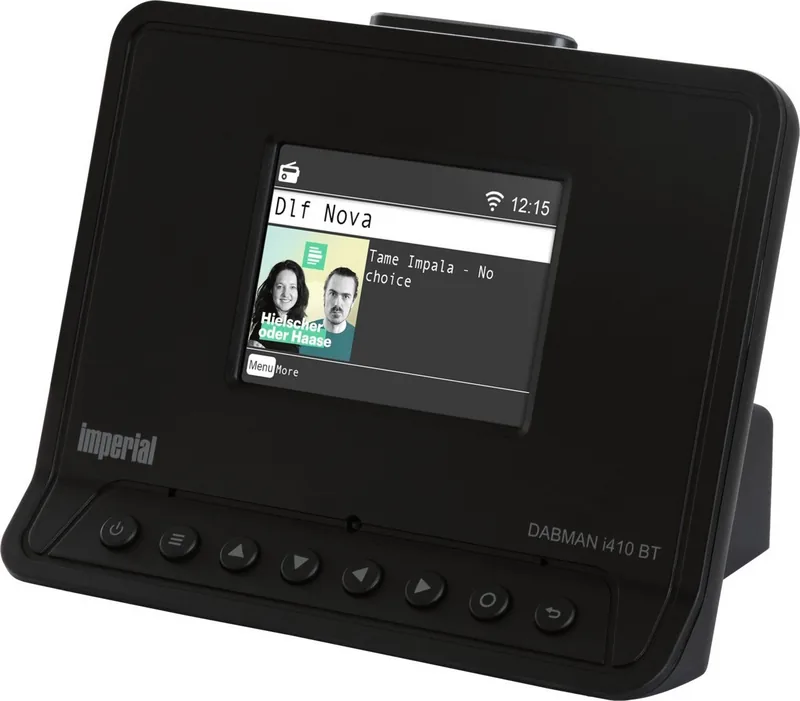
Installation is straightforward with clear layout indicators on the back panel. The front panel features intuitive buttons for volume and navigation menus easily. The 2.4 inch display provides information on current tracks and signal strength clearly. While the Imperial DABMAN i410 BT Manual is useful, the layout remains logical enough for immediate use without confusion. Sleep timers and alarms ensure convenience for those who like to listen while resting overnight. Safety mechanisms protect against electrical issues ensuring long-term reliability in your living space constantly.
Conclusion and Overview
Elevate your audio collection with this powerful receiver unit today. It combines heritage radio functionality with modern streaming demands seamlessly. The build quality suggests durability for years of daily use in various environments. Whether for background music or focused listening sessions this model satisfies diverse needs well. Explore the possibilities of digital broadcasting today with reliable performance and clear audio fidelity guaranteed for all users.
Search for 67,706 Manuals online


Type-in Brand or Model