
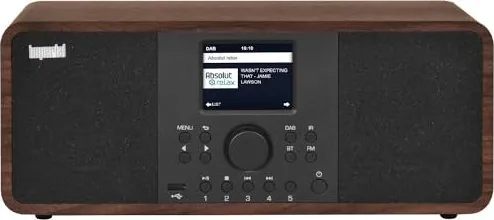
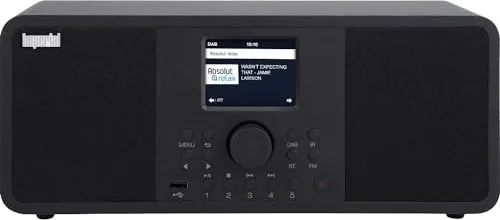
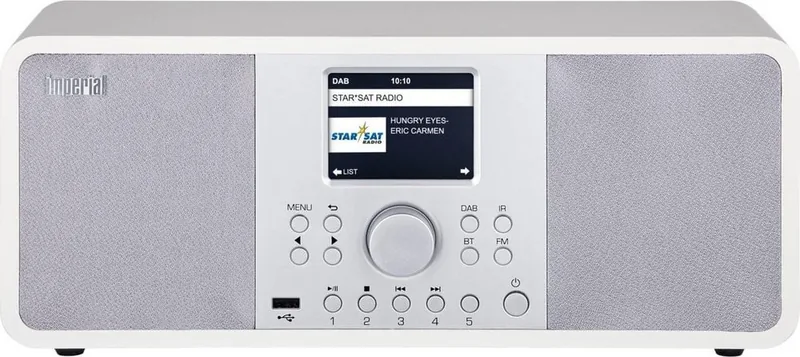
Imperial DABMAN i205 Manual
PDF manual · 508 Pages
English



Quick check
Incorrect answer, please try again.
Chat with your Imperial DABMAN i205 manual using AI
Get instant AI answers from your Imperial DABMAN i205 manual
Ask anything about the Imperial DABMAN i205. Answers come from this manual, with the pages they are based on.
DABMAN i205 Maintenance Schedule
Check the device for visible damages before every use. Do not operate if any defects are found.
Unplug the device and clean with a dry, soft cloth. Do not use liquids, solvents, or cleaning agents.
Remove exhausted or leaking batteries immediately. Clean contact points before inserting new CR 2025 batteries.
If the device is not used for a longer period, remove the batteries from the remote control to prevent leakage.
Ask a Question
Do you recommend DABMAN i205?
Yes NoFrequently Asked Questions
Navigate to the Network settings in the main menu using the remote control. Select Wireless Network, choose your SSID from the list, and enter the password using the number pad. Alternatively, use the WPS button on your router for a quick connection.
Is this answer helpful?
Yes, simply go to the Bluetooth menu on the radio, activate pairing mode, and search for DABMAN i205 on your phone. Once connected, you can stream any audio from your device directly through the radio speakers.
Is this answer helpful?
The Sleep Timer automatically turns off the radio after a set period, such as 15 or 60 minutes. This is ideal for falling asleep while listening to music or news without worrying about the device running all night.
Is this answer helpful?
Tune to the desired station, then press and hold the FAV button on the remote or one of the station memory buttons on the device. Follow the on-screen prompts to assign the station to a specific slot in your favorites list.
Is this answer helpful?
Yes, the DABMAN i205 features a USB port that supports various storage devices including flash drives and external hard drives formatted in FAT32, allowing you to play your personal MP3 or AAC files.
Is this answer helpful?
Absolutely. If connected to the internet, the radio can fetch real-time weather data for your location. You can configure this in the settings menu to show temperature and forecasts on the standby screen.
Is this answer helpful?
Advantages and Disadvantages
Advantages

- Supports DAB+, FM, Internet Radio, and USB playback for versatile listening options
- Intuitive TFT color display simplifies navigation and station selection
- Built-in Wi-Fi and Ethernet ports provide flexible network connectivity
- Bluetooth and Spotify Connect enable seamless streaming from mobile devices
- Customizable equalizer and alarm functions enhance user experience
Disadvantages

- Initial network configuration may require some technical knowledge for advanced users
- Remote control requires a separate CR2025 battery not always included in all regions
- Physical size may be large for very small bedside tables
- No built-in rechargeable battery limits portability to powered locations only
- Wi-Fi password entry via remote can be time-consuming compared to app pairing
Product Specification
Power
30W Peak
Audio Formats
MP3
Tuner
FM, DAB, DAB+, Internet Radio
Streaming Clients
Spotify
Display
LCD
Audio Connections
AUX In (3.5mm Jack), Stereo Line Out (RCA), Headphones (3.5mm Jack)
Other Connections
USB-A 2.0, RJ-45
Wireless
Bluetooth 5.0, Wi-Fi
Power Supply
Mains Power
Features
App Control, Remote Control, Sleep Timer, Telescopic Antenna, Alarm Function
Dimensions
14.17x5.98x4.72 in (WxDxH)
Weight
5.12 lbs
Product Description
Discover the Imperial DABMAN i205 Manual Experience
The Imperial DABMAN i205 stands as a pinnacle of modern audio entertainment, designed to bring crystal clear sound and seamless connectivity into your home. This sophisticated device is more than just a radio; it is a comprehensive media hub capable of receiving digital DAB+ signals, traditional FM broadcasts, and a vast array of internet radio stations from around the globe. The accompanying Imperial DABMAN i205 Manual serves as an essential guide, ensuring that users can unlock every feature this powerful unit has to offer.
Designed with user convenience in mind, the DABMAN i205 features a vibrant TFT color display that provides intuitive navigation through its extensive menu system. Whether you are tuning into local favorites or exploring global music genres, the interface remains responsive and easy to understand. The manual details how to utilize the built-in Wi-Fi capabilities, allowing for wireless streaming without the clutter of cables. For those who prefer a wired connection, the robust LAN port ensures stable access to online content.
Audio enthusiasts will appreciate the versatility of the DABMAN i205. It supports playback from USB drives, enabling listeners to enjoy their personal music collections stored on portable devices. Furthermore, the integrated Bluetooth functionality allows for wireless streaming from smartphones and tablets, making it perfect for parties or quiet evenings alike. The inclusion of Spotify Connect adds another layer of integration, letting users control their favorite playlists directly from their mobile devices.
Safety and longevity are prioritized in the design of this unit. The manual emphasizes proper installation practices, such as ensuring adequate ventilation and avoiding moisture exposure. It also provides clear instructions on battery replacement for the remote control and safe handling of the power adapter. With features like a programmable sleep timer, alarm clock with multiple wake-up sources, and an equalizer for custom sound profiles, the DABMAN i205 adapts to your daily routine. The detailed guide covers everything from initial setup to advanced network configurations, ensuring a smooth experience from day one.
Notes for Users
- Always ensure the device is placed on a flat, stable surface to prevent accidental falls.
- Regularly check the antenna connections for optimal signal reception.
- Keep the remote control batteries fresh to avoid interruption during critical moments.
Search for 67,706 Manuals online


Type-in Brand or Model