
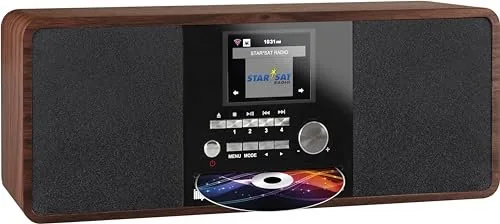
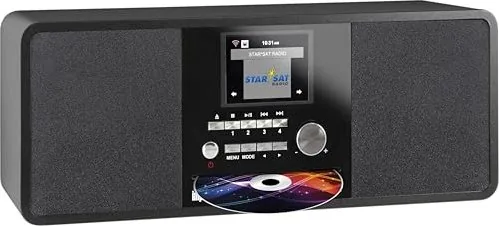
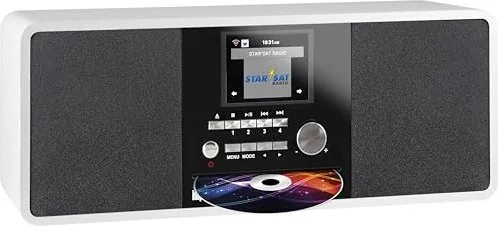
Imperial DABMAN i200 CD Manual
PDF manual · 88 Pages
English



Quick check
Incorrect answer, please try again.
Chat with your Imperial DABMAN i200 CD manual using AI
Get instant AI answers from your Imperial DABMAN i200 CD manual
Ask anything about the Imperial DABMAN i200 CD. Answers come from this manual, with the pages they are based on.
Ask a Question
Do you recommend DABMAN i200 CD?
Yes NoFrequently Asked Questions
It supports Internet radio, DAB+, and FM. It also plays audio through USB and can access music from networked devices using UPnP or DLNA. This makes it a flexible all-in-one listening device.
Is this answer helpful?
Yes. The radio can still receive FM and DAB+ stations without Wi‑Fi. However, Internet radio, app control, weather updates, and some network features require an active internet connection.
Is this answer helpful?
Yes. You can set up to two alarm times and choose different wake-up sources, including tone, melody, FM, DAB+, or Internet radio. It also includes a timer and sleep-related functions.
Is this answer helpful?
You can save favorite stations using the preset keys on the radio or the corresponding buttons on the remote control. The device supports memory for Internet radio favorites as well as DAB and FM presets.
Is this answer helpful?
Yes, if your phone is on the same network and supports compatible sharing methods. The radio works with DLNA/UPnP functions, and you can also use the AIR Music Control app for added control and playback options.
Is this answer helpful?
Extend the antenna fully and try moving the radio closer to a window or another location with better signal quality. For Internet stations, check the network connection and verify the Wi‑Fi password or router settings.
Is this answer helpful?
Advantages and Disadvantages
Advantages

- Supports Internet radio, DAB+, FM, USB playback, and network audio in one device.
- Wi‑Fi and LAN connectivity provide flexible setup options for different homes.
- Alarm, timer, weather, and dimmer features make it useful every day.
- Remote control and app support improve comfort and ease of use.
Disadvantages

- Internet features depend on a stable network connection.
- Initial setup may feel detailed for users who prefer very simple radios.
- Limited speaker power means it may not replace a larger hi-fi system.
- Some advanced functions may require learning menu navigation first.
Product Specification
Power
20W RMS
Audio Formats
CD-Audio, MP3
Tuner
FM, DAB+, Internet Radio
Streaming Clients
Spotify
Display
2.8" LCD, Time
Audio Connections
AUX In (0.14in Jack), Stereo Line Out (0.14in Jack), Headphones (0.14in Jack)
Other Connections
USB-A, RJ-45
Wireless
Wi-Fi (WLAN)
Power Supply
Mains Operation
Special Features
Remote Control, Sleep Timer, Telescopic Antenna, Alarm Function
Dimensions
14.45x6.30x5.63in (WxHxD)
Weight
6.79lbs
Product Description
Imperial DABMAN i200 CD: A Versatile Radio for Everyday Listening
The Imperial DABMAN i200 CD Manual highlights a product built for listeners who want more than a standard radio. This compact unit combines Internet radio, DAB+, FM reception, and network audio playback in one practical design. It is made for people who enjoy discovering stations from around the world, while still keeping familiar local broadcasts close at hand.
One of the strongest points of the DABMAN i200 is its flexibility. It can connect through Wi‑Fi or LAN, which makes it suitable for different home setups. Once online, the radio opens access to a large range of Internet stations, organized favorites, and regional station lists. The built-in display and intuitive controls make browsing simple, whether you use the device itself or the included remote control.
The unit also works as a small media hub. Through USB, UPnP, and DLNA support, it can play music files from compatible devices on your home network or from external storage. That means the DABMAN i200 is not only for radio lovers, but also for users who want a casual all-in-one audio solution for daily listening. The AUX input, line-out connection, and headphone socket add even more convenience for personal or connected listening.
Another useful feature is the radio alarm and timer system. You can wake up to a tone, melody, FM station, DAB+ station, or an Internet station, turning the device into a practical bedside companion. The dimmer, weather display, language selection, and equalizer settings make it easy to adapt the radio to your routine and preferences.
For users who like modern control options, the AIR Music Control app adds extra comfort. It lets you manage playback from a smartphone or tablet, which is especially useful when the radio is connected to the same network. The design feels focused on convenience, accessibility, and broad functionality rather than complexity.
Notes
- Best suited for homes that want one device for Internet radio, DAB+, and FM.
- Wi‑Fi setup is central to getting the full feature set.
- A stable network improves streaming, app control, and weather updates.
- The alarm and preset features make it useful beyond casual listening.
Search for 67,706 Manuals online


Type-in Brand or Model