
Imperial DABMAN d35 Manual
PDF manual · 184 Pages
English



Quick check
Incorrect answer, please try again.
Chat with your Imperial DABMAN d35 manual using AI
Get instant AI answers from your Imperial DABMAN d35 manual
Ask anything about the Imperial DABMAN d35. Answers come from this manual, with the pages they are based on.
DABMAN d35 Maintenance Schedule
Inspect the device for visible damage before every use. If damage is found, do not operate it.
Immediately remove leaked batteries from the device and clean the contacts before inserting new ones.
Unplug the device and wipe with a dry, soft cloth. Do not use liquids or solvents.
Ask a Question
Do you recommend DABMAN d35?
Yes NoFrequently Asked Questions
It supports DAB, DAB+, and FM radio. That means you can listen to digital stations where available and still use standard analog FM broadcasts.
Is this answer helpful?
You can save three presets in DAB mode and three in FM mode. The memory buttons let you return to them quickly.
Is this answer helpful?
Yes. It has two independently adjustable alarms. You can choose the wake source, repeat schedule, duration, and volume.
Is this answer helpful?
Yes. The equalizer offers preset sound modes and a custom option, so you can adjust treble, bass, and loudness to your taste.
Is this answer helpful?
Fully extend the telescopic antenna and place the radio in a better spot if needed, ideally closer to a window. Running a new scan after moving it can also help.
Is this answer helpful?
No. The USB connection is intended for service tasks and firmware updates only, not for playing audio files.
Is this answer helpful?
Advantages and Disadvantages
Advantages

- Supports DAB, DAB+, and FM, giving access to both digital and analog stations.
- Simple setup with automatic scanning and saved station lists.
- 3 station presets per band make daily listening quick and convenient.
- Alarm, equalizer, and display settings add useful everyday flexibility.
Disadvantages

- Preset memory is limited to only three stations per band.
- USB port is for service or firmware use, not music playback.
- Best reception depends heavily on antenna placement and room location.
- Uses mains power only, so it is less portable than battery radios.
Product Specification
Power
5W RMS
Tuner
FM, DAB, DAB+
Display
LCD, Time
Power supply
Mains operation
Special features
Telescopic antenna, Alarm function
Color
brown
Dimensions
9.06x5.51x4.53in (WxHxD)
Weight
3.31 lb
Product Description
Imperial DABMAN d35 Stereo
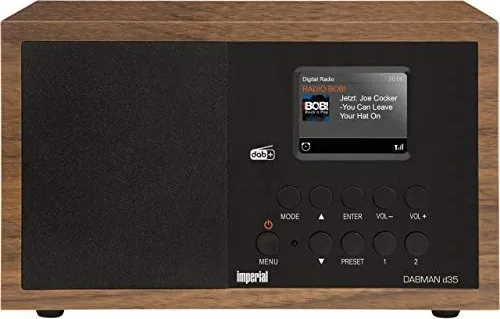
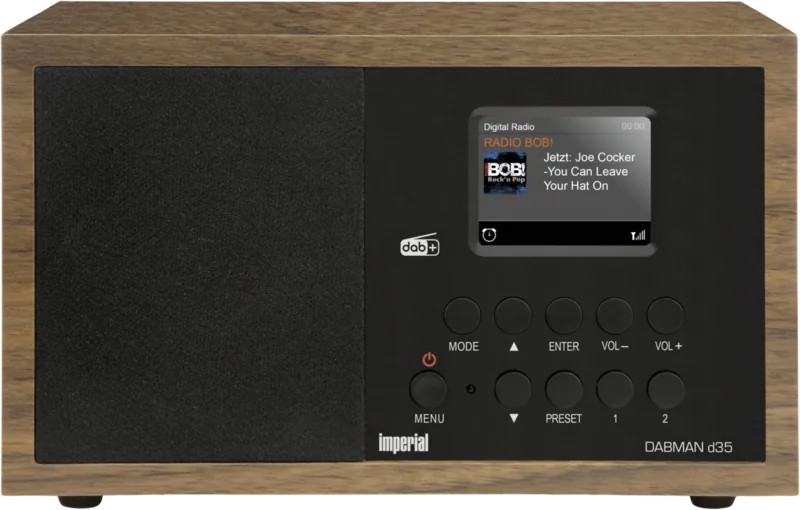
For anyone searching for the Imperial DABMAN d35 Stereo Manual, this compact radio is a straightforward choice for daily listening. It blends DAB, DAB+, and FM reception in one small unit, making it suitable for kitchens, bedrooms, home offices, or any room where reliable radio matters more than extra complexity. The layout is easy to understand, with a bright 2.4-inch TFT color display, clear buttons, and a design that puts the most useful controls within reach.
One of the best things about the DABMAN d35 is how quickly it gets going. After connecting the included power supply and extending the antenna, the radio can scan for available stations and save them automatically. DAB+ stations are stored in a station list, while FM scanning can be done with either strong-signal priority or a wider search range. Once the stations are stored, the preset keys make it simple to jump straight to favorite channels without repeating the search.
The sound options are practical and easy to tailor. A built-in 4-watt amplifier gives the radio enough power for casual listening, while the equalizer lets you choose from preset sound profiles or fine-tune the treble, bass, and loudness manually. That makes it useful for talk radio, background music, or a more balanced listening setup. The radio also includes a wake-up alarm, repeat options, and adjustable alarm volume, so it can serve as a bedside companion as well as a daily audio device.
Beyond the basics, the menu system adds useful control. You can change the language, set the time format, adjust the backlight, manage automatic standby, and restore factory settings if needed. The display also helps with station details such as signal strength, track information, and broadcast quality, depending on what the station provides. For a small radio, that is a thoughtful mix of simplicity and flexibility.
Another advantage is the predictable workflow. The radio remembers the last station, supports separate DAB and FM memories, and can wake you with either a buzzer or a station. That makes it useful for routine listening, where consistency and quick access matter more than advanced streaming features.
Overall, the Imperial DABMAN d35 Stereo is a solid pick for listeners who want dependable radio reception, basic customization, and an easy setup. It focuses on essentials, avoids unnecessary clutter, and stays practical from first use to everyday operation.
Notes
- Best suited for DAB+/FM listening in smaller indoor spaces.
- The USB port is for service or firmware tasks, not music playback.
- A factory reset clears presets and alarm settings.
Search for 67,706 Manuals online


Type-in Brand or Model